
If you've ever hosted a webinar, you know it's more than just talking into a camera. A truly successful event hinges on a simple but powerful four-part rhythm: Plan, Promote, Present, and Perfect. Thinking about it this way helps turn what feels like a mountain of tasks into a clear, manageable path.
To help you get started, we've broken down this process into what we call "The Four 'P's." This table gives you a quick overview of the entire webinar lifecycle, from the first spark of an idea to measuring your final results.
The Four 'P's of Successful Webinar Hosting
| Phase | Key Activities | AONMeetings Advantage |
|---|---|---|
| Plan | Define goals, choose a topic, select your tech stack, and outline content. | Start strong with a platform that offers built-in end-to-end encryption and intuitive controls, so you can focus on content, not troubleshooting. |
| Promote | Create registration pages, send email campaigns, and post on social media to drive sign-ups. | Seamlessly integrate registration and landing pages, making it easy for your audience to sign up and for you to track interest. |
| Present | Deliver your content, engage the audience with polls and Q&A, and manage the live event. | Host a flawless presentation with reliable HD video, screen sharing, and interactive tools like breakout rooms to keep your audience hooked. |
| Perfect | Analyze attendance data, review engagement metrics, and follow up with attendees to refine your strategy. | Access detailed post-webinar analytics to understand what worked, measure your ROI, and make your next event even better. |
Each 'P' builds on the last, creating a repeatable framework that you can adapt for any topic or audience. Now, let's dig a little deeper into what makes this all work.
Beyond the Basics of Webinar Hosting
Let's be honest—no one wants to sit through another dry, forgettable presentation. This guide is your playbook for hosting a webinar that doesn't just broadcast information but actually creates a connection with your audience. We'll go beyond the simple setup and cover everything from the initial spark of an idea to crunching the numbers after it's all over.
The bedrock of any great webinar is the platform you choose. You need a tool that balances robust security with a user experience that doesn't get in your way. This isn't about fancy bells and whistles; it’s about a reliable service like AONMeetings that gives you bank-level encryption and a clean interface without a hefty price tag.
Why Webinars Are a Marketing Powerhouse
The shift to virtual events isn't just a trend; it's a fundamental change in how businesses connect with people. The webinar software market was valued at $9.91 billion in 2025 and is expected to explode to $29.39 billion by 2034. That's not just noise—it's proof that webinars work.
In fact, the average conversion rate for a webinar is an incredible 56%. They are remarkably efficient at turning viewers into engaged leads and customers. To really dig into how webinars can be the engine for B2B growth, this marketing with webinars playbook is a fantastic resource.
Comparing Platform Value
When you're looking at how to host a webinar, the cost versus what you get is a huge consideration. A lot of platforms out there treat webinars as a premium add-on, which can sneak up on you and blow your budget.
- AONMeetings: Our plans start at just ₹179/month, and every plan includes unlimited webinar hosting. The pricing is straightforward, delivering immediate value. The value proposition is clear: you get a full-featured, secure webinar platform without hidden fees.
- Competitors: Many other services, like Zoom, require you to buy a separate, often expensive, "Webinar" or "Events" license on top of a standard plan. For example, a basic Pro plan might cost around ₹1,300/month, but the webinar add-on can cost an additional ₹5,800/month, drastically increasing your total expense.
The real value isn't just the sticker price but what's baked in. A platform that bundles webinars into every plan, like AONMeetings, gets rid of surprise costs and lets your whole team host events without fighting for budget approval.
This all-in-one approach means you have powerful tools right at your fingertips, without getting lost in complicated pricing tiers. It makes hosting secure, professional events possible for everyone. Plus, with security features like end-to-end encryption, you can be confident that your content and attendee data are always protected.
Building Your Webinar Blueprint
I've seen it a hundred times: a webinar with great potential falls flat because the host jumped straight to the tech without a solid plan. The most successful events are built on a thoughtful blueprint long before anyone clicks "Go Live." Trying to run a webinar without one is like trying to build a house without plans—it's a recipe for chaos.
Your first move is to get crystal clear on your goals and who you're talking to. Don't settle for fuzzy targets like "get more leads." That's not a plan; it's a wish. Instead, get specific. Are you aiming to "generate 100 qualified leads for our sales pipeline" or "train 50 new customers on our latest software update"? Concrete goals give your webinar purpose and a way to measure success.
Choosing a Topic That Connects
With your goals set, you need a topic that actually solves a problem for your audience. People are busy. They'll only sign up if you offer them real value, not a thinly veiled sales pitch.
Think about what keeps your audience up at night.
- Practical Example 1: A financial advisor could go beyond "Investment Tips" and host a session on "Navigating Market Volatility in 2026." It’s specific, timely, and speaks directly to a common fear.
- Practical Example 2: A healthcare clinic could skip the generic "Our New Services" announcement. Instead, they could host a HIPAA-compliant webinar on "Managing Chronic Conditions with New Telehealth Options," offering immediate, practical advice with enhanced encryption to protect patient privacy.
The best webinar topics live at the intersection of what your audience needs to know and what you are uniquely qualified to teach them. Your goal is to provide a solution, not just a sales pitch.
I've found it helpful to think of the entire process in four distinct stages. This simple framework keeps everything on track, from initial idea to post-event follow-up.
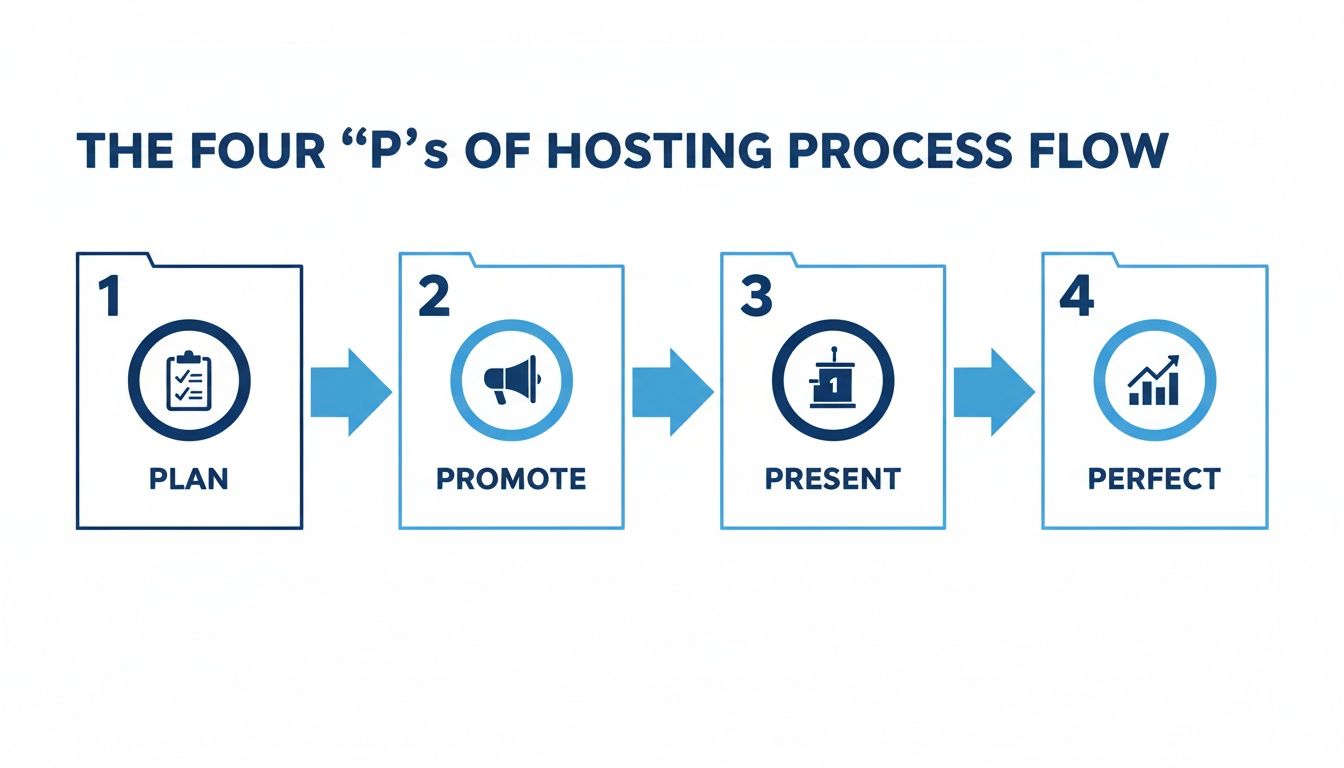
Following a clear, repeatable cycle like this one ensures you don't miss a single critical step along the way.
Configuring Your Webinar Platform
Once you know your "what" and "why," it’s time to figure out the "how." Choosing your platform is a huge decision, and this is where hidden costs can bite you. Many providers, like Zoom, nickel-and-dime you by charging extra for webinar functionality on top of their base meeting plans.
Here’s a quick breakdown of how the pricing models typically stack up.
| Platform Type | Pricing Structure | Included Webinars | Value Proposition |
|---|---|---|---|
| All-in-One (e.g., AONMeetings) | Starts at ₹179/month | Unlimited webinars included in all plans | High value; predictable costs. You get full functionality from day one without needing extra licenses. |
| Add-On Model (e.g., Zoom) | Base plan (₹1,300/mo) + Webinar Add-on (₹5,800/mo) | No; requires a separate, often costly license | Low initial value; total cost can be over ₹7,100/month, escalating quickly for teams. |
Because platforms like AONMeetings include unlimited webinars right out of the box, you can skip the frustrating step of buying add-on licenses and jump right into the setup.
Inside your AONMeetings dashboard, schedule the event with a compelling title that mirrors your promotional copy. Then, focus on the registration page. It's your first real handshake with an attendee, so make it a good one. A sharp summary of what they'll learn and a short speaker bio is all you need.
Next, and this is crucial, lock down your security settings. Nothing undermines a great webinar faster than a security breach or a "Zoombombing" incident. AONMeetings gives you the tools to keep your event and your attendees' data safe.
Essential Security Settings:
- End-to-End Encryption: Your content needs protection, period. AONMeetings uses bank-level encryption on every plan, so your stream is secure from prying eyes. This is a critical feature often reserved for premium tiers on other platforms.
- Waiting Room: I always recommend enabling this. It lets you personally vet who enters the room before they go live, preventing any unwanted disruptions from the start.
- Require Registration: Never, ever post a direct join link on a public forum. Requiring registration not only captures lead data but also ensures each person gets a unique, secure link to join.
When you put this much thought into the planning and setup, you're not just hoping for a good webinar. You're engineering a successful, secure, and valuable event that your audience will thank you for.
Creating Buzz and Maximizing Attendance
You’ve poured your heart into creating fantastic webinar content. The presentation is polished, your speakers are prepped, but all that work is for nothing if you’re speaking to an empty room. This is the moment you switch gears from content creator to promoter.
Getting people to show up isn't about sending a single email blast and hoping for the best. It’s about building a steady drumbeat of excitement. Think of it as a mini-campaign that uses every tool at your disposal—email, social media, even your partners—to make sure your event is the one people don't want to miss.
Weave Your Promotion Across Multiple Channels
The trick is to meet your potential audience where they already hang out. A multi-channel strategy isn't just about making noise; it's about having targeted conversations on the platforms people actually use.
- Email Marketing: This is your promotional engine. Don't just send one announcement. Plan a short sequence: a "save the date" to build initial interest, another that dives into your speaker's background, and of course, a final reminder just before you go live.
- Social Media: Go beyond a simple "Join our webinar!" post. Practical Example: Share a surprising statistic from your talk on LinkedIn ("Did you know 73% of B2B marketers say webinars are the best way to generate high-quality leads?"). Post a quick video clip of your speaker answering a common question. Run a poll related to your topic to get people thinking. Give them a reason to be curious.
- Partner Networks: Your speakers, sponsors, or even friendly businesses in your industry have their own audiences. Tapping into their networks through cross-promotion can massively expand your reach to a warm, relevant audience.
To keep all these moving parts organized, especially reminders and follow-ups, tools for marketing automation are a lifesaver. Automating these touchpoints frees you up to focus on what really matters: your content and your audience.
Make Signing Up (and Showing Up) Effortless
Every single click or confusing field in your registration form is a potential lost attendee. People are busy. Their attention is short. A clunky sign-up process is a guaranteed way to lose them.
Imagine someone sees your post on LinkedIn while scrolling on their phone. They’re interested and tap the link, only to be met with a desktop-era form that requires pinching and zooming just to find the "Register" button. Most people will just give up.
This is where your choice of webinar platform really shows its worth. AONMeetings, for example, was built with this in mind. You get a simple, one-click join link that works perfectly on any device. When you pair that with automated SMS reminders that ping attendees right before the event, you’ll see a real jump in how many people actually log on.
If you really want to get this right, we’ve put together a full guide on how to increase webinar attendance with even more strategies.
Look for Promotional Value in Your Platform
Not all webinar platforms are designed to help you promote your event. Many have hidden costs or missing features that can seriously hamstring your efforts to fill those virtual seats. The true value isn't just in hosting the webinar, but in helping you get people there in the first place.
| Feature | AONMeetings | Typical Add-On Model (e.g., Zoom) |
|---|---|---|
| Included Webinars | Unlimited webinars included on all plans (from ₹179/month). This provides immense value by allowing consistent event hosting without budget constraints. | Requires a separate, often expensive, webinar license (e.g., ~₹5,800/mo) on top of the base plan. |
| Automated Reminders | Email and SMS reminders are built-in to reduce no-shows. | Often limited to email unless you integrate with other paid services. |
| Security | End-to-end encryption is standard, building trust from the first touchpoint. | Security features vary by plan and can be complex to configure. |
The bottom line with AONMeetings is simple: you get a complete set of promotional and security tools included in one affordable plan. You’re not paying extra for the essential features you need to get people to show up and feel secure.
When your promotion strategy and your platform work together, you create a seamless, trustworthy experience for your audience. That journey—from the first ad they see to the moment they join your live session—is what turns interested prospects into engaged attendees.
Delivering a Flawless and Engaging Presentation
Alright, the doors are about to open. All your planning and promotion come down to this moment: hitting "Go Live." This is where your preparation pays off, and your ability to create a smooth, compelling experience will make the difference between an audience that tunes out and one that hangs on your every word.
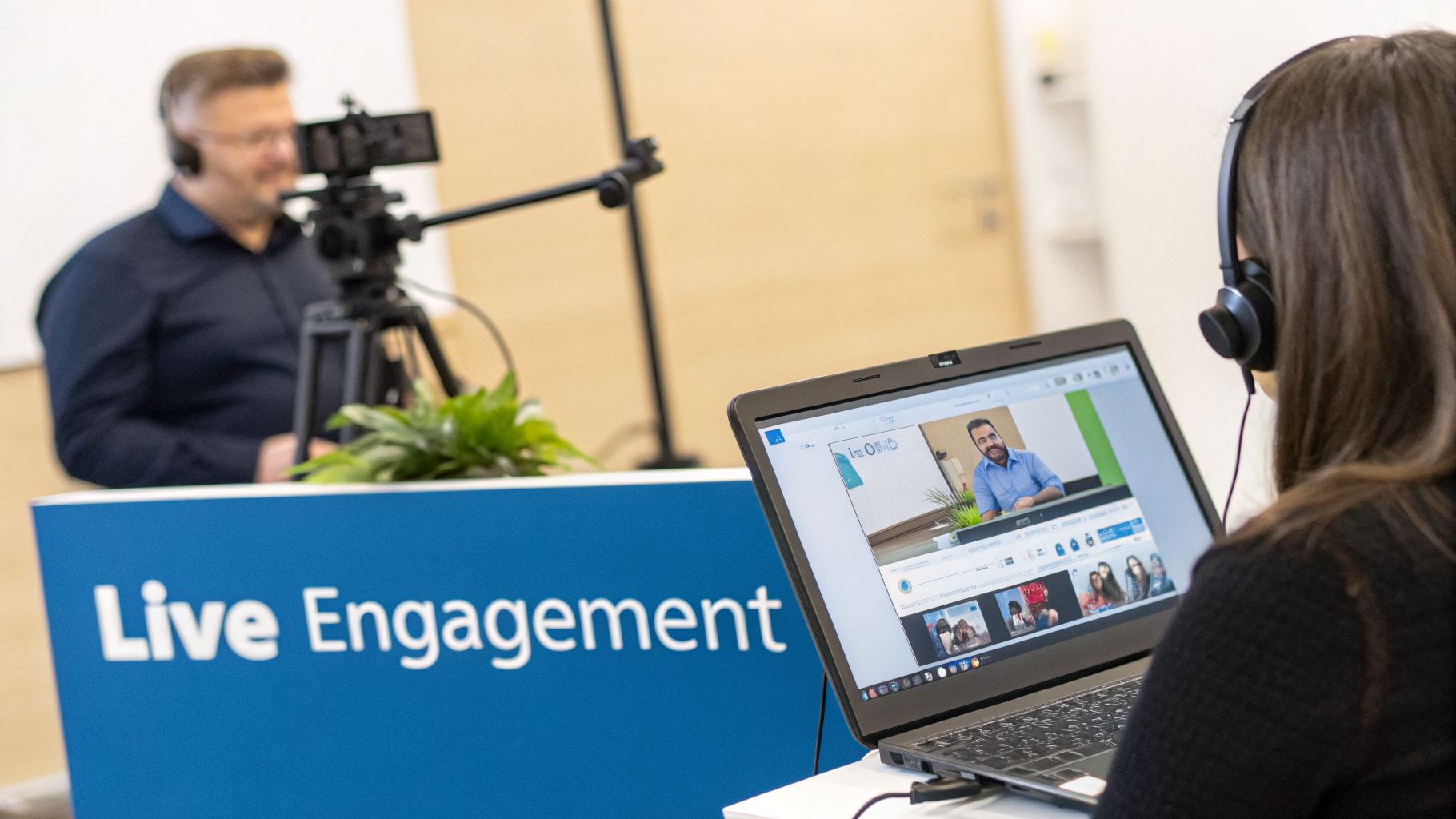
It’s completely normal to feel a bit of a rush right before you start. The key is to channel that energy. I always recommend giving yourself a quiet 30 minutes before showtime to run through one last tech check. This is not the time to discover your mic is muted or your screen share is showing your personal email.
The 30-Minute Countdown
Before you let anyone in from the waiting room, take a moment to make sure your digital stage is set. A calm start builds confidence for you and your audience.
- Audio and Video Check: Your audio is everything. People will tolerate a grainy camera, but they'll drop off immediately if they can't hear you clearly. Use a dedicated USB mic if you have one. Glance at your camera feed—is the lighting good? Is your background clean and free of distractions?
- Screen Share Preview: Get your presentation deck open and ready. Do a quick practice run to ensure you're sharing the right window, not your entire desktop. Remember to close any extra tabs or apps and silence all notifications.
- Interactive Tools Queued: Have your polls built and ready to launch. If you're sharing files, make sure they're already uploaded. Fumbling to find a document or create a poll on the fly is a guaranteed way to kill your momentum.
- Moderator Huddle: If you have a moderator (and you absolutely should), do a quick 2-minute sync. Confirm they know their cues for managing the chat, organizing questions for the Q&A, and handling any technical hiccups.
This simple routine ensures that when your attendees arrive, your focus is entirely on them, not on last-minute troubleshooting.
Keeping Your Audience Hooked
A webinar audience's attention is a precious and fragile thing. To hold it, you have to turn passive viewers into active participants. This is where your interactive tools shine.
A well-timed poll can instantly pull a wandering mind back into the conversation. Instead of just talking at your audience for an hour, ask them something.
Practical Example: Imagine you're a marketing consultant presenting on social media trends. You could launch a poll asking, "Which platform generated the most qualified leads for you in the last quarter?" It's a simple question, but it does two things: it provides you with fascinating live data and, more importantly, it makes every single person reflect on their own business.
Having a dedicated moderator is the single biggest upgrade you can make to your webinar delivery. It frees you from the impossible task of presenting, monitoring the chat, and managing technical issues all at once.
With a platform like AONMeetings, you can take this even further. Use breakout rooms to split a large audience into smaller groups for a quick brainstorming session. Suddenly, your webinar feels less like a lecture and more like a hands-on workshop.
Delivery Tips That Make a Difference
How you carry yourself on camera is just as important as the slides you're showing. You need to consciously break through that digital wall to build a real connection.
- Talk to the Camera: This one feels strange at first, but it's crucial. Look directly at the camera lens, not at your own face on the screen. To your audience, this translates as direct eye contact, which builds trust and makes you seem far more engaging.
- Find Your Conversational Voice: Don't read a script like a robot. Speak to your audience as if you were explaining a concept to one person over coffee. It’s a performance, but it should feel like a conversation.
- Expand Your Reach: Don't limit your event to just the people in the room. AONMeetings' built-in feature to live stream to YouTube lets you broadcast to a much wider audience simultaneously, getting more mileage out of a single event.
Your Platform's Role During the Live Event
The webinar software you choose has a direct impact on your ability to present professionally and securely. I’ve seen presenters get blindsided by missing features or unexpected add-on costs right before an event.
| Feature | AONMeetings | Common Add-On Models (e.g., Zoom) |
|---|---|---|
| Included Webinars | Unlimited webinars are part of every plan (starts at ₹179/month), representing a huge value proposition. | Requires a separate, costly webinar add-on license (~₹5,800/mo), increasing the total expense significantly. |
| Live Streaming | Stream to YouTube is included in advanced plans, offering wider reach at no extra charge. | Often requires higher-tier plans or additional event licenses, adding another layer of cost. |
| Encryption | End-to-end encryption is standard on all plans, ensuring your live content is secure from unauthorized access. | Security levels can vary, and top-tier encryption might be reserved for more expensive enterprise plans. |
The takeaway here is practical: AONMeetings rolls professional tools and serious bank-level encryption into its standard plans. This means you aren’t forced to choose between staying on budget and delivering a secure, engaging, and flawless presentation.
Turning Attendees into Advocates After the Event
The moment you click “End Webinar,” your work isn’t over. Far from it. This is where the real work begins—turning the energy from your live event into actual business results. Getting this part right is what separates a forgettable presentation from a powerful, ongoing lead-nurturing machine.
Your first move should be swift, ideally within just a few hours. A prompt, personalized thank-you email is your best opening. But don’t just say thanks—give them something valuable right away. This is one of those moments where your choice of webinar platform can make a huge difference.
For instance, with a tool like AONMeetings, the recording is created for you automatically. Even better, some plans come with searchable summaries, which is a game-changer. It lets people jump straight to the exact topic they cared about most. Your email can link directly to this, giving them an immediate reason to dive back into your content.
Smart Segmentation for Your Follow-Up
Sending the same follow-up email to everyone who registered is a classic rookie mistake. To really make an impact, you need to segment your audience. At a minimum, split them into two distinct groups:
- Live Attendees: These are your warmest leads. Your message to them should feel like an exclusive "insider" communication. Practical Example: "Thanks for joining our session on 'Advanced Lead Nurturing'! As promised, here's the full recording and a link to the bonus checklist we mentioned."
- Registrants Who Didn't Attend: Life gets in the way. Your tone here should be helpful, not scolding. A simple subject line like, "Sorry We Missed You! Here's the Recording," works wonders. Frame it as a second chance to get the valuable insights they signed up for.
This simple act of tailoring your message shows you're paying attention and dramatically improves the odds that they'll watch the replay and stay connected.
Your post-webinar follow-up is not just about sending a recording link. It's your first, best chance to move a prospect from a passive viewer to an active lead by delivering immediate, personalized value.
Comparing Value in Post-Webinar Tools
The features that support your follow-up strategy are often where you see the biggest differences between platforms. I've seen many people get frustrated when they realize the tools they need most—like good recording features—are expensive add-ons.
| Feature | AONMeetings | Typical Add-On Model (e.g., Zoom) |
|---|---|---|
| Included Webinars | Unlimited webinars included on all plans (from ₹179/month). This value means you can consistently generate leads without budget anxiety. | Often requires a separate, costly webinar license (~₹5,800/mo), making each event a significant investment. |
| Searchable Recordings | Included in advanced plans, creating a high-value asset for follow-ups that people will actually use. | Basic recording is standard, but searchable transcripts or summaries often require higher tiers or third-party apps. |
| Data Encryption | End-to-end encryption protects all recorded content, keeping your proprietary information and attendee data safe, a crucial security feature. | Encryption levels can vary, and it's on you to make sure stored recordings meet your compliance needs. |
The advantage with AONMeetings is having an all-in-one system. You can host the webinar and then immediately create and distribute valuable, secure assets without worrying about surprise fees. If you want to make your replays as compelling as possible, it's worth learning more about how to record webinars for maximum impact.
Measuring What Truly Matters
Finally, it’s time to look at the numbers and see if your efforts paid off. Good analytics are more than just ego-boosters; they’re your road map for proving ROI and making your next webinar even better.
You’ll want to focus on a few key performance indicators:
- Attendance Rate: What percentage of registrants actually came? A low number could mean your reminders weren't effective or the time wasn't right for your audience.
- Engagement Score: How many people asked questions, answered polls, or stayed until the very end? This is the clearest sign of how well your content landed.
- Conversion Rate: This is the big one. How many attendees took the next step you wanted them to, like booking a demo or downloading a guide? This metric ties your webinar directly to business growth.
Choosing the Right Webinar Platform
Picking your webinar software feels like it should be simple, but it's one of the first places your event plan can go sideways. The platform you choose doesn't just affect your budget; it dictates security, reliability, and whether you can run a professional event without sweating the technical details.
The classic trap is the "webinar add-on." So many hosts get drawn in by a low monthly price for basic meetings, only to get hit with sticker shock when they realize the ability to host an actual webinar is a separate, expensive license. Your "affordable" tool suddenly isn't so affordable.
Decoding the True Cost of Webinar Hosting
Let's put that into real numbers. Imagine you have a 15-person team that needs to run webinars for product demos, lead generation, and customer training. With many popular platforms, you're not just buying 15 licenses for the meeting tool—you're then forced to buy a separate, expensive webinar license on top of that.
The most significant hidden cost in webinar software is the "add-on" model. You pay for the meeting tool, and then you pay again for the webinar feature, often doubling or tripling your annual spend. AONMeetings eliminates this by including unlimited webinars in every single plan, offering a clear value proposition.
This is where you really need to read the fine print. Platforms like AONMeetings build everything into one transparent price, so you know exactly what you’re paying for. You can dive deeper into this in our complete guide to the best webinar software for small business.
Now, let's break down exactly what you get for your money.
AONMeetings vs Competitors Feature and Price Showdown
When you line up the options, the difference in value becomes crystal clear. We've compared the features that truly matter for most businesses: what it costs, whether webinars are included, and the level of security you can expect.
| Feature | AONMeetings | Zoom (Pro/Business) | Microsoft Teams (Business) |
|---|---|---|---|
| Monthly Price Per User | Starts at ₹179/month | Starts at ₹1,300/month + add-on | Starts at ₹1,030/month + add-on |
| Webinars Included? | Yes, unlimited webinars on ALL plans | No, requires separate webinar add-on (approx. ₹5,800/month extra) | No, requires "Teams Premium" add-on (approx. ₹830/month extra per user) |
| Time Limit | Unlimited meeting time | 30 hours per meeting | 30 hours per meeting |
| End-to-End Encryption | Yes, bank-level encryption on all plans | Yes, but may require manual enabling | Yes, available on some plans |
| HIPAA Compliance | Yes, available | Yes, requires specific plans and a BAA | Yes, requires specific plans and a BAA |
The numbers really do speak for themselves. With AONMeetings, your 15-person team can get to work hosting unlimited, secure webinars without worrying about hidden fees. With the others, you're looking at a significantly higher cost just to unlock the same fundamental feature. The value proposition couldn't be more different.
Frequently Asked Questions About Hosting Webinars
When you're new to hosting virtual events, a few practical questions almost always come up. Getting these sorted out from the beginning is the key to running your webinar with total confidence.
How Long Should a Webinar Be?
Aim for the 45 to 60-minute mark. This has proven to be the sweet spot for keeping an audience focused and engaged.
This timing gives you a solid 30-40 minutes to deliver your core presentation, leaving a good 15-20 minutes for a live Q&A session at the end. Practical Example: If you're a marketing agency presenting on "5 SEO Quick Wins," you can pack a lot of value into 35 minutes and still have plenty of time to answer specific questions from the audience.
If you’re running a more technical training or a deep-dive session, you can certainly go longer, up to 90 minutes. Just be sure to build in some interaction—like a quick poll or a short break—every 20 minutes or so to keep energy levels high.
What Is the Best Day and Time to Host a Webinar?
Experience and data both point to the middle of the week. You'll almost always see the best attendance on Tuesdays, Wednesdays, and Thursdays. People have settled into their workweek but aren't yet checked out for the weekend.
For timing, think late morning or early afternoon in your audience's primary time zone. We've found that 10 AM or 11 AM, and 1 PM or 2 PM, are the most popular slots. Practical Example: If you're targeting finance professionals across India, for instance, an 11 AM IST start works great. Always think about your specific audience's daily routine—a webinar aimed at surgeons might actually perform best during a typical lunch hour when they finally have a moment to sit down.
How Can I Ensure My Webinar Is Secure?
Webinar security really begins with the platform you choose. It’s not just a feature; it's a foundation. AONMeetings, for example, makes this simple by including bank-level end-to-end encryption across all its plans, which is a massive advantage over platforms where this is a costly add-on.
A simple but powerful tip: always use the waiting room feature. It lets you screen who's coming in and gives you the power to lock the meeting once everyone has arrived, preventing any surprise disruptions.
Beyond that, always require registration. This gives you control over who gets access and allows you to send unique, private join links to each person. If you're working in a sensitive field like healthcare, double-check that your platform is HIPAA-compliant and uses strong encryption for all data, both in transit and at rest.
Ready to host secure, professional webinars without the hidden costs? With AONMeetings, you get unlimited webinar hosting, bank-level encryption, and engagement tools all in one affordable plan. Start today for just ₹179/month.
