
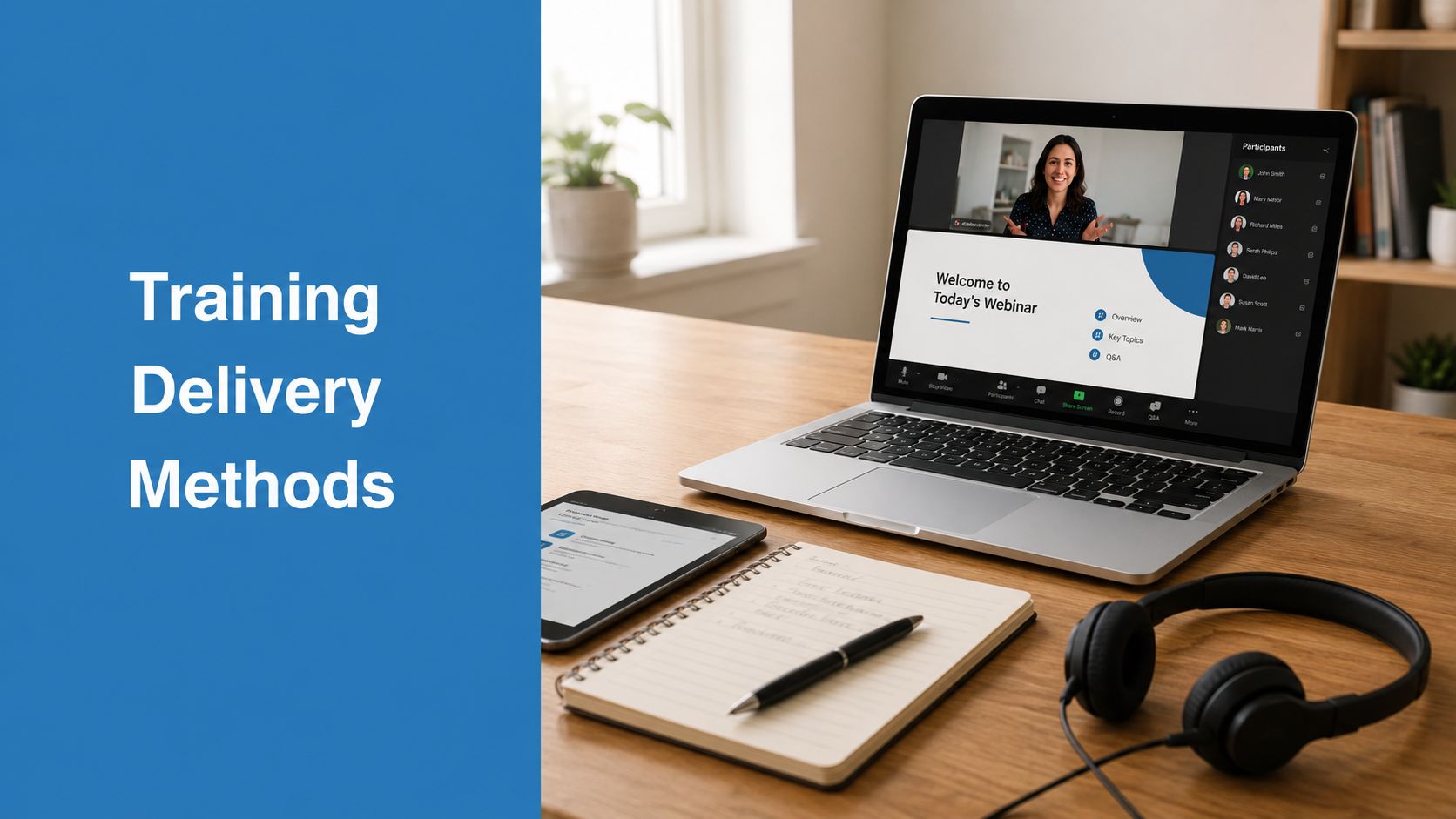
A department head usually notices the problem after the rollout. The content looked solid. The slides were approved. The compliance team signed off. Then the session went live as a passive recording, people clicked through it while multitasking, and managers started asking why behavior on the floor hadn't changed.
That failure rarely comes from bad intentions. It comes from a bad fit between the training goal and the delivery method. When teams treat delivery as an administrative choice instead of a design decision, they burn budget, lose credibility, and repeat training that should have worked the first time.
Why Your Training Method Matters More Than You Think
A weak training format can sabotage strong content.
I've seen teams spend most of their effort on curriculum and almost none on how learners will experience it. That's how you end up using a self-paced module for a topic that needed live discussion, or flying people into a room for information that could have been handled faster online. The mismatch shows up fast. Learners tune out, managers see little transfer to daily work, and the training team gets blamed for a business problem that started with delivery design.
The market itself reflects that this isn't a one-format decision. In the U.S. training industry, online or computer-based methods were the most popular delivery method overall in 2024, while large companies were more likely to prefer a virtual classroom or webcast, according to Statista's breakdown of training delivery methods by company size. That split makes sense. Broad digital delivery scales well, but larger organizations still need live coordination, shared messaging, and room for questions.
Where teams get it wrong
The common mistake is assuming the cheapest-looking format is the most efficient. It often isn't.
A recorded course may look low-cost on paper, but it can become expensive if people misunderstand the policy, fail an audit, or need retraining. In-person workshops can be powerful, but they become wasteful when the subject is basic knowledge transfer that employees could absorb asynchronously.
Practical rule: Choose the method based on the task learners must perform afterward, not on the format your organization already uses most.
A better question is simple: what does success look like after training? If success means recall of rules, self-paced content may work. If success means judgment, communication, or correct use of a process under pressure, the method usually needs more interaction, feedback, or practice.
That's where good training delivery methods separate useful programs from box-checking exercises.
The Modern Spectrum of Training Delivery Methods
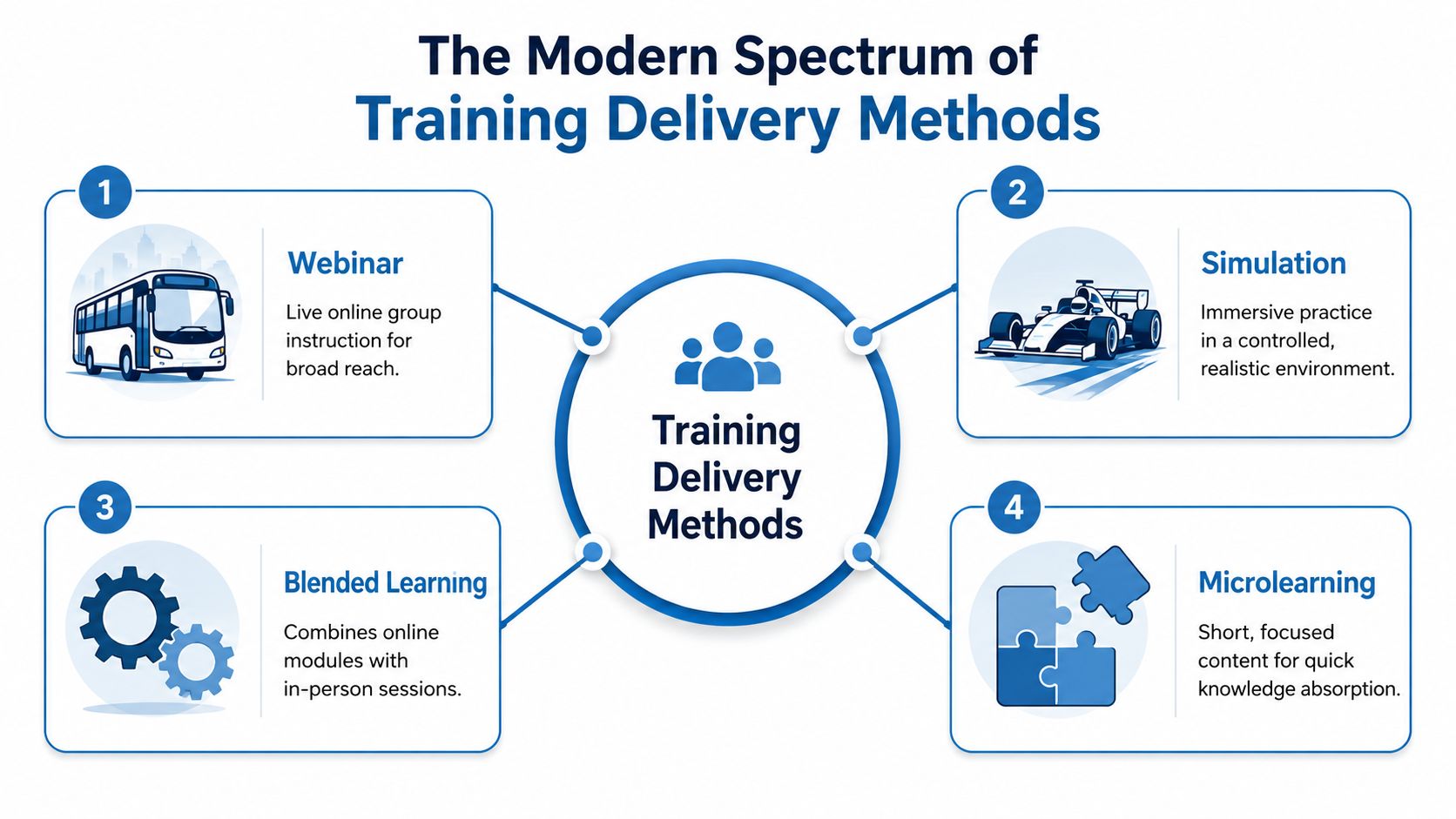
Training delivery methods work like vehicles. A city bus moves a lot of people efficiently. A race car is built for a specialized track. A van handles mixed terrain and changing needs. The mistake is asking which vehicle is best instead of asking where you need to go.
Start with the real split
The most useful distinction in digital training is synchronous versus asynchronous. Synchronous web-based training happens live with an instructor in real time. Asynchronous training is self-directed and completed without a live facilitator. Many organizations combine both in blended programs to balance interaction with flexibility, as outlined in LibreTexts training delivery guidance/07:_Training_and_Development/7.04:_Training_Delivery_Methods).
That distinction matters more than the labels vendors use. If learners need immediate feedback, challenge, or discussion, synchronous formats usually do the heavy lifting. If they need repeatable access, flexible timing, or standardized coverage, asynchronous formats earn their keep.
What each method is good at
Instructor-led training
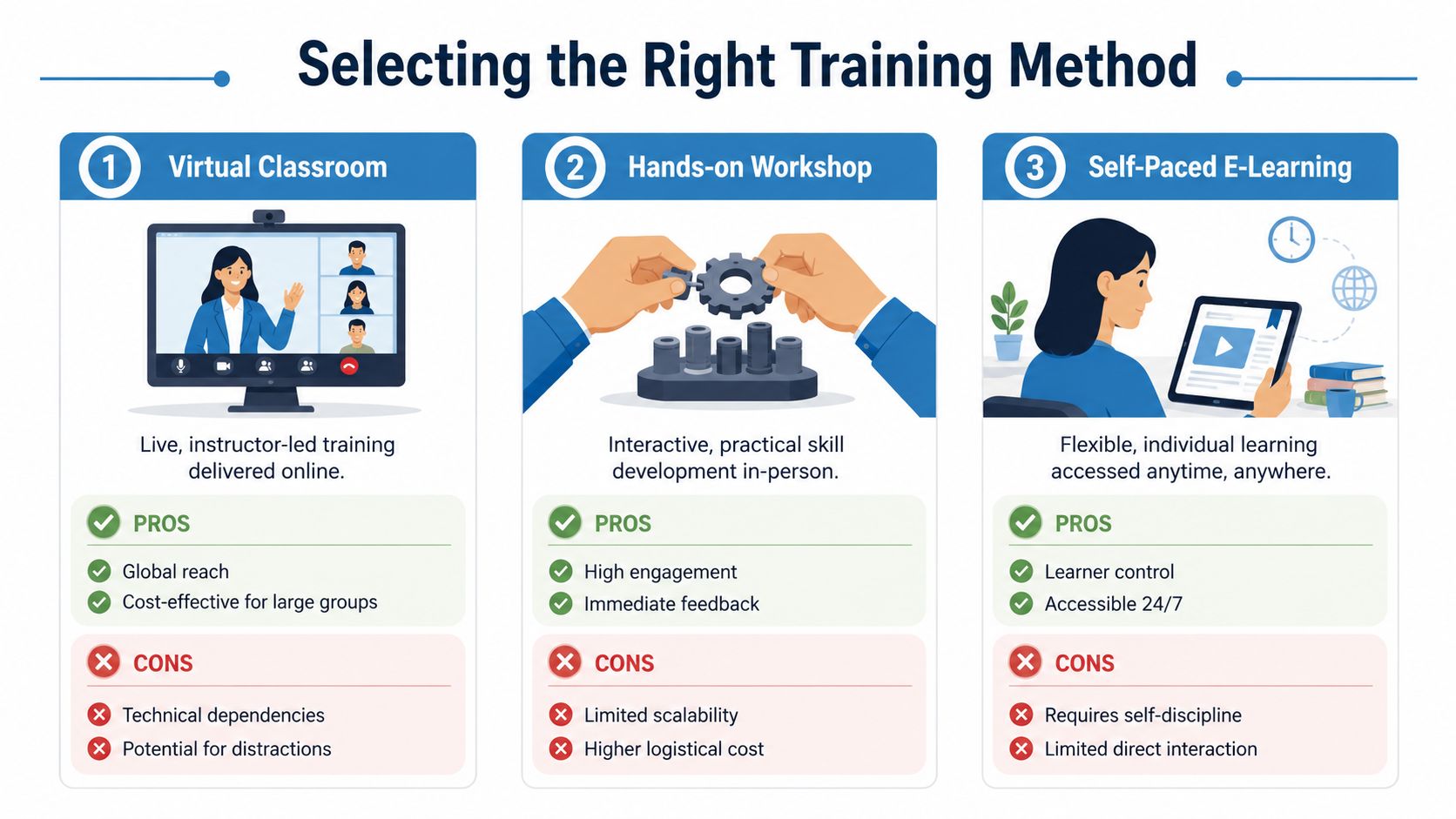
Traditional classroom delivery still works when the skill is physical, sensitive, or discussion-heavy. Think lab procedures, difficult leadership conversations, or equipment handling. The upside is immediate feedback and tighter group control. The downside is logistics, scheduling, and limited scale.
Virtual instructor-led training and webinars
Live online training is often the most practical middle ground. It keeps real-time facilitation while removing travel and room costs. It also works well for distributed teams, recurring updates, manager briefings, and policy changes where learners will have questions.
Webinars are especially useful when one expert needs to reach many people quickly. Virtual classrooms are better when you need breakout work, guided exercises, and more learner participation.
If your team is building reusable video-based learning alongside live sessions, this resource on creating effective training videos is worth reviewing because it addresses a problem many departments overlook: recorded content fails when it's produced like a meeting instead of designed like instruction.
For teams evaluating the software side of live delivery, it helps to compare the best online teaching platforms before locking into a tool that was built for meetings but not for learning.
Self-paced e-learning
This is the workhorse for onboarding, policy training, product knowledge, and recurring compliance reminders. It gives learners control over pace and allows teams to distribute the same experience widely. It's efficient when the content is stable and the learning objective is clear.
It's weak when the topic requires judgment, coached practice, or immediate correction. Self-paced modules can inform people. They don't always prepare them to perform.
Blended learning
Blended delivery is usually the most defensible choice when the training matters. Teams can assign a short module before the live session, use the session for application and questions, then reinforce the learning with follow-up prompts or coaching. That sequence cuts live time while improving transfer.
Use asynchronous content for explanation. Use live time for practice, decision-making, and feedback.
Microlearning, simulations, and coaching
These methods do different jobs.
- Microlearning works for reminders, refreshers, and performance support.
- Simulations work when learners need to practice decisions safely before real consequences show up.
- Coaching and mentoring work when performance depends on nuance, habits, and context.
The best training delivery methods aren't chosen by trend. They're chosen by the shape of the problem.
A Practical Comparison of Popular Training Methods
If you're choosing between formats, don't start with preference. Start with trade-offs. Every method sits somewhere on the same grid: cost, scale, interaction, and operational complexity.
Training Delivery Method Comparison
| Method | Typical Price Range | Scalability | Interactivity | Best For |
|---|---|---|---|---|
| Instructor-led training | High | Low to medium | High | Hands-on skills, sensitive discussions, equipment use |
| Virtual instructor-led training | Medium | Medium to high | High | Distributed teams, live Q&A, manager training |
| Webinar | Low to medium | High | Medium | One-to-many instruction, updates, launches, awareness training |
| Self-paced e-learning | Medium to high upfront, low marginal delivery cost | High | Low to medium | Onboarding, compliance, repeatable knowledge transfer |
| Blended learning | Medium | High | High | Programs that need both scale and practice |
| Microlearning | Low to medium | High | Low | Refreshers, reinforcement, just-in-time support |
| Simulation | High | Medium | High | Complex decision-making, safe practice, technical scenarios |
| Coaching or mentoring | Medium to high | Low | Very high | Leadership, behavior change, role-specific improvement |
The table gives you direction, but the core decision sits underneath it.
Cost isn't just the invoice
In-person training often carries the highest visible cost because travel, rooms, coordination, and facilitator time are hard to hide. Self-paced e-learning can look expensive at the start if you're building custom modules, recording content, or setting up an LMS. But once built, it can serve a large audience consistently.
Live virtual delivery often lands in the most practical spot for many departments. You avoid venue costs, keep live discussion, and can reuse recordings later. That's why webinar capacity matters. If your platform treats webinars as an add-on instead of a core feature, the operational cost climbs fast. Teams evaluating options for live sessions should review current choices in this roundup of webinar software for small business.
Price comparisons that actually help
Since vendor pricing varies widely and custom enterprise quotes can distort comparisons, I prefer relative pricing categories over fake precision.
- Highest cost pattern: Instructor-led workshops and simulation-heavy programs.
- Best scale for the spend: Self-paced e-learning, webinars, and microlearning.
- Best balance of cost and impact: Virtual instructor-led training and blended learning.
- Most expensive mistake: Paying for live time to deliver information that could have been learned independently.
That last point matters. A two-hour live session filled with slide reading is costly, even if the software bill is low.
Manager advice: Spend money on interaction, not on airtime. If the instructor is only reading content, make it asynchronous.
Value depends on the skill
A webinar has a strong value proposition when you need to align many people fast. Product updates, policy briefings, sales enablement, and recurring stakeholder education are good fits. Included webinar functionality matters because it removes the need for a second tool, another contract, and another admin workflow.
Self-paced modules bring value when you need consistency. Every learner gets the same message. Every completion can be tracked. Every revision can be rolled out centrally. That's hard to match with classroom delivery.
Blended learning creates value by reserving expensive live time for the parts that need a human. If learners can review definitions, policy language, or feature walkthroughs alone, use the live session for scenarios, role-play, and decision checks.
For regulated fields, there's another lens. This guide for healthcare professionals is a useful reminder that format decisions in professional education often hinge on documentation, convenience, and suitability for the type of skill being taught.
Don't ignore security in live delivery
When the training includes patient information, client records, internal investigations, or confidential procedures, platform security becomes part of method selection. Encryption isn't a bonus feature in those cases. It's a baseline requirement. For any live virtual method, I'd look for documented security controls, strong access management, recording governance, and encrypted sessions before I worry about cosmetic features.
A cheap platform becomes expensive the moment it creates compliance risk.
How to Select the Right Method for Your Audience
The best method isn't universal. It changes with the learner, the task, and the consequences of getting it wrong.
A nurse learning a privacy-sensitive workflow doesn't need the same delivery experience as a new sales rep learning product messaging. A faculty member preparing to teach online doesn't need the same support as a field technician practicing a repair process. When leaders ask for the “best” format, they're asking the wrong question.
Match guidance to expertise
A defensible rule from training-method guidance is to align the learner's expertise with the amount of guidance built into the format. Novices usually need more structure and instructor direction. Experienced learners can handle more exploratory methods such as simulations, coached practice, or on-the-job application, as described in this training-method guidance video.
That's why the same content often needs multiple delivery layers.
- New hires need clear sequencing, examples, and chances to ask basic questions without feeling exposed.
- Experienced staff usually want shortcuts to application, not another lecture.
- Managers often need scenario discussion because their job involves judgment, not just recall.
Healthcare, education, and business need different answers
Healthcare
Healthcare training lives under tighter constraints than most generic training articles admit. Compliance is a mandatory requirement in privacy-sensitive environments, and platform features such as HIPAA compliance and documented security protocols can be decisive, as noted in Lumen Learning's discussion of training delivery methods.
That usually pushes teams toward a mix:
- secure live virtual sessions for policy changes, case review, and CME-style instruction
- simulations or supervised practice for procedures
- self-paced modules for recurring policy refreshers and standardized content
If a method can't preserve confidentiality and documentation, it's not the right method no matter how convenient it looks.
Education
In education, engagement is the pressure point. Students and adult learners need cadence, participation, and visible instructor presence. Cohort-based virtual classrooms often work better than static modules when the goal is discussion, feedback, or progression through a subject over time. Breakout rooms, shared whiteboards, and live polls help because they create accountability.
Business
In commercial settings, budget and speed usually dominate. For onboarding, a blended model works well: self-paced basics first, then a live session for culture, systems walkthroughs, and common mistakes. For sales or customer success teams, webinars work when leaders need to roll out new messaging quickly across multiple locations. For managers, coaching and short scenario-based sessions often outperform broad lecture formats.
If the business wants speed, give it asynchronous content. If it wants better decisions, add live practice.
A simple selection filter
When I'm advising a department head, I reduce the choice to five questions:
- What must people do differently after training?
- How costly is failure?
- How much live feedback does the task require?
- What security or compliance limits apply?
- Will the audience complete this in the format you choose?
That final question gets missed too often. A method that looks elegant in a planning deck can collapse in real operations if the audience has no time, low motivation, or poor technical support.
Key Steps to Implement Your Training Program
Good selection can still fail in implementation. Most delivery problems aren't theoretical. They're operational. The room link doesn't work, the facilitator reads slides, breakout rooms are confusing, or no one tested recordings and permissions.
Build the delivery stack first
Before you finalize content, lock the platform and workflow.
For live digital training, I'd check these items first:
- Security controls: encryption, access permissions, waiting room or approval flow, moderator controls, and recording governance
- Learner interaction tools: polls, chat, breakout rooms, whiteboards, screen sharing, and Q&A
- Admin basics: scheduling, reminders, attendance tracking, and easy join links
- Documentation: recording options and a clean archive process if training needs audit support
If recorded replay is part of your model, a practical reference on how to record webinars helps teams think through storage, reuse, and review standards before launch.
Design for participation, not broadcast
A live class delivered like a passive presentation usually underperforms. Learners need something to do.
Try this sequence in virtual sessions:
- open with a short poll or decision question
- teach one concept
- move learners into a prompt, case, or breakout discussion
- return to plenary for debrief
- close with a commitment or applied action
That pattern works because it forces retrieval and interpretation. People don't just hear the content. They use it.
Rehearse the entire learner experience
Run a dry test with the actual host, facilitator, and materials. Check audio, permissions, handoffs, timing, and what happens if the host drops. In regulated environments, verify that the session settings align with your privacy requirements before learners join.
For blended programs, implementation also means sequencing. The self-paced module should prepare learners for the live session, not duplicate it. The live session should solve harder problems than the module did. Follow-up should reinforce application, not just resend the slides.
A clean rollout feels simple to the learner because the team handled the complexity in advance.
Measuring the True Impact of Your Training
Attendance tells you who showed up. It doesn't tell you whether the training worked.
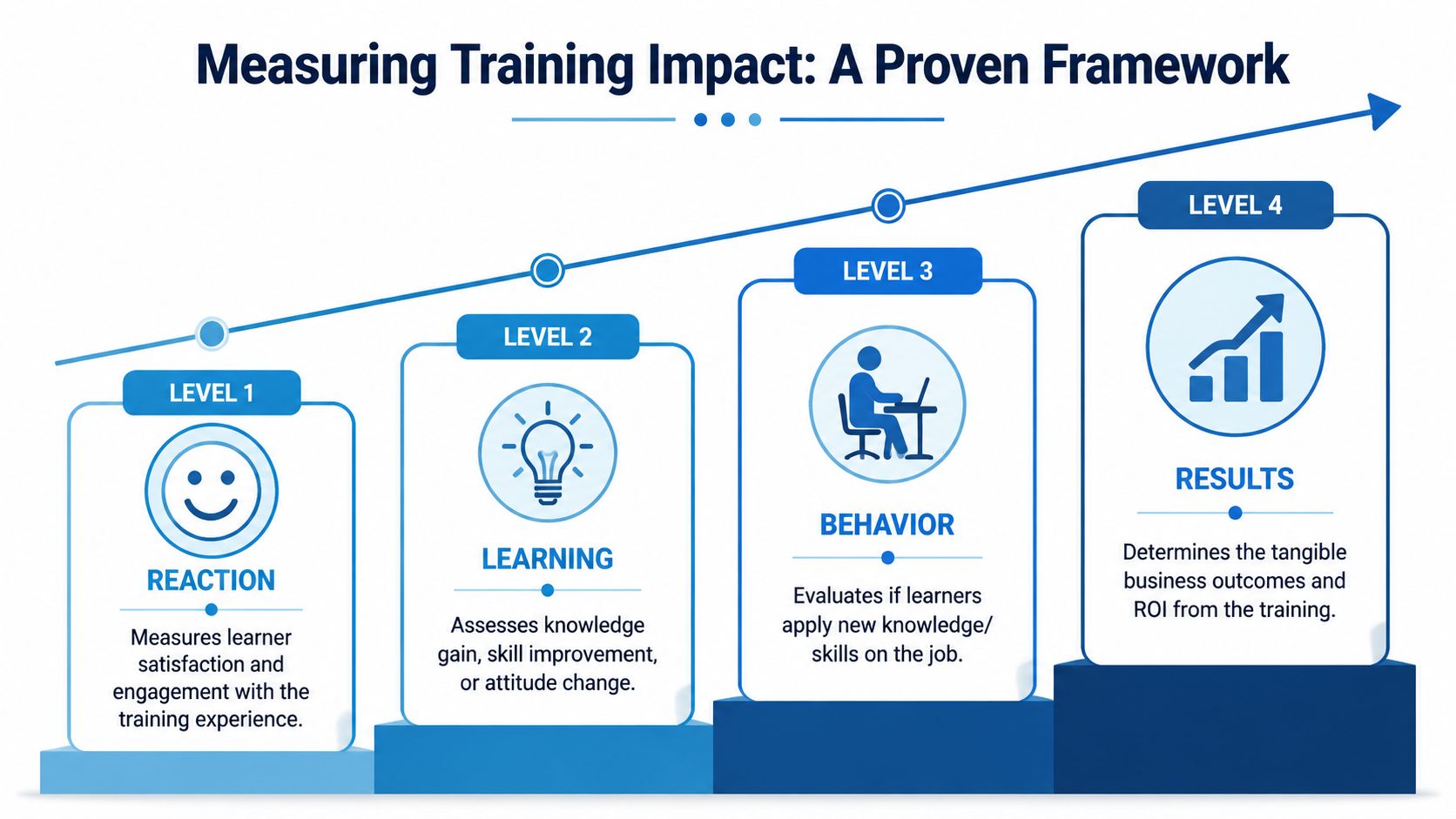
The most practical evaluation framework I've used for training delivery methods is Kirkpatrick's Four-Level Training Evaluation Model, which looks at Reaction, Learning, Behavior, and Results. It's widely used because it connects training to business outcomes instead of stopping at learner satisfaction, as explained in SOCRA's overview of effective training delivery and evaluation.
Use all four levels
- Reaction asks whether learners found the experience useful, clear, and relevant.
- Learning checks whether they gained the intended knowledge or skill.
- Behavior looks for transfer on the job.
- Results asks whether the organization got the outcome it needed.
Many organizations stop at Level 1 because it's easy. Learners liked the session. Fine. That still doesn't mean they can perform better.
What this looks like in practice
For a webinar, Reaction might come from post-session surveys and participation patterns. Learning might come from a short assessment. Behavior might be checked through manager observation or work review. Results might show up in fewer repeated questions, cleaner process execution, or stronger customer interactions.
For self-paced modules, completion data matters, but it isn't enough. I want to see assessment quality, not just completion status. For blended programs, the strongest evidence often comes from combining module scores with live-session performance and later supervisor feedback.
A training method is only effective if people can use what they learned where the work happens.
That's the standard worth defending.
Conclusion The Future of Training is Flexible and Secure
The strongest training strategies don't rely on one format. They combine methods deliberately.
That usually means using self-paced content for explanation, live sessions for interpretation and discussion, and practice or coaching for transfer. It also means choosing tools that support privacy, documentation, and encrypted delivery when the training carries legal, operational, or reputational risk. In regulated settings, secure delivery isn't a feature list item. It's part of the method itself.
Leaders who make good decisions about training delivery methods usually do three things well. They match the format to the task. They protect live time for interaction. They refuse to separate learning design from platform realities like security, recordings, and webinar capability.
Flexible delivery works best when the technology doesn't add friction, hidden costs, or lock-in. That's what makes modern training effective. Not more content. Better choices.
If you're comparing platforms for secure, cost-conscious training delivery, AONMeetings is worth a close look. It offers HIPAA-compliant meetings, built-in webinars, bank-level encryption, unlimited meeting time, and straightforward pricing starting from ₹179 per user per month, which makes it a practical option for healthcare teams, educators, and businesses that need reliable live training without enterprise-style contract friction.
