

We’ve all been there: squinting at a blurry, pixelated screen share, trying to follow along as a colleague fumbles through a demo. It’s a universal frustration that can derail an entire meeting. But when you get it right, screen sharing isn't just a feature—it's your secret weapon for turning confusing explanations into crystal-clear narratives.
Beyond the Basics: Why Great Screen Sharing Is Your New Superpower
Knowing how to share your screen is now as fundamental as drafting an email. It’s the digital equivalent of sitting side-by-side, pointing to the same document, or sketching an idea on a whiteboard. This guide is about moving past the simple "click here to share" and mastering the skill to make every virtual interaction you have feel more professional, collaborative, and secure.
This became painfully obvious during the massive shift to remote work. Think back to early 2020—screen sharing was the unsung hero that kept businesses running. The numbers are staggering: platforms like Zoom saw daily meeting participants explode from 10 million to over 200 million by March 2020, with screen sharing at the heart of most of those calls. The trend isn't slowing down. The screen sharing software market, valued at USD 682.2 million in 2025, is projected to nearly double by 2033.
This huge reliance on screen sharing means the stakes are higher than ever. It's no longer optional to be good at it. You need to be able to:
- Present information so clearly that everyone is on the same page.
- Work together on documents or software in real-time without hitches.
- Keep sensitive data locked down and private during a presentation.
A truly great screen sharing experience is about building trust and clarity. It’s the confidence of knowing that what you see is exactly what your audience sees—no lag, no distortion, and no security worries.
This is where having the right tool makes all the difference. Platforms like AONMeetings are designed to solve these exact problems, offering enterprise-level features without the premium price tag. With built-in bank-level encryption and included webinar functionality, you get powerful tools that other services charge extra for. You can finally say goodbye to frustrating 40-minute meeting cutoffs and host sessions for as long as you need.
By combining the right platform with a few key strategies, you can transform this basic function into one of your most powerful communication assets. For more insights on improving your virtual meetings, be sure to check out our guide on virtual meeting best practices.
Mastering Your Screen Sharing Options
When you hit that "Share Screen" button, you're faced with a choice that can make or break your presentation. It’s not just about showing your work; it's about controlling what your audience sees and keeping their attention where you want it. The three core options—sharing your entire desktop, a single app, or just one browser tab—each have a time and a place.
Knowing which one to pick is what separates a smooth, professional presentation from a clumsy, distracting one. Good platforms like AONMeetings lay these choices out clearly, so you can always be confident about what you’re showing.
Share Your Entire Desktop
Think of this as the "all-access pass." Sharing your entire desktop shows your audience exactly what you see on your monitor(s). This includes everything: your desktop background, all open windows, your taskbar, and—crucially—any notifications that pop up.
So, when is this a good idea? It's perfect when you need to jump between multiple programs.
A practical example is a developer demoing new software to a client. They might need to show code in an IDE, run it to display the user interface in a separate window, and then pull up a database tool to confirm the data was saved. Sharing the whole desktop is the only way to do this seamlessly without constantly stopping and starting the share.
The downside? It’s a privacy minefield. A surprise email notification or a personal chat message can derail your entire presentation. Use this option with caution.
Share a Specific Application
This is my go-to for most situations. Sharing a single application window is the perfect balance of focus and privacy. It locks the view to just one program, hiding all the other clutter on your desktop.
This method keeps your audience focused and prevents any embarrassing or confidential information from accidentally being exposed.
For a practical example, a lawyer reviewing a contract with a client can share just the Microsoft Word window. The client sees the document and nothing else—no other sensitive case files, no personal browser tabs, just the contract you're both focused on. This ensures confidentiality and keeps the meeting on track.
Share a Browser Tab
For ultimate privacy and precision, sharing a single browser tab is the way to go. This is a fantastic feature when you're presenting something from the web but don't want to show your entire browser window, with all its bookmarks and other open tabs.
Here's a practical example: a marketing manager presenting a new landing page design. By sharing only that specific tab, they can get feedback on the page without the team seeing other tabs that might contain company financial data or research on a competitor's site. It's the most secure way to share web-based content.
Getting this choice right is what turns screen sharing from a clunky necessity into a powerful communication tool.
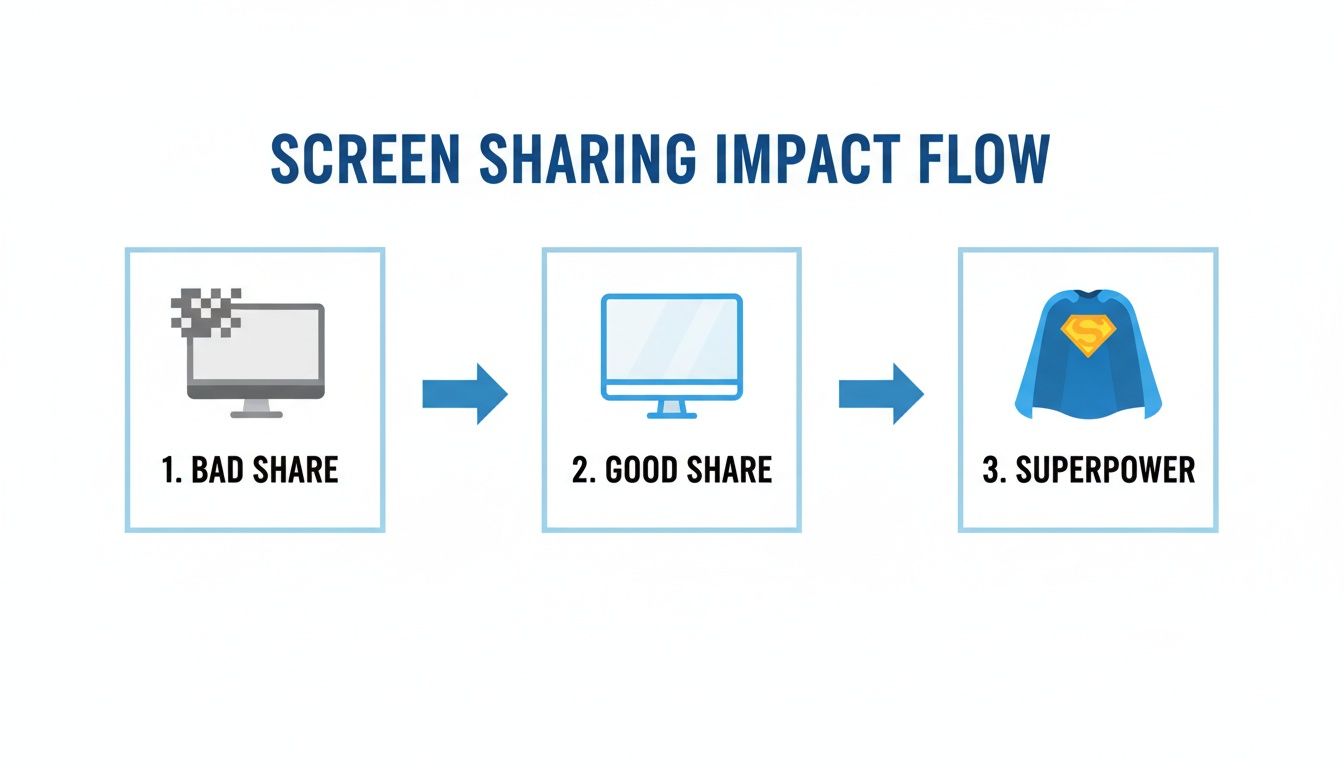
As you can see, making the right choice elevates the entire experience, boosting both clarity and your own confidence.
Crucial Tip: Don't Forget the Audio
One of the most common mistakes I see is when someone plays a video and nobody else can hear it. When you start your screen share, always look for a checkbox that says "Share system audio" or "Include computer sound." Ticking that box makes sure everyone hears what you hear, making your videos and audio clips land effectively.
It’s no surprise the market is moving toward flexible, secure tools that make this easy. By 2025, cloud solutions are expected to hit 70% market penetration, largely because they support critical compliance needs like HIPAA for telehealth.
We're also seeing clear preferences across the board. In hybrid work and coaching, for instance, 60% of users favor platforms with built-in tools like whiteboards and searchable recordings, which can boost their efficiency by up to 40%. For AONMeetings users, this translates to real-world benefits—from a healthcare pro using meeting locks to a startup customizing their UI or a family getting SMS alerts. They get a dependable, feature-rich platform starting at just ₹179/month, without the frustrating 40-minute limits you find elsewhere. You can dive deeper into the data on these market trends and what they mean for modern collaboration.
Sharing Sensitive Information with Confidence

When you're in a field like healthcare, law, or finance, sharing your screen is never just about showing a document. It’s an act of trust. Knowing your screen sharing is secure isn’t just a nice-to-have; it's a fundamental part of protecting your clients and your professional reputation.
Your first line of defense is always end-to-end encryption (E2EE). Think of it as a secure, private tunnel for your data. It scrambles everything you share so that only you and your intended audience can see it, making it unreadable to anyone who might try to intercept it. This is the same gold-standard security that banks rely on.
As a practical example, a therapist using a HIPAA-compliant platform like AONMeetings for a telehealth session can share patient notes or treatment plans without a second thought. The bank-level, end-to-end encryption covers the entire session, ensuring that deeply personal conversations remain completely private and secure.
Controlling Access and Preventing Breaches
Encryption is fantastic for protecting data in transit, but what about controlling who gets into the meeting in the first place? This is where you need to be the gatekeeper. Features like waiting rooms and meeting locks are your best friends here.
I always recommend using the waiting room. It functions like a virtual lobby, holding everyone until you, the host, personally grant them access. It’s the single most effective way to stop "Zoombombing" and ensure only invited participants get in.
Once everyone you’re expecting has arrived, lock the door behind them. The meeting lock feature prevents anyone else from joining, even if they somehow got their hands on the meeting link.
- Waiting Room: A simple but powerful way to screen every person before they enter your meeting.
- Meeting Lock: Seals the virtual room once your session is underway, blocking any late or unwanted arrivals.
These two features give you total command over your meeting space, adding crucial layers of security.
Price and Value of Secure Platforms
High-level security shouldn’t break the bank. I’ve seen too many professionals overpay for big-name platforms, thinking a high price tag equals better security. Often, those platforms hide essential features like E2EE behind their most expensive enterprise tiers.
Let's get practical with a price comparison. A solo legal consultant might be forced into a pricey business plan with another provider just to get basic security. In contrast, a platform like AONMeetings bakes HIPAA compliance and end-to-end encryption into all its plans, with options starting from just ₹179 per month. That same plan includes things like unlimited meeting lengths and webinar hosting—features that usually cost a lot extra elsewhere.
The real value proposition isn't just the lower price; it's the all-in-one value. You get the robust security you need plus professional tools like included webinar hosting without having to juggle multiple subscriptions. It saves you both money and a ton of administrative headaches.
When you choose a platform with straightforward pricing and built-in security, you can finally stop worrying about the tech and focus on what you do best. It’s about making sure every screen you share is a secure one, without paying a premium for it.
Comparing the Best Screen Sharing Platforms
When you're trying to pick a platform for something as vital as screen sharing, it's easy to get lost in the sea of big names. From my experience, the secret is to look past the marketing and dig into what you’re actually getting for your money. Once you start comparing the entry-level paid plans, the picture becomes a lot clearer.
A perfect example of value is webinar hosting. Many of the most popular platforms will happily sell this to you as a premium add-on, tacking on extra fees. AONMeetings flips that model on its head by including full-blown webinar capabilities right in their standard plans. This isn't just a small perk; it's a significant value proposition that can save you real money right from the start.
The Real Cost of "Free" and "Basic" Plans
Let's ground this in a real-world, practical example. Say you're a freelance tutor conducting your sessions online. If your platform has a 40-minute time limit on its free or basic tier, you’re constantly forced to cut your sessions short and have everyone rejoin. It’s disruptive for the student, and frankly, it looks unprofessional.
With AONMeetings, that entire problem just goes away. You can run a tutoring session for as long as you need without a single interruption, creating a much better experience for your students. It's all part of one straightforward plan. As you shop around, it's also smart to see which tools are integrating modern tech for a better meeting experience, like the Parakeet AI meeting intelligence platform.
Now, think about a small business that wants to run a marketing webinar each month. On a platform like Zoom, you'd often have to purchase a separate, more expensive "Webinar" license to do that. For a small team, those costs add up quickly. Using AONMeetings, that same business can host its webinars with the tools they already have, freeing up that budget for actual marketing.
Your goal should be to find a platform that gives you professional-grade features without locking you into complicated pricing tiers or long-term contracts. It's about finding transparent value, not just settling for the most familiar brand.
AONMeetings vs Competitors 2026 Price and Feature Comparison
To really see how these platforms stack up, it's helpful to put them side-by-side. This price comparison table contrasts the entry-level paid plans of AONMeetings, Zoom, and Microsoft Teams, focusing on cost, meeting limits, included webinar features, and encryption standards to showcase AONMeetings' superior value proposition.
| Feature | AONMeetings | Zoom (Pro Plan) | Microsoft Teams (Essentials) |
|---|---|---|---|
| Price | Starts at ₹179/month | ~$15.99/month | ~$4.00/month |
| Meeting Length | Unlimited | 30-hour limit per meeting | 30-hour limit per meeting |
| Webinars Included | Yes | No (Requires add-on) | No (Requires higher tier) |
| Encryption | Bank-Level (E2EE) | End-to-End (Optional) | Encrypted in transit & at rest |
As you can see, AONMeetings really stands out by bundling powerful features like webinar hosting and bank-level, end-to-end encryption into its most affordable plans. This isn't about upselling you later; it's about giving you the tools you need from day one.
For a deeper dive into choosing the right software, our guide on the best video conferencing for small business has a lot more insight. Ultimately, this approach ensures you get the most capability for your investment without any surprises.
Pro Tips for Interactive and Smooth Presentations
Alright, so you know the basics of how to share your screen. But there’s a huge difference between just broadcasting your desktop and leading a presentation that feels smooth, professional, and genuinely interactive. Getting this right is what separates the pros from the novices.
This push for more dynamic, collaborative sessions isn't just a trend; it’s big business. The video streaming market is on a massive growth trajectory, projected to leap from USD 277.25 billion in 2026 to USD 885.95 billion by 2036. A big piece of that puzzle is engagement—in fact, 82% of webinar hosts now use screen sharing as their go-to tool for keeping audiences hooked.
Make Your Presentations Interactive
A static slideshow is a surefire way to make your audience tune out. The key is to turn your presentation into a two-way conversation using the tools already built into your meeting platform.
Here's a practical example: a design team reviewing a new website mockup. Instead of just showing the image, the host can share the prototype and let everyone use annotation tools. Suddenly, team members are drawing circles, highlighting sections, and dropping text notes right onto the shared screen. It transforms a passive review into a hands-on workshop.
Another great tactic, especially for larger groups or webinars, is to use a dedicated Q&A feature. I’ve seen meetings get completely derailed by a chaotic chat box. A structured Q&A pod lets you organize questions, prioritize what to answer, and maintain the flow of your presentation. This is standard in AONMeetings, which includes webinar hosting even in its basic plans—a significant value proposition compared to competitors who charge a premium for this feature. Mastering the fundamentals of UI/UX design can also give you an edge, helping you present information in a way that’s intuitive and engaging for your audience.
Troubleshooting Common Screen Sharing Glitches
Even the most seasoned presenters run into technical snags. The trick is knowing how to fix them fast without breaking a sweat.
- The Black Screen Problem: If your audience only sees a black screen, it's almost always a permissions issue or a graphics card conflict. The quickest fix I’ve found is to stop sharing, then re-share by selecting a specific application window instead of your entire desktop.
- No System Audio: You hit play on a video, and… silence. We’ve all been there. When you first click to share your screen, look for a checkbox that says "Share system audio" or "Include computer sound." If you forget, just stop the share and start it again with that option checked.
- Lag on Low Bandwidth: A choppy screen share is frustrating for everyone. The best thing you can do is close every unnecessary application and browser tab. This frees up both your computer's resources and your internet bandwidth. Sharing a single app is also much less demanding on your connection than sharing your whole screen.
A lot of audio problems come down to the wrong setup. If you’re always fighting with feedback or echoes, it's worth taking a look at our guide on how to stop echo on a mic for some deeper solutions.
Finally, using a platform with strong end-to-end encryption often leads to a more stable connection, which means a smoother experience for you and your audience. When you know how to handle these little issues and make your sessions interactive, you can lead any meeting with confidence.
Frequently Asked Questions About Screen Sharing
Even after you get the hang of screen sharing, some questions always seem to come up. I've heard these countless times from professionals getting started, so let's tackle them head-on with some practical, real-world advice.
Can Others See My Notifications When I Share My Screen?
Oh, absolutely. If you share your entire desktop, every single pop-up—from personal emails to Slack messages—is fair game for your audience to see. It’s one of the most common and avoidable slip-ups in a virtual meeting.
The easiest fix is to never share your whole screen unless you absolutely have to. Instead, choose to share a specific application window. For example, if you're walking through a presentation, just share the PowerPoint or Google Slides app. This instantly cleans up your presentation and keeps any unexpected notifications private.
As an extra layer of protection, I always recommend turning on your computer’s "Do Not Disturb" or "Focus" mode right before you start. It’s a simple habit that can save you a lot of embarrassment.
A good meeting platform makes this foolproof. With AONMeetings, for example, your sharing options are laid out so clearly that picking a single window is just a simple click. It’s built-in peace of mind.
Does Screen Sharing Use a Lot of Internet Bandwidth?
It definitely can, especially when you're sharing high-resolution video or anything with a lot of on-screen movement. If you or your attendees are experiencing a laggy or choppy stream, a strained internet connection is almost always the problem.
Before you give up, try a few things:
- As we just discussed, sharing a single application is far less demanding on your connection than sharing your entire desktop.
- If you can, plug your computer directly into your router with an Ethernet cable. A wired connection is always more stable than Wi-Fi.
- Close out any other programs or browser tabs you don't need. They might be quietly hogging bandwidth in the background.
While modern tools like AONMeetings are designed to optimize performance even on slower connections, their use of advanced end-to-end encryption also helps ensure a stable and secure data stream, contributing to a smoother experience for everyone.
Is It Safe to Share My Screen for Professional Consultations?
This is a big one, and the answer depends entirely on the tool you're using. For any meeting where sensitive information is on the screen—think a doctor reviewing medical charts or a financial advisor discussing a portfolio—using a platform with end-to-end encryption is non-negotiable.
Your standard, free-for-everyone apps just don't have the security needed for these kinds of professional interactions.
This is where a purpose-built tool is essential. A platform like AONMeetings is HIPAA-compliant and provides bank-level, end-to-end encryption on all its plans, making it the right choice for secure consultations. You get the kind of security that big corporations pay a fortune for, but at a fraction of the cost. A quick price comparison shows that many competitors hide these crucial security features behind their most expensive plans, but AONMeetings includes them for as little as ₹179 per month. Always remember to use features like a meeting lock to ensure your session remains completely confidential.
Ready to share your screen with total confidence? AONMeetings gives you unlimited meeting times, bank-level encryption, and included webinar hosting in one straightforward plan. Stop worrying about 40-minute cutoffs and security risks. See what a professional platform can do at https://india.aonmeetings.com.
