
Your event starts in two hours. A speaker is relying on hotel Wi Fi. Legal wants to confirm the recording is encrypted. Marketing expects qualified leads, and operations expects nothing to break. That defines the operating environment for virtual events.
Virtual events now carry significant business weight. Teams use them for training, telehealth education, product launches, recruiting, internal communication, and pipeline generation. The standard is higher because the consequences of failure are greater. A session cannot go live. It needs to keep people engaged, protect their data, and produce a result the business can measure.
The failures are usually predictable. Weak audio. Loose moderation. Slides that read well on a laptop but fall apart on a phone. Confusing registration flows. Recordings published days late. Security reviewed at the end instead of built into the plan from day one. In healthcare, legal, finance, and enterprise sales, those mistakes create compliance exposure as well as a poor attendee experience.
What works is usually straightforward. Treat the event like an operational system, not a one hour livestream. Plan the attendee journey, define moderator roles, design for interaction, and choose a platform that covers webinars, recordings, access controls, and encryption without pushing core features into paid add-ons.
That operational focus extends to cost discipline as well. Expensive software does not guarantee a better event. In many cases, it just hides basic requirements behind higher tiers. AONMeetings starts at ₹179 per user per month and includes webinars, unlimited meeting time, recordings, screen sharing, whiteboards, document sharing, and bank level encryption. For teams comparing options, this virtual event platform comparison shows why that pricing model stands out against platforms that become much more expensive once you add webinar hosting, branding, breakout rooms, or stronger security controls.
That trade-off matters most in regulated environments. If your event involves patient education, internal HR updates, client briefings, or sensitive executive communication, privacy and compliance are not premium extras. They are part of event quality. A platform with browser-based access, enterprise-grade security, and HIPAA-ready support gives teams a practical path to run professional events without paying enterprise prices just to cover the basics.
1. Pre-Event Technical Testing and Infrastructure Planning
Ten minutes before start time, the host can hear the panelists, one speaker cannot share their screen in the browser they chose that morning, and attendees on mobile are stuck at the join step. That is how virtual events lose confidence before the first slide appears.
If you are running a patient education webinar, a university lecture, or an executive town hall, the event depends on more than the platform login. Device settings, room acoustics, browser support, presenter permissions, network stability, recording rules, and backup roles all affect whether the session feels professional or fragile. In regulated settings, the margin for error is even smaller because a technical shortcut can become a privacy problem.
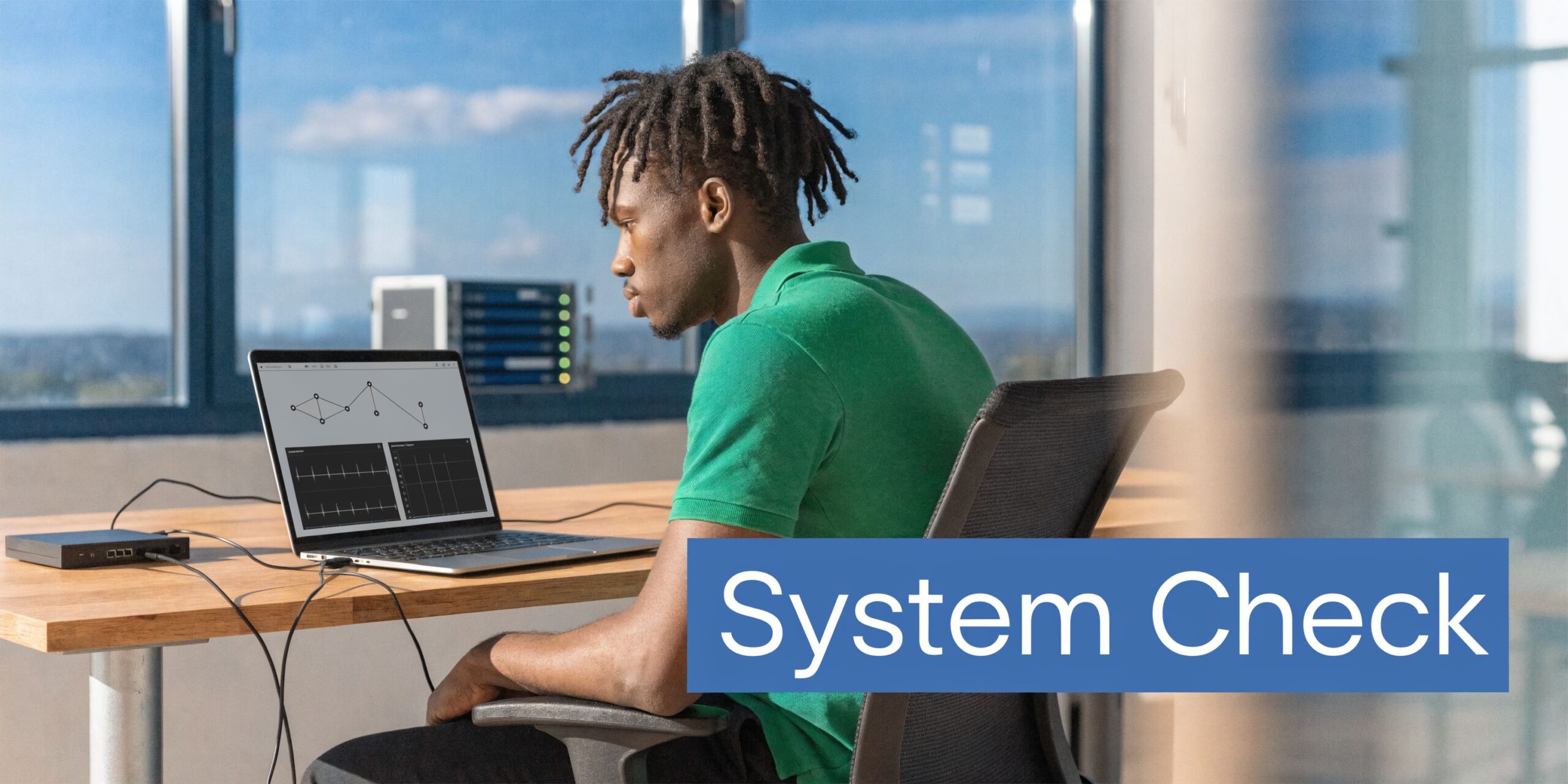
The best teams test the full attendee journey, not just the host dashboard. For a healthcare clinic, that means joining once as staff on a laptop, once as a presenter on a tablet, and once as an attendee on a phone using ordinary home Wi Fi. Confirm that the waiting room admits the right people, recordings save to the right place, and access settings are configured before anyone joins. If HIPAA may apply, verify your workflow with the same care you give the content itself.
What to test before event day
Run one technical check about a week before the event. Then run a timed rehearsal 24 to 48 hours before go live, using the exact links, devices, and presenter accounts you will use on the day.
- Presenter setup: Test microphone, camera, lighting, screen share, and slide playback from each presenter’s actual device.
- Join flow: Open the event as an attendee from desktop and mobile. Check browser access, email links, waiting room behavior, and what users see before admission.
- Network tolerance: Test on stable broadband and on weaker connections so the team knows what fails first. Usually it is video quality, screen share clarity, or speaker handoff timing.
- Host failover: Assign a second host, confirm account permissions, and keep a backup hotspot or alternate connection ready.
- Recording and storage: Start, stop, and retrieve a test recording. Do not assume the file location, retention settings, or permissions are correct by default.
- Security controls: In AONMeetings, verify waiting rooms, moderator permissions, recording behavior, SMS notifications if used, and encryption settings for sensitive sessions.
One rehearsal rule has saved me more than once. Test the parts that people assume will be fine.
That includes registration plumbing. If your event has custom fields, approvals, or segmented attendee types, test those inputs early with registration form builder tools or your existing stack so broken forms do not surface on launch week. A registration error is still a technical failure, even if the webinar room itself works.
Cost matters here too. Teams often overspend on platforms that promise enterprise readiness, then still patch together workarounds for webinars, recordings, branding, or compliance settings. A better approach involves choosing software encompassing the operational basics and the security layer in one place. This virtual event platform comparison is a useful starting point if you need browser-based access, HIPAA-ready support, and enterprise-grade protection without paying premium platform prices just to get standard event controls.
2. Clear Pre-Event Communication and Registration Strategy
A familiar failure looks like this. Registration comes in steadily, the team assumes the audience is set, and attendance still drops because the join process felt unclear, the reminders were thin, or the session raised unanswered security questions.
That problem gets worse in higher-stakes events. If you are inviting clinicians, patients, HR leaders, finance teams, or regulated enterprise buyers, a vague confirmation email does not just reduce attendance. It lowers trust before the event even starts. People want to know what they registered for, how they will join, what participation looks like, and whether the platform treats privacy seriously.
The best registration strategy does two jobs at once. It removes friction, and it answers objections early.
A good confirmation email should cover the basics in plain language. State the topic, date, time, expected duration, and whether the session is live only or available on replay. Put the join link near the top. If attendees can join in a browser without downloads, say so clearly. If the event includes chat, Q&A, or whiteboards, mention that too so people know what kind of session they are joining.
Security belongs in that message, especially for healthcare and enterprise events. If a session is hosted on a platform with encrypted meetings, role-based controls, and HIPAA-ready options, say that directly. It reassures attendees and cuts down on pre-event support questions. This is one reason cost discipline matters in platform selection. Teams should not have to pay premium enterprise pricing just to get standard registration controls, browser access, and compliance support. Platforms such as AONMeetings make that combination more practical for organizations that need a professional setup without the usual Zoom or Teams cost creep.
The reminder sequence matters just as much as the form itself. One message right after signup is not enough for busy professionals or distributed audiences. Send a confirmation immediately, a reminder about a week out for larger events, another 24 hours before, and a final short reminder on the day of the session. For a tighter workflow, this guide on how to host a webinar professionally is a useful reference point.
The content of those reminders should change by stage.
- Confirmation: Restate the value of the session, who it is for, and what attendees will leave with.
- Pre-event reminder: Add practical details such as browser access, mobile access, calendar timing, and whether a recording will be available.
- Day-of message: Keep it short. Include the join link, start time, and one sentence on what to expect in the first few minutes.
- Regulated or sensitive sessions: Include privacy expectations, recording disclosure, and support contact details.
Registration forms deserve the same discipline. Every extra field reduces completion rate unless there is a clear operational reason for it. Ask only for information your team will use for routing, approvals, segmentation, or follow-up. If the form has conditional logic, multiple attendee types, or internal approval steps, test the full path before promotion starts. These registration form builder tools can help teams tighten the intake flow and avoid avoidable friction.
One trade-off is worth stating plainly. Marketing teams often want more fields for lead scoring, while attendees want speed. Event ops usually has to referee that conflict. My rule is simple. If a field does not change the attendee experience, the access rules, or the follow-up plan, cut it.
Use each communication touchpoint to reduce uncertainty. Clear logistics improve turnout. Clear privacy language improves trust. Clear platform guidance reduces support load. That is the kind of operational detail that makes virtual events feel professional before the room even opens.
3. Interactive Engagement and Audience Participation Features
The room opens. Attendance looks strong. Ten minutes later, chat is quiet, cameras are off, and the speaker is still on slide 18 without a single audience cue. That is usually not a content problem. It is an interaction design problem.
Good virtual events give people something to do early and often. Polls, moderated Q&A, chat prompts, whiteboards, reactions, and breakout tasks all work, but only when they are tied to a clear purpose. A poll should shape the next talking point. Chat should surface objections, not fill space. Breakouts should produce an answer, a priority list, or a decision.
A product launch can open with a poll on the audience’s top pain point, then adjust the demo order based on the response. A healthcare team running a patient education session can use moderated Q&A to keep clinical information accurate while still letting participants raise concerns. A tutor can work through a problem on the whiteboard and ask students to submit the next step in chat before revealing the answer. An internal all-hands can collect questions throughout the session, then have the moderator group them by theme so leaders answer what people care about.
What works better than “Any questions?”
Structured participation works better than vague invitations. People respond faster when the ask is specific and low risk.
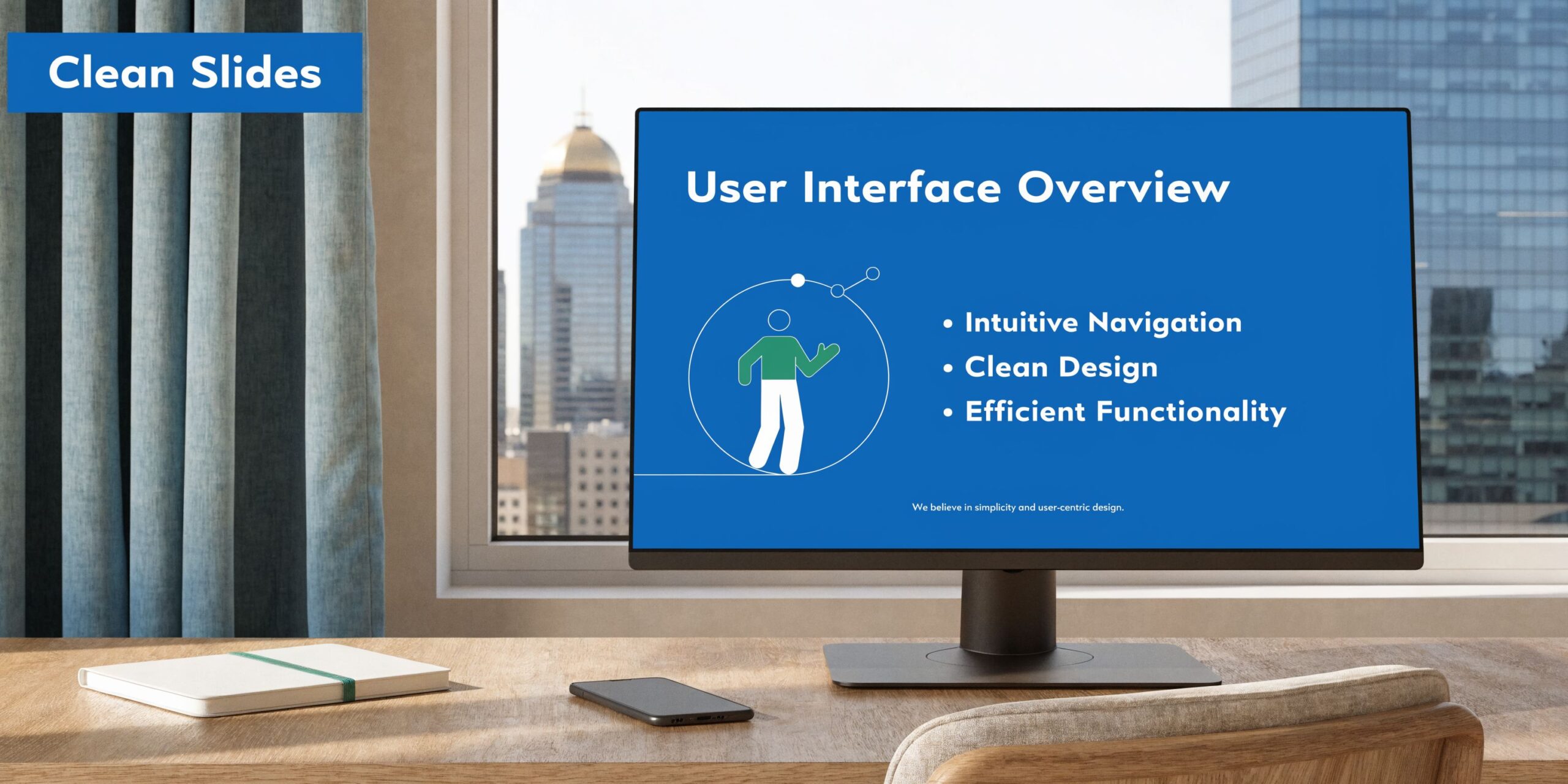
A reliable engagement sequence looks like this:
- Start with a simple prompt: Ask attendees to choose a priority, challenge, or expected outcome.
- Teach in short blocks: Cover one point, then ask for a reaction, question, or vote.
- Assign chat ownership: The moderator should monitor questions, flag patterns, and protect speaker pacing.
- Use breakout rooms with a job to do: Give each group a question, template, or deadline so they produce something useful.
- Close the loop visibly: Refer back to poll results or chat themes so attendees can see their input changed the session.
The trade-off is straightforward. More interactive features can improve attention, but they also increase facilitation complexity. If the moderator is inexperienced or the audience is compliance-sensitive, fewer tools used well will outperform a crowded feature set used poorly.
For regulated organizations, audience participation also has a privacy side. Healthcare, legal, and HR teams should decide in advance whether chat is saved, whether anonymous questions are allowed, and whether breakout discussions are appropriate for the subject matter. Engagement features should support trust, not create new risk. That is one reason secure platforms matter. Teams need participation tools that fit HIPAA and enterprise privacy requirements without pushing them into expensive upgrades just to run a professional session.
If you are shaping a webinar format, this guide on how to host a webinar that keeps audience interaction organized is a useful reference.
Platform pricing affects engagement more than many teams expect. Webinar tools, whiteboards, document sharing, recordings, and moderated audience controls are often treated as premium add-ons elsewhere. With AONMeetings, teams can run polished, secure events without paying Zoom or Teams-level pricing just to access the features that make participation work. Engagement falls apart when the feature you planned turns out to be an upsell.
4. Professional Content and Presentation Design
Good virtual content is edited content.
People forgive a modest setup. They don’t forgive cluttered slides, tiny text, dense paragraphs, or a presenter reading every bullet aloud. On screen, weak design looks worse than it does in a meeting room because the audience is one click away from email.
A tech company launching a feature should use simple visuals, short comparisons, and one idea per slide. A healthcare educator should favor clear diagrams over crowded charts. A training team should build slides that support the speaker, not replace them.
Design for the screen, not the stage
The most reliable fixes are simple:
- Use larger text: Tiny fonts vanish on laptops and mobile devices.
- Reduce visual noise: Remove decorative elements that don’t help understanding.
- Keep branding consistent: Use the same visual language from registration page to event room to follow-up email.
- Limit embedded video length: Short clips hold attention better and are easier to troubleshoot.
One practical scenario. A tutoring business running a live math class should use the whiteboard for step-by-step explanation and keep support slides minimal. A product marketer running a demo webinar should put screenshots, customer workflow visuals, and one clear CTA on screen, then leave detail to the spoken explanation and follow-up materials.
Brandable interfaces help more than people expect. When the registration page, waiting room, live room, and recording replay feel connected, the event feels intentional. AONMeetings offers brandable UI themes on advanced tiers, which is useful for schools, clinics, and event marketers that want a more polished experience without rebuilding every touchpoint manually.
A final trade-off. Fancy motion graphics often hurt more than they help in live delivery. If your speaker is nervous or your audience may join on lower bandwidth, cleaner static slides are usually the better call.
5. Optimized Audio and Video Quality Standards
A strong virtual event can survive average video. It rarely survives bad audio.
The failure pattern is familiar. The speaker joins from a reflective conference room, their laptop mic picks up keyboard noise, volume drifts up and down, and attendees start dropping before the first main point lands. For paid webinars, training, telehealth sessions, and executive briefings, that is not a cosmetic issue. It affects retention, trust, and in regulated settings, how carefully people handle sensitive information.
Video still matters, but audio carries the event. If budget is tight, put the first dollars into microphone quality, room control, and a repeatable setup. That trade-off delivers more value than upgrading cameras while leaving presenters on weak built-in mics.
A telemedicine clinic should run sessions from a quiet room, use a headset or quality external mic, and confirm privacy-safe audio settings before patients join. A webinar host should avoid large bare rooms that create echo and listener fatigue. A trainer producing evergreen content should keep the same mic, room, and placement across modules so the series sounds consistent from start to finish.
Production standards that help
Good technical standards are usually simple.
- Use a dedicated microphone: A USB mic or a good headset will outperform a laptop mic in nearly every business setting.
- Treat the room: Curtains, carpet, and soft furnishings reduce echo. Open speakerphones and hard surfaces create it.
- Light the face from the front: Clear video supports attention and credibility, especially for client-facing or leadership events.
- Protect audio continuity: If bandwidth drops, keep the speaker audible even if video has to be reduced.
- Set a presenter baseline: Standard mic distance, camera height, and speaking volume across hosts reduce inconsistency.
AONMeetings includes echo cancellation and other browser-based audio controls, which helps teams get stable results without buying a full production stack. The platform advantage is cost as much as convenience. Organizations that need polished delivery, HIPAA-ready workflows, and tighter budget control often do better with a platform built for professional use without the premium pricing common in Zoom or Teams deployments.
Software still has limits. Clean source audio wins every time. If your team keeps dealing with feedback loops or room echo, this guide on how to stop echo on mic gives practical fixes you can apply before the next session.
One more point gets missed. Security and audio quality support each other. In healthcare, legal, HR, and finance events, clear sound reduces the need for attendees to repeat private details out loud. Encrypted delivery protects the conversation itself. That combination is part of production quality, not a separate compliance box to check later.
6. Effective Moderator Training and Facilitation Protocols
A strong moderator can rescue a shaky presenter. A weak moderator can derail a great one.
This role gets underestimated because it sounds administrative. It isn’t. In a live virtual event, the moderator manages pace, tone, chat, timing, escalation, speaker handoffs, and attendee confidence. When no one owns that job, the presenter ends up juggling slides, questions, and troubleshooting in real time. That’s when things get messy.
A university webinar might assign a teaching assistant to monitor questions and admit late attendees. A hospital system might use a trained coordinator to manage privacy reminders and participant access. A startup doing investor education might have one person on chat, one on production, and one on presenting.
What moderators need before the event
Training works best when it’s practical, not theoretical.
Moderators should know:
- Platform controls: Waiting room, mute tools, meeting lock, chat controls, recording status, and participant permissions.
- Escalation steps: What to do if a presenter drops, screen share fails, or someone posts inappropriate content.
- Communication signals: A private chat convention or backup channel between host and moderator.
- Compliance expectations: For healthcare events, what can and can’t be discussed in open chat, and how to handle privacy-sensitive interruptions.
This is also where product choice affects workload. In browser-based platforms like AONMeetings, instant join links can reduce attendee friction for moderators. Features like waiting rooms with music, moderator controls, and SMS notifications can reduce the support burden further, especially when attendees are joining from phones or aren’t technically confident.
One smart operational move is assigning a backup moderator every time. Not because failure is likely, but because moderator absence creates the kind of confusion that attendees feel immediately.
7. Strategic Timing, Scheduling, and Timezone Optimization
A well-produced event can still underperform if it starts at the wrong hour.
This is one of the easiest mistakes to make because the schedule often reflects the host team’s calendar, not the audience’s day. A leadership team picks 2:00 p.m. Eastern because everyone on the internal planning call is free. That same slot can cut into the workday for West Coast attendees, hit dinner in Europe, and land too late for parts of Asia. Attendance suffers, questions drop, and the event looks less relevant than it really is.
Good scheduling starts with audience reality. A global B2B webinar may need one primary live session plus an on-demand replay. A training provider may get better completion rates by offering two shorter live cohorts instead of one long session. A healthcare organization has even tighter constraints because patient education sessions and staff briefings often need to respect shift changes, privacy expectations, and limited device access.
The practical rules are straightforward:
- Show the event time in every major attendee timezone you serve. Put it on the landing page, reminder emails, and calendar files.
- Schedule around audience behavior, not presenter preference. Internal convenience is a poor forecasting tool.
- Keep live sessions tight. Long sessions are harder to join across regions and harder to stay with on mobile.
- Rotate difficult time slots for recurring global events. Do not force the same region to absorb the inconvenience every time.
- Build the replay plan before the event goes live. Recordings, transcripts, and summaries matter more once your audience spans multiple schedules.
On-demand access is not a backup plan. It is part of the delivery model. HubSpot’s webinar benchmarks describe attendance patterns that reinforce a common planning reality: a large share of registrants will not show up live, even for strong events. Teams that treat the recording as a product usually get more total reach than teams that treat it as an afterthought.
That has budget implications too. If you need live delivery, replay access, searchable recordings, and secure distribution, the platform has to support all of that without forcing an enterprise price jump. AONMeetings helps here because webinars and searchable recordings are included, so teams can serve multiple timezones without stacking extra tools or paying Zoom or Teams premiums just to make the event usable after the live hour ends.
Security also affects scheduling decisions more than many teams expect. If an event includes internal operations, patient education, or regulated discussions, some attendees will choose replay over live participation because it feels safer and easier to review privately. In those cases, HIPAA-ready controls and secure browser-based access are part of timing strategy, not just compliance paperwork. The event reaches more people when attendance options fit both their schedule and their risk requirements.
8. Post-Event Follow-up, Engagement, Analytics and ROI Tracking
At 4:15 p.m., the webinar ends. By the next morning, the full results start to show.
The teams that get value from virtual events do not stop at the closing slide. They turn the session into a replay asset, a sales signal, a training resource, and a source of operational feedback. The teams that skip this step usually have the same problem. They spent heavily to get registrations, then treated follow-up like an automated courtesy email.
Post-event work should be planned before the event starts, with owners, deadlines, and audience segments already defined. That matters even more when attendance includes buyers, staff, patients, or partners with different privacy expectations. A generic replay blast is rarely the right answer. A clinic may need a patient-safe version of the recording. A B2B team may need one path for high-intent attendees and another for no-shows. An internal training team may care less about raw attendance and more about which questions exposed confusion or policy risk.
What to send depends on the event goal, but the sequence usually works best in three parts:
- Immediate follow-up: Thank attendees, restate the core takeaway, and share any promised resources.
- Replay and reference materials: Send the recording, transcript, slides, FAQ, or a concise written summary people can scan quickly.
- Targeted outreach: Segment by attendance, watch behavior, poll responses, questions asked, or CTA clicks.
The format matters as much as the content. A raw one-hour replay link gets ignored more often than a short summary paired with timestamps, searchable transcript, and one clear next step. If the event covered sensitive topics, access controls matter after the event too. Recordings should follow the same security standard as the live session, especially in healthcare, legal, HR, and finance use cases.
Surveys still have a place, but they should be short and tied to decisions. Ask what content was useful, what was missing, and what action the attendee wants next. Then compare that feedback with actual behavior. Did they watch the replay? Did they click the follow-up resource? Did they book time with sales, request training, or share the recording internally? Those signals are more useful than vanity metrics on their own.
The ROI view should stay simple. Track engagement quality, conversion to the next action, content reuse, and cost per meaningful outcome. For some events, that outcome is pipeline. For others, it is completed training, lower support volume, or documented patient education. Good measurement reflects the job the event was supposed to do.
AONMeetings supports this practical workflow well. Searchable recordings and smart meeting summaries make replay content usable instead of archival. Team chat helps sales, support, and event staff coordinate follow-up without exporting details into another system just to keep momentum. For organizations that need HIPAA-ready handling and enterprise-grade security, that post-event control matters as much as the live experience. It also helps keep costs in line. Teams can run professional follow-up and secure content distribution without paying the higher platform premiums that often come with Zoom or Teams enterprise setups.
9. Security, Privacy Compliance, and Data Protection Standards
Security isn’t a box to tick before procurement signs off. It shapes the event itself.
If you host patient education, staff training, legal briefings, financial reviews, or product roadmap discussions, people need to know who can join, what gets recorded, how data is protected, and who can access it later. The wrong platform setup creates operational risk even when the content is excellent.
This matters even more in healthcare. The underserved issue isn’t general accessibility guidance. It’s compliant event design. The sector-specific gap highlighted here points to the need for HIPAA-focused practices like encryption, audit logs, moderator controls, and careful handling of recordings in virtual healthcare settings.
Security features that change how you plan
A telemedicine clinic should choose a HIPAA-compliant platform and verify privacy settings before invitations go out. A law firm should lock meetings after invited participants join. A company sharing sensitive roadmap material should restrict screen sharing and control recording access tightly.
Key requirements include:
- Encryption: Use bank-level encryption for meetings, webinars, and recordings involving sensitive information.
- Access control: Waiting rooms, passwords, authentication, and meeting lock should match the sensitivity of the event.
- Recording governance: Decide in advance whether to record, where the file lives, and who can access it.
- Audit readiness: Keep logs of access and moderator actions for regulated environments.
AONMeetings is built around that mix of affordability and enterprise-grade security. All plans include bank-level encryption, and the platform is positioned for HIPAA-compliant use cases. For healthcare providers and clinics, that’s a meaningful value proposition because webinars are included, not bolted on later, and you don’t need separate products for secure meetings and audience-scale education.
Price matters here too. A low sticker price on another platform can become expensive once you add webinar hosting, longer meeting time, recordings, or admin controls. AONMeetings starts at ₹179 per user per month with unlimited meeting time and webinars included, which is often a simpler cost structure than stitching together multiple upgrades elsewhere.
10. Accessibility and Inclusive Design for Diverse Participants
A clinician joins from a hospital workstation without speakers. A parent watches a replay late at night on a phone. A finance leader dials in from an airport with unstable Wi-Fi. Accessibility planning decides whether those people can still follow the session, ask questions, and act on what they learned.
Good inclusive design improves comprehension, attendance quality, and post-event value. It also protects budget. Teams that plan for captions, readable slides, multiple participation options, and replay access from the start avoid expensive last-minute fixes and reduce the need to run separate sessions for different audiences. For healthcare, education, and regulated training, that matters twice. The event has to be usable, and it often has to be handled on a platform that supports privacy requirements.
Microsoft’s guide to inclusive meetings and events recommends practices such as live captions, accessible materials, and clear presenter cues. Those are not cosmetic upgrades. They affect whether participants can stay with the content.
Design choices that widen participation
Set the event up so people can join and contribute in more than one way.
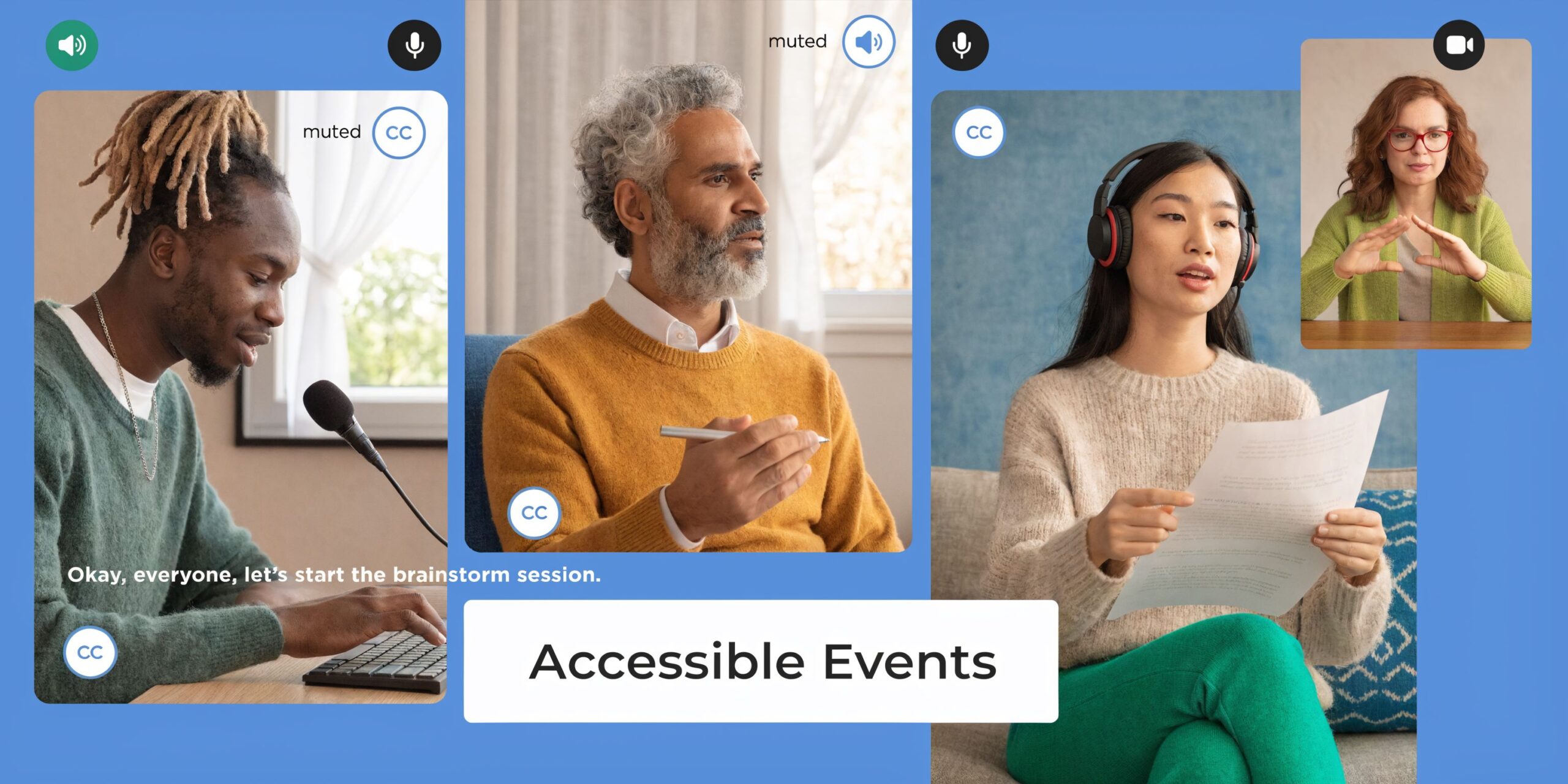
- Provide captions and transcripts: They help attendees who are deaf or hard of hearing, people joining from noisy environments, and participants working in a second language.
- Share materials before the event: Agendas, slides, and worksheets give screen-reader users and note-takers time to prepare.
- Use readable visual design: High contrast, larger fonts, descriptive headings, and charts that do not rely on color alone improve understanding fast.
- Describe visuals out loud: Replace “as you can see here” with a clear explanation of the chart, image, or workflow.
- Offer more than one participation path: Chat, Q&A, audio-only access, and replay options help people with bandwidth limits, schedule conflicts, or assistive technology needs.
The trade-off is simple. More access points mean a little more planning for hosts and moderators. The return is broader attendance and fewer drop-offs during the session.
AONMeetings fits well here because the cost structure makes inclusive features easier to keep in scope. If webinar hosting, longer sessions, and recordings are already included, teams are less likely to cut captions, replay distribution, or moderated Q&A to stay within budget. That is especially useful for healthcare education and patient communication, where HIPAA-aware platform selection and practical accessibility often need to happen together, not as separate workstreams.
One format mistake shows up often. Teams build the whole experience around a single live presentation with dense slides and rapid narration. That leaves out participants who need more processing time, who cannot stay for the full session, or who join by audio only. A better approach is to treat live delivery as one part of access. Pair the session with advance materials, in-event support, and a recording or transcript that people can revisit.
A patient education webinar is a good example. Captions stay on. The moderator reads chat questions aloud. The presenter explains each visual in plain language. The replay goes out quickly, with supporting materials attached. That setup serves accessibility needs and still keeps the event professional, secure, and affordable.
Top 10 Virtual Event Best Practices Comparison
| Item | Implementation complexity | Resource requirements | Expected outcomes | Ideal use cases | Key advantages |
|---|---|---|---|---|---|
| Pre-Event Technical Testing and Infrastructure Planning | Medium–High: technical setup and coordination | IT expertise, staging environment, bandwidth and load-testing tools | Fewer live failures; consistent cross-device performance | Large webinars, healthcare telehealth, enterprise all‑hands | Reliability, fewer support tickets, HIPAA readiness |
| Clear Pre-Event Communication and Registration Strategy | Medium: planning and automation workflows | Email/SMS tools, registration platform, content/templates | Higher attendance, fewer last‑minute issues | Public webinars, onboarding, training sessions | Improved attendance, participant preparedness |
| Interactive Engagement and Audience Participation Features | Medium: requires facilitation and platform support | Interactive tools (polls, breakout rooms), trained moderators | Increased engagement and retention; real‑time feedback | Training, education, product launches | Active participation; actionable insights |
| Professional Content and Presentation Design | Medium: design skills and review cycles | Designers or templates, branded assets, production time | Better comprehension, credibility, and retention | Marketing webinars, corporate training, education | Professionalism, stronger brand recognition |
| Optimized Audio and Video Quality Standards | Medium: equipment setup and encoding optimization | Microphones, cameras, lighting, bandwidth management | Clearer communication and higher recording quality | Telemedicine, podcasts, high‑production webinars | Enhanced clarity; improved accessibility and recordings |
| Effective Moderator Training and Facilitation Protocols | Medium: training and role coordination | Trainers, moderator playbooks, rehearsal time | Smoother events, faster issue resolution, controlled flow | Large events, educational lectures, healthcare sessions | Maintains flow, enforces security, improves engagement |
| Strategic Timing, Scheduling, and Timezone Optimization | Low–Medium: planning and calendar tools | Scheduling software, recording capability, planners | Maximized attendance and global reach; reduced conflicts | Global audiences, recurring training, webinars | Higher participation; flexible access via recordings |
| Post-Event Follow-up, Engagement, Analytics and ROI Tracking | High: workflows, analytics and content production | Analytics tools, editing resources, staff time | Extended event value, measurable ROI, actionable insights | Lead generation events, training programs, courses | Data-driven improvements; content reuse and tracking |
| Security, Privacy Compliance, and Data Protection Standards | High: compliance controls and audits | Encryption, audits, policies, staff training, secure storage | Regulatory compliance; reduced breach and legal risk | Healthcare, finance, legal, enterprise meetings | Data protection, legal compliance, participant trust |
| Accessibility and Inclusive Design for Diverse Participants | Medium–High: specialized services and testing | Captions/transcripts, interpreters, accessible design resources | Broader reach, legal compliance, improved UX for all users | Education, public webinars, healthcare sessions | Inclusion, compliance, improved clarity and usability |
Your Next Event From Plan to Professional Execution
Ten minutes before start time, the presenter cannot share slides, the moderator is answering registration emails, one panelist joins from a laptop with a failing mic, and someone in legal asks whether the session should even be recorded. That is how virtual events lose credibility before the first useful minute.
Professional execution comes from systems, not improvisation. Teams that consistently run strong events make a few disciplined choices early. They test on the devices presenters will use. They assign clear roles for hosting, moderation, chat, and support. They plan interaction instead of hoping the audience will speak up. They decide in advance how recordings, follow-up, and attendee data will be handled. They also treat security and accessibility as operating requirements, not late-stage additions.
Audience expectations are higher now. A webinar, training session, investor update, telehealth discussion, or internal town hall has to feel organized from the first click. People notice weak transitions, vague reminders, poor audio, and sloppy access controls immediately. They also notice when an event feels easy to join, well moderated, and safe to participate in.
That is why execution deserves as much attention as content. A strong agenda will not fix bad sound. A healthy registration count will not help if the reminder flow leaves attendees guessing about timing or access. A platform can offer compliant settings, but the event team still has to decide who can record, who can share screen, whether the room should lock, and how replay access will be distributed.
The practical approach is to improve one operating layer at a time. If your events feel technically fragile, run a full rehearsal with every presenter on the actual network, browser, camera, and microphone they will use on event day. If attendance is inconsistent, rewrite confirmations and reminders so the value of joining live is explicit. If engagement fades after the opening, place polls, moderated Q&A, chat prompts, or breakout moments at specific points in the run of show. If your audience includes patients, clients, executives, or regulated data, review privacy and recording permissions before promotion goes out.
Platform choice affects all of this more than many teams expect. Low entry pricing often turns into a higher operating cost once you add webinars, longer session limits, cloud recordings, branding controls, breakout rooms, or stronger security settings. I have seen teams save money on the base plan and then spend more patching gaps with extra licenses, plugins, and manual workarounds.
AONMeetings takes a different approach. It includes webinars, unlimited meeting time, recordings, screen sharing, whiteboards, document sharing, and bank-level encryption in the core offer. Higher tiers add breakout rooms, YouTube live streaming, multi-camera broadcast, meeting lock, and brandable UI themes. For healthcare, education, small business, and event marketing teams, that matters in two practical ways. HIPAA-compliant meetings and stronger privacy controls reduce risk for sensitive sessions, and bundled functionality lowers the total cost compared with platforms that reserve basic professional features for expensive plans.
Keep the standard high, but keep the plan realistic.
If the goal is a more polished next event, focus on the fundamentals that change attendee experience fastest. Rehearse the tech. Confirm the owner of every live role. Protect the session with the right permissions. Make joining and participating easy. Send the follow-up while the event is still fresh.
If you’re ready to run more secure, polished, and cost-effective virtual events, AONMeetings is a practical place to start. It gives you HIPAA-compliant meetings, built-in webinars, bank-level encryption, unlimited meeting time, recordings, whiteboards, screen sharing, and browser-based access starting at ₹179 per user per month, so you can deliver professional events without paying enterprise-platform prices for basic functionality.
