

It’s a common mistake to think enterprise video conferencing solutions are just a more expensive version of the free video chat tools we use every day. In reality, they're in a completely different league. Think of it like this: a consumer-grade app is like a personal car for running errands, while an enterprise solution is a fleet of armored trucks built for secure, mission-critical global logistics. They both get you from point A to B, but only one is built for high-stakes business.
What Are Enterprise Video Conferencing Solutions
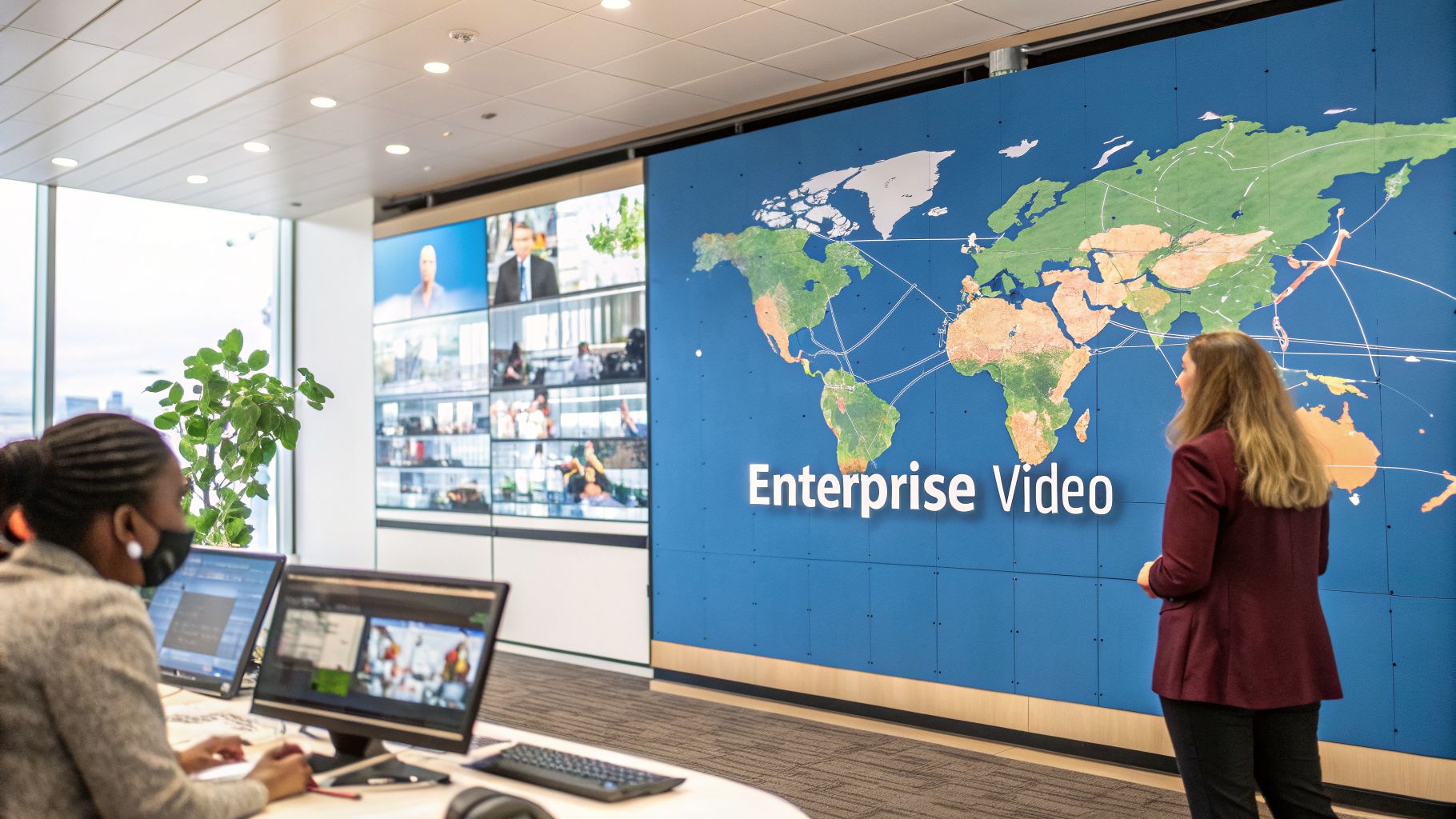
At its heart, a true enterprise video platform is a strategic asset designed to unify communication across your entire organization, no matter where your people are. Unlike basic tools with their frustrating participant caps and flimsy security, these systems are engineered for the realities of modern business. They're built for stability, administrative control, and deep integration with the software you already rely on, from your CRM to your project management boards.
The shift to hybrid work really cemented video conferencing as an essential technology. Companies quickly discovered that simple video calls weren't enough to maintain productivity, protect sensitive information, or even preserve company culture. You need a single, robust system that can seamlessly handle a confidential board meeting, a daily team stand-up, and a massive all-hands webinar.
Beyond the Basics: The Core Value
The real worth of an enterprise platform isn't just about clearer video. It’s about delivering tangible business results. These solutions are built on three pillars that leave consumer-grade tools far behind.
- Bank-Level Security and Encryption: Enterprise systems offer features like end-to-end encryption (E2EE) by default. This isn't a "nice-to-have"; it's a non-negotiable for any organization that handles sensitive client, financial, or patient data. Added features like AES-256 encryption ensure that no unauthorized parties, including the service provider, can access your meeting content.
- Guaranteed Scalability and Reliability: You can't have a call drop in the middle of a major client pitch or an investor update. Enterprise solutions are backed by service-level agreements (SLAs) that guarantee uptime and high-quality performance for thousands of participants.
- Integrated Workflows and Features: This is where the magic happens. These platforms plug directly into your existing software, turning a simple video call into a dynamic workspace with interactive whiteboards, live transcription, and powerful webinar tools built right in.
One of the biggest differentiators is the bundling of features that are normally expensive add-ons. Many enterprise plans now include unlimited webinar hosting right out of the box, potentially saving a company thousands of dollars a year on separate marketing event software. This is a key value proposition that significantly lowers the Total Cost of Ownership (TCO).
Price, Performance, and Market Growth
While an enterprise plan has a higher sticker price than a free tool, its Total Cost of Ownership (TCO) is often much lower when you look at the whole picture. For a mid-sized business, a comprehensive plan might run $15-$25 per user/month. In contrast, a similar plan from a premium provider with add-ons could easily reach $40-$50 per user/month.
This price often rolls in unlimited cloud recording, advanced analytics, and the webinar functionality mentioned earlier—things that would cost hundreds more each month if sourced from different vendors. By consolidating tools, slashing travel budgets, and making teams more efficient, the return on investment becomes undeniable. A practical example is a marketing department saving over $5,000 annually by using included webinar features instead of a separate service.
This clear value is fueling explosive demand. The global video conferencing market, valued at USD 37.29 billion in 2025, is on track to hit USD 65.72 billion by 2034. This growth is overwhelmingly driven by large organizations investing in platforms that make their operations smoother and their client interactions better. You can explore the full market analysis from Fortune Business Insights to dig deeper into the trends behind these numbers.
Core Features of an Enterprise-Grade Platform
When you move past basic video chat, you start looking for the non-negotiable features that separate a simple tool from a true enterprise solution. These platforms aren't just for seeing faces on a screen. They’re built from the ground up for serious business, with security, compliance, and deep operational integration at their core.
Think of it like this: you wouldn't discuss a confidential merger in a crowded coffee shop. So why would you hold that conversation on an insecure video call? This is where end-to-end encryption (E2EE) becomes non-negotiable. Using advanced standards like AES-256, it ensures that only the people in the meeting can see or hear what’s happening. Not even the service provider can break in.
This bank-vault level of security is backed up by practical moderator controls that give you full command over your virtual meeting room.
- Meeting Locks: Once everyone’s in, the host can lock the door. No one else can join, even if they have the link.
- Waiting Rooms: This feature acts like a virtual bouncer, letting you screen attendees before they enter the main room and stopping unwanted guests cold.
- Granular Permissions: The host decides who can talk, share their screen, or use the chat. It keeps the meeting orderly and on-point.
Ensuring Compliance in Regulated Industries
For any business in healthcare, finance, or the legal field, compliance isn't just a good idea—it's the law. A slip-up can lead to crippling fines and a shattered reputation. That's why an enterprise platform must have the certifications to meet these unforgiving standards.
Take a hospital using telehealth, for example. To protect patient privacy, their video platform absolutely must be HIPAA compliant. This means all data is encrypted and, crucially, the provider is willing to sign a Business Associate Agreement (BAA). This is a legal contract that makes them liable for protecting patient data. Using a non-compliant tool for a doctor-patient call is a massive risk. If you want to get into the weeds on this, check out our guide on what makes a video conferencing platform HIPAA compliant.
Scalability and Seamless Integrations
Scalability isn't just about how many people can join a call. It's about maintaining perfect quality, whether you have five people in a team huddle or five thousand in an all-hands town hall. A true enterprise solution won't stutter, lag, or drop audio, even under heavy load. This promise is usually backed by a Service-Level Agreement (SLA) guaranteeing uptime, often as high as 99.99%.
But the real magic happens when your video platform talks to the other tools you use every day. Connecting it to your core business applications is what eliminates the friction of jumping between different windows and tabs.
Imagine your sales team schedules a client call in Google Calendar, and a unique meeting link is instantly created. During the call, all the notes they take are automatically synced to the client's profile in Salesforce. Afterward, the meeting recording is posted to the team's Slack channel for everyone to review. That’s how a simple call becomes a smart, productive, and data-rich event.
Price, Value, and Collaboration Tools
When you're looking at enterprise solutions, the price tag doesn't tell the whole story. The real value often comes from what's included in the box, especially features that other providers nickel-and-dime you for.
| Feature Comparison | Traditional Providers (Pay Extra) | Modern All-Inclusive Platforms |
|---|---|---|
| Webinars | Usually a separate, expensive subscription (e.g., ~$79/mo). | Included with unlimited attendees and time. |
| Cloud Recording | Often has tight storage limits or pay-per-GB fees. | Generous or unlimited storage is part of the deal. |
| HD Video | Sometimes reserved for the priciest plans. | Standard on all subscription levels. |
| End-to-End Encryption | Often a premium add-on or in top-tier plans. | Standard on all business plans. |
A marketing team, for instance, could save thousands of dollars a year by choosing a platform where webinars are included. They can run as many lead-gen events and training sessions as they want without watching the clock or their budget. This represents a powerful value proposition, dramatically lowering the Total Cost of Ownership (TCO) and simplifying vendor management.
These platforms also equip your teams with powerful tools like crystal-clear screen sharing, interactive whiteboards for real-time brainstorming, and live polling to keep everyone engaged. It’s about making every single meeting more collaborative and productive.
Comparing Pricing Models and Total Cost of Ownership
Picking the right enterprise video conferencing platform is a major financial decision, and let’s be honest—the sticker price is rarely the whole story. To find a solution that truly delivers value without hidden surprises, you need to look beyond the monthly fee and understand how the costs really add up.
Most providers use one of a few common pricing models. The per-user, per-month fee is the most straightforward, giving you a predictable cost that scales as your team grows. You'll also see tiered plans (think "Business," "Pro," "Enterprise") that bundle features and capacity. A less common, and often riskier, approach is pay-as-you-go, where you’re billed for what you use. This can get expensive fast.
The Hidden Costs Lurking Beyond The License Fee
The initial subscription cost is just the tip of the iceberg. I’ve seen countless companies get blindsided by a web of extra charges that nickel-and-dime them, quickly inflating what seemed like a good deal. It's absolutely critical to scrutinize what’s actually included.
Here are the usual suspects to watch out for:
- Webinar Add-Ons: Many platforms, including big names like Zoom and Microsoft Teams, sell webinar functionality as a separate, expensive product. Finding a plan where unlimited webinars are included is a massive win and a key value proposition.
- Cloud Recording Storage: Basic plans are often stingy with storage. Once you exceed those limits, you’re hit with costly overage fees just to keep your meeting archives.
- Participant Surcharges: That "unlimited meetings" promise might have a catch. Some plans cap your attendee count and charge a premium for larger town halls or all-hands meetings.
- Essential Security Features: This one is particularly frustrating. Core security features like end-to-end encryption should be standard, but some providers lock them away in their priciest enterprise tiers, forcing you to pay extra for basic protection.
These core pillars shouldn't be treated as premium add-ons. They are the foundation of a true enterprise-grade solution.
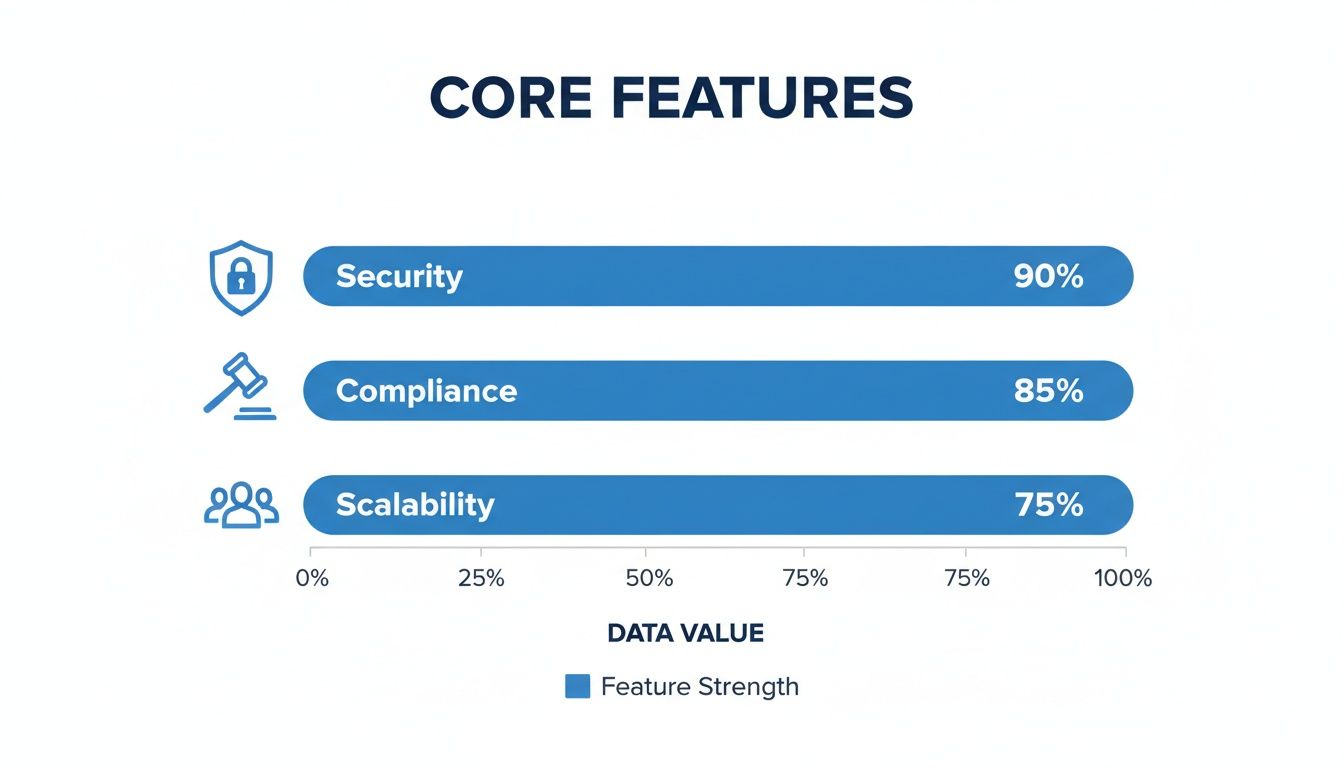
As you can see, features like security, compliance, and scalability are non-negotiable. When you’re evaluating pricing, your first question should be whether these fundamentals are included or if they’ll cost you more down the line.
Calculating The True Total Cost of Ownership
To make a truly informed decision, you have to think in terms of Total Cost of Ownership (TCO). TCO goes beyond the monthly bill to include every direct and indirect cost over the life of the platform—implementation, IT overhead, employee training, and ongoing support. A platform that looks cheap on paper can end up having a sky-high TCO.
The numbers don't lie. Large enterprises can spend over USD 242,000 annually on video calling. But modern, all-inclusive platforms are disrupting that model. For instance, a telemedicine clinic needing a HIPAA-compliant solution could adopt AONMeetings, which offers bank-level encryption and included webinars starting at just ₹179 per user per month. The savings compared to legacy providers can be tens of thousands of dollars.
That's money that can be reinvested into the business, all while boosting the productivity of distributed teams by 20-25%. For a deeper dive into the numbers, you can review detailed video conferencing data from ElectroIQ.
Here’s a real-world example I see all the time: A growing startup needs to host product demos for investors. A traditional provider might hit them with an extra $500 per month for a webinar package. By choosing an all-in-one platform, they instantly save $6,000 a year—cash they can put toward marketing or product development.
To make this more concrete, let's compare the value propositions side-by-side. The table below breaks down the pricing and features you can expect from traditional providers versus a more modern, cost-effective alternative.
Enterprise Video Conferencing Price Comparison 2026
| Feature | Traditional Enterprise Providers (e.g., Zoom/Teams) | AONMeetings | Value Proposition |
|---|---|---|---|
| Pricing Model | Complex tiers; many add-ons for core features (e.g., Business plan at ~$20/user/mo + add-ons) | Simple, transparent per-user pricing (e.g., starting at ~₹179/user/mo) | Predictable costs with no surprise fees. Budget with confidence. |
| Webinars | Sold as a separate, expensive subscription (e.g., ~$79/mo extra) | Included in all paid business plans | Huge cost savings and simplified vendor management. |
| End-to-End Encryption | Often reserved for top-tier, most expensive plans | Standard across all paid plans | Ensures all conversations are secure without forcing a costly upgrade. |
| Cloud Recording | Limited storage with steep overage fees | Generous or unlimited storage included | Freedom to archive all meetings without worrying about surprise bills. |
Ultimately, the goal is to find a solution with transparent pricing that bundles everything you actually need—especially robust security and webinar hosting—into one affordable package. This approach not only lowers your TCO but also dramatically simplifies your tech stack.
Understanding Your Deployment Options
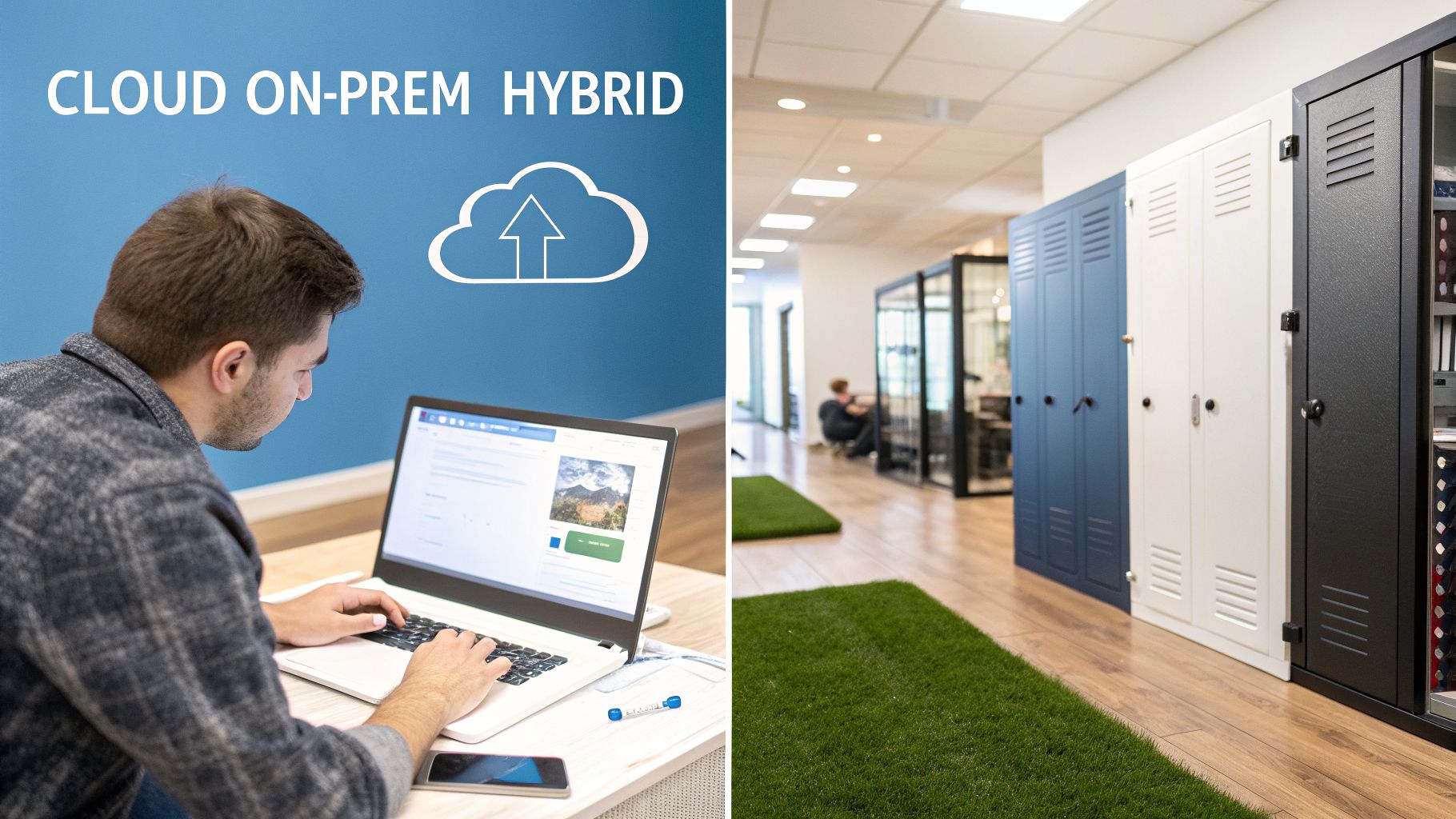
When you're choosing an enterprise video conferencing solution, it's easy to get caught up in the features. But one of the most fundamental decisions you'll make has nothing to do with breakout rooms or virtual backgrounds. It's about where your platform actually lives.
This is your deployment model, and it's the technical backbone that dictates everything from security and scalability to cost and control. The simplest way to think about it is to use a housing analogy. You can rent (Cloud), you can own (On-Premises), or you can find a middle ground (Hybrid). Each path has its own set of benefits and responsibilities.
The Cloud Model: Renting Your Solution
Today, the most common approach is the cloud-based, or Software-as-a-Service (SaaS), model. This is like renting a fully furnished, high-end apartment. You pay a predictable fee, and the landlord—in this case, the vendor—handles all the maintenance, security, and infrastructure headaches for you.
The convenience here is undeniable, and the barrier to entry is low. You avoid a massive upfront investment and get instant access to the latest features and updates, like built-in webinar hosting. Your IT team is freed from the grind of managing servers and patching software, but keep in mind that a solid connection is key. To get the best performance, you'll need a robust network infrastructure capable of handling all that video traffic.
Imagine a fast-growing tech startup. They might go with a cloud solution like AONMeetings because its browser-based access lets them onboard new hires instantly. As the team grows, they just add more licenses—it's that simple. With added features like AES-256 encryption baked in, they can trust that their work is secure without needing a dedicated IT security team to manage it.
The On-Premises Model: Owning Your Infrastructure
At the other end of the spectrum is the on-premises deployment. This is the equivalent of buying and owning your own house. You purchase the hardware and software licenses yourself and install everything on your own servers, inside your own data center.
This model gives you absolute control. Every video stream, every chat log, every piece of data sits securely behind your own firewall, completely walled off from the public internet. For organizations like government agencies, defense contractors, or certain financial institutions, this isn't just a preference—it's a non-negotiable requirement. They simply cannot allow sensitive data to live on a third-party server.
But just like owning a house, this path comes with serious responsibilities. The initial cost for servers and licensing can be steep. You're also on the hook for all ongoing maintenance, security patches, and system updates. This requires a skilled, dedicated IT team, which means the Total Cost of Ownership (TCO) is often much higher in the long run.
The Hybrid Model: The Best of Both Worlds
Finally, there’s the hybrid model. Think of this as owning a condo—you have your own private space, but you share some common amenities and resources. In a hybrid setup, an organization keeps its most sensitive operations on-premises while using the cloud for everything else.
This approach gives you the airtight security of an on-site deployment where you need it most, while still giving you the flexibility and scale of the cloud for other tasks.
For instance, a large hospital system provides a perfect real-world example. They could host patient video consultations on an on-premises server to guarantee HIPAA compliance and total data privacy. At the same time, they might use a cloud platform for general staff meetings, employee training webinars, or public health broadcasts that need to reach thousands of people without straining their internal network. This value proposition allows them to balance extreme security with cost-effective scalability.
This blended strategy allows organizations to get exactly what they need, balancing tight security requirements with their budget and operational realities. It’s a powerful middle ground between renting and full ownership.
How to Evaluate and Choose the Right Solution

Choosing the right enterprise video conferencing tool is a high-stakes decision that requires more than just picking a familiar brand. To find a platform that actually delivers value, you have to get methodical. It all starts with asking vendors the tough questions and then testing their claims against your real-world needs.
Don't let flashy features you'll never use distract you. Instead, your focus should be laser-sharp on the core elements that directly impact your security, user experience, and bottom line.
Assembling Your Evaluation Checklist
Before you even sit through a single demo, your first step should be creating an internal scorecard. This simple tool ensures you evaluate every potential vendor with the same consistent criteria. More importantly, it forces you to decide what really matters to your business before a slick sales pitch tries to decide for you.
Your scorecard should have weighted criteria covering the essentials:
- Security and Encryption: Does the platform offer genuine end-to-end encryption (E2EE) with standards like AES-256 on all plans, or is that a pricey add-on?
- Compliance Certifications: Can the vendor provide hard proof of compliance for your industry, like a HIPAA BAA for healthcare organizations?
- Price-to-Value Ratio: What’s the total cost of ownership once you factor in all the "optional" extras like webinar hosting or cloud storage? A practical comparison is essential here.
- Ease of Use: How fast can a non-technical employee start and manage a meeting? Is the interface actually intuitive or just cluttered?
Uncovering the True Value Proposition
One of the most critical parts of your evaluation is figuring out what’s really included in the sticker price. Many providers advertise a low monthly fee, only to nickel-and-dime you for features that should be standard. The inclusion of webinars, for instance, is a perfect example of a game-changing value-add.
A marketing team might be paying an extra $400-$700 per month for a completely separate webinar platform. If you choose a video conferencing solution where unlimited webinars are already included in a plan costing around $20/user/month, you’ve just saved thousands of dollars annually and eliminated a vendor management headache. This is a core value proposition.
This same logic applies across the board. Scrutinize the limits on cloud recording, find out the cost of phone dial-in numbers, and check for any penalties for exceeding participant caps. Modern platforms like AONMeetings roll these features into a single, transparent price, which stands in stark contrast to many legacy providers. For smaller teams, our guide on the best video conferencing for small business offers more specific advice.
Running a Meaningful Pilot Program
Never, ever make a final call based on a demo alone. The most crucial step is running a pilot program with a diverse group of actual users from different departments—think sales, HR, and IT. This is where you test the platform’s performance and usability in the wild.
During your pilot, track the metrics that matter:
- Call Quality: Were there any dropped calls, video lag, or audio glitches?
- User Feedback: Did your team find it easy to use, or was it a source of frustration?
- Support Response: When you hit a snag, how quickly and effectively did their support team solve it?
This hands-on testing will expose the truth behind a vendor's marketing claims. As you test, also consider how the platform handles specialized use cases, such as those required by virtual interview platforms, which have features built specifically for recruitment.
This practical approach also helps you align with where the market is headed. The U.S. video conferencing market, which is a great bellwether for global trends, was valued at USD 2.94 billion in 2025 and is projected to skyrocket to USD 9.21 billion by 2035. This massive growth is fueled by businesses demanding secure, scalable, and cost-effective solutions for hybrid work, especially in fields like healthcare and education. As this trend continues, providers that offer high value and interoperability are the ones poised to lead. By focusing on real-world performance and total value, you end up with a partner, not just another product.
Frequently Asked Questions About Enterprise Video Conferencing
As you dig into the world of enterprise video conferencing, you're going to have questions. It’s only natural. This section tackles some of the most common ones we hear, giving you clear, straightforward answers to help you make your next move with confidence.
How Is an Enterprise Solution Different from a Free Tool?
The difference between a free, consumer-grade app and a true enterprise platform is night and day. It really comes down to four things: security, scalability, control, and support. A free tool is fine for a quick catch-up with a friend, but it just wasn't designed for the pressures and risks of a real business.
For starters, enterprise solutions treat end-to-end encryption as the bare minimum. That’s how you can be sure your sensitive discussions about financials or new product lines stay completely private. Free tools often have weaker security, leaving those conversations exposed.
Then there's the issue of scale. Enterprise platforms are engineered to handle thousands of users in a single meeting without the audio or video quality taking a nosedive. Free services usually hit a wall with strict time limits or small participant caps, making them useless for a company-wide all-hands meeting or a large training session.
A practical example of this difference is a global corporation conducting a mandatory all-hands training session for 2,000 employees. A free tool would fail, while an enterprise platform handles it seamlessly. The value proposition is clear: reliability at scale.
And what happens when something breaks? With an enterprise plan, you get a dedicated support team and a Service-Level Agreement (SLA) that guarantees uptime and fast fixes. On a free plan, you're pretty much on your own. That’s a gamble most businesses simply can't afford.
What Does HIPAA-Compliant Video Conferencing Mean?
If you're in healthcare—whether you're part of a large hospital system or a small private practice—HIPAA compliance isn't optional. The Health Insurance Portability and Accountability Act (HIPAA) is a federal law in the U.S. that sets the standard for protecting sensitive patient health information (PHI).
For a video conferencing tool to be considered HIPAA-compliant, it has to clear some very high bars. Every channel of communication, including video, audio, chat, and any files shared, must be secured with end-to-end encryption. This is what ensures that only the patient and the provider can access what's said and seen during a virtual visit.
Just as critical, the platform provider must be willing to sign a Business Associate Agreement (BAA). This is a formal, legal contract where the tech company commits to protecting any patient data that flows through its system. Using a platform for telehealth without a BAA is a serious compliance violation that can result in massive fines and destroy patient trust. To get a better grasp of the nuances, consider exploring our guide on virtual meeting best practices which touches on security and professionalism.
Are Included Webinars a Significant Value Proposition?
Absolutely. In fact, finding an enterprise solution that bundles unlimited webinars into its main plan is one of the single best deals you can find. Traditionally, companies have had to buy video conferencing software and webinar software as two separate, and often very expensive, products.
When a platform combines both, the savings and operational perks are huge. Your marketing team can suddenly run all the product demos, lead-gen events, and customer training sessions they want without ever thinking about extra fees or how many people show up. That $500 per month webinar add-on from another provider quickly adds up to $6,000 per year in costs you could have avoided. This is a powerful value proposition.
This kind of consolidation directly lowers your Total Cost of Ownership (TCO). You get more tools for your money, your IT team has one less vendor to manage, and your sales and marketing teams are equipped to engage massive audiences—all for one predictable price.
What Security and Encryption Features Should I Look For?
When you’re looking at security, don’t let a vendor get away with vague promises about "secure meetings." You need to dig deeper and ask about specific, verifiable features that create a truly protected environment.
The non-negotiable starting point is end-to-end encryption (E2EE), ideally using a proven standard like AES-256. This makes your meeting content completely unreadable to anyone outside the call—including the service provider themselves. You should also check for encryption at rest, which protects meeting recordings and chat transcripts saved to the cloud.
Beyond pure encryption, powerful host controls are your first line of defense against unwanted disruptions. Make sure the platform includes these essentials:
- Waiting Rooms: Lets you screen participants one by one before they can join the main meeting.
- Meeting Locks: Once everyone is in, you can lock the virtual door to prevent anyone else from joining.
- Password Protection: A simple but effective way to keep uninvited guests out.
- Granular Attendee Controls: The host needs the ability to mute people, turn off their video, or even remove them from the meeting if they become disruptive.
These features all work together to give you a space where you can conduct confidential business with complete peace of mind.
Ready to experience an enterprise-grade platform that delivers on its promises without the enterprise-level price tag? AONMeetings offers HIPAA-compliant security, included unlimited webinars, and transparent pricing in one powerful package. Cut your video conferencing costs and simplify your communications today.
