

In a distributed workforce, the right remote work collaboration tools are the central nervous system of your operation. Choosing the wrong platform can lead to security risks, disjointed workflows, and budget overruns. With countless options for video conferencing, project management, and team chat, how do you select the software that truly fits your team's specific requirements?
This guide cuts through the noise. We provide a detailed breakdown of 12 leading tools, moving beyond marketing claims to focus on what matters: practical examples, transparent price comparisons, and critical features like end-to-end encryption. We will also analyze the value propositions of each platform, including whether they bundle essential functions like webinar hosting.
Our goal is to help you make an informed decision to power your team’s productivity. We will examine each tool through the lens of specific use cases, whether you are a:
- Healthcare provider needing HIPAA-compliant video calls.
- Startup hosting client demos and team syncs.
- Educator running online classes.
- Event marketer delivering large-scale webinars.
This article focuses on the tools themselves, offering a direct comparison of features and costs. To delve deeper into the overarching strategies and comprehensive approaches for virtual success, this ultimate guide to collaboration tools for remote teams offers invaluable insights.
Below, you will find a curated list designed for easy scanning, complete with direct links and screenshots. We'll explore everything from all-in-one suites like Microsoft Teams and Google Workspace to specialized project managers like Asana and Miro, and secure communication platforms such as AONMeetings. Let's find the perfect fit for your remote workflow.
1. AONMeetings
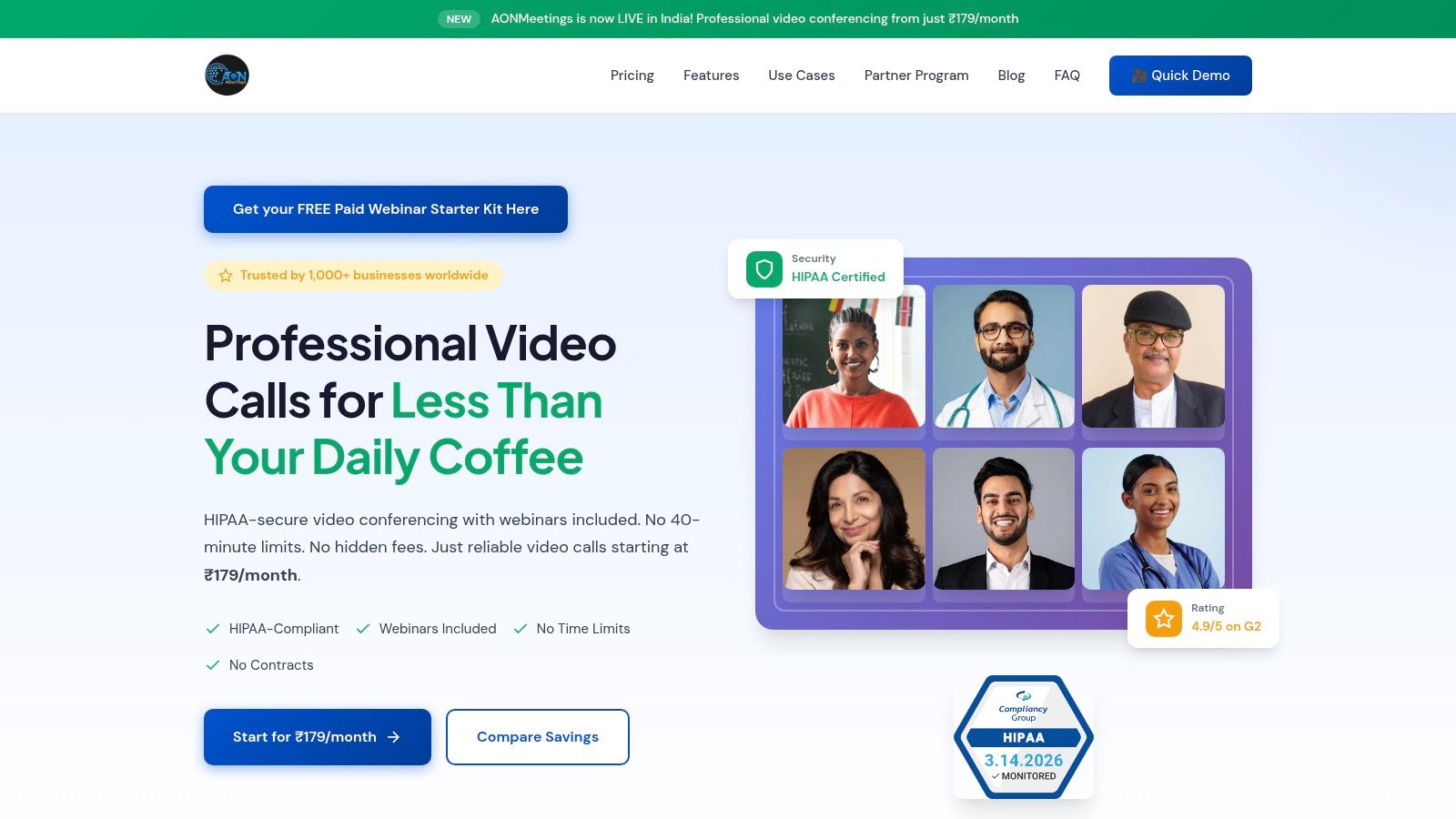
AONMeetings secures the top spot in our roundup by delivering a powerful, security-first platform that directly addresses the core needs of modern remote teams without the typical high costs or feature limitations. It stands out as an exceptional choice among remote work collaboration tools for organizations where data privacy is non-negotiable, such as healthcare, and for businesses seeking to maximize their return on investment. The platform’s core philosophy is to remove friction, offering unlimited meeting times and built-in webinar hosting across all plans, a significant value proposition compared to competitors like Zoom, which often gate these features behind more expensive tiers.
Key Strengths & Use Cases
The platform's browser-first design means participants can join calls instantly without mandatory downloads, a practical advantage for external client meetings or telemedicine appointments. Every session is protected with bank-level encryption, and the built-in HIPAA compliance makes it a go-to for healthcare providers conducting virtual consultations.
Beyond security, AONMeetings packs its plans with practical tools. A marketing team can host a product launch webinar and then live-stream it to YouTube, while a training department can use breakout rooms for interactive workshops. After the call, smart summaries and searchable recordings help teams quickly find key decisions and action items, turning meetings into a lasting knowledge base.
At a starting price of just ₹179 per user per month, AONMeetings offers an accessible yet robust alternative to platforms like Zoom or Microsoft Teams, especially for users who require both standard meetings and webinar capabilities without paying for separate subscriptions. Its value proposition includes bundling webinar hosting with all plans, a feature often sold as a costly add-on by other providers.
Practical Implementation:
A small telemedicine clinic can use AONMeetings to send a secure, no-download meeting link to a patient via SMS. They can then conduct a HIPAA-compliant video call and have a searchable record for administrative follow-up, all from one platform, without needing a separate webinar subscription for patient education sessions.
Core Features:
- Security: Bank-level encryption and HIPAA compliance on all plans.
- Webinars: Built-in webinar hosting included, with advanced features like multi-camera broadcast and live streaming available.
- Collaboration: Screen sharing, whiteboards, document sharing, and searchable recordings with smart summaries.
- Accessibility: Browser-based instant join, SMS notifications, and support for UPI, PayPal, and card payments.
Pricing: Starts at ₹179/user/month with a 30-day money-back guarantee.
2. Zoom (Zoom Workplace / Zoom One)
Zoom has become a household name, largely due to its reliable performance and an interface that new users can quickly understand. Its primary strength lies in its video-first approach, offering high-definition meetings that are stable even with hundreds of participants. For organizations that run frequent large-scale events, Zoom's ecosystem of hardware integrations (Zoom Rooms) and dedicated webinar/event add-ons provides a robust, professional-grade solution.
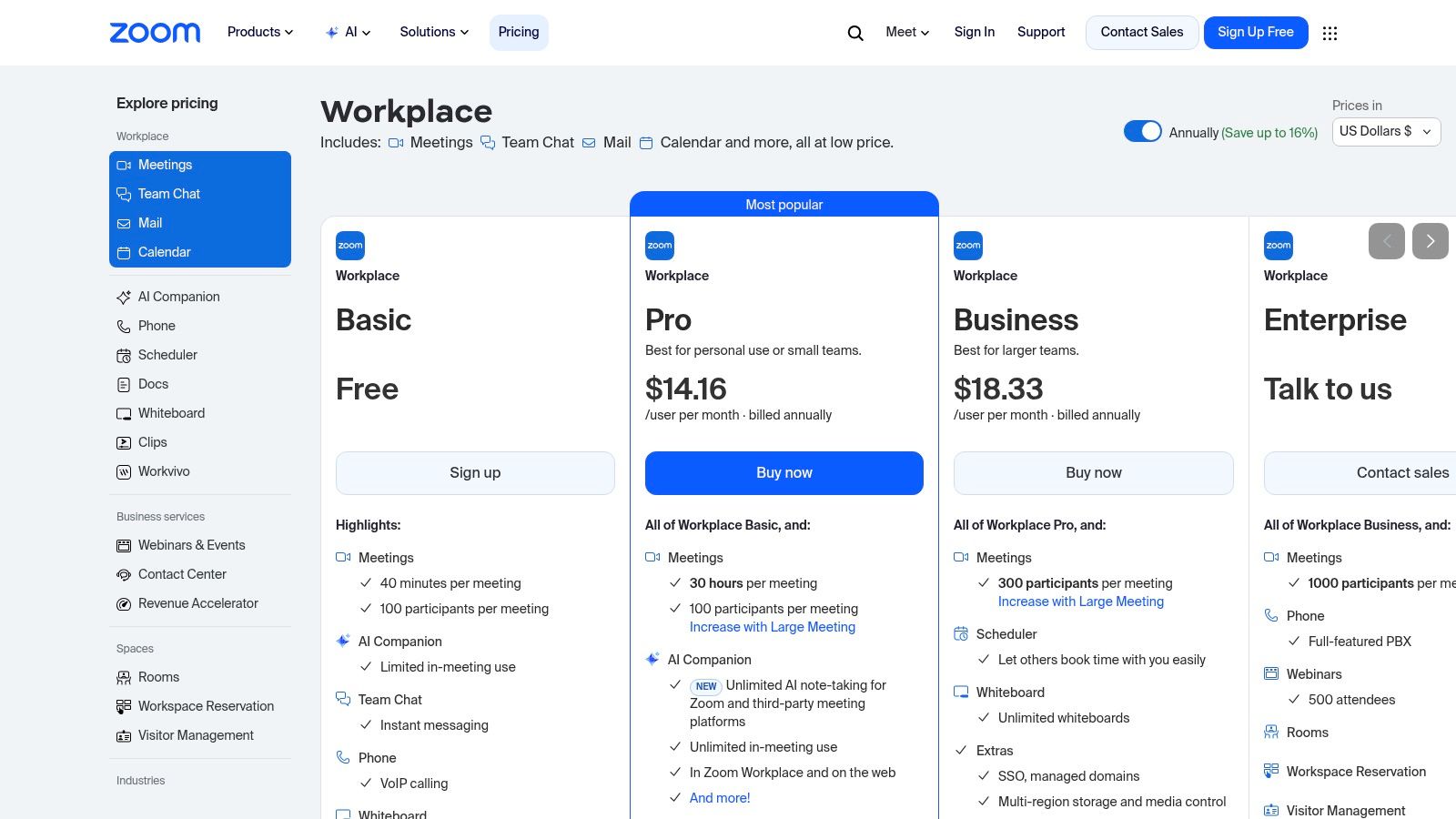
The platform’s granular administrative controls are a key advantage for enterprises, allowing for detailed management of user permissions and security settings, including end-to-end encryption. However, this power comes at a cost. The pricing structure can become complex, with essential features like webinars and larger meeting capacities requiring separate, often expensive, add-ons. For instance, the Business Plus plan ($269.90/year/user) includes features like single sign-on, but a webinar license for 500 attendees adds a substantial yearly fee, a key value proposition difference compared to AONMeetings, where webinars are included. For teams looking to improve their presentation skills, reviewing some virtual meeting best practices can help maximize engagement.
Best For: Large enterprises and educational institutions needing scalable webinar solutions and extensive administrative controls.
Practical Example: An event marketing company uses Zoom Events to host a multi-day virtual conference, leveraging breakout rooms for sponsor booths and polling for audience engagement, all managed through a centralized dashboard.
Website: https://zoom.us/pricing
3. Microsoft Teams
For organizations deeply embedded in the Microsoft 365 ecosystem, Microsoft Teams serves as a powerful, integrated hub for communication and productivity. Its greatest strength is the seamless connection with apps like SharePoint, OneDrive, and Outlook, allowing users to co-author documents, manage files, and schedule meetings directly within a persistent chat environment. This tight integration makes it one of the most effective remote work collaboration tools for enterprises prioritizing a unified software stack and centralized administration.
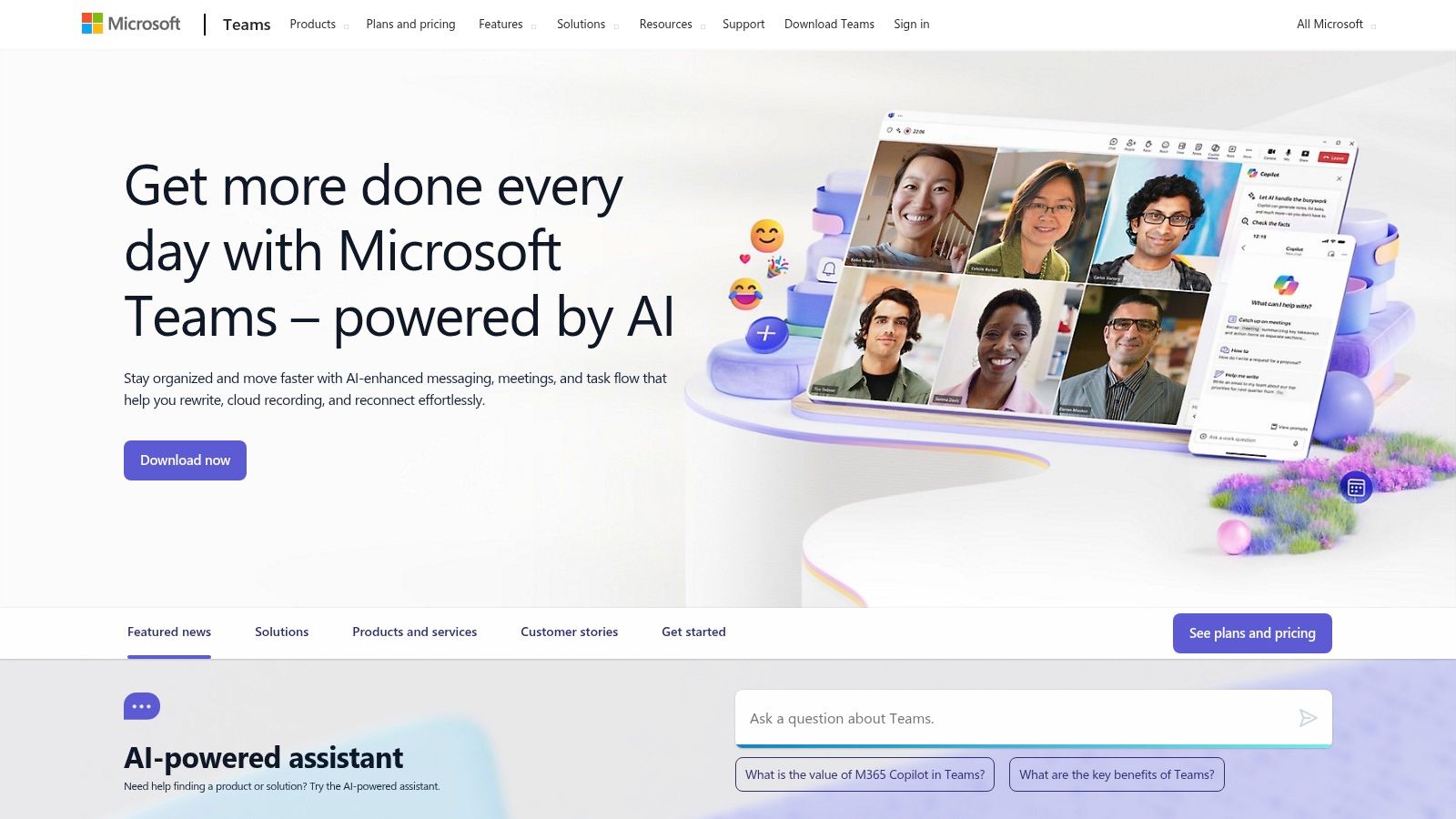
Teams is often bundled with Microsoft 365 Business plans (e.g., Business Basic at $6.00/user/month or Business Standard at $12.50/user/month), which can make it a cost-effective choice if you already need Office apps. The platform supports meetings, chat, and file sharing with robust security features, including options for data loss prevention and information barriers. However, its reliance on the Microsoft environment means that integrating non-Microsoft tools can feel clunky. While it includes meeting capabilities, achieving the same level of dedicated webinar functionality as platforms like Zoom may require the more expensive Teams Premium add-on or a separate solution, a value proposition that budget-conscious teams must consider. Small businesses evaluating their options can find useful comparisons in guides to the best video conferencing for small business to see how it stacks up.
Best For: Companies already invested in the Microsoft 365 ecosystem that need deep application integration and enterprise-grade security.
Practical Example: A corporate legal team uses a private Teams channel to securely discuss a case, co-authoring strategy documents in real-time, tracking revisions in SharePoint, and using data encryption to protect client confidentiality.
Website: https://www.microsoft.com/microsoft-teams
4. Google Workspace (Meet, Chat, Drive, Docs)
Google Workspace excels as a deeply integrated, cloud-native suite where real-time document collaboration is the star. Its strength is the seamless browser-first experience, allowing teams to jump from a Google Doc to a Meet video call or a Chat conversation without friction. The platform's real-time co-authoring in Docs, Sheets, and Slides remains a gold standard, making it one of the most effective remote work collaboration tools for teams that live inside documents and spreadsheets.
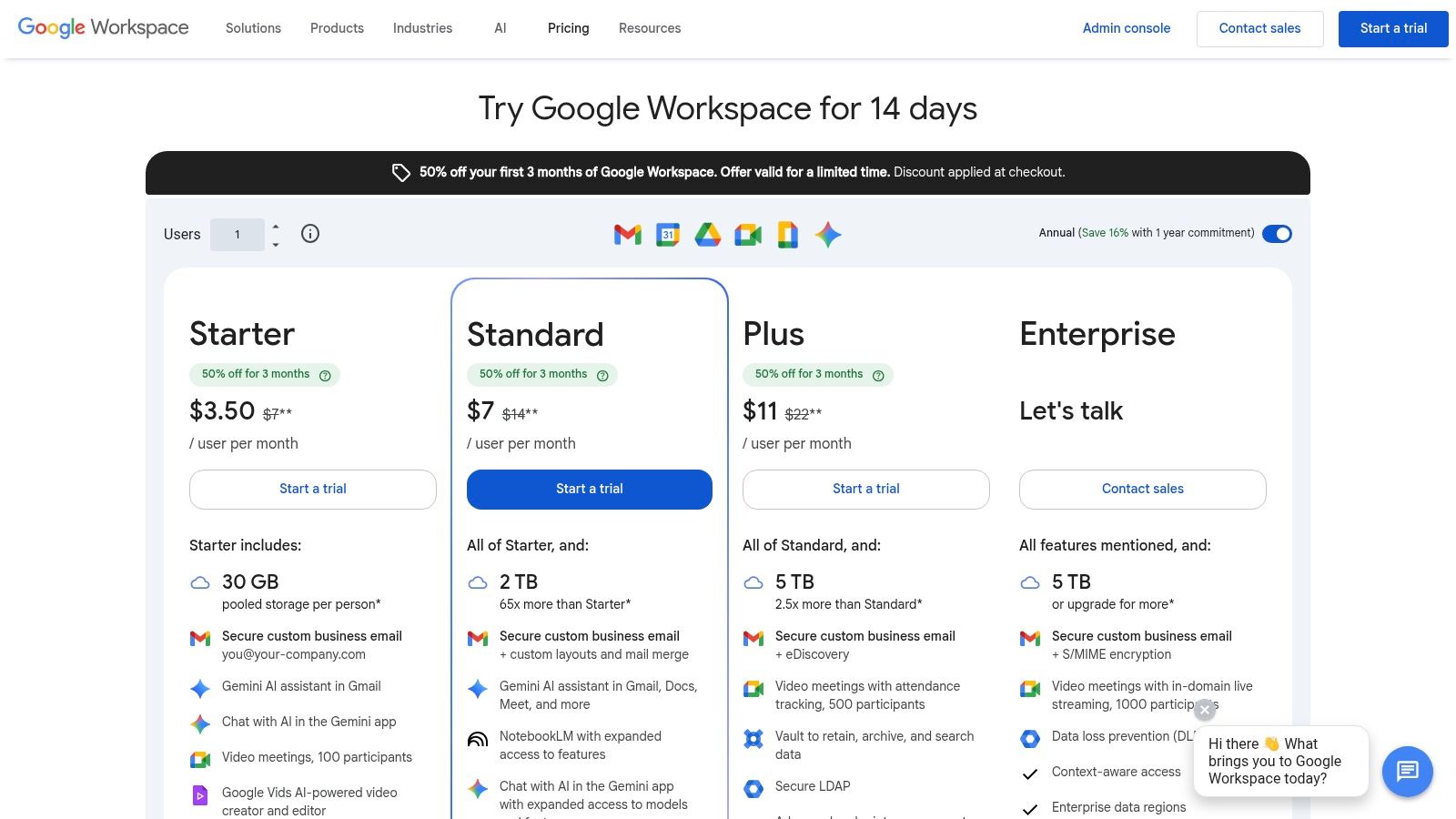
While the base Business Starter plan ($6/user/month) is affordable, critical features for remote teams, like meeting recordings saved to Drive and enhanced security controls, require the Business Standard plan ($12/user/month) or higher. Larger meeting capacities (up to 1,000 participants) and live streaming for webinars are locked behind pricier Enterprise tiers, a key value proposition difference compared to platforms that bundle these features. All data is encrypted at rest and in transit. For new users, understanding the basics of sharing content is key, and this guide on how to share your screen can be a helpful starting point for any platform.
Best For: Teams and startups heavily invested in the Google ecosystem who prioritize real-time document co-editing and a simple user interface.
Practical Example: A content marketing team collaborates on a blog post in Google Docs, using comments for feedback. They then create a presentation in Google Slides for a client pitch and hold the pitch meeting using Google Meet, all without leaving the Google ecosystem.
Website: https://workspace.google.com/pricing
5. Slack
Slack has cemented its position as a central nervous system for remote teams, acting as a channel-based messaging platform that excels at both asynchronous and real-time communication. Its core strength is its ability to organize conversations into dedicated channels, which drastically reduces internal email clutter and makes information searchable. The user experience is a major draw, with an intuitive interface and features like Huddles that allow for instant, lightweight audio or video calls with screen sharing, perfect for quick problem-solving without scheduling a formal meeting.
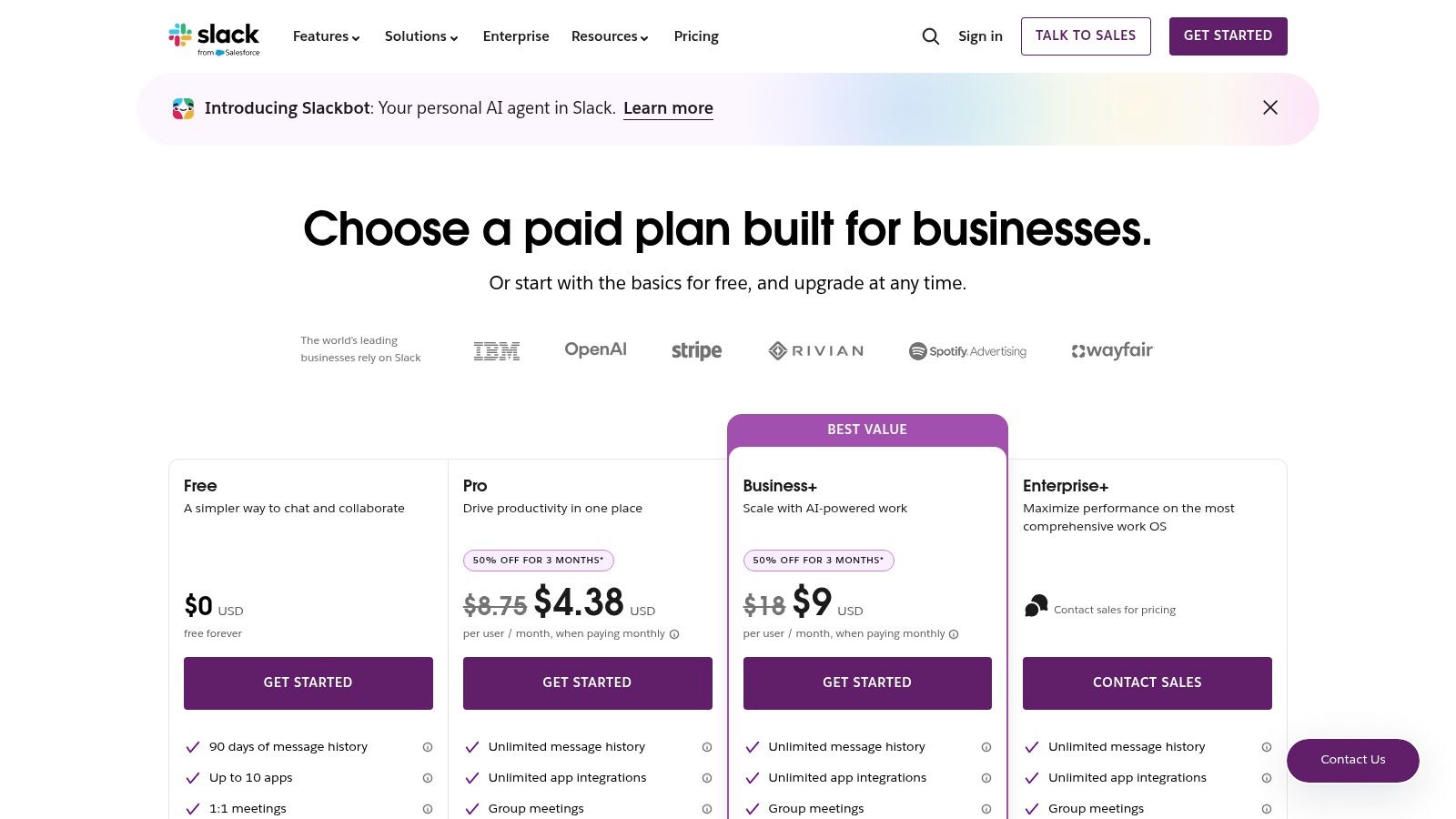
The platform's true power is unlocked through its extensive app directory and Workflow Builder, which allows teams to automate routine tasks. However, this flexibility can be a double-edged sword; without disciplined channel management, Slack can become noisy and distracting. Furthermore, crucial enterprise-grade features, such as SAML-based single sign-on (SSO) and guaranteed uptime, are reserved for the more expensive tiers. For example, the Business+ plan ($15/user/month) offers these advanced security features, but HIPAA compliance for healthcare data and data encryption keys require the Enterprise Grid plan. This makes Slack an exceptional hub for many remote work collaboration tools, but one that requires careful governance and budget consideration for security-sensitive industries, as it does not include webinar functionality in its value proposition.
Best For: Tech-savvy teams and companies that want a central, integration-heavy hub for both asynchronous and quick synchronous communication.
Practical Example: A software development team uses a specific Slack channel for a new feature. They integrate their Jira and GitHub apps, so ticket updates and code commits automatically post to the channel, keeping everyone informed without switching contexts.
Website: https://slack.com/pricing
6. Cisco Webex Suite
Cisco Webex has long been a staple in enterprise environments, prized for its robust security architecture and reliability at scale. Its standout feature is its audio processing; the AI-powered background noise removal is remarkably effective at isolating voices in chaotic environments, making it ideal for critical business communications. This focus on clear communication extends to its real-time transcription and AI-generated meeting summaries. For organizations in regulated sectors, Webex's support for FedRAMP and FIPS compliance provides a necessary layer of trust.
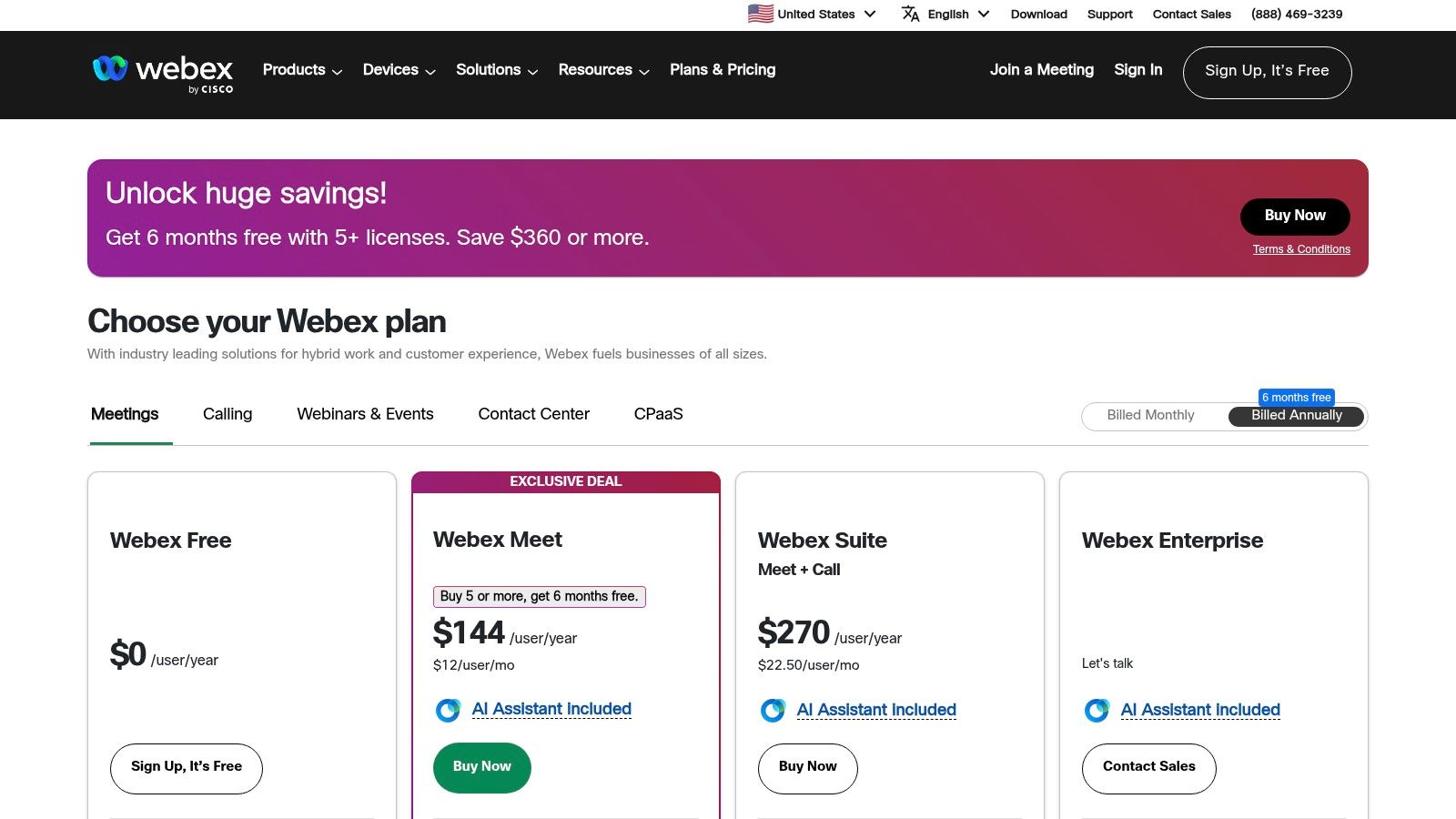
The platform’s strength is its integrated hardware and software ecosystem. However, navigating the Webex Suite's pricing can be complex. While the Meet plan ($14.50/user/month) is straightforward, accessing the full suite often requires contacting sales. Important value propositions like their webinar solution (Webex Events) and cloud calling (Webex Calling) are typically priced as separate components or are part of higher-tier enterprise agreements, unlike competitors that bundle webinar functionality at lower price points. Still, for security-conscious organizations, its end-to-end encryption and granular controls are compelling.
Best For: Government agencies and large corporations in regulated industries (finance, healthcare) needing high-security, compliant communication tools.
Practical Example: A financial services firm uses Webex for client consultations, relying on its end-to-end encryption and compliant data centers to meet regulatory requirements while discussing sensitive investment strategies.
Website: https://pricing.webex.com/us/en/
7. Asana
Asana moves beyond simple task lists into a full-fledged work management platform, making it one of the more powerful remote work collaboration tools for organizing complex initiatives. Its core strength is providing clarity on who is doing what by when, across multiple projects and teams. The platform excels at showing the big picture through Portfolios, where managers can track the progress of related projects, and Goals, which links daily tasks directly to strategic objectives like OKRs.
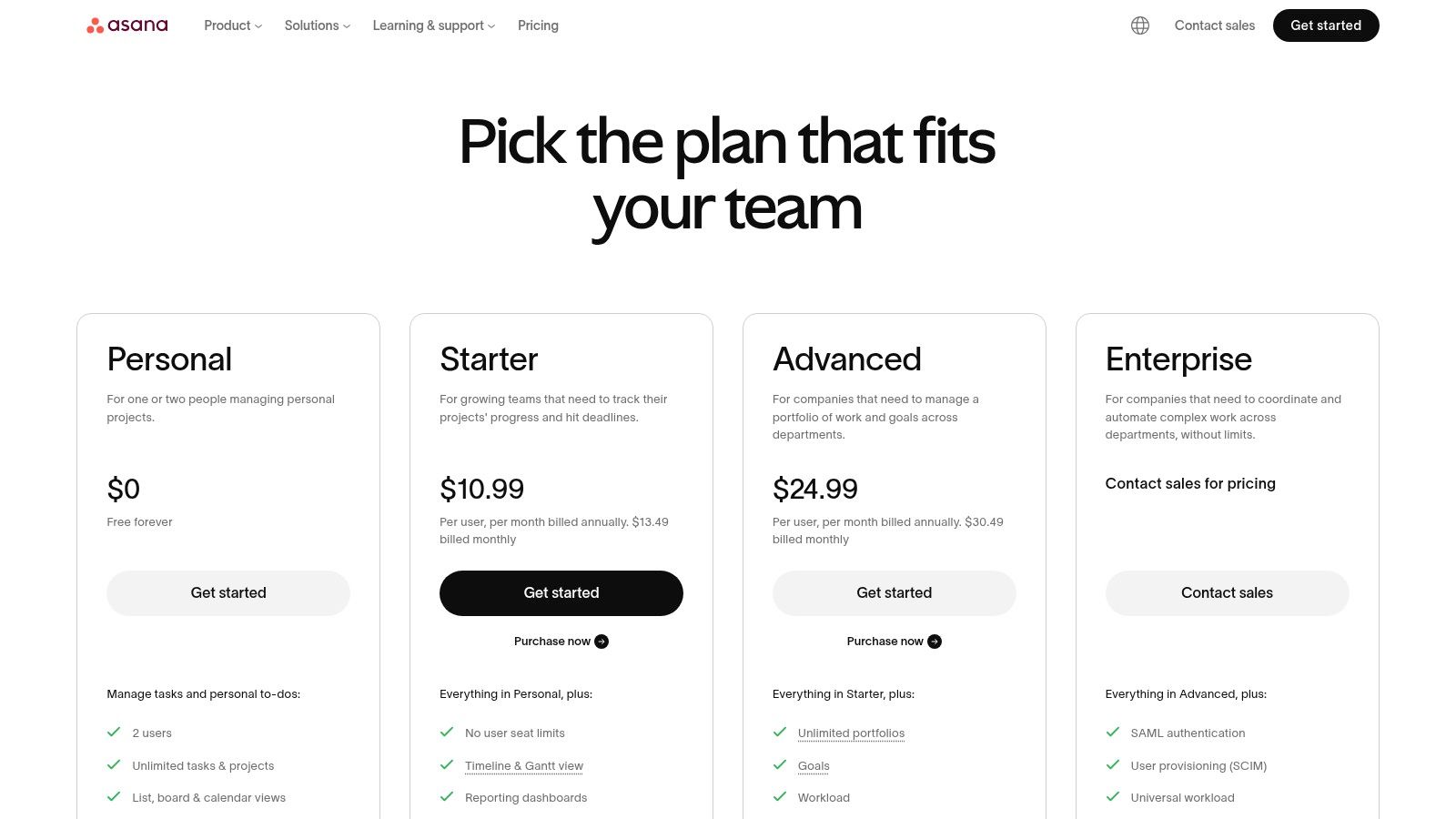
The platform’s automation engine (Rules) is practical for reducing manual work. However, its depth can be a drawback for teams needing a basic to-do list. While a free plan exists, crucial features like timelines and custom fields are reserved for paid tiers. The Premium plan ($13.49/user/month) unlocks most project management functions, but organizations needing workload management or more robust security controls like data encryption at rest will need the Business plan ($30.49/user/month). Its value proposition is centered on project clarity, not real-time communication; it does not offer native webinar or advanced video conferencing features.
Best For: Cross-functional teams and program managers who need to visualize project dependencies and align daily work with company goals.
Practical Example: A marketing team plans a product launch in Asana. The campaign is a project, with tasks for creating ad copy, designing visuals, and scheduling social media posts. The Timeline view shows dependencies, ensuring the website is updated before the ad campaign goes live.
Website: https://asana.com/pricing
8. Trello (Atlassian)
Trello's strength is its simplicity, making it one of the most approachable remote work collaboration tools for managing tasks visually. Its Kanban-style board interface, with cards that move between lists, is immediately understandable for non-technical users and teams. This visual approach allows everyone to see project progress at a glance, from "To Do" to "In Progress" and "Done," which is perfect for organizing content calendars, sales pipelines, or simple development sprints.
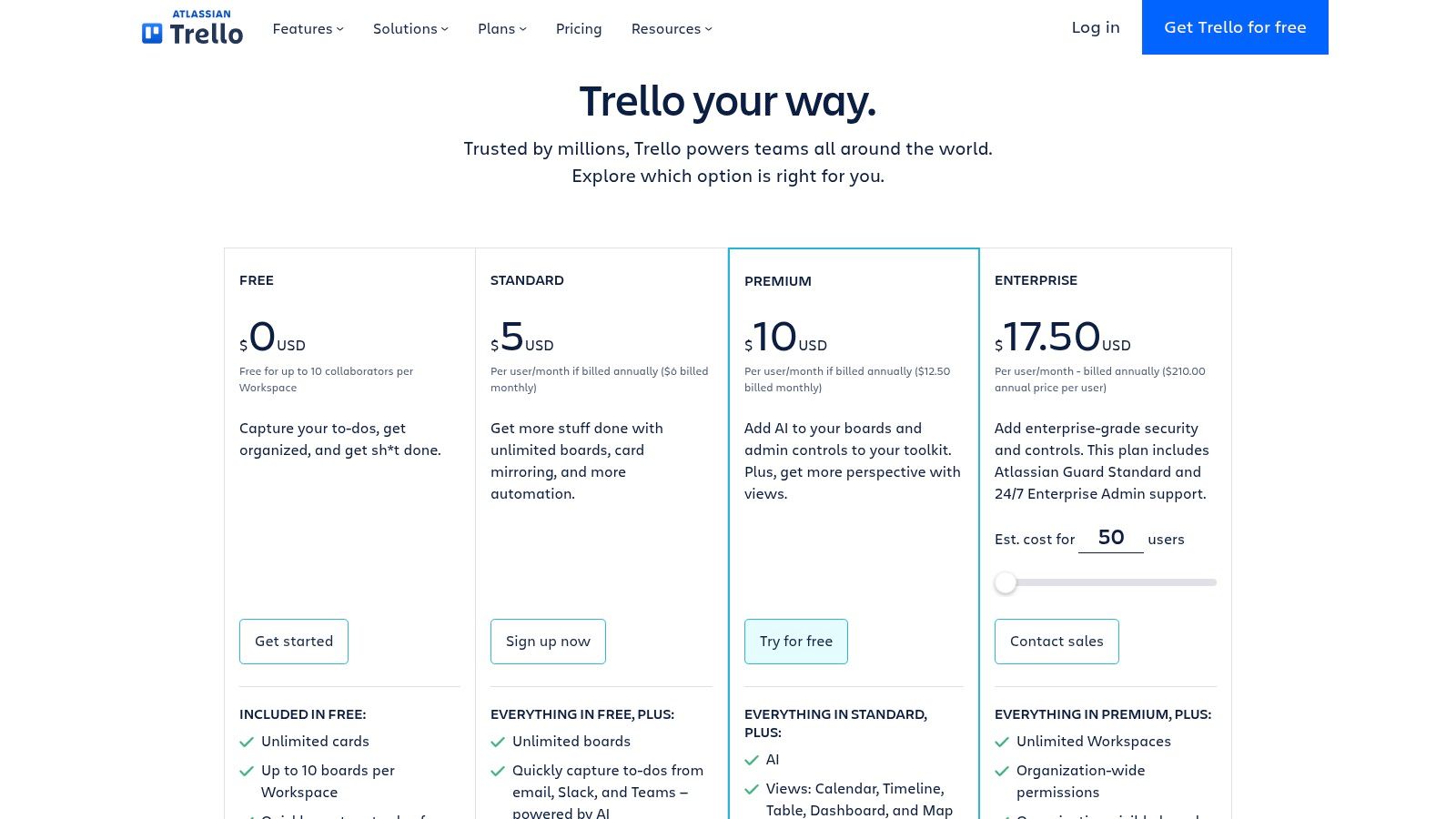
The platform is enhanced through "Power-Ups," which add integrations and features. While the free plan is generous, more advanced features require a paid subscription. The Premium plan ($10/user/month, billed annually) unlocks unlimited boards and advanced automations, making it a cost-effective choice compared to more complex tools like Asana. However, it lacks built-in video or advanced data encryption features, so it must be paired with other secure communication tools. Its value proposition does not include webinar hosting or synchronous communication.
Best For: Teams needing a highly visual and easy-to-adopt task management tool for straightforward projects and workflows.
Practical Example: A freelance writer uses a Trello board to manage their articles. Each article is a card, which moves through lists like "Idea," "Researching," "Drafting," "Editing," and "Submitted." Checklists on each card track sub-tasks.
Website: https://trello.com/pricing
9. Miro
Miro has established itself as the go-to online visual whiteboard for teams that need a dynamic space for creative thinking and strategic planning. Its core strength is an infinite canvas where users can collaborate in real-time using sticky notes, mind maps, and a vast library of templates for everything from agile workflows to user story mapping. This makes it an indispensable tool for facilitating remote workshops, design sprints, and brainstorming sessions that feel as interactive as being in the same room.
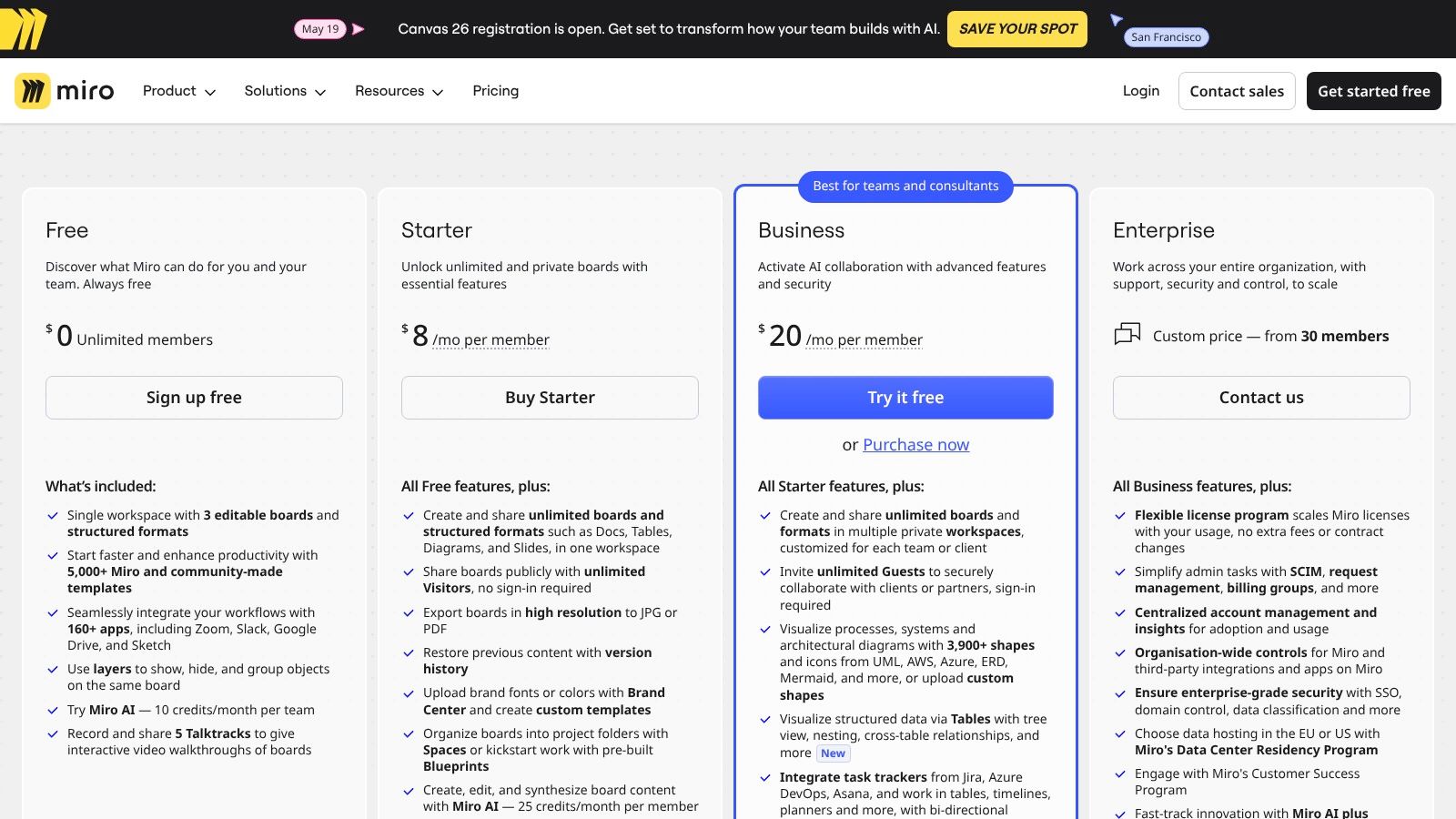
While the free plan is generous for individual use, professional teams will need a paid plan. The Team plan ($10/user/month) adds unlimited boards, but crucial security features like SSO and data encryption at rest are reserved for the Business plan ($20/user/month). This pricing structure can be a barrier for smaller teams needing enterprise-grade security without the high per-seat cost. A notable limitation is performance; very large boards can be slow on some computers. Its value proposition is purely visual collaboration; it does not include webinar features.
Best For: Creative agencies, UX/UI design teams, and agile development groups that depend on visual collaboration and workshop facilitation.
Practical Example: A UX team uses a Miro board to conduct a remote design sprint. They create user personas on digital sticky notes, map out the customer journey on a pre-made template, and vote on the best design mockups using Miro's voting tool.
Website: https://miro.com/pricing/
10. ClickUp
ClickUp positions itself as an all-in-one work OS, aiming to replace multiple applications by combining tasks, documents, whiteboards, goals, and chat into a single, highly customizable environment. Its strength lies in its incredible flexibility, allowing teams to visualize work in various ways, from simple lists and Kanban boards to complex Gantt charts and workload views. This makes it one of the most adaptable remote work collaboration tools for teams with diverse project management styles.
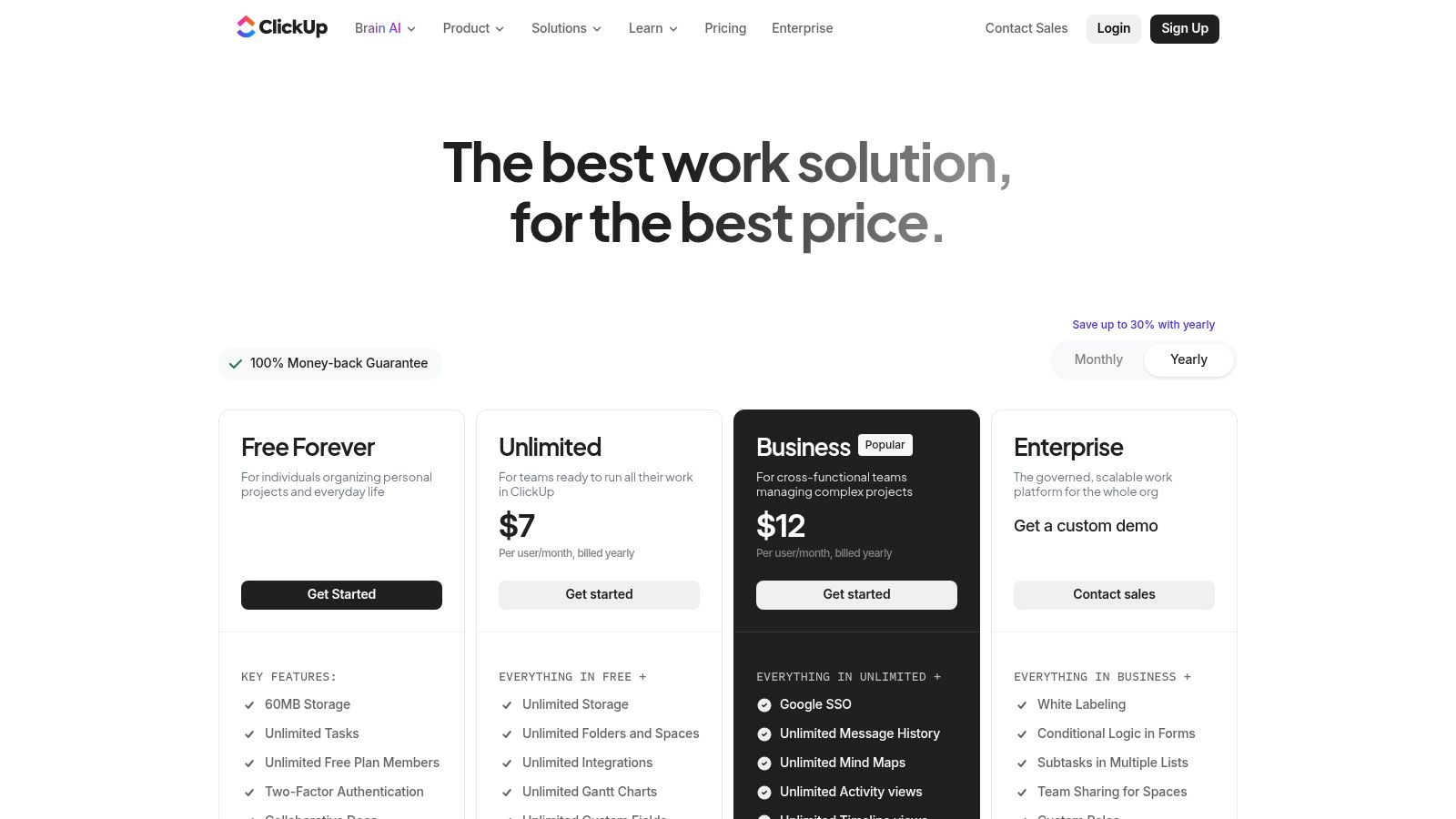
This extensive feature set provides exceptional value, with even the Business plan ($12/user/month) offering advanced automations and dashboards that often require higher-tier plans in competing products. However, this power is a double-edged sword, creating a steep learning curve. While ClickUp offers a Free Forever plan, features like HIPAA compliance and advanced data encryption are reserved for the Enterprise plan, which requires a custom quote. Its value proposition does not include webinar hosting.
Best For: Tech-savvy teams and project managers who want to consolidate their tool stack and build customized workflows.
Practical Example: An operations team manages its recurring tasks in ClickUp. They set up automations so that when a "Weekly Report" task is moved to "Complete," a new task for the next week's report is automatically generated and assigned.
Website: https://clickup.com/pricing
11. monday.com Work Management
monday.com positions itself as a "Work OS," a flexible platform where teams can build custom workflows for nearly any business function. Its strength is in its highly visual and intuitive interface, centered around customizable "boards." These boards use columns to track everything from project status and timelines to sales leads and content calendars. This adaptability makes it one of the most versatile remote work collaboration tools for serving multiple departments in one system.
The platform's automation and integration capabilities are central to its value. While it excels at project management, its pricing structure can be a hurdle. The Standard plan ($12/user/month) and Pro plan ($19/user/month) both require a three-seat minimum, making the actual entry cost higher than the per-user price suggests. Enterprise plans offer advanced security like data encryption and HIPAA compliance. The platform's value proposition is focused on workflow management and does not include webinar or video conferencing features.
Best For: Cross-functional teams that need a highly customizable, visual platform to manage diverse projects and operational workflows in one place.
Practical Example: A sales team uses a monday.com board to manage their lead pipeline. Each new lead from a web form automatically creates a new item on the board. The sales rep can then update the status from "New Lead" to "Contacted" to "Closed/Won."
Website: https://monday.com/pricing
12. Notion
Notion distinguishes itself by functioning as a flexible, all-in-one workspace. Instead of focusing on a single task like chat or video, it blends documents, wikis, databases, and project management boards into a unified system. Its real power lies in its database functionality, which allows teams to create a central "source of truth" for company knowledge and lightweight projects.
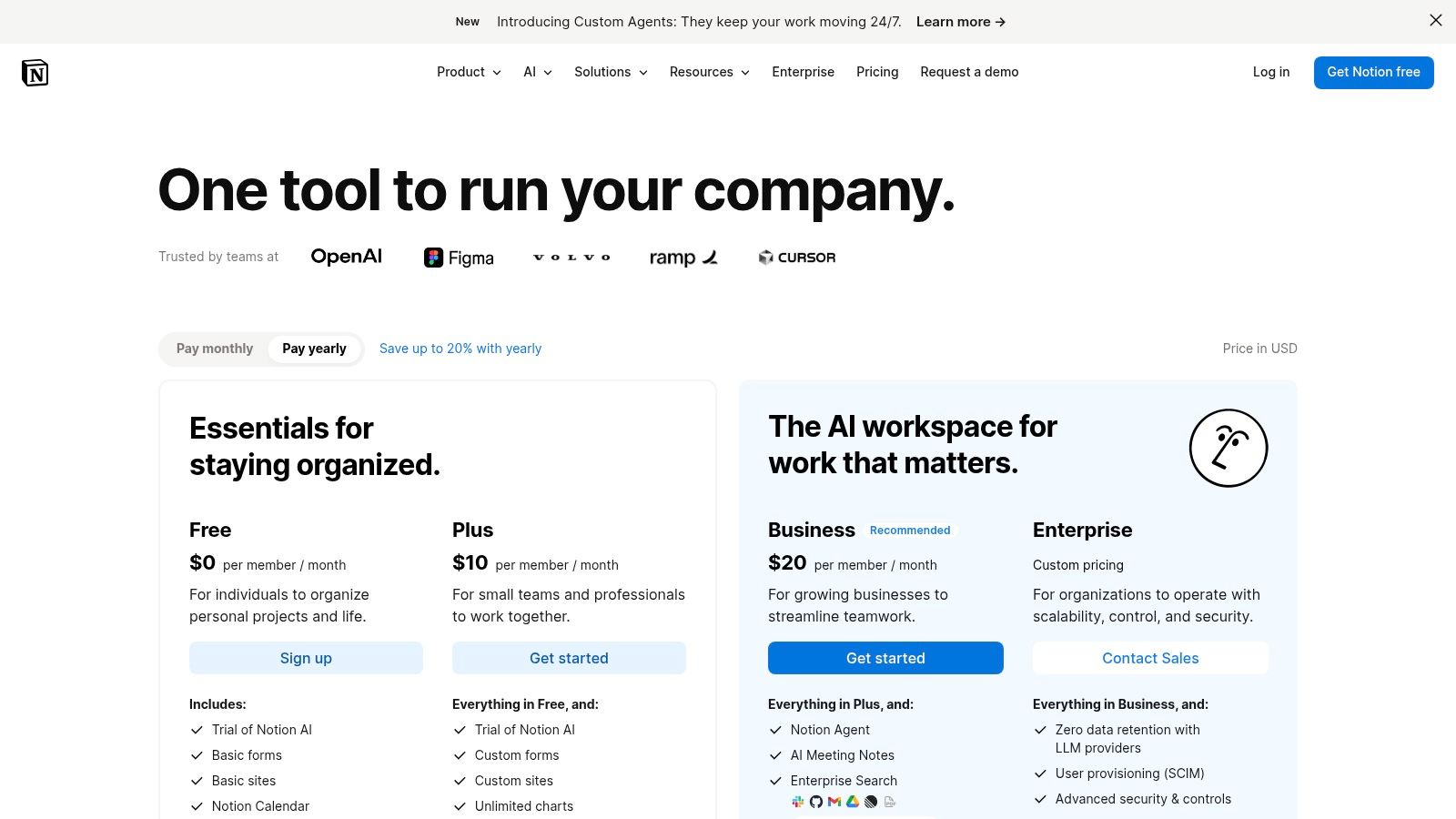
This flexibility, however, requires discipline. The pricing model is generally accessible, with a generous free tier. Paid plans like Plus ($8/user/month) and Business ($15/user/month) add team collaboration and version history. The Business plan adds SSO, but advanced data encryption controls are limited compared to enterprise-focused tools. The Notion AI feature is an add-on for an additional $8 per user per month. Notion's value proposition is as a knowledge hub; it does not offer built-in webinar or advanced video conferencing capabilities.
Best For: Teams that need a highly customizable central knowledge base, documentation hub, and lightweight project tracker.
Practical Example: An HR team creates a company wiki in Notion. New employees are given access to this space, where they can find the employee handbook, onboarding checklists, and a directory of team members, all interconnected and searchable.
Website: https://www.notion.com/pricing
Top 12 Remote Work Collaboration Tools — Feature Comparison
| Product | Core features | Security & compliance | UX & scale | Pricing / Value | Best for / USP |
|---|---|---|---|---|---|
| AONMeetings (Recommended) | Unlimited meetings & webinars, screen share, whiteboard, recordings, smart summaries, searchable archives, instant browser join | HIPAA-compliant, bank‑level encryption, waiting rooms, moderator controls | Browser-first, instant links, SMS notices, reliable for small→mid teams | Starts at ₹179/user/month, UPI/PayPal/card, 30‑day money‑back, transparent | Healthcare, telemedicine, education, SMBs needing secure, affordable webinars |
| Zoom (Zoom Workplace / Zoom One) | HD meetings, breakout rooms, webinars (add‑on), chat, whiteboards, cloud recording | Granular admin & security controls, enterprise options, E2E encryption | Familiar UX, stable at scale, hardware & app ecosystem | Tiered pricing + add‑ons for webinars can raise cost | Large webinars/events, hardware integrations, broad third‑party marketplace |
| Microsoft Teams | Meetings, chat, VoIP, file collaboration (SharePoint/OneDrive), recordings | Deep Microsoft 365 compliance & device management, data encryption | Tight Office integration, strong for Windows enterprises | Bundled with Microsoft 365, webinar add-on can raise TCO | Organizations invested in Microsoft ecosystem, enterprise security |
| Google Workspace (Meet) | Meet video, Chat/Spaces, Drive storage, real‑time Docs/Sheets/Slides | Google admin controls, cloud compliance, data encryption at rest & in transit | Browser‑first, strong real-time co‑editing & search | Simple tiers; webinars & advanced meeting controls require higher plans | Cloud-native teams, education, real‑time collaboration |
| Slack | Channels, DMs, huddles (voice/video), file sharing, workflows | Enterprise security on upper tiers (SSO, compliance), data encryption | Excellent async UX, extensive integrations; can be noisy | Per‑user tiers; free option for small teams; no webinars included | Teams needing messaging hub, automations and app integrations |
| Cisco Webex Suite | Meetings with noise suppression, transcription, messaging, whiteboards, calling | FedRAMP/FIPS options, enterprise‑grade E2E encryption & compliance | Strong audio quality and device support, reliable at scale | Suite pricing often via sales; add‑ons for webinars/calling | Regulated/public sector, large enterprises needing compliance |
| Asana | Projects, timelines, portfolios, automation, reporting | Enterprise controls available, data encryption on Business plan | Clear task/portfolio hierarchy, good visibility at scale | Paid tiers for advanced features; no webinars | Cross‑team project management, program tracking |
| Trello (Atlassian) | Kanban boards, cards, checklists, Butler automations, Power‑Ups | Standard enterprise options via Atlassian, basic data encryption | Extremely easy to adopt, visual task tracking | Free tier; paid for Power‑Ups/advanced features; no webinars | Simple projects, lightweight team boards, quick adoption |
| Miro | Infinite canvas, templates, facilitation tools, voting, timers | SSO and security on Business/Enterprise plans, data encryption at rest | Best for remote workshops and ideation; can be heavy on low‑spec devices | Tiered pricing by seat, Business/Enterprise for security; no webinars | Workshops, design thinking, collaborative whiteboarding |
| ClickUp | Tasks, docs, whiteboards, automations, dashboards, time tracking | Enterprise security features available, HIPAA & data encryption on Enterprise | Highly configurable, consolidates multiple tools | Competitive pricing, many features in paid plans; no webinars | Teams wanting an all‑in‑one customizable work OS |
| monday.com Work Management | Boards, automations, dashboards, templates, workload views | Business/Enterprise security & admin controls, data encryption | Intuitive UI, quick setup; seat minimums apply | Seat‑based pricing, often 3‑seat minimum; no webinars | Non‑technical teams across PM, sales, ops, marketing |
| Notion | Pages, databases, boards, real‑time collaboration, publishing | Enterprise security & admin features, SSO on Business plan | Flexible knowledge base & docs, needs governance to scale | Free/premium tiers; enterprise pricing available; no webinars | Knowledge management, wiki, lightweight project tracking |
Making the Right Choice for Your Team's Future
The journey through the modern ecosystem of remote work collaboration tools reveals a simple truth: there is no single "best" tool for everyone. The ideal solution is deeply personal to your team's workflow, industry-specific requirements, and financial realities. Moving from a sprawling list to a confident decision requires a strategic approach, not just a feature-for-feature comparison.
We've analyzed everything from communication giants like Slack and Microsoft Teams to project management powerhouses such as Asana and ClickUp. Each serves a distinct purpose. A startup might thrive on the visual, card-based simplicity of Trello for its development sprints, while an enterprise organization may already be invested in the Google Workspace or Cisco Webex ecosystems, making integration the top priority. The key is to look beyond the marketing and assess how a tool will genuinely slot into your team’s daily habits.
A Framework for Your Final Decision
Before committing to a subscription, filter your top contenders through these critical lenses. This final evaluation step moves you from a list of possibilities to a single, actionable choice.
- Security & Compliance: For many, this is non-negotiable. If you operate in healthcare, education, or any field handling sensitive data, security protocols like end-to-end encryption and compliance certifications (such as HIPAA) must be your first filter. A data breach is far more costly than any subscription fee.
- Total Cost of Ownership (TCO): Look past the advertised monthly price. Does the "basic" plan have restrictive meeting time limits that will force an upgrade? Are essential features like webinar hosting or sufficient cloud storage locked behind expensive, higher-tier plans? A tool like AONMeetings stands out by offering a flat, predictable price that includes unlimited meeting durations and webinar functionality, presenting a lower TCO compared to platforms that nickel-and-dime you for core features.
- Workflow Integration vs. Disruption: The best remote work collaboration tools feel like a natural extension of your process. Does the tool integrate with software you already use, like your CRM or calendar? Or will it require your team to abandon familiar systems and learn a completely new, isolated platform? A tool that causes friction, no matter how powerful, will ultimately hinder productivity.
- Scalability & Future Needs: Your team won't stay the same size forever. Consider how the tool and its pricing structure will accommodate growth. Will adding new team members break your budget? Does the platform offer advanced features you might need in a year, or will you be forced to migrate to a new system down the line?
The Human Element of Implementation
Choosing the right tool is only half the battle. Successful adoption depends on people. Your implementation plan should include structured onboarding, clear guidelines on when to use which tool (e.g., "Use Teams chat for quick questions, use Asana for formal task assignments"), and a feedback loop for team members.
Start with a pilot program. Select a small, tech-savvy group to test your top-choice tool in real-world scenarios for a week or two. Let them run a client demo, manage a small project, or host a team sync. Their firsthand experience and honest feedback are more valuable than any product review, providing crucial insights into whether a tool truly supports or complicates your collaborative efforts. This trial period is your best defense against investing in a platform that looks great on paper but fails in practice.
Ultimately, your selection of remote work collaboration tools will shape your company's culture, efficiency, and ability to compete. By prioritizing your team's specific needs for security, budget, and seamless workflow, you invest not just in a piece of software, but in a more connected, productive, and resilient future for your organization.
Ready to experience a collaboration platform that prioritizes security, value, and simplicity without compromising on features? AONMeetings offers a robust solution perfect for healthcare, education, and businesses needing reliable, HIPAA-compliant video conferencing and built-in webinar capabilities at a straightforward price. Start your free trial of AONMeetings today and see how effortless secure collaboration can be.
