AONMeetings India

Webinar Software
India

Run clear, dependable webinars without asking every attendee to install another app. AONMeetings brings browser-based joining, event tools and India pricing into one place.

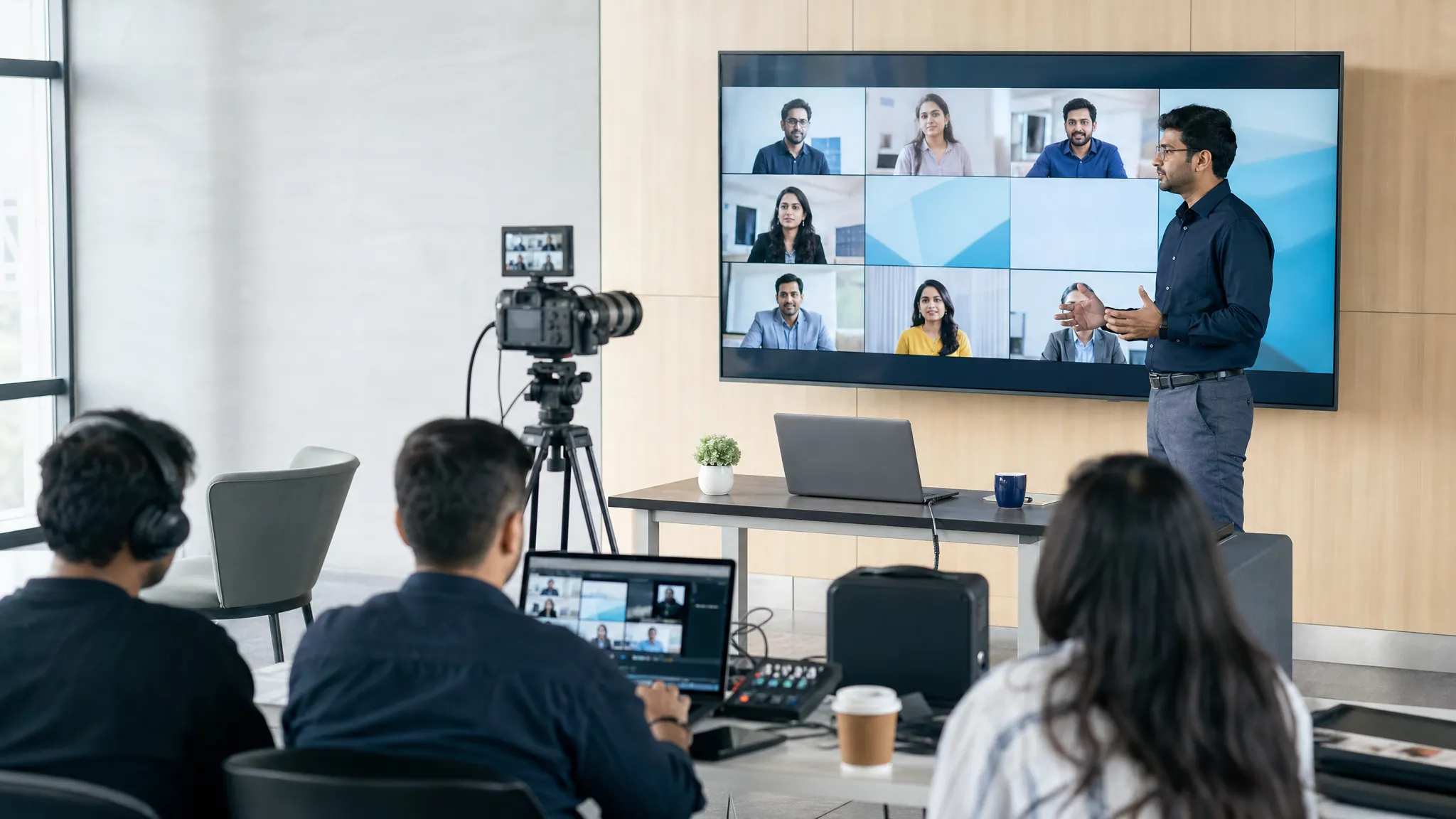
Presenter leading a professional online webinar with a production team

Built for the event, not the workarounds

Give people an easy way to show up.

A webinar is often the first proper conversation between your organisation and a large audience. It might be a product launch, a training session, a customer update, a recruitment event or a company-wide briefing. The platform should make that moment feel organised from the invitation through to the follow-up, not turn it into a support queue for downloads, logins and last-minute access problems.

AONMeetings is webinar software for Indian teams that need a practical, browser-based way to host live sessions. Use it for the webinars your business runs today, then keep using the same workspace for the everyday meetings, classes, consultations and team calls that happen tomorrow.

What makes the difference

A smoother path from invitation to follow-up.

01

Let attendees join in the browser

When people can open the event link in a modern browser, the invitation is easier to understand and easier to act on. That matters for external guests, customers, students, frontline teams and anyone joining from a managed device. Fewer steps at the door give your audience more energy for the event itself.

02

Keep webinars and meetings together

Most teams do not need a separate tool for every kind of conversation. AONMeetings gives you a familiar home for regular meetings and webinar-style events, so hosts are not learning one platform for internal calls and another for customer sessions. Your team can spend more time preparing the message and less time switching systems.

03

Plan capacity around the room you need

Every published India plan includes webinar capability up to its participant limit. When an event needs a larger audience, you can add webinar capacity for a single event or on a monthly basis. This makes it easier to match the spend to a product launch, partner briefing or training programme instead of carrying a large-event subscription every month.

04

Use pricing your finance team can work with

India plans are priced in rupees, billed monthly and support UPI at checkout. Hosts are licensed while participants join free. That gives a small team a straightforward starting point and gives larger organisations a clear route to sales support when they need enterprise capacity, Rooms or a broader rollout.

Choose the right format

Webinars for the moments where one message needs to travel.

Use a webinar when a small group is presenting to a larger audience. It keeps the event focused, gives the host a clearer role and gives attendees a simple way to listen, ask questions and stay with the programme. For live collaboration where most people need to speak or share, use a meeting instead.

That distinction helps teams avoid a common mistake: treating a large announcement like an open meeting. A customer launch, leadership update or expert session works better when presenters, producers and moderators each have a clear job. A smaller workshop or working session benefits from the give-and-take of a meeting.

Plan an online town hall

Good fit for

  • Customer events: Product briefings, demos and useful education without a complicated joining process.
  • Training programmes: Live instruction for employees, partners or learners, with recording available for those who cannot attend.
  • Company updates: Leadership messages and town halls where a moderated question flow keeps the session on track.
  • Large sessions: A one-time capacity upgrade when the audience is bigger than your usual meetings.

A clear starting point

Start small, then scale the event.

AONMeetings India starts at ₹179 per host per month for Starter. Every plan includes unlimited meeting time, recording, end-to-end encryption, HIPAA compliance and webinar capability up to the plan limit. Participants do not need a paid licence to join.

For a larger live audience, AONMeetings offers one-time and monthly webinar capacity up to 5,000 attendees. The right option depends on whether you are running an occasional launch or a recurring event programme. The India pricing page shows the published plan limits and larger-event options in one place.

Starter plan₹179per host, per month, exclusive of GST

For small groups, one-to-one work and teams getting started with browser-based meetings and webinars.

Start 7-day trial

A dependable event day

Make the live session feel calm for everyone in the room.

A reliable webinar is rarely the result of one person doing everything. Give the host responsibility for the message, a producer responsibility for the flow and a moderator responsibility for the questions. Before the event, rehearse from the same connection and device each presenter will use on the day. Test the event link, audio, camera framing, screen sharing, recording and every hand-off between speakers.

Send one invitation that clearly says what the audience will get, when to join and where to find help. Open the event early for the presenters and production team. During the session, let the speaker focus on the audience while someone else watches timing and questions. Afterwards, send the recording, the next step and answers to anything that could not be covered live. A straightforward operating rhythm gives a webinar more credibility than a long feature list ever will.

Before you choose

Questions worth asking about webinar software.

How hard is it for attendees to join?

Look at the process from the attendee’s point of view. Can they open a link, check their audio and join, or do they need to create an account, install software and solve access problems before the session begins? A simple browser-first path is especially valuable when your audience includes customers and guests outside your organisation.

What is included in the plan?

Compare the total setup, not only the monthly headline price. Check whether webinar capability, recording, host controls and the capacity you need are part of the plan or separate extras. One platform for meetings and webinars is often easier to manage than several subscriptions with overlapping jobs.

Can the platform grow with the event?

A small weekly training session and a 1,000-person launch should not force the same buying decision. Find out how capacity changes for a single event, whether you can move to a larger plan and who helps when an important event needs more coordination.

Will hosts be comfortable running it?

Useful event technology should reduce pressure on the person speaking. Rehearse the joining flow, screen sharing, recording, host controls and question process before a live event. The platform is doing its job when the team can focus on the audience and the message instead of managing a maze of settings.

The useful answers

Webinar software
FAQs

Do attendees need to download webinar software?+

No. AONMeetings is browser-based, so attendees can join from a modern browser through their event link. That keeps the joining step simple for guests, customers and distributed teams.

Are webinars included with AONMeetings India plans?+

Yes. Webinar capability is included with the published India plans up to each plan’s participant limit. Larger one-time or monthly webinar capacity is available for bigger events.

Can I use AONMeetings for both meetings and webinars?+

Yes. Teams can use the same account for regular video meetings, training sessions and webinar-style events instead of managing separate tools for each format.

How much does webinar software cost in India?+

AONMeetings India plans start at ₹179 per host per month, exclusive of GST. Participants can join free. Larger webinar capacity is priced separately when an event needs more attendees.

Ready for the next event

Host the message.
Skip the friction.

Start with a browser-based AONMeetings India plan, or talk to sales about a larger webinar or enterprise rollout.

Start 7-day trial Talk to sales