AONMeetings India for small business

Webinar platform
for small business.

Run live demos, customer training and business updates in a browser-based webinar that is easy for guests to join and practical for a growing team to host.

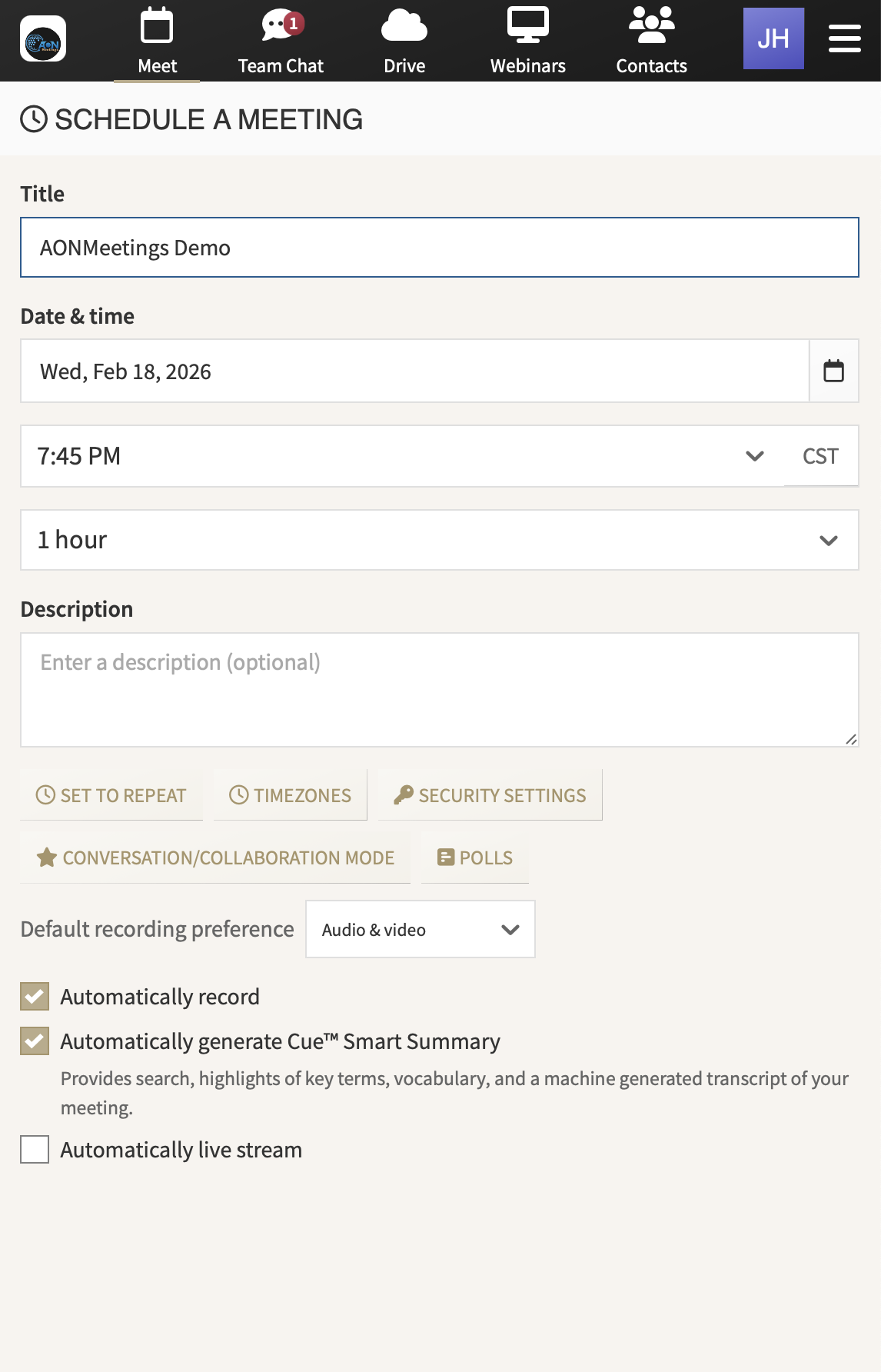
AONMeetings interface for scheduling a small-business webinar

A bigger room for a clear message

Turn useful expertise into a reason for customers to show up.

A small business webinar is not just a larger meeting. It is a focused moment to help a prospective customer understand an offer, give existing customers more value or bring partners together around an important update. That might be a live product demonstration, onboarding session, Q&A, client briefing, workshop or launch event. The audience needs an easy way in, while the presenter needs enough structure to keep the event moving.

AONMeetings gives small businesses a browser-based place to run that kind of event without asking every guest to install unfamiliar software. Share one event link, lead the session with a small presenting team and keep questions, recordings and follow-up close to the conversation. The same account also supports smaller client and team meetings, so a growing business can choose the right format without adding another platform to manage.

Made for a team doing more with less

Give the event a professional flow without building a production department.

01

Invite people with one clear joining path

A live demo or customer briefing only works if people can get into the room when it starts. A browser-based joining path gives prospects, clients and partners a straightforward route from your invitation to the event. That is particularly useful when guests are external to your business, using a work device or joining from a phone between other commitments.

02

Keep a wider audience centred on the message

When one or two people are presenting to a larger group, a webinar gives the event more structure than an open meeting. Use registration, chat, questions and polls to encourage useful participation while keeping the presenter focused on the material. A colleague can moderate questions and timing, so the person leading the session is not trying to teach, sell and troubleshoot at once.

03

Show the work, not just the slides

Small businesses often win trust by showing how something works. Share a presentation, document or live screen from the same session where guests can ask questions. A consultant can walk through a framework, a software team can demonstrate a workflow and a service business can explain what a new customer should expect, without sending people between disconnected tools.

04

Make the event useful after the live hour

The right follow-up gives a good webinar a longer life. Recording and smart summaries help your team revisit the questions that came up, share approved material with people who could not attend and prepare a better next conversation. Decide before the event how the recording will be shared, who owns the follow-up and what action you want attendees to take next.

One workspace, different conversations

Use a webinar to lead the room, then use a meeting to move individual work forward.

Small businesses rarely need only one format. A webinar is a strong fit when a limited presenting team needs to reach a wider group, such as a customer education session or a live launch. A meeting is a better fit for discovery calls, account reviews, workshops and internal conversations where everyone needs room to speak.

Keeping both in the same AONMeetings workspace helps a growing team stay consistent as the audience changes. Your host learns one set of tools, your guests get a familiar joining experience and the business can move from a one-to-one client call to a larger event without rebuilding the process from scratch.

Explore video conferencing for small business →

A strong fit for

  • Live product demonstrations: Show prospects how your service or software works, then answer the questions that matter before they make a decision.
  • Customer onboarding: Welcome a group of new customers with a clear walkthrough that helps them get value sooner.
  • Training and workshops: Teach a useful process, explain a change or bring partners up to speed without relying on a room full of microphones.
  • Business updates: Give clients, communities or distributed teams a structured briefing when one message needs to reach many people.

India pricing that follows the host

Pay for the people leading the event, not every person attending it.

AONMeetings India plans start at ₹179 per host per month, exclusive of GST. Participants can join at no cost, so you license the people who organise and run your client events rather than every guest in the audience. That gives a growing business a clearer way to plan regular webinars, training and demonstrations.

Published plans include unlimited meeting length, recording, smart summaries, screen and document sharing, end-to-end encryption and webinar capability up to the plan limit. Professional supports up to 25 participants, while Business supports up to 100. For a larger launch or customer event, one-time and monthly capacity is available up to 5,000 attendees. See India pricing for the current plan limits and larger-event options.

Business₹599per host, per month, exclusive of GST

For growing teams running client events, training sessions and webinars with up to 100 participants.

Start business webinar ↗

A practical live-event rhythm

Let the presenter carry the message while someone else protects the experience.

Even a lean event benefits from clear roles. The presenter owns the material. A moderator watches chat and questions. A producer, which may be the same person on a smaller event, checks the link, speaker handovers and timing. Rehearse using the device, connection, slides and event link you plan to use on the day, especially if you are sharing a live demonstration.

Send one invitation that explains the topic, who will benefit, when the event begins and how to join. Open the room early for the presenting team. During the webinar, make it easy for the audience to take part without letting the session drift. Afterward, send the approved recording or next step promptly, while the problem you helped solve is still front of mind.

Before you choose

Four questions for a small-business webinar platform.

Will guests make it into the room?

Test the joining experience from the point of view of a new prospect or customer. An easy browser-first path can remove a common barrier before your event has a chance to show its value.

Can a small team run the event calmly?

Look for a format that lets the presenter lead while another person handles the audience. Clear controls and interactive tools make a wider session easier to manage without unnecessary complexity.

Can you demonstrate what matters?

Choose a platform that makes it practical to share slides, documents and live screens, then lets attendees ask useful questions while the material is in front of them.

What happens after people leave?

Decide how you will use the recording, summary and follow-up. The right choice keeps those actions close to the event while leaving your business in control of access and the next conversation.

Frequently asked questions

Small-business
webinar FAQs

Do webinar attendees need to download software?+

No. AONMeetings is browser-based, so attendees can join from a modern browser using the event link shared by the host.

Can a small business use AONMeetings for both meetings and webinars?+

Yes. Use meetings for collaborative client and team conversations, then use a webinar when a smaller presenting team needs to lead a wider audience. The same AONMeetings account supports both formats.

Can we record a small-business webinar?+

Yes. Recording is included on published India plans. Decide who should have access to the recording and what follow-up you want attendees to receive before the event begins.

Which AONMeetings plan works for a small-business webinar?+

Professional supports up to 25 participants, Business supports up to 100 and Enterprise supports up to 250. Larger one-time and monthly webinar capacity is available for bigger events. See India pricing for the current published options.

Ready for the next customer event

Lead the session.
Make joining easier.

Start with an AONMeetings India plan for your next webinar, then add capacity when the audience needs more room.

Start business webinar ↗Talk to sales ↗