
Virtual trade shows stopped being a stopgap the moment the market proved there was durable demand behind them. The clearest signal is financial. The global virtual events market, which includes virtual trade shows, was valued at $78.53 billion in 2023 and is projected to grow at a 18.8% CAGR, while 83% of hosts report higher attendance for virtual formats than for in-person shows, according to Cvent's trade show statistics roundup.
That changes the conversation. The question isn't whether virtual trade shows are “real” trade shows. The actual question is whether your team is designing them to produce business outcomes, or just streaming presentations and calling it an event.
Teams that succeed with virtual trade shows treat them like revenue programs. They design for reach, buyer intent, sponsor value, follow-up speed, and platform reliability. Teams that fail usually overestimate how much passive content can carry the event and underestimate how much structure digital networking needs.
Why Virtual Trade Shows Are Here to Stay
Virtual trade shows now sit in the same category as webinars, field events, and customer workshops. They're part of the operating model. They work because they remove the two biggest constraints of physical exhibitions: geography and travel friction.
That matters for both organizers and exhibitors. A virtual format can bring in attendees who would never justify a flight, hotel stay, and time away from work for a one-day visit to an expo floor. It also opens the door to smaller buyers, distributed decision-makers, and international prospects who often disappear from traditional trade show planning because the logistics are too heavy.
What changed after the initial shift
The early wave of virtual events was driven by necessity. What kept the format alive was utility. Organizers saw they could scale attendance, extend session life with recordings, and collect cleaner engagement data than they could from badge scans alone.
For exhibitors, the practical win is that every interaction becomes easier to capture and act on. You can see who visited a booth, what they clicked, which session they attended, whether they requested a follow-up, and how quickly sales reached back out. Physical events still have an edge in spontaneous relationship-building, but virtual trade shows create a much tighter feedback loop.
Practical rule: If your event goals depend on precise tracking, global access, or repeatable follow-up, virtual should be part of the mix even when you still host an in-person flagship.
Where virtual trade shows fit best
Virtual trade shows tend to work especially well when the offer is information-rich or demo-driven.
- Software and B2B services: Live demos, expert Q&A, and booked consultations translate well online.
- Healthcare and regulated industries: Secure educational sessions, compliant product briefings, and gated content are easier to control digitally.
- Education and training-led brands: Thought leadership sessions and certification-style tracks keep attendees engaged beyond booth browsing.
- Hybrid event portfolios: Virtual extends the shelf life of a physical event instead of competing with it.
The mistake is treating virtual trade shows as lesser versions of physical ones. They're different products. When you build them around buyer journeys instead of foot traffic, they perform like one.
Understanding The Three Core Event Formats
The format you choose shapes everything else: staffing, budget, sponsor packaging, attendee behavior, and post-event sales motion.
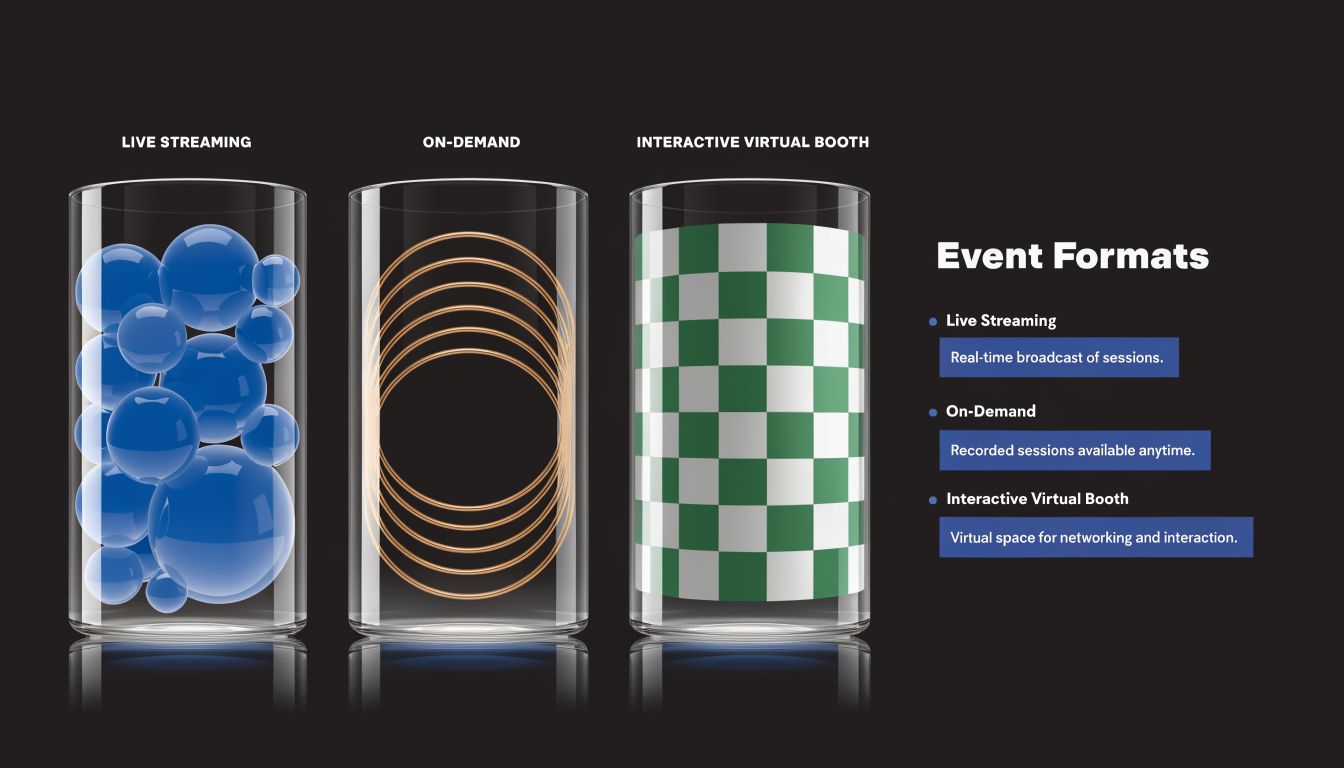
Live events
A live virtual trade show is closest to a broadcast special. Everyone shows up at the same time, keynotes happen on schedule, exhibitors staff booths in real time, and networking windows are tightly programmed.
Live works best when urgency matters. Product launches, association events, partner summits, and category-defining announcements all benefit from a shared moment. It also gives sponsors clearer visibility because attention is concentrated.
The trade-off is operational pressure. Live formats demand rehearsal discipline, moderator coverage, technical support staffing, speaker coaching, and contingency planning. If a booth rep misses their slot or a session starts late, the problem is immediate.
On-demand events
On-demand is more like a streaming library. Sessions are pre-recorded or archived, booths remain accessible over time, and attendees move at their own pace.
This format works well when your audience is spread across time zones or when the core value is educational content rather than high-energy networking. It's also easier on speakers and internal teams because the delivery pressure drops sharply.
But on-demand events can feel empty if you don't add structure. Without scheduled appointments, office hours, or guided pathways, attendees may consume a session and leave without entering a meaningful sales conversation.
Live creates momentum. On-demand creates convenience. Most weak virtual trade shows happen when teams want the benefits of both and plan for neither.
Hybrid events
Hybrid combines a physical event with a virtual layer. Done well, it expands access and creates more sponsor inventory. Done poorly, it creates two unequal audiences, one of which feels like an afterthought.
Use hybrid when the in-person experience is still strategically important but you can't afford to exclude remote buyers, customers, analysts, or international prospects. Keynotes, educational tracks, remote booth access, and scheduled virtual meetings are usually the most transferable pieces.
A practical way to think about the three formats is this:
| Format | Best for | Main strength | Main risk |
|---|---|---|---|
| Live | Launches, time-sensitive announcements, sponsor-heavy events | Shared energy and real-time interaction | Higher production complexity |
| On-demand | Education, evergreen content, international audiences | Flexibility and long-tail value | Lower urgency |
| Hybrid | Flagship events with broader market reach | Combines physical presence with digital access | Uneven attendee experience |
A simple decision filter
Choose based on the business goal, not what feels fashionable.
- Need immediate meetings and sponsor visibility? Go live.
- Need content to keep working after event week? Build on-demand.
- Need to serve both room-based and remote audiences? Use hybrid, but design each audience intentionally.
Calculating The Real Benefits and ROI
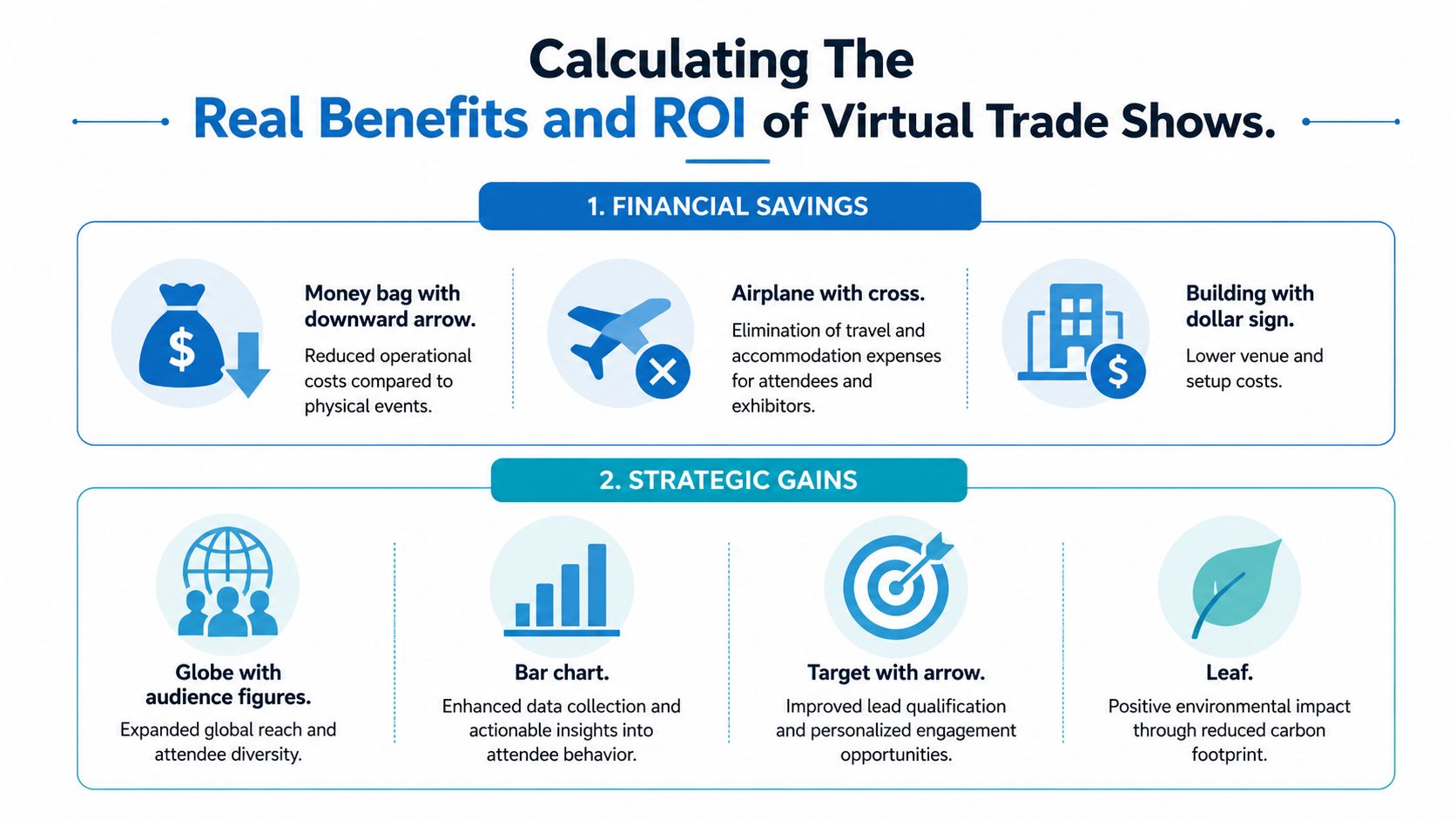
Virtual trade shows are easier to justify when you separate cost reduction from commercial return. Many teams stop at “we saved on travel.” That's useful, but it isn't enough. The stronger case is that virtual can lower operating costs while improving registration volume, engagement quality, and lead handling.
A practical benchmark from the market is worth noting. Virtual trade shows can help organizations bypass travel costs that average $42,000 in savings per event, as summarized in the earlier Cvent data. Cost savings alone won't guarantee success, but they do lower the break-even point.
What the ROI case looks like in practice
The performance side is stronger than many skeptics expect. A 2023 Kaltura survey found that 90% of marketers report higher registrations for virtual events versus in-person, 81% report superior ROI, and virtual formats reduced “fall flat” rates to 32% from 42% in physical events, with interactive tools such as Q&A and polls playing a major role, according to EntrepreneursHQ's virtual event statistics summary.
That aligns with what experienced event teams see in the field. When the registration path is simple and the calendar commitment is lighter, more people say yes. When attendees can ask questions, join breakouts, and book short meetings without navigating a convention hall, more of them participate.
Where the money actually moves
The savings usually show up in a few obvious places first:
- Travel and accommodation: Removed for speakers, staff, many sponsors, and attendees.
- Venue and build costs: No physical booth fabrication, shipping, drayage, or expo-floor installation.
- Content reuse: Sessions can keep generating value after the event through recordings and follow-up campaigns.
- Tool consolidation: If your meeting platform includes webinar hosting, recordings, streaming, and moderation, you may avoid stacking separate products.
That last point matters more than teams expect. A platform with webinars included changes total cost of ownership because you're not paying separately for everyday lead-gen webinars and then again for event-week delivery.
Operational insight: Don't calculate ROI only at the event level. Calculate it across the event program, including pre-event webinars, live event delivery, and post-event nurture content.
A practical example
Take a mid-market B2B company planning a regional trade show presence. In a physical model, the team often pays for booth production, shipping, travel, accommodation, and on-site staffing before a single conversation happens. In a virtual model, that same budget can be redirected into better promotion, stronger content, sponsor packaging, and faster post-event follow-up.
Price comparisons should be handled with transparency. Physical events often carry visible and invisible costs. Virtual platforms shift more of the spend into software, production, and promotion, but usually with more reuse and less waste. That's why the right comparison isn't “virtual is cheap” versus “physical is expensive.” It's whether the format gives you more measurable output for every unit of spend.
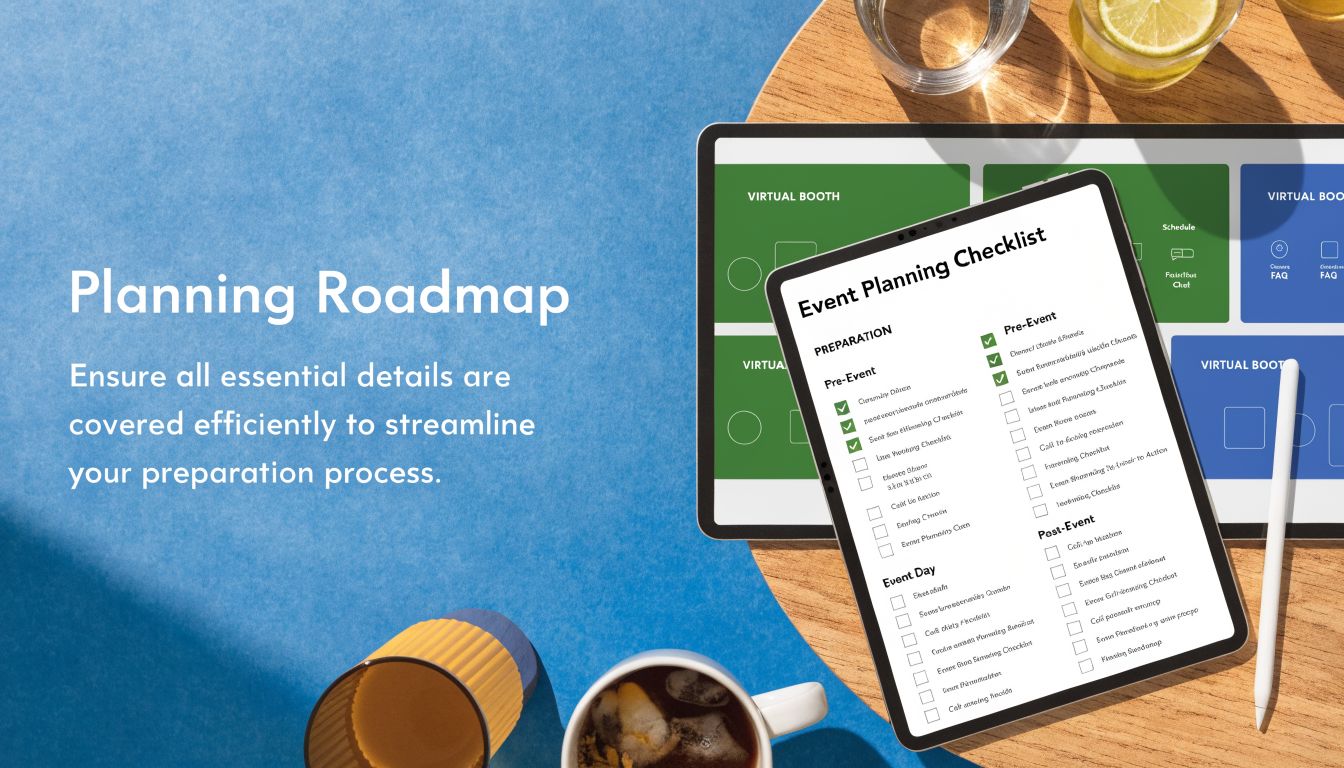
Your Step-By-Step Event Planning Checklist
Virtual trade shows reward discipline. The teams that run smooth events usually aren't more creative than everyone else. They're more systematic.
Start with commercial goals
Define the event in business terms before you discuss stage design, booth layouts, or speaker wish lists. Decide whether the event is meant to generate pipeline, accelerate open deals, support channel partners, launch a product, or educate an existing customer base.
One practical tip helps here. Write the sales follow-up plan before the agenda is final. If the follow-up path is fuzzy, your event goals probably are too.
Build a budget around outcomes
Virtual does not mean costless. You still need a platform, moderation, speaker prep, creative assets, registration support, and promotional reach.
Budget in buckets, not line noise:
- Platform and production
- Promotion and registration
- Speaker and sponsor support
- Post-event follow-up and content reuse
A common planning error is overspending on event-week visuals while underspending on demand generation. If registration is weak, no amount of digital booth polish can save the program.
Design content that earns attention
Virtual attendees are less forgiving of filler. Sessions need sharper titles, faster pacing, and stronger moderation than most in-person panels.
Use a content mix such as:
- Short thought-leadership sessions: Strong for attracting top-of-funnel registrations.
- Live product demos: Useful when buyers need to see workflow, not just hear claims.
- Roundtables or breakouts: Better for qualification and real questions.
- Sponsor workshops: Good when you want exhibitor value beyond passive booth presence.
If webinar promotion is part of your funnel, a resource on how to increase webinar attendance is useful because the same registration and reminder mechanics often determine whether a virtual trade show launches with momentum or stalls early.
Prepare exhibitors for digital behavior
Exhibitors need more than a login and a booth template. They need a playbook. Tell them what to upload, how to staff chat, when to invite prospects into one-to-one meetings, and what counts as a qualified lead in your event model.
Exhibitors who simply “show up” online usually underperform. Exhibitors who schedule demos, assign chat owners, and pre-book meetings treat the event like a campaign and get better outcomes.
Plan promotion and follow-up as one system
The cleanest execution comes from tying pre-event messaging directly to post-event nurture. If someone registered for a compliance session, their follow-up should not be the same as someone who spent time in a product booth and booked a consultation.
Use this basic checklist:
- Before launch: Finalize audience segments and offer-specific messaging.
- Two to three weeks out: Push speaker clips, exhibitor highlights, and meeting-booking prompts.
- During the event: Route hot engagement signals to sales quickly.
- After the event: Send recordings, recap assets, and meeting links based on actual behavior.
Essential Platform Technology and Features
Platform choice is not an IT footnote. It determines whether your virtual trade show feels easy, credible, and worth returning to. Buyers notice friction immediately. If joining is confusing, video is unstable, or networking feels bolted on, attendance quality drops even if registration looked strong.
The non-negotiables
At minimum, a serious virtual trade show platform should support:
- Customizable exhibitor spaces: Attendees need a clear place to watch demos, download assets, and request follow-up.
- Reliable video delivery: HD streaming matters because poor presentation quality undermines product credibility.
- Multi-mode interaction: Text chat, audio, video, Q&A, and breakout capabilities all serve different attendee preferences.
- Analytics and lead capture: Exhibitors need actionable data, not just a list of names.
That last point has hard evidence behind it. Advanced platforms can provide lead capture with 95% accuracy, produce 2-3x more qualified leads than in-person events, and use real-time analytics to support mid-event changes that can increase conversions by 30%, according to Remo's virtual trade show guide.
Security is part of the product
For healthcare, education, finance, and enterprise events, security is not an add-on. It's part of the attendee experience and part of the buying decision.
Look for:
- Encryption: Bank-level encryption should be standard, not hidden behind premium enterprise terms.
- Compliance support: HIPAA matters for healthcare demos, consultations, and educational sessions that involve protected information.
- Moderator controls: Lock rooms, manage waiting rooms, and control speaker permissions.
- Recording governance: Searchable recordings are useful only if access control is clear.
A secure platform also protects sponsor confidence. Exhibitors are more willing to run live demos and one-to-one meetings when they know the environment is controlled.
Price comparisons that actually help
The simplest way to compare platforms is to look at what you'd otherwise have to buy separately.
| Feature | AONMeetings | Zoom (Pro + Webinar Add-on) | Typical Enterprise Platform |
|---|---|---|---|
| Monthly, per-user starting price | ₹179 per user per month | Higher when webinar capability is added | Typically custom-priced |
| Webinar hosting included | Yes | Usually requires add-on structure | Usually bundled in higher tiers |
| Meeting time limits | Unlimited | Plan-dependent | Plan-dependent |
| Browser-based join | Yes | Often app-first or mixed | Varies |
| Bank-level encryption | Yes | Security varies by plan and setup | Varies by vendor |
| HIPAA-compliant option | Yes | Available in specific configurations | Often available on enterprise contracts |
| Breakout rooms and moderator controls | Yes | Yes | Usually yes |
| Hidden fees and long contracts | No contracts, no hidden fees | Add-ons can complicate pricing | Contract-heavy in many cases |
For teams comparing options, this virtual event platform comparison is useful because it frames trade-offs around included webinars, security, browser access, and operating cost instead of feature-list theater.
One factual option in this category is AONMeetings, which includes built-in webinars, unlimited meeting time, bank-level encryption, browser-based access, and HIPAA-compliant configurations starting at ₹179 per user per month. That kind of packaging matters when you're trying to run trade shows, webinars, and follow-up events without stacking multiple subscriptions.
What to ask vendors before you sign
Use direct questions.
- Can attendees join instantly in a browser, or do they need software?
- How are one-to-one meetings handled?
- What data will exhibitors receive during and after the event?
- How are recordings stored, searched, and shared?
- What controls exist for waiting rooms, meeting locks, and moderator roles?
If the answers are vague, the problems will be concrete on event day.
Common Pitfalls and How to Solve Them
Most virtual trade show failures are predictable. They don't happen because the idea was flawed. They happen because the event was under-designed.

Pitfall one is the virtual ghost town
A digital hall with booths isn't enough. If attendees have no reason to move, click, ask, or book, they drift into passive viewing and disappear.
Solve this with structure:
- Scheduled booth demos: Give people reasons to visit at specific times.
- Hosted networking blocks: Use moderated breakouts instead of open-ended mingling.
- Clear appointment prompts: Let attendees book short meetings without hunting through menus.
- Live interaction: Q&A, polls, and guided chat make a booth feel staffed rather than decorative.
Pitfall two is technical friction at entry
Many teams still underestimate how damaging a difficult join experience can be. Browser access matters because every extra step costs attention and attendance.
That's why the infrastructure standard should be high. Virtual trade shows need cross-browser compatible, cloud-based platforms with sub-100ms latency, and download-free access using WebGL and WebRTC can increase attendance by 40-60% by removing friction. That matters even more because 70% of events report connectivity as a top failure point, according to Lab Exhibits' breakdown of virtual trade show environments.
A platform that's easy to join is not a convenience feature. It's a demand capture feature.
Pitfall three is weak lead quality
Virtual trade shows often generate plenty of names but not enough qualified opportunities. That usually means the event captured activity without intent.
Use qualification signals during the event:
- Session behavior: Which topics did the attendee choose?
- Booth actions: Did they request a demo, download a guide, or open a pricing asset?
- Meeting behavior: Did they join a one-to-one conversation or ask a high-intent question?
- Post-event requests: Did they watch recordings and ask for follow-up?
This approach is more effective than treating every registrant as equally valuable.
Pitfall four is avoidable security risk
Events involving customer data, healthcare content, or partner information need controlled access. Open links, weak moderation, and unmanaged recordings create unnecessary exposure.
The practical fix is straightforward. Use waiting rooms, moderator controls, meeting locks, role-based permissions, and encrypted sessions. Also decide in advance who can record, who can download, and how exhibitors handle attendee information after the event.
Measuring Success and Driving Future Strategy
Attendance is an opening metric, not a success metric. Virtual trade shows create more usable behavioral data than physical exhibitions, but only if the team decides which signals matter before the event starts.
A useful reality check comes from the in-person side. A 2021 UFI study found that visitors rated face-to-face events as superior for doing business, and that's why virtual programs need to focus on lead quality over quantity. Looking ahead, the 2026 trend is using platform analytics and AI to identify and score qualified attendees in real time, as discussed in PCMA's analysis of why trade shows don't convert well in virtual events.
What to measure instead of vanity metrics
Track the actions that indicate buying interest:
- Booth dwell time and repeat visits
- Content downloads
- One-to-one meeting requests
- Questions asked during demos or sessions
- Qualified handoffs to sales
- Recording consumption after the event
Searchable recordings become particularly valuable here because they extend the event into the follow-up cycle. Teams that use recorded webinars strategically can repurpose demos, segment follow-ups, and give sales reps assets tied to actual attendee interest.
The strongest virtual trade show strategy is cumulative. Each event should improve your audience segmentation, sponsor packaging, content planning, and qualification model for the next one. That's when virtual stops being a format decision and becomes a growth system.
If you're evaluating secure, cost-conscious technology for virtual trade shows, AONMeetings is worth a look for teams that need built-in webinars, browser-based access, unlimited meeting time, HIPAA-compliant options, and bank-level encryption without the complexity of long contracts or layered add-on pricing.
