
Monday starts with three training problems at once. A clinic manager needs to roll out a policy update without exposing patient data on a consumer video app. A school leader has staff who cannot all meet at the same hour. A tutoring business wants coaches to improve instruction, but every offsite session cuts into revenue and parent-facing time.
That is the main constraint behind professional development in 2026. The issue is rarely interest. It is delivery. Training has to fit budgets, satisfy compliance requirements, and produce results people can use on the job this week, not six months from now.
In practice, the strongest programs are built for the way people work. Healthcare teams need secure sessions, attendance records, and recordings that can be controlled carefully. Education teams need flexible scheduling, short live sessions, and clear follow-up. Test prep operators often need coaching workflows, lesson reviews, and tools that pair well with software for standardized test tutoring.
I have seen the same pattern across sectors. Teams complete more training when the format is easy to schedule, managers can track participation, and the platform does not create security concerns for IT or compliance. That is why affordable, secure video tools matter so much here. A platform such as AONMeetings supports webinars, breakout rooms, recordings, screen sharing, and encryption, which makes it easier to run mentoring, refreshers, workshops, and manager coaching without paying for travel, venue time, and lost hours away from work.
The ideas in this guide focus on programs that are practical to launch, realistic to sustain, and easier to defend in a budget review. They also reflect a trade-off L&D leaders face every year. Broad catalogs sound attractive, but targeted programs tied to role requirements, team performance, and secure delivery usually produce better adoption and clearer ROI.
1. Certification and Compliance Programs
Structured certification and compliance training works best when it’s treated like an operational system, not a one-off event. In healthcare, that might mean HIPAA refreshers, infection-control updates, telemedicine workflows, or coding credentials. In education, it can mean licensure support, accessibility training, or student protection policies. In business, it often centers on privacy, conduct, and role-specific regulations.
The format matters. A live webinar is better than a static PDF when the topic has legal or operational consequences. People can ask questions, trainers can work through realistic scenarios, and the organization can keep a recording for documentation. If you’re choosing between sending a group offsite or running secure virtual sessions internally, the price gap is usually obvious. AONMeetings starts at ₹179 per user per month, and that includes webinars, recordings, screen sharing, whiteboards, and encryption. That’s a very different cost profile from venue fees, travel, and lost work time.
What makes this work
Use a repeatable structure:
- Block time on calendars: Required compliance training gets done when leaders protect the time.
- Record every session: Recordings create an audit trail and give absent staff a clean makeup path.
- Test understanding: Use short assessments, scenario questions, or supervisor sign-off instead of attendance alone.
- Secure the room: Waiting rooms, moderator controls, meeting lock, and encrypted sessions matter when discussing regulated workflows.
A telemedicine clinic can run quarterly webinars on remote diagnosis procedures, place clinicians into breakout rooms for scenario practice, and store recordings for later review. A tutoring business preparing staff for regulated exams could pair staff development with a software for standardized test tutoring workflow so training and delivery standards stay aligned.
Practical rule: If the topic creates compliance risk, don’t rely on informal knowledge transfer. Build a documented training cycle.
2. Mentorship and Coaching Programs via Video Conferencing
Mentorship fails when it’s left vague. “Connect with a senior colleague when you need help” sounds supportive, but it rarely creates consistent growth. The version that works has goals, a schedule, and a simple structure for every session.
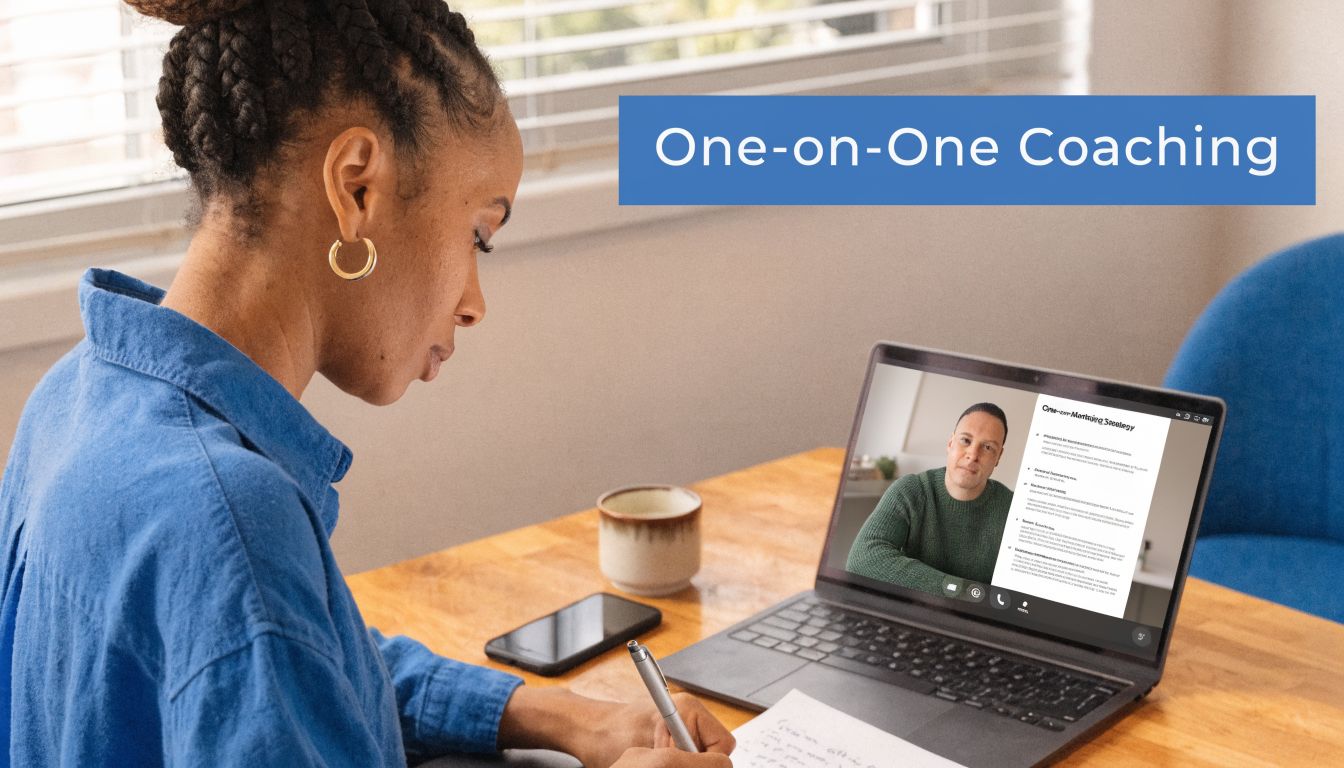
In practice, secure video makes mentoring much easier to sustain. A senior physician can coach a newer doctor on difficult patient conversations. A school leader can mentor a new department head through staffing and parent communication issues. A founder can coach an operations manager through delegation and decision-making. None of that requires travel. It requires privacy, dependable call quality, note sharing, and a platform people will use.
Build the program, not just the meetings
Set a cadence at the start. Weekly works for onboarding. Bi-weekly often works better for experienced staff. Give each pair a basic template: current challenge, recent win, skill focus, next action.
A strong session usually includes shared documents, whiteboard thinking, and post-call follow-up. Recorded sessions can help when confidentiality allows, but many coaching conversations are better summarized in notes rather than captured in full. That’s a trade-off worth deciding upfront.
For remote teams, structure matters even more because spontaneous hallway coaching disappears. These virtual meeting best practices are useful when you’re formalizing mentor calls that need to feel focused rather than casual.
Mentorship works when the mentor prepares, the mentee shows evidence of progress, and both know what success looks like.
One practical example from education: an experienced online tutor meets a newer instructor every two weeks, reviews class recordings, and pinpoints one technique to improve before the next session. In healthcare, a clinic manager can use the same model to coach newly hired coordinators on patient intake quality and escalation judgment.
3. Microlearning and Just-In-Time Training Sessions
Long training blocks are hard to schedule and harder to retain. Short sessions tied to real work usually perform better. That’s why microlearning remains one of the most useful professional development ideas for busy teams.
This format fits moments when people need a fast update, not a full workshop. A clinic can run a 10-minute compliance reminder before a policy change takes effect. An IT lead can record a short screen-share on a new software feature. A school can publish a quick refresher for teachers using a new grading workflow. The key is precision. One topic, one takeaway, one action.
Keep the sessions small and searchable
A lot of teams make the mistake of calling something microlearning when it’s really a compressed lecture. Don’t do that. Keep it focused enough that the recording becomes a useful reference later.
Useful patterns include:
- Feature update clips: Show one tool change, then stop.
- Process reminders: Walk through one step that people often miss.
- Question-driven bursts: Build a short session around a recurring support request.
- Quarterly bundles: Pair several short sessions with a deeper live Q&A.
This approach lines up with a broader market shift. Blended learning is projected to grow at a 12.46% CAGR, outpacing the wider professional development market growth of 5.01%. That makes sense operationally. Teams want live interaction when it matters and on-demand access when they need a refresher later.
AONMeetings is useful here because built-in webinars, searchable recordings, and unlimited meeting time let you create a running library without stacking multiple tools. That’s good value compared with paying separately for meeting software, webinar software, and a recording host.
4. Cross-Functional Team Collaboration and Knowledge Sharing Workshops
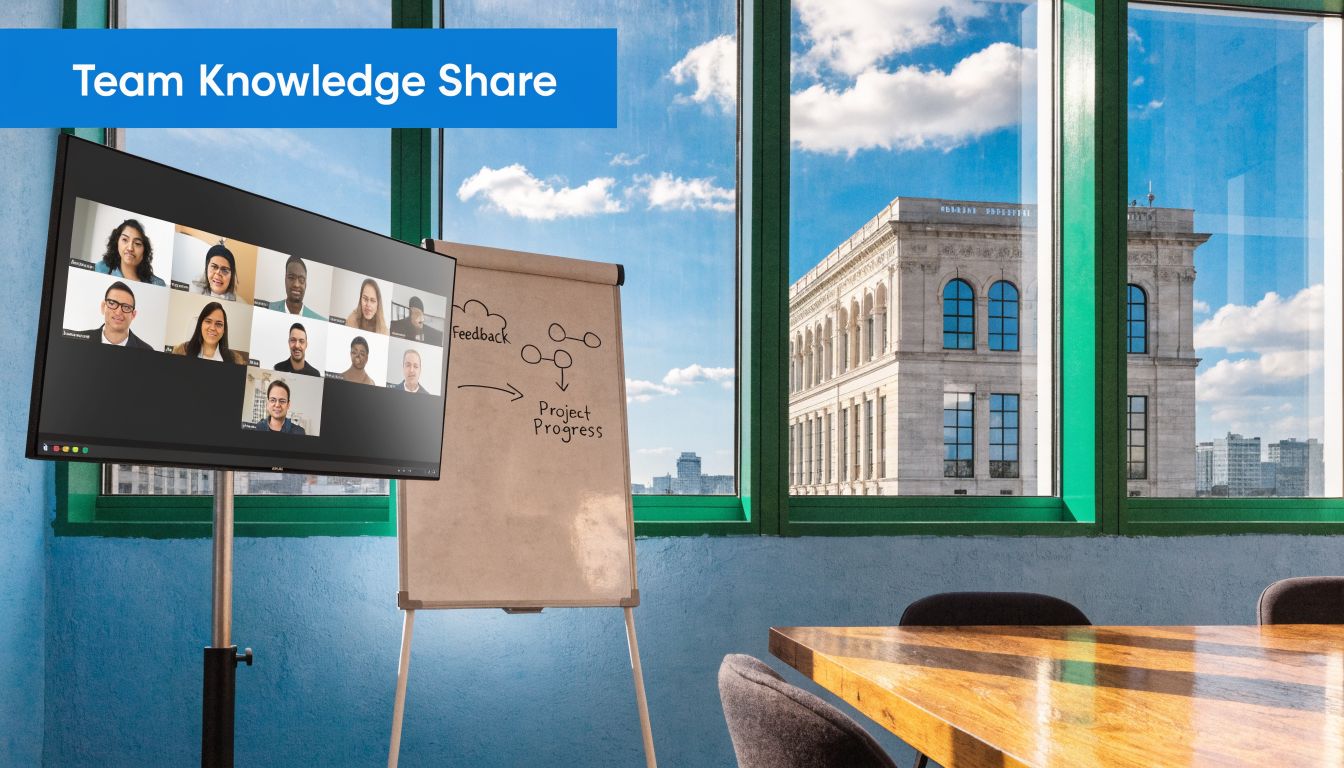
Some of the most effective training doesn’t come from an outside instructor. It comes from people inside the organization explaining how their work affects everyone else’s. Cross-functional workshops are where billing understands clinical bottlenecks, teachers understand accessibility workflows, and operations understands what the support team hears all day.
In healthcare, this can look like monthly rounds with clinicians, billing leads, compliance staff, and IT. In a school network, it might be a workshop where teachers, administrators, and instructional designers compare what’s working across campuses. In a startup, product, sales, and customer success can solve recurring handoff problems together.
Design for decisions, not presentations
These sessions go wrong when one department talks at everyone else for 45 minutes. The better model is short framing, then facilitated problem-solving in smaller groups. Breakout rooms help because they give people room to share specifics they won’t raise in a large all-hands meeting.
If your team is fully or partly distributed, the challenge is bigger. A gap in many organizations is that remote-friendly development is still underdesigned, even though Paycor’s discussion of professional development activities highlights the need for practical options that fit modern work patterns. For virtual teams, the collaboration stack matters almost as much as the agenda. These collaboration tools for remote teams can help you build workshops that don’t feel flat.
Try a concrete format:
- Open with a live issue: One team brings a current workflow problem.
- Split into breakout rooms: Mixed roles discuss root causes and fixes.
- Capture decisions live: Use a whiteboard or shared notes.
- Assign owners before closing: Otherwise the workshop becomes discussion theater.
A telemedicine provider, for example, can use this model to address missed follow-ups by putting care, admin, and tech support in the same room. That creates learning and process improvement at the same time.
5. Industry Conference and Webinar Attendance Programs
Sending people to events can be worth it. Sending people without a plan usually isn’t. Conference attendance becomes real development only when the organization captures and redistributes what people learn.
Webinars offer a clear advantage. You can give more employees access, avoid travel disruption, and still create a visible professional development path. A hospital department can select a short list of high-value virtual events across compliance, operations, and patient communication. A school can do the same with edtech and curriculum webinars. A small business can prioritize product, sales, and customer success sessions that map directly to current goals.
Turn attendance into internal value
Use a simple rule. Anyone who attends an external event shares the best ideas internally within a short window. That follow-up can be a team webinar, a short deck, or a recorded debrief.
That’s especially useful because employee expectations keep shifting. Professional development is a key factor in job satisfaction for 87% of millennials, and the World Economic Forum projects that 39% of existing skill sets will be transformed or outdated between 2025 and 2030. If your organization wants retention and adaptability, visible learning opportunities matter.
A practical setup looks like this:
- Choose priority events by department: Don’t approve attendance one request at a time without a roadmap.
- Require a debrief webinar: One attendee teaches the rest of the team.
- Store notes centrally: Build an internal knowledge base from event takeaways.
- Favor flexible formats: Hybrid and virtual events widen access.
If your team needs help standardizing that process, this guide on how to host a webinar is useful for turning conference takeaways into internal learning sessions. With AONMeetings, webinars are already included, which improves the value proposition compared with tools that charge extra for webinar functionality.
6. Skills Assessment and Personalized Learning Paths
Blanket training wastes money. Some people need foundations. Others need coaching on a narrow gap. A few are ready for stretch assignments instead of another course. Skills assessment helps you sort that out before you spend time and budget.
This doesn’t have to be complicated. Start with the competencies that matter most for role performance. In a clinic, that might be patient communication, documentation quality, software proficiency, and escalation judgment. In education, it could be digital instruction, feedback quality, accessibility practices, and class management. Then validate the findings through manager conversations, observation, and real work samples.
Personalization only matters if it changes the plan
A skills assessment that ends as a spreadsheet isn’t useful. The value comes from creating tiered learning paths and reviewing progress regularly. Foundational staff may need structured modules and live coaching. Strong performers may need cross-training or project leadership.
AI is becoming more relevant here. Technavio’s analysis says 54% of firms are implementing AI-powered training platforms, while 48% are adopting gamification in training programs. That doesn’t mean every team needs a complex AI stack. It does mean personalized pathways are becoming a practical expectation, not an experimental idea.
One business-friendly option is to pair manager assessments with targeted coaching support. For hiring and internal mobility programs, tools like AI-powered interview coaching can complement broader development plans by helping employees strengthen communication and role readiness outside formal class time.
Don’t assess for the sake of assessment. Assess so a manager can answer one question clearly: what should this person learn next?
AONMeetings supports the operational side well because review conversations, recorded feedback sessions, screen-sharing walkthroughs, and secure document discussion can all happen in one place.
7. Peer Learning Groups and Communities of Practice
Some training sticks because it comes from people doing the same work under the same constraints. That’s why peer learning groups are often more useful than formal courses for experienced staff.
A community of practice doesn’t need heavy administration. It needs a shared topic, a recurring meeting, and a norm of bringing real problems. In healthcare, specialists can hold a virtual journal club or a telehealth best-practices group. In education, online instructors can meet weekly to compare engagement tactics, assessment methods, or parent communication challenges. In distributed businesses, project managers can swap templates, lessons, and decision frameworks.
Keep the group practical
The fastest way to kill a peer group is to let it become a social catch-up with no agenda. A little structure keeps it valuable without making it stiff.
Use a simple rotation:
- One member brings a challenge: Something current and specific.
- One member shares a process: A template, workflow, or script that works.
- The group records takeaways: Save notes or recordings for people who miss it.
- Facilitation rotates: Ownership stays shared.
This format also helps address a management gap. Earlier, the article noted that many new managers still step into leadership without formal preparation. Peer groups give those leaders a place to compare what they’re trying, pressure-test decisions, and get support without waiting for annual training.
A tutoring organization might create a monthly community for instructors focused on student retention and session quality. A clinic might run a peer group for front-desk leads who manage scheduling friction and difficult conversations every day. Those groups don’t replace formal training, but they often surface the issues formal training misses.
8. Leadership Development and Executive Coaching Programs
A newly promoted department head finishes a long day, then walks into the hardest part of the job. Giving corrective feedback to a high performer, handling a staffing conflict, and explaining priorities to a tired team. Strong individual contributors often stall here because subject expertise does not automatically produce management skill.
Leadership development works best when it is tied to those moments. General inspiration sessions rarely change how managers delegate, coach, or make decisions under pressure. Programs need to focus on the actual conversations and judgment calls leaders face each week.
In practice, the strongest approach combines cohort learning, one-to-one coaching, and a real business problem. A clinic director might work on reducing scheduling friction across departments. A school leader might build a better teacher feedback cadence. A manager at a growing services firm might need to run cleaner one-on-ones, set expectations earlier, and address performance issues before they spread.
A workable program usually includes:
- A clear leadership standard: Define the behaviors your organization expects at each level.
- Small-group sessions: Teach shared skills such as delegation, feedback, and decision-making.
- Executive or manager coaching: Address individual blind spots and sensitive people issues.
- Application between sessions: Require leaders to use one tool or behavior with their teams right away.
- Manager support materials: Give participants agendas, templates, and conversation guides they can reuse.
The trade-off is cost versus depth. External executive coaches can be expensive, but not every leader needs a long coaching engagement. A practical model is to reserve intensive coaching for senior leaders and high-risk roles, then use shorter virtual coaching cycles and facilitated cohorts for frontline managers. That keeps the budget under control while still giving people support in demanding situations.
Security matters here more than in many other training formats. Coaching sessions often include performance concerns, succession discussions, compensation context, and employee relations issues. AONMeetings is a sensible option because it supports secure video sessions, moderator controls, and recording only when there is a clear business reason and participant consent. For healthcare and education organizations, that matters. Leaders still need development, but they cannot discuss sensitive cases or personnel issues on tools that create avoidable compliance risk.
Keep implementation simple. Start with one leadership level, define three to five behaviors to improve, and measure change through manager self-assessments, team feedback, and business indicators such as retention, escalation volume, or review completion rates. That is usually enough to show whether the program is improving management quality or just adding meetings to the calendar.
9. Continuous Learning Culture and Learning Resource Libraries
A single workshop can solve a narrow problem. It won’t create a learning culture. That happens when people can find answers quickly, revisit training later, and see that development is part of how the organization operates.
A resource library stands as one of the most underrated professional development ideas. Every webinar, process training, Q&A session, and internal teach-back can become part of a searchable library. In healthcare, that might include compliance sessions, patient communication examples, and software walkthroughs. In education, it can include model lessons, accessibility refreshers, and parent communication templates. In a small business, it may be sales call reviews, onboarding modules, and customer issue playbooks.
Build the library from work you’re already doing
Don’t wait to create a perfect academy. Start by recording the training you already run. Then organize it by role, task, or priority topic.
A useful library has:
- Searchable recordings: So staff can solve a problem without opening a support ticket.
- Summaries and transcripts: Better for accessibility and faster review.
- Ownership: Someone must update outdated materials.
- Connection to career growth: Staff should know which resources support advancement.
Earlier, the article noted that skill requirements are changing quickly. A resource library is how organizations respond without rebuilding every program from scratch. AONMeetings supports this well because recordings, webinar sessions, document sharing, and searchable meeting content can feed an internal development hub without extra complexity.
The best learning library is not the biggest one. It’s the one people actually use when they’re stuck.
10. Team Skills Development and Technical Skill Refreshers
A new system goes live on Monday. By Wednesday, the help desk is buried, staff are creating workarounds, and managers are calling it a performance problem. In practice, it is usually a training problem.
Technical refreshers work best when they are tied to the exact tasks people need to complete under real conditions. In healthcare, that might mean showing clinicians how an EHR update changes charting, orders, or handoff documentation. In education, it often means role-based LMS training for teachers, administrators, and support staff, with separate examples for grading, reporting, and parent communication. In a small business, the same approach applies to CRM changes, reporting workflows, POS systems, or updated service procedures.
The goal is not broad exposure. The goal is fewer mistakes, faster adoption, and less rework.
Build refreshers around real workflows
Teams retain technical training when they see the task, practice it, and prove they can repeat it on their own. I recommend keeping each session focused on a narrow workflow instead of trying to cover every feature release in one meeting.
A practical format looks like this:
- Show the task live: Demonstrate the exact workflow on screen using the current system.
- Create guided practice: Use a sandbox, sample records, or breakout groups so staff complete the task themselves.
- Handle role-specific questions: Collect issues by department, shift, or job function.
- Confirm readiness: Use a short skills check, observed practice, or supervisor sign-off before the change affects live work.
This is also where technical skill and professional judgment meet. Staff need to know which button to click, but they also need to know what to say to a patient, customer, student, or colleague when the system fails, flags an exception, or changes the handoff process. As noted earlier, job requirements are shifting toward a mix of technical fluency and human skills. Refreshers should reflect that reality.
Cost and security usually decide whether these programs happen consistently. Teams often patch together one tool for live demos, another for recordings, and a third for document sharing. That raises admin time and creates avoidable security questions. AONMeetings keeps the workflow simpler with screen sharing, whiteboards, document sharing, recordings, webinar delivery, and unlimited meeting time in one place. For healthcare and education teams that need affordable delivery without creating compliance headaches, that matters.
Keep the cadence practical. Run short refreshers after major system changes, quarterly for high-risk workflows, and immediately when error patterns show up in tickets, audits, or supervisor reviews. That schedule costs less than repeated mistakes and gives managers a clear way to measure ROI through fewer support requests, faster task completion, and lower retraining time.
Top 10 Professional Development Ideas Comparison
| Program | Implementation complexity | Resource requirements | Expected outcomes | Ideal use cases | Key advantages |
|---|---|---|---|---|---|
| Certification and Compliance Programs | High, structured curriculum, assessments, audit prep | Moderate–High, SMEs, secure platform, LMS/integration | Recognized credentials, regulatory compliance, audit-ready records | Mandatory compliance, professional credentialing, healthcare training | Audit-ready documentation, recognized credentials, risk reduction |
| Mentorship and Coaching Programs via Video Conferencing | Low–Moderate, matching, scheduling, program structure | Low, mentors, scheduling tools, secure video | Personalized growth, knowledge transfer, confidential feedback | One-on-one development, onboarding, confidential coaching | Highly personalized, flexible scheduling, cost-effective |
| Microlearning and Just-In-Time Training Sessions | Low, short module production and scheduling | Low–Moderate, content creators, recording/searchable library | Faster skill uptake, higher completion, immediate applicability | Quick updates, performance support, busy professionals | High engagement, mobile-friendly, easy to update |
| Cross-Functional Team Collaboration & Workshops | Moderate–High, facilitation and coordination required | Moderate, moderators, collaboration tools, scheduling | Cross-team solutions, reduced silos, shared knowledge base | Interdepartmental problem-solving, innovation workshops | Diverse perspectives, stronger relationships, documented outputs |
| Industry Conference & Webinar Attendance Programs | Low–Moderate, curation and logistics | Moderate, budgets, time for attendance, tracking processes | Trend awareness, networking, new ideas to apply internally | External learning, thought leadership, trend monitoring | Access to experts, networking, fresh perspectives |
| Skills Assessment & Personalized Learning Paths | High, assessments, customization, ongoing tracking | High, assessment tools, coaches, LMS integration | Targeted upskilling, measurable progress, talent development | Succession planning, targeted upskilling, performance gaps | Focuses on real gaps, data-driven plans, clear career paths |
| Peer Learning Groups & Communities of Practice | Low–Moderate, group norms and facilitation | Low, facilitators, recurring meeting cadence, shared docs | Practical problem-solving, stronger peer networks, collective learning | Topic-focused peer support, best-practice sharing | Low cost, high engagement, sustainable knowledge sharing |
| Leadership Development & Executive Coaching Programs | High, multi-modal programs and assessments | High, executive coaches, assessments, time investment | Improved leadership effectiveness, organizational impact | High-potential leaders, succession readiness, strategic roles | Measurable leadership gains, retention, strategic capability |
| Continuous Learning Culture & Resource Libraries | High, infrastructure, governance, content lifecycle | High, LMS, content creators, governance, budgets | Scalable development, reduced knowledge loss, faster onboarding | Organization-wide development, onboarding, long-term learning | Centralized resources, scalability, embeds learning culture |
| Team Skills Development & Technical Refreshers | Moderate, live demos, hands-on practice, assessments | Moderate, skilled trainers, breakout rooms, assessment tools | Increased productivity, fewer errors, faster tool adoption | Tool rollouts, process changes, team onboarding | Direct performance improvement, practical verification, referenceable recordings |
Start Building Your 2026 Development Plan Today
A compliance deadline slips. New managers are improvising feedback. One department knows the new process, another does not. By the time leadership notices, the actual cost shows up in errors, delays, repeat questions, and avoidable rework.
A useful 2026 development plan fixes those operating problems first.
That means choosing a small set of programs tied to business risk and performance. In healthcare, that often starts with compliance refreshers, supervisor coaching, and secure case-based training. In education, it may be teacher development, onboarding for new staff, and short video sessions on student support workflows. In lean business teams, the priority is usually product knowledge, manager training, and faster rollout training when tools or processes change.
Good plans are built for adoption, not just approval. Teams need formats they will use, which usually means a mix of live video sessions, short refreshers, recorded walkthroughs, and repeatable templates managers can apply on the job. Recording sessions and storing key takeaways turns one training event into an asset for onboarding, follow-up, and audit preparation.
Delivery choices affect ROI. Travel-heavy workshops can still make sense for a small number of high-stakes leadership sessions, but they are expensive to scale and hard to repeat. For ongoing development, video-based delivery usually gives better coverage at a lower operating cost, especially when the platform includes webinars, recordings, breakout rooms, whiteboards, and screen sharing in one place.
Security also affects whether a plan works in practice. If managers are discussing employee performance, healthcare teams are reviewing workflows, or schools are training staff around student information, the platform needs to support that use case without creating new risk. Features such as HIPAA-compliant options, meeting controls, waiting rooms, session locks, and encryption help teams run training consistently instead of avoiding sensitive but necessary conversations.
I usually recommend starting with two or three initiatives, not ten. Pick the areas where weak capability is already costing time or creating risk. Set a cadence. Assign an owner. Decide how you will measure progress, whether that is completion rates, fewer repeat errors, faster onboarding, stronger manager feedback, or smoother process adoption.
AONMeetings is a practical fit for organizations that need to control cost without cutting requirements. Healthcare providers, schools, telemedicine teams, and budget-conscious business groups can run live training, coaching, webinars, and recorded follow-ups in one browser-based system. That reduces tool sprawl, lowers implementation friction, and makes it easier to standardize delivery across mixed-skill teams.
The best 2026 plan is not the broadest one. It is the one your team can run every month, measure, and improve.
