
Harness your team's collective genius, stop wasting time. Knowledge management works best when it stops being a side project and becomes part of how people work. One useful signal comes from Bloomfire’s 2026 knowledge management guidance, which says teams are 43% more likely to achieve their goals when they document and revisit clear knowledge management objectives regularly.
That matters because most KM failures aren’t caused by a lack of tools. They’re caused by scattered files, undocumented decisions, unclear ownership, and systems nobody trusts. In healthcare, that creates compliance risk. In education, it leads to duplicated prep and inconsistent delivery. In SMBs, it wastes time that nobody can spare.
The strongest best practices knowledge management programs combine three things. Governance that defines what belongs where. Technology that makes capture and retrieval easy. Culture that rewards people for sharing what they know before it disappears into chat threads, inboxes, or someone’s head.
A practical stack doesn’t need to be bloated or expensive. Many teams start with a central repository, recorded meetings, searchable transcripts, access controls, and webinar-based training. Platforms like AONMeetings fit that model well for organizations that need HIPAA-aware workflows, encryption, built-in webinars, and straightforward pricing from ₹179 per user per month without contracts or hidden fees.
1. Establish a Centralized Knowledge Repository
Teams lose hours every week to a simple problem. The right answer exists, but nobody knows where the current version lives.

A centralized repository fixes that only if it becomes the default place for approved knowledge. In practice, that means one system for policies, meeting records, decision logs, onboarding materials, FAQs, and working guidance that people need during the day. If staff still have to check shared drives, inboxes, chat threads, and someone’s desktop, the repository is not central. It is just another storage location.
This matters most in regulated and fast-moving environments. A telemedicine clinic needs one trusted home for HIPAA-aware telehealth protocols, consent guidance, training recordings, and approved patient communication templates. A school needs faculty resources, curriculum updates, webinar archives, and support documentation in a format teachers can search quickly between classes. An SMB usually gets the fastest return by consolidating proposals, client notes, process docs, and recorded handoffs before growth creates version-control problems.
What a usable repository looks like
The best repositories are predictable. Staff know where to save content, where to find the approved version, and who is responsible when something is outdated.
- Organize by business function and task: “Clinical Operations > Intake” or “Customer Support > Escalations” works better than vague folders like “Team Resources.”
- Store multiple content types together: Keep written guidance, templates, forms, recordings, and transcripts connected so people do not have to reconstruct context from three tools.
- Assign clear ownership: Every major category needs a named owner, not a shared assumption that “someone” will update it.
- Set default archive rules: Old material should remain available for audit, training, or reference, but it should not compete with the current version in everyday search results.
- Build around search behavior: Use plain-language titles, standard tags, and consistent naming conventions. People search by task, role, customer issue, or policy name.
There is a trade-off here. A rigid structure improves consistency, but too many folders and metadata requirements slow contribution. I usually advise teams to start with a small number of top-level categories, required owners, and a short tagging standard. Add complexity only after people are using the system reliably.
Technology should reduce capture effort. Tools like AONMeetings help by turning recorded meetings into searchable transcripts and reusable records, which is especially useful for healthcare teams that need secure documentation habits, schools that want low-cost webinar archives, and SMBs that cannot afford a separate stack for meetings, training, and knowledge capture.
Practical rule: If a new hire cannot find the approved answer in under a minute, fix the structure before adding more content.
2. Document Standard Operating Procedures and Workflows
Process failures rarely come from lack of effort. They come from variation. If three employees complete the same task three different ways, quality, compliance, and training costs all drift in the wrong direction.
SOPs fix that by making the approved method visible. They matter most where mistakes are expensive. A clinic needs documented intake, consent, escalation, and telehealth workflows that support HIPAA requirements for access, documentation, and secure handling of patient information. A school district needs repeatable steps for software rollouts, student support, and staff communication. An SMB needs sales handoffs, invoicing, support resolution, and onboarding documented before growth turns tribal knowledge into rework.
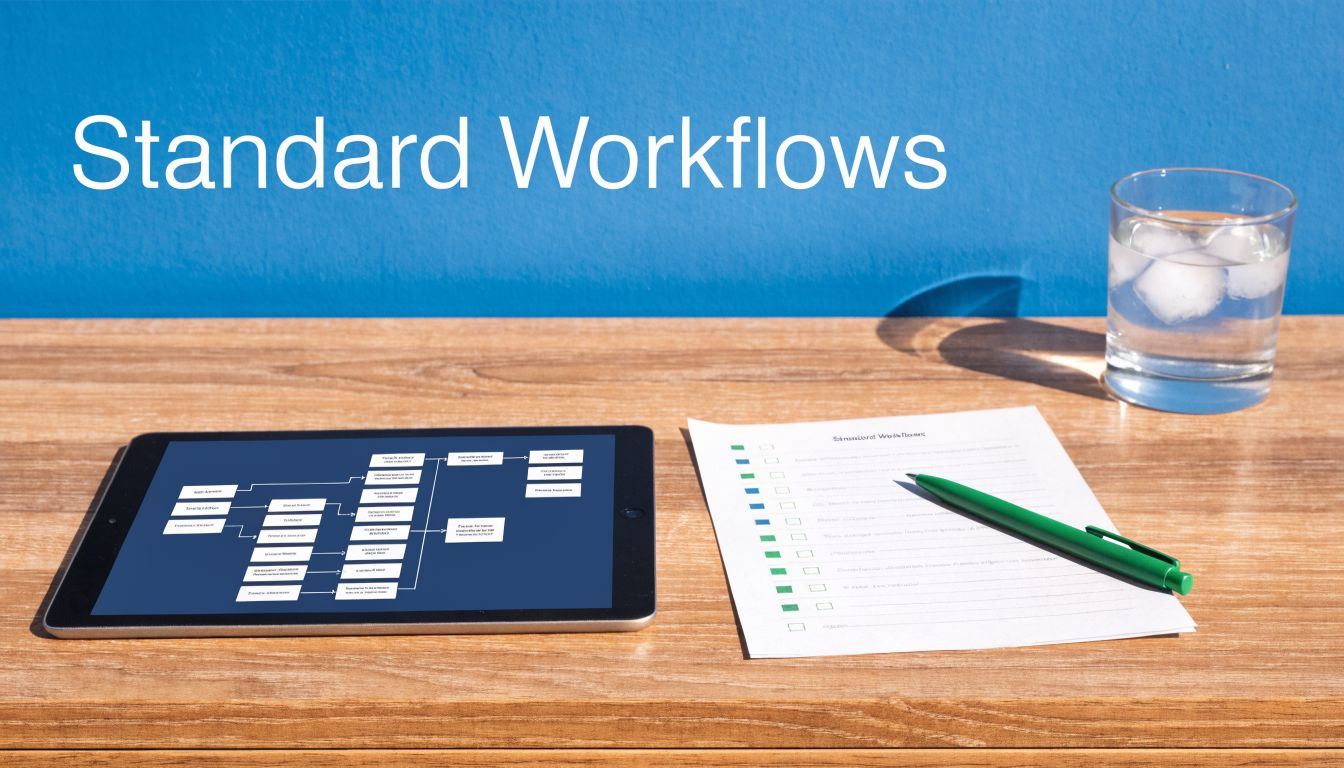
Text alone usually leaves too much room for interpretation. The stronger approach is a simple package. One page for the purpose, trigger, steps, owner, exceptions, and approval rules. One visual flow for decision points. One short recording for tasks that happen inside software.
That mix is practical, not academic. A telemedicine team can record a secure patient intake walkthrough and attach the approved script, consent checkpoints, and escalation path. A school can run a staff webinar for a new process and save the replay as part of the SOP. An SMB can capture the exact CRM update sequence during a live training session, then reuse it for onboarding and quality checks. Teams that already run remote training can support this with collaboration tools for remote teams that make recording and reuse easier.
How to document workflows people will actually follow
The biggest mistake is writing for auditors only. The second is writing so much that nobody maintains it.
- Start with high-risk, high-frequency processes: Document what affects compliance, revenue, customer experience, or handoffs first.
- Use a consistent template: Include purpose, scope, trigger, step sequence, decision points, required systems, exception handling, and owner.
- Show what “good” looks like: Add screenshots, short recordings, sample forms, or call scripts where judgment errors are common.
- Build HIPAA controls into the workflow: For healthcare, specify who can access the process, where PHI can be stored, how recordings are handled, and what must be logged or restricted.
- Assign review triggers, not just review dates: Update SOPs when regulations change, tools change, incident patterns rise, or teams redesign a handoff.
- Keep ownership tied to the role: Content survives turnover when responsibility sits with the operations manager, compliance lead, or department head rather than one named employee.
There is a trade-off here. Detailed SOPs reduce errors, but they also raise maintenance work. I usually advise teams to document the 80 percent case clearly, then list common exceptions instead of trying to anticipate every edge case on day one.
Cost matters too. Many organizations pay for separate webinar, meeting, recording, and training tools, which makes process documentation harder to sustain. AONMeetings brings those functions together with recording, screen sharing, webinars, and encryption, which is a practical fit for healthcare teams that need secure documentation habits, schools watching budgets, and SMBs that want one lower-cost system for training and knowledge capture. For teams refining remote operating habits, these best practices for virtual knowledge sharing pair well with SOP design.
Practical rule: If a competent employee still needs to ask, “What do I do next?” after reading the SOP, the workflow is not documented well enough.
3. Foster a Knowledge Sharing Culture and Feedback Loops
A knowledge base without participation becomes a document graveyard. Culture is what turns a repository into a living system.
The most reliable pattern is simple. Leaders model sharing, managers make time for it, and contributors get recognized for useful input. That can happen in monthly webinars, peer learning sessions, retrospectives, or short debriefs after difficult cases.
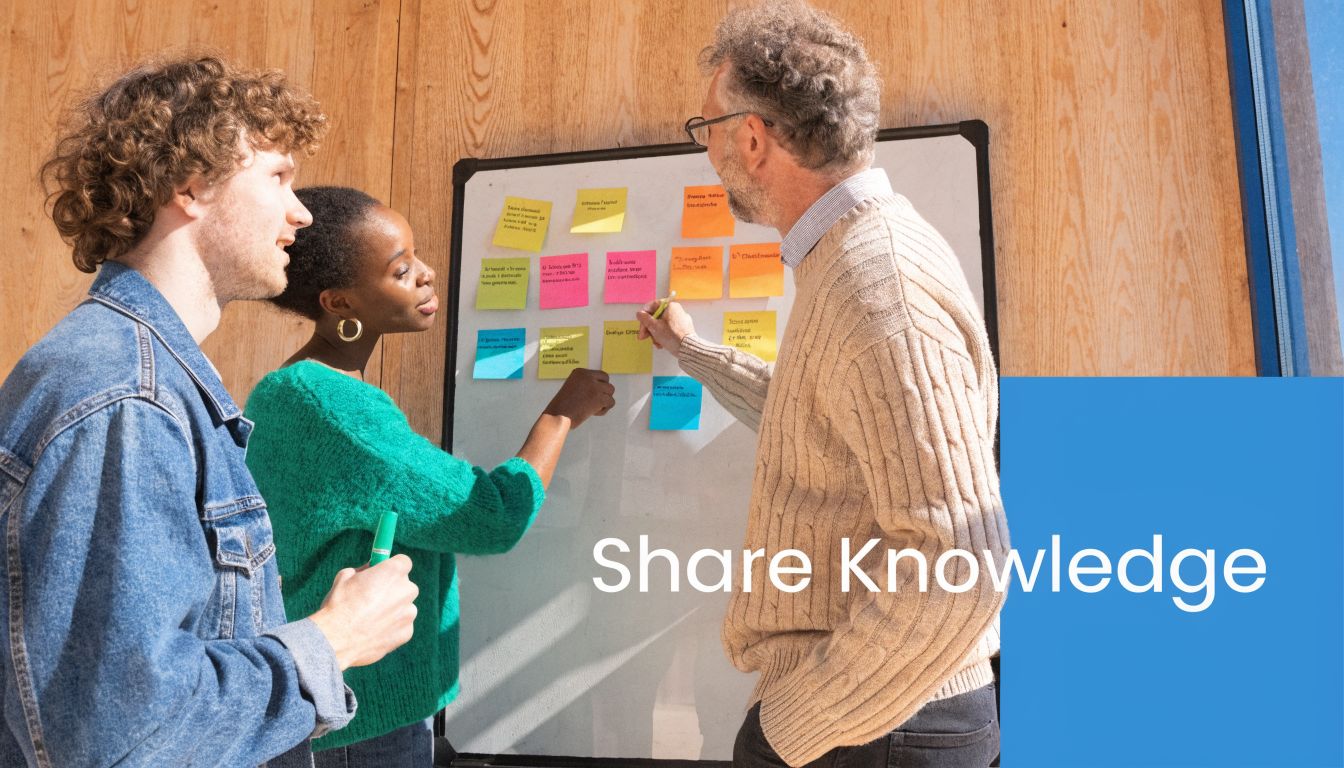
A healthcare team might hold secure case-review sessions with only authorized participants. An education co-op might run faculty webinars where teachers share what worked in class. An SMB might split teams into breakout rooms for short problem-solving sessions, then capture the best ideas in the shared knowledge base. If you’re building remote habits, these collaboration tools for remote teams can support recurring sharing rituals.
What strengthens sharing behavior
People share when it feels safe, useful, and visible.
- Create small repeatable forums: Short monthly sessions work better than one giant annual “knowledge day.”
- Use the right interaction format: Breakout rooms help smaller groups surface detail that large meetings miss.
- Close the feedback loop: Let contributors see what was adopted, updated, or retired.
- Recognize useful contributions: Public credit matters more than many teams realize.
For distributed teams, these best practices for virtual knowledge sharing align well with the reality that not all expertise lives in documents. Some of it only comes out in conversation.
Teams don’t resist sharing because they dislike KM. They resist when sharing feels risky, pointless, or disconnected from daily work.
4. Select and Implement the Right Knowledge Management System
Teams waste time every day because the answer exists, but the system makes it hard to find. The right KM platform reduces search time, supports compliance, and fits the way people already work.
Selection should start with operational reality, not a polished vendor demo. I look for one test first. Can a clinician find the latest protocol in seconds without exposing PHI? Can a school administrator pull the current parent communication template before sending it? Can a support rep get the approved answer while the customer is still on the call? If the answer is no, the system is not ready, regardless of how many features it advertises.
The platform choice usually comes down to trade-offs. Confluence or SharePoint may make sense for larger organizations that need tighter governance, deeper integrations, and formal publishing controls. A small business may get better adoption from a lighter setup built around tools it already pays for. In healthcare, the bar is higher. If meetings, recordings, or transcripts may include protected health information, the stack needs HIPAA-aligned access controls, audit trails, retention settings, and a signed BAA where required. Cheap tools often become expensive once you add security, storage, and admin overhead.
Use a short evaluation scorecard:
- Search and retrieval: Test real queries, not sample data. Search should handle synonyms, outdated titles, and common user language.
- Permissions and compliance: Role-based access matters for PHI, HR files, finance documents, and legal content.
- Capture built into daily work: Recording, transcription, and meeting notes should flow into the knowledge base without manual copying.
- Implementation burden: A system that needs months of configuration may stall before users see value.
- Total cost: Include storage, webinar limits, security add-ons, support, and admin time.
For cost-conscious teams, AONMeetings can fill an important gap. If your KM process depends on live demos, recorded walkthroughs, and reusable training content, a platform with built-in conferencing and recording lowers tool sprawl. A simple screen-sharing walkthrough for internal process documentation also helps teams standardize how they capture product demos, SOP updates, and troubleshooting steps.
Integration matters too. Customer-facing teams should connect KM to the systems where work already happens. These best practices for CRM are a useful reference because service knowledge, account history, and approved responses should support each other.
Start smaller than you think. Pilot one use case, such as clinical policy lookup, faculty training archives, or support macros for an SMB. Clean up taxonomy, permissions, and search behavior there first. Then expand. That sequence usually produces better adoption than a company-wide rollout with unclear ownership.
5. Systematize Training and Onboarding with Knowledge Assets
New hires rarely fail because the organization lacks information. They fail because the right knowledge is scattered across managers, meetings, inboxes, and tribal habits. Training works better when the same approved guidance shows up in the same place, in the same format, every time.
Treat onboarding as a knowledge design problem, not an HR event. Build a training library that pulls from the assets your team already creates: recorded welcomes, role-based SOPs, policy walkthroughs, product demos, webinar archives, and examples of common mistakes. A tutoring center can store model teaching sessions and parent communication templates. A medical device company can keep validated training recordings tied to product updates and approval dates. An SMB can start with a simple portal for HR policies, sales call reviews, and support resolutions.
Build once, reuse often
Every live training session should produce a reusable asset. That is the fastest way to improve consistency without buying a full LMS too early.
- Record core onboarding sessions: New hires need access on day one, not when the next live class is scheduled.
- Split content by role and task: Sales, support, faculty, clinicians, and operations staff need different paths through the same knowledge base.
- Use async for repeatable topics: Policies, product basics, and standard workflows belong in recorded modules.
- Keep live time for judgment calls: Q&A, edge cases, and coaching still need a human discussion.
- Teach visually: Teams that document processes with screen recordings usually reduce rework. These virtual meeting recording and facilitation practices help teams capture cleaner walkthroughs that stay useful after the session ends.
There is a trade-off here. More recorded content improves consistency, but too much video slows people down if they have to scrub through an hour-long session to find one answer. Break training into short modules, label them clearly, and attach the related SOP, checklist, or policy article beside the recording.
In regulated environments, training assets also need controls. Healthcare teams should separate general onboarding from materials that include PHI and restrict access accordingly. HIPAA compliance is not just about storage. It also affects who can view recordings, how long they are retained, and whether transcripts or notes expose sensitive details. In education, access controls should account for staff, adjuncts, and student-facing teams with different responsibilities. For SMBs, the practical goal is simpler: give each role what it needs without forcing a small admin team to manage a complex permissions model.
Cost matters. So does maintenance. For many teams, a browser-based platform that supports meetings, recording, and reusable training content is a sensible first step because it cuts tool sprawl while giving KM, operations, and department leads a shared workflow for onboarding.
6. Capture SME Knowledge Before It Walks Out the Door
A single retirement, resignation, or internal transfer can stall work for weeks if one person holds the judgment behind a process. In practice, the biggest risk is rarely the documented procedure. It is the undocumented exception handling, the sequence shortcuts, and the reasons an expert ignores the written path in specific cases.
Treat expert capture as risk reduction, not as a nice-to-have archive project. Prioritize roles with high operational impact, high compliance exposure, or no clear backup. In healthcare, that may be a clinician who knows how intake breaks down in edge cases. In education, it may be the registrar staff member who understands unofficial workarounds that keep term transitions on track. In an SMB, it is often the operations lead or founder who still answers the hardest questions.
Capture decisions in context
Ask experts to walk through real cases, recent failures, and unusual requests. That gets far better material than asking for a general brain dump.
Use prompts like these:
- Decision criteria: What signs change your choice from the standard path?
- Common exceptions: Which cases fail the SOP, and what do you do instead?
- Escalation thresholds: At what point should a newer employee stop and hand it off?
- Local knowledge: Which systems, people, or constraints shape the process?
- Risk controls: What mistakes create compliance, safety, or customer impact?
Record the session, but keep it tight. A 20-minute walkthrough on one recurring exception is more useful than a 90-minute interview that no one will revisit. These virtual meeting recording practices for searchable knowledge capture help teams structure sessions so the output is easier to reuse.
The format matters. Video preserves tone and nuance. Transcripts make content skimmable. A short summary written by the interviewer turns a raw interview into something a successor can use on the job.
For regulated teams, capture methods need the same discipline as the knowledge itself. Healthcare organizations should avoid recording PHI unless there is a clear reason and an approved storage model. If PHI appears, retention rules, access controls, and sharing permissions need to follow HIPAA requirements. Schools should separate instructional knowledge from student-linked records. Small businesses usually need a simpler rule set. Capture only what people need to repeat the work, then store it in a shared system with basic role-based access.
One practical rule works well across industries. Pair every SME interview with one concrete output: an updated SOP, a decision tree, a checklist, or a FAQ entry. That keeps expert capture from turning into a folder full of recordings nobody uses.
Include the likely successor when possible. That person will ask the questions the expert forgets to explain, and the handoff starts before the role changes.
7. Define Governance, Access Control, and Security
Weak governance breaks knowledge systems faster than bad content does. Teams stop trusting the repository when they cannot tell which version is approved, who can change it, or whether sensitive material is protected.
This is not only a healthcare issue, even though healthcare carries the highest compliance risk. The same governance gaps create problems in schools handling student records, in HR teams managing employee policies, and in SMBs where financial, legal, and operational documents often sit in the same shared workspace.
The practical fix is to set governance in three layers. Ownership, access, and review.
Ownership answers who is responsible for the content. Every high-value asset should have a named owner, a backup owner, and a review date. Access answers who can view, comment, edit, approve, download, or share. Review defines what gets checked, how often, and what happens when content becomes outdated.
Build the lightest control model that still fits your risk
I usually start with a simple role structure: admin, content owner, contributor, and viewer. That is enough for many teams. Add tighter controls only where the risk justifies the extra friction.
For example, a clinic may let all care team members view treatment protocols but restrict editing and approval to compliance-approved owners. A school may allow broad access to teaching resources while limiting student-linked documentation to defined administrative roles. An SMB may keep general SOPs open to the company but lock HR, payroll, contracts, and leadership documents to smaller groups.
Role-based access holds up better than person-based permissions because jobs change, people leave, and shared folders rarely get cleaned up on time. Good governance should survive turnover.
Security choices also affect adoption. If the platform is hard to use, people will route around it with email attachments, personal notes, or unsanctioned messaging tools. That creates a security problem and a KM problem at the same time.
For regulated environments, HIPAA should shape the design early. Healthcare teams need clear rules for whether a knowledge asset contains PHI, where it can be stored, who can access it, and how long it should be retained. Meeting recordings used for training or operational knowledge need the same review. If a recording includes PHI, treat it as regulated content, not a casual reference file.
AONMeetings is useful here because teams can support secure collaboration without adding heavy deployment overhead. Browser-based access reduces setup friction. Features such as encryption, moderator controls, meeting lock, and controlled recordings help organizations set a lower-cost operating model without ignoring compliance requirements.
One rule is easy to audit and hard to argue with. If your team cannot state who owns a document, who approves changes, who may access it, and when it will be reviewed, the content is unmanaged. It is only stored.
8. Measure KM Success with Clear Metrics and Analytics
Teams routinely overestimate KM performance because they count activity instead of business impact. Upload volume, page views, and article counts are easy to report, but they rarely justify budget, staffing, or platform decisions.
Start with the operational problem you are trying to reduce, then measure whether knowledge changed the result. In practice, that means tracking whether support teams resolve cases faster, whether onboarding managers answer fewer repeat questions, whether clinicians find approved guidance with less searching, or whether faculty stop relying on outdated local files.
Good KM measurement ties three layers together. Governance shows whether content is owned and reviewed. Technology shows whether people can find and use it. Culture shows whether teams trust the system enough to use it during real work.
Metrics that actually help
A useful scorecard usually includes:
- Baseline before rollout: Capture current search time, repeat-question volume, handoff delays, or onboarding ramp time before you change the system.
- Search quality: Track zero-result searches, low-click searches, and queries that repeatedly lead people to the wrong asset.
- Workflow usage: Measure whether people use knowledge inside the job they are doing, not just whether they opened a page.
- Outcome metrics: Connect knowledge use to faster resolution, fewer escalations, fewer duplicated requests, or better compliance performance.
- Review cadence: Check the metrics quarterly and assign someone to act on them. Reporting without follow-up turns analytics into decoration.
One metric on its own can mislead. High search volume may signal strong adoption, or it may mean the repository is hard to use. Heavy article traffic may reflect good content, or it may reflect a broken process that forces staff to keep rechecking basic instructions.
In healthcare, measurement needs a compliance lens too. Track who accesses regulated knowledge assets, whether HIPAA-sensitive materials are stored and handled correctly, and whether training content that includes recordings or transcripts is reviewed under the same rules as other controlled content. A clinic does not need a complex BI stack to do this. It needs a small set of auditable measures tied to risk, response time, and staff behavior.
For education teams, I usually prioritize search success, onboarding speed for new faculty or staff, and repeat IT or policy questions. For SMBs, the first wins often come from reducing interruptions. Fewer Slack pings, fewer duplicate customer support replies, and less time spent asking who has the latest version of a process document.
AONMeetings can support this lower-cost measurement model because browser-based collaboration and controlled recordings make it easier to see what content is created, reused, and retained without adding heavy admin work. The point is not to measure everything. The point is to measure enough to decide what to fix next.
If a KM program cannot show reduced friction, lower risk, or faster execution, leadership will treat it as overhead. If it can, funding conversations get easier.
9. Manage the Content Lifecycle with Regular Curation
Outdated knowledge causes expensive mistakes because staff treat published content as approved content. If a page looks official, people use it.
That makes lifecycle management a governance job, not a housekeeping task. In strong KM programs, every high-impact asset has a named owner, a review cadence, and a clear status such as current, under review, archived, or replaced. Without that structure, old guidance stays searchable long after the business, policy, or system has changed.
In healthcare, this has a direct compliance angle. HIPAA-related workflows, intake scripts, training recordings, and meeting transcripts need review rules that match their risk level. If a clinic updates a privacy procedure but leaves the old version active in the repository, staff can follow the wrong process and create an avoidable exposure. Education teams face a different version of the same problem. Faculty will keep reusing outdated course resources if nothing signals which version is approved. SMBs usually feel it through rework, support confusion, and version disputes.
I recommend a simple curation routine:
- Assign ownership by role: Tie each article, SOP, recording, and template to a responsible team or job function, not a generic inbox.
- Set review triggers: Policy updates, product changes, regulatory changes, and system migrations should trigger immediate review.
- Archive with controls: Keep historical versions when retention matters, but remove them from default search results so staff land on the current source first.
- Clean up duplicates: Merge overlapping pages, retire near-copies, and mark the surviving asset as the source of truth.
- Add lightweight flagging: Let staff report stale or conflicting content from the page itself.
The trade-off is straightforward. Fast publishing helps capture knowledge while it is fresh. Loose curation erodes trust fast, especially in regulated environments. I would rather run a smaller library with clear ownership and disciplined review than a larger one full of content people second-guess.
AONMeetings fits well for teams that need a lower-cost process because browser-based meetings, recordings, and transcripts can feed the repository without adding much admin work. The catch is that recorded knowledge also needs retention rules, ownership, and access controls. If you capture more than you curate, backlog replaces progress.
10. Deliver Personalized and Contextual Knowledge
Teams lose time every day because staff still have to search, filter, and guess which content applies to the case in front of them. Personalized delivery fixes that by bringing the right asset into the workflow, by role, task, customer, student, or patient context.
The practical starting point is simple. Map high-frequency decisions to the knowledge people need at that moment. A sales rep working an account should see approved talk tracks, objection handling, and recent call notes. A clinician reviewing a visit should see the current protocol, intake guidance, and only the records they are permitted to access under HIPAA. A teacher preparing next week’s lesson should land on the materials for the course they teach, not the full curriculum archive.
Start with rules before you invest in AI. Role-based homepages, consistent metadata, workflow tags, and search filters usually deliver value faster than an expensive recommendation engine. I have seen organizations get better adoption from a clean role-based experience than from advanced features layered onto messy content.
Personalization also needs governance. If the metadata is sloppy, the recommendations will be sloppy. If access controls are weak, contextual delivery can create compliance risk instead of reducing friction. In healthcare, that means minimum-necessary access, audit trails, and careful separation between helpful prompts and protected health information. In education, it means distinguishing between public teaching resources, internal staff guidance, and student data. In SMBs, it usually means keeping the setup lightweight enough that one operations lead can maintain it without creating another admin burden.
AONMeetings is useful here because browser-based meetings, recordings, and transcripts can be tied to teams, projects, or training flows without a heavy rollout cost. The trade-off is discipline. Recorded knowledge becomes more useful when it is tagged to the right audience and context, but it also needs the same permission rules, naming standards, and review process as written content.
Done well, contextual knowledge shortens search time, reduces errors, and makes the KM system feel relevant to daily work instead of separate from it.
Top 10 Knowledge Management Best Practices Comparison
| Item | Implementation complexity | Resource requirements | Expected outcomes | Ideal use cases | Key advantages |
|---|---|---|---|---|---|
| Establish a Centralized Knowledge Repository | High initial setup; moderate ongoing maintenance | Storage, search/indexing, taxonomy, admins, user training | Single source of truth; faster search; reduced knowledge loss | Distributed teams, compliance-heavy orgs, onboarding | Consistency, reduced duplication, auditability |
| Document Standard Operating Procedures (SOPs) & Workflows | Moderate–high; process mapping and multimedia capture | SME time, recording tools, documentation platform, review cycles | Consistent operations; fewer errors; easier audits | Regulated processes, high-risk operations, training needs | Standardization, compliance, reduced operational risk |
| Foster a Knowledge Sharing Culture & Feedback Loops | High (culture change); low technical complexity | Leadership buy-in, time for forums, recognition programs | Higher engagement, faster problem resolution, innovation | Remote teams, innovation-driven organizations, cross-functional groups | Reduced silos, peer learning, sustained knowledge flow |
| Select and Implement the Right Knowledge Management System (KMS) | Variable; pilot and integration effort recommended | Budget for licenses, IT integration, change management resources | Scalable KM, analytics, centralized discovery | Growing or distributed orgs needing robust search and analytics | Scalability, advanced search, governance features |
| Systematize Training and Onboarding with Knowledge Assets | Moderate; curriculum design and content creation effort | Content creators, recording tools, LMS or platform, assessments | Faster time-to-productivity; consistent training delivery | High hiring velocity, regulated training, remote hires | Scalable onboarding, cost savings, consistent messaging |
| Capture SME Knowledge Before It Walks Out the Door | Moderate; scheduling and interview design | SME time, interviewers, recording/transcription tools | Preserved institutional knowledge; smoother transitions | Impending retirements, critical roles, tacit expertise | Risk mitigation, retained unique expertise |
| Define Governance, Access Control, and Security | High; policy design and technical configuration | Security tools, RBAC, compliance expertise, audits | Protected sensitive data; regulatory compliance; audit trails | HIPAA/PII environments, regulated industries, legal risk areas | Trust, legal defensibility, controlled access |
| Measure KM Success with Clear Metrics and Analytics | Moderate; tracking and reporting setup needed | Analytics tools, data collection, KPI owners | Demonstrable ROI; identified content gaps; informed decisions | Organizations seeking proof of impact and budget justification | Data-driven improvement, leadership buy-in |
| Manage the Content Lifecycle with Regular Curation | Moderate; recurring processes and owner assignments | Curators, review schedules, workflow tools, SME time | Accurate, trusted knowledge; fewer outdated assets | Fast-changing domains, regulatory content, long-lived archives | Trustworthy content, compliance readiness, reduced confusion |
| Deliver Personalized & Contextual Knowledge | High; requires AI, tagging and integration work | Advanced tooling, data models, privacy safeguards, engineering | Higher adoption; faster task completion; less overload | Large user bases with varied roles, CRM/sales enablement | Relevance, improved productivity, better user experience |
From Knowledge to Action Your Next Step
Organizations lose time every week because employees cannot find, trust, or reuse what the business already knows. The practical fix is not a massive KM relaunch. It is a disciplined starting point that connects capture, governance, and reuse in one workflow.
Start where knowledge is already being created. Record a process review, a training session, or a handoff meeting. Save the transcript, name it clearly, store it in one approved location, assign an owner, and set a review date. That sequence sounds simple because it is. In practice, it is the fastest way to turn tribal knowledge into an asset people can use.
I have seen KM efforts stall when teams spend months debating taxonomy, platform migration, or the perfect folder structure before they capture a single useful process. The better approach is to prioritize by business risk and repeatability. Pick one high-friction workflow. In a clinic, that might be patient intake or claims follow-up with HIPAA-safe access controls in place. In a school, it could be course delivery checklists, staff training, or recorded faculty workshops. In an SMB, it is often customer onboarding, billing exceptions, or sales handoff steps that break when one experienced employee is out.
The pattern is consistent. Central repositories reduce search time. SOPs reduce variation. Recorded walkthroughs preserve context that written notes often miss. Governance keeps sensitive content from spreading into the wrong hands. Analytics show what people search for, what they cannot find, and which assets no one trusts enough to use.
Cost also matters. KM often fails because the workflow is split across too many tools, each with its own license, admin burden, and security gap. If meetings happen in one app, recordings live in another, transcripts require a third service, and webinars need a separate contract, capture becomes inconsistent and expensive. That trade-off hits healthcare, education, and SMB teams especially hard because budgets are tighter and compliance mistakes cost more.
AONMeetings is useful here because it supports the capture side of KM without forcing teams into an enterprise-scale rollout. It combines secure video meetings, webinar hosting, recordings, screen sharing, whiteboards, and bank-level encryption starting at ₹179 per user per month. For a healthcare team, that supports HIPAA-conscious knowledge capture with controlled access and documented handling. For educators, it turns live instruction and staff development into reusable learning assets. For SMBs, it replaces tool sprawl with one practical system for recording and preserving operational know-how.
The browser-based setup helps adoption. Waiting rooms, moderator controls, team chat, meeting lock, searchable recordings, and webinar delivery are not extra conveniences. They support the essential work of creating, protecting, and reusing knowledge in day-to-day operations.
If you want traction, start small and make the pilot measurable. Choose one department, one recurring process, and one owner. Record the workflow, document the steps, define access rules, and check usage after the team has relied on it for a few weeks. Then fix what people skip, what they cannot find, and what should not be visible to everyone.
That is how good KM gets funded. It proves value in real workflows first.
AONMeetings is a practical choice if you want to turn everyday meetings, trainings, and webinars into secure knowledge assets without paying for a pile of separate tools. You get HIPAA-compliant workflows, bank-level encryption, unlimited meeting time, built-in webinar hosting, recordings, screen sharing, and straightforward pricing starting at ₹179 per user per month. If you’re building a knowledge base for a clinic, school, or SMB, explore AONMeetings and start by recording the next session your team can’t afford to lose.
