
The best virtual meetings feel effortless, but that seamless experience is always the result of smart preparation. The truth is, a successful conference call begins long before anyone actually joins. A few minutes invested upfront can mean the difference between a productive session and a frustrating waste of time.
This isn't just about making sure your tech works; it's about setting the stage for clear, focused communication.
Your Pre-Call Checklist for a Smooth Start
I've learned over countless meetings that a quick pre-flight check is non-negotiable. Running through a few key items beforehand prevents those all-too-common technical hiccups and helps establish a professional, productive tone right from the start.
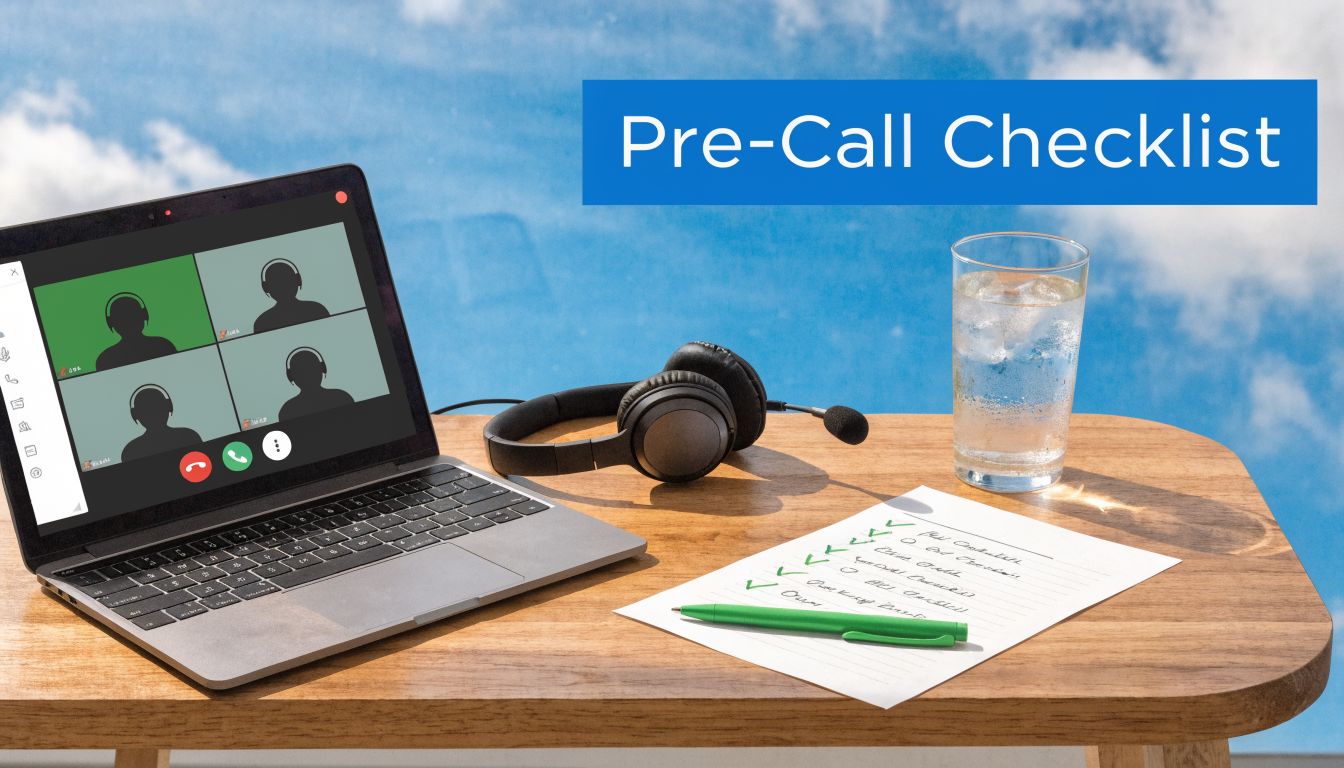
It all begins with picking the right tool for the job. You need a platform that’s powerful but doesn't require a Ph.D. to operate. Think about your specific needs. For example, a therapist absolutely requires HIPAA-compliant encryption for telemedicine sessions. A sales team, on the other hand, might value a platform with built-in webinar tools for client demos so they don't have to juggle multiple subscriptions.
To help you stay on track, I've put together a simple table outlining the essential prep steps I take before every important call.
Quick-Start Conference Call Preparation
This checklist covers the bases—from tech to agenda—ensuring you walk into every meeting prepared and confident.
| Preparation Step | Why It Matters | AONMeetings Feature |
|---|---|---|
| Define a Clear Objective | Prevents the meeting from becoming a directionless chat. Every attendee should know why they are there. | Use the Meeting Description field to state the goal clearly in the invite. |
| Test Your Audio/Video | Avoids the dreaded "Can you hear me?" dance. It's the #1 cause of meeting delays. | The Test Device function in the settings lets you check your mic, speakers, and camera in seconds. |
| Review the Attendee List | Know who's coming so you can anticipate questions and tailor the conversation. | The Attendee List is visible right in your meeting dashboard before the call starts. |
| Prepare and Share an Agenda | Sets expectations, keeps the discussion on track, and respects everyone's time. | Attach the agenda PDF directly to the AONMeetings invitation so it’s always accessible. |
| Secure the Meeting | Protects sensitive information from uninvited guests, which is crucial for business confidentiality. | Enable the Waiting Room and use End-to-End Encryption (E2EE) for maximum security. |
Running through these steps takes just a few minutes, but it pays massive dividends by creating a professional and efficient meeting environment from the very first minute.
Define Your Objective and Agenda
Before you even open your calendar to schedule a call, ask yourself one critical question: What's the one thing we absolutely must accomplish in this meeting?
Having a single, clear objective is your best defense against scope creep and rambling discussions. Are you aiming to finalize a project plan? Brainstorm marketing angles for a new product? Onboard a new client? Define it.
Once you have your objective, sketch out a timed agenda. A realistic structure makes a world of difference. For example, a sales team meeting might look like this:
- (0-5 mins) Welcome, quick check-in, and restate the meeting's goal.
- (5-15 mins) Review last quarter's sales report. (I’ll have it ready for screen sharing).
- (15-35 mins) Open brainstorming for Q2 outreach using the virtual whiteboard.
- (35-45 mins) Lock in concrete action items and confirm who owns what.
An agenda like this shows you respect everyone's time and keeps the entire team focused and engaged.
Choose Your Platform and Secure Your Call
The platform you use is more than just a tool; it's a strategic decision that directly impacts your security, budget, and overall experience. Be wary of "free" plans that often come with hidden costs, like a frustrating 40-minute meeting limit that can kill a productive conversation mid-sentence.
Your choice of platform is a strategic decision. A single subscription that includes both standard meetings and webinar functionality offers significant value, preventing the need to pay for multiple services. For instance, hosting a company-wide training session becomes much more cost-effective.
This is where a platform like AONMeetings really stands out. It bundles built-in webinar features and unlimited meeting durations into its standard plans, which is a game-changer. By comparison, competitors often charge an extra $40-$70 per month just for webinar tools.
More importantly, security shouldn't be an optional add-on. AONMeetings includes bank-level, HIPAA-compliant encryption across all its plans by default. You don't have to dig through settings to activate it. This all-in-one approach provides better security and value right out of the box, saving you from being nickel-and-dimed for features that should be standard.
Alright, you've handled the prep work. Now it's time to get your first call on the calendar and go live. The goal here is to make the technical side of things so seamless that you can focus entirely on your conversation, not the software. Getting the scheduling and launch right is your first chance to set a professional, organized tone.
Some platforms, like AONMeetings, get this right by building everything into one place. You can create the event, grab a simple one-click join link, and push out professional-looking invites without ever leaving the app.
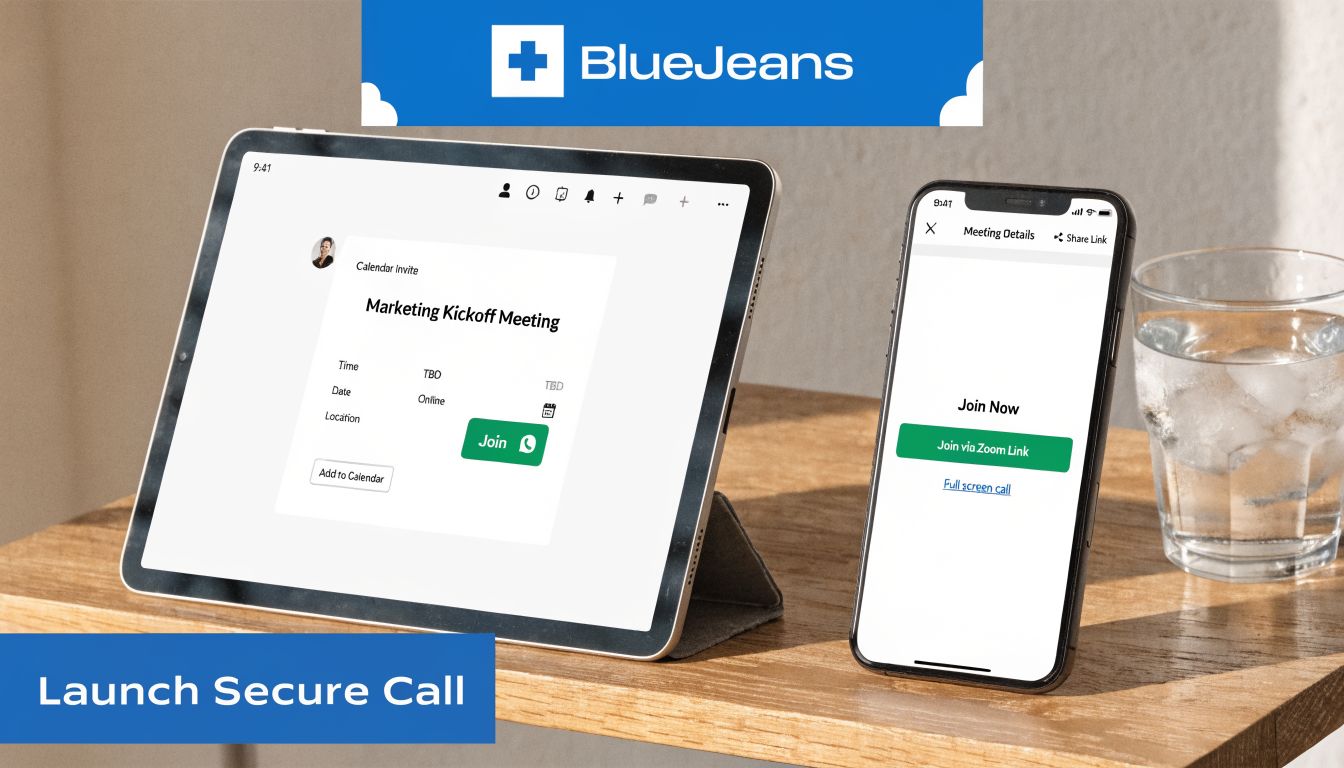
This isn't just about saving a few minutes. It's about reducing the risk of sending the wrong link or time. A clean invitation with an easy link shows you respect your attendees' time and removes any friction before the meeting even starts.
Configuring and Securing Your Meeting Space
Creating the invite is just the first step. Securing the virtual room itself is where you truly protect your conversation and create a controlled environment. The absolute cornerstone of meeting security is end-to-end encryption (E2EE).
Think of it this way: without encryption, your private business strategy session is like a conversation shouted across a crowded room. With E2EE, it’s like you’re in a soundproof vault where only invited participants have the key. Any platform you consider should offer this by default, not as a pricey add-on. For sensitive conversations—from client data to financial reports—it’s non-negotiable. This is why AONMeetings bakes in bank-level, HIPAA-compliant encryption across every plan, making top-tier security the standard.
Beyond encryption, you need robust moderator controls to run a tight ship. These are the tools I rely on daily to keep meetings on track.
- Waiting Room: This is your virtual bouncer. You see who’s trying to get in and can admit them one by one. It's the perfect way to screen attendees and prevent "Zoombombing."
- Participant Muting: The power to mute everyone on entry is a lifesaver for eliminating that initial chaos of background noise. You can then unmute people as needed.
- Meeting Lock: Once all your key players have arrived, lock the digital door. No one else can enter, period.
Imagine a practical example: a law firm using these tools for a client consultation. They can set up a branded waiting room with their logo, which looks professional. While the client waits, the paralegal verifies their identity before admitting them into the fully encrypted session. It’s a small touch that adds immense credibility and security.
Unlocking Value with Built-in Webinars and Pricing
Now, let's talk money. Choosing a conference call tool is a financial decision, and many providers get you with a classic bait-and-switch: one price for meetings, and another, much higher price for webinars. This is where you can find some incredible value if you know where to look.
A platform that combines meetings and webinars into one subscription delivers tremendous ROI. It means you can host a small team sync in the morning and a 100-person marketing webinar in the afternoon, all without juggling multiple tools or payments.
Let's break down the real-world numbers with a price comparison. AONMeetings offers plans starting at ₹179/user/month that already include unlimited meeting durations and full webinar functionality. In contrast, many competitors will tack on an extra $40-$70 per month just to unlock their webinar features.
For a small team, that's a huge difference. By bundling these services, a solution like AONMeetings can dramatically lower your software spend. This is precisely why so many businesses are ditching complex, tiered pricing—they want powerful, all-in-one tools that don't break the bank.
Mastering Meeting Etiquette and Engagement
Knowing the technical side of hosting a conference call is one thing, but leading one that people actually find productive is another skill entirely. The technology gets you in the room; good etiquette and smart engagement are what make the meeting worthwhile. This is the secret to moving from simply hosting a call to leading a great conversation.
Effective meeting etiquette really boils down to a few simple, conscious habits that show respect for everyone else on the call. These small actions are what prevent a meeting from turning into a chaotic mess where no one can get a word in.
The Ground Rules of Professional Calls
First and foremost, get friendly with your mute button. Mute your microphone any time you aren't speaking. It’s a simple click that eliminates distracting background noise—whether it's your keyboard, a barking dog, or a passing siren—that can completely derail someone's train of thought.
Next, make a habit of using the "raise hand" feature. Instead of just jumping in and interrupting, this little icon signals that you have something to add without cutting off the current speaker. It’s the digital version of politely waiting for your turn, and it's absolutely essential for keeping order in larger group discussions.
Your background says more than you think. A clean, professional backdrop communicates that you're prepared and focused, while a cluttered or busy space can be a huge distraction for everyone else.
Think about it from their perspective. For example, a project manager giving a client update needs to command attention. Using a neutral or branded virtual background keeps the focus on the business update, not the unfolded laundry in the corner. For a deeper dive, our team put together a fantastic guide on these and other virtual meeting best practices.
Beyond Basics: Turning Listeners into Participants
Good etiquette is the foundation, but true engagement comes from interaction. If people are just passively listening, they're probably zoning out. The goal is to turn attendees from a silent audience into active collaborators, and that’s where your platform's built-in tools come into play.
For a practical example, instead of just talking about a new marketing idea, fire up a virtual whiteboard. You can sketch out the flow of the campaign in real-time, and your team can jump in with their own notes and feedback directly on the screen. A one-way presentation instantly becomes a dynamic brainstorming session.
Live polls are another fantastic tool for this. Imagine you're in a company-wide town hall. Instead of just guessing how a new policy will be received, you can launch an anonymous poll and get instant, honest feedback. This gives every single person a voice and provides leadership with valuable data on the spot.
Features like these are built right into AONMeetings because we know they're what make meetings work. This all-in-one approach—combining core meeting functions with powerful engagement tools and bank-level encryption—is something to keep in mind when looking at costs. The value proposition is clear: a single AONMeetings subscription includes webinar capabilities that often cost extra on other platforms, giving you far more value for your investment.
A Practical Look at Conference Call Platforms and Pricing
Picking the right conference call platform feels like a huge decision, and honestly, it is. It's about more than just a list of features—it affects your budget, your team's workflow, and even your data security. When you’re trying to figure out the best way to run a conference call, it's easy to get overwhelmed by the marketing from big names like Zoom, Microsoft Teams, and AONMeetings.
Let's cut through the noise. We're going to compare what you actually get for your money by looking at the things that matter day-to-day: transparent pricing, who can join your calls, how long you can talk, and the security that keeps your conversations private. A plan that looks cheap at first glance can end up costing you a lot more in the long run.
Beyond the Sticker Price: Finding Real Value
I've seen so many businesses fall into the tiered pricing trap. A platform advertises a free or low-cost plan, but it comes with a catch—like a strict 40-minute limit on group meetings. Suddenly, you're forced into an expensive upgrade just to finish a conversation.
Another common issue is when platforms separate their core meeting product from their webinar features. You sign up, think you're all set, and then realize you have to buy a pricey add-on to host a simple presentation for a larger audience.
The real value isn't just the price tag; it's what's included. A single subscription that covers unlimited meeting times and built-in webinar hosting right from the start is a game-changer. You dodge the surprise fees and the headache of managing multiple plans.
This is where a platform like AONMeetings really stands out. Its value proposition is strong: plans start at just ₹179 per user per month, and that price includes both unlimited meeting durations and webinar functionality. For comparison, some competitors will charge an extra $40 to $70 a month just for their webinar tools. For a small business, that adds up fast.
Of course, having the right tool is only half the battle. How you and your team use it matters just as much.
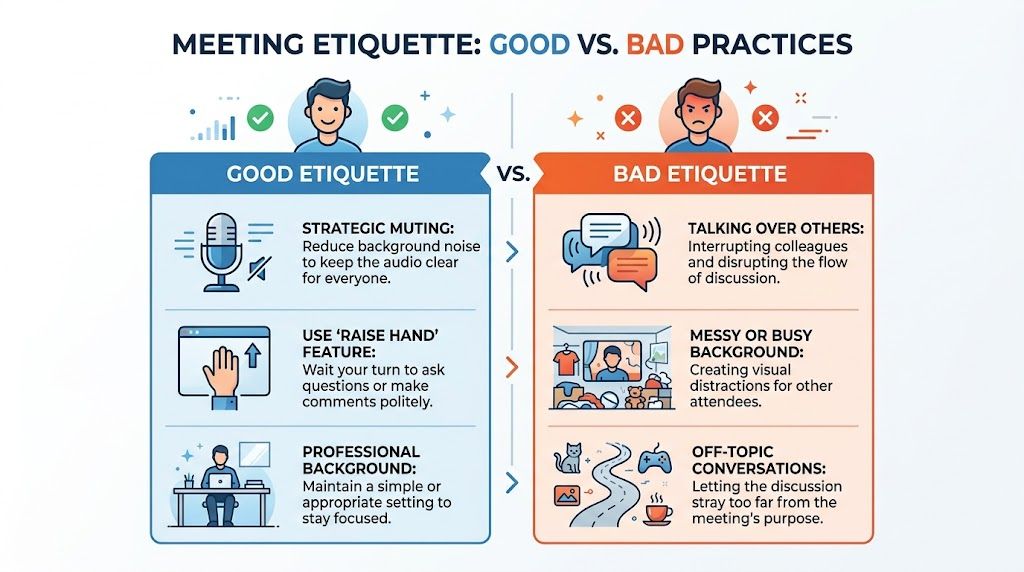
This graphic is a great reminder that good etiquette makes meetings more productive. The best platforms have features like easy muting and a hand-raise function that help everyone stay focused and respectful.
Comparing Key Platforms for 2026
When you're ready to look at the specifics, it's helpful to see a direct comparison. I've put together a table that breaks down how AONMeetings stacks up against Zoom and Microsoft Teams on the most important factors for most users in 2026.
2026 Conference Call Platform Price and Feature Comparison
| Feature | AONMeetings | Zoom (Basic/Pro) | Microsoft Teams |
|---|---|---|---|
| Pricing | Starts at ₹179/user/month | Free plan available; Pro plan starts around $15.99/user/month | Included with Microsoft 365 plans; standalone plan options available |
| Time Limits | Unlimited on all paid plans | 40-minute limit on free plan; 30 hours on paid plans | Varies by plan, up to 30 hours per meeting |
| Webinar Features | Included in standard plans | Separate product (add-on cost) | Separate product (add-on cost) |
| Encryption | Bank-level, HIPAA-compliant | End-to-end encryption available | Encrypted in transit and at rest |
This price comparison table makes it clear that what seems like a small difference in a monthly subscription can hide major gaps in functionality, especially when it comes to time limits and webinar hosting.
The Non-Negotiables: Security and Flexibility
Beyond pricing models, you have to dig into the features that keep your meetings productive and, most importantly, secure. End-to-end encryption shouldn't be a premium add-on; it's the absolute minimum for protecting sensitive business strategy, client data, or even just a private family chat.
Think about a practical example: A doctor holding a telemedicine session needs to know their platform is HIPAA-compliant to protect patient privacy. With AONMeetings, that level of security is built-in, so there's no need to hunt through settings or worry about compliance.
When you're evaluating your options, here are the key questions to ask:
- Is it Secure? Is bank-level, end-to-end encryption standard for everyone, or is it reserved for top-tier plans?
- Will It Cut Me Off? Does the platform kick you out of a meeting after a certain amount of time? Look for unlimited durations.
- Can I Host a Webinar? Is this powerful feature included, or is it an expensive extra you have to pay for?
- Am I Locked In? Some platforms require annual contracts. A contract-free option gives you the flexibility to adapt as your needs change.
Ultimately, you want a tool that delivers professional-grade features and security without the hefty enterprise price tag. For anyone running a smaller operation, learning more about the best video conferencing for small business can give you the confidence to choose a platform that will support you now and scale with you in the future.
Putting Advanced Features to Work in Your Field
Once you've mastered the basics of hosting a call, the real power comes from tailoring the tool to your specific job. A great conferencing platform isn't just a one-size-fits-all video feed; it’s a specialized toolkit. Knowing how to dig into the advanced features is what separates a standard meeting from a truly productive and secure session.
The right function can completely change the dynamic of a call.
Think about it from a healthcare provider's perspective. Their top priority is patient confidentiality. Starting with a platform like AONMeetings that offers built-in, HIPAA-compliant encryption is the absolute baseline. But adding a secure waiting room elevates the entire experience, creating a private check-in process that feels just like a physical clinic and reassures patients their privacy is taken seriously.
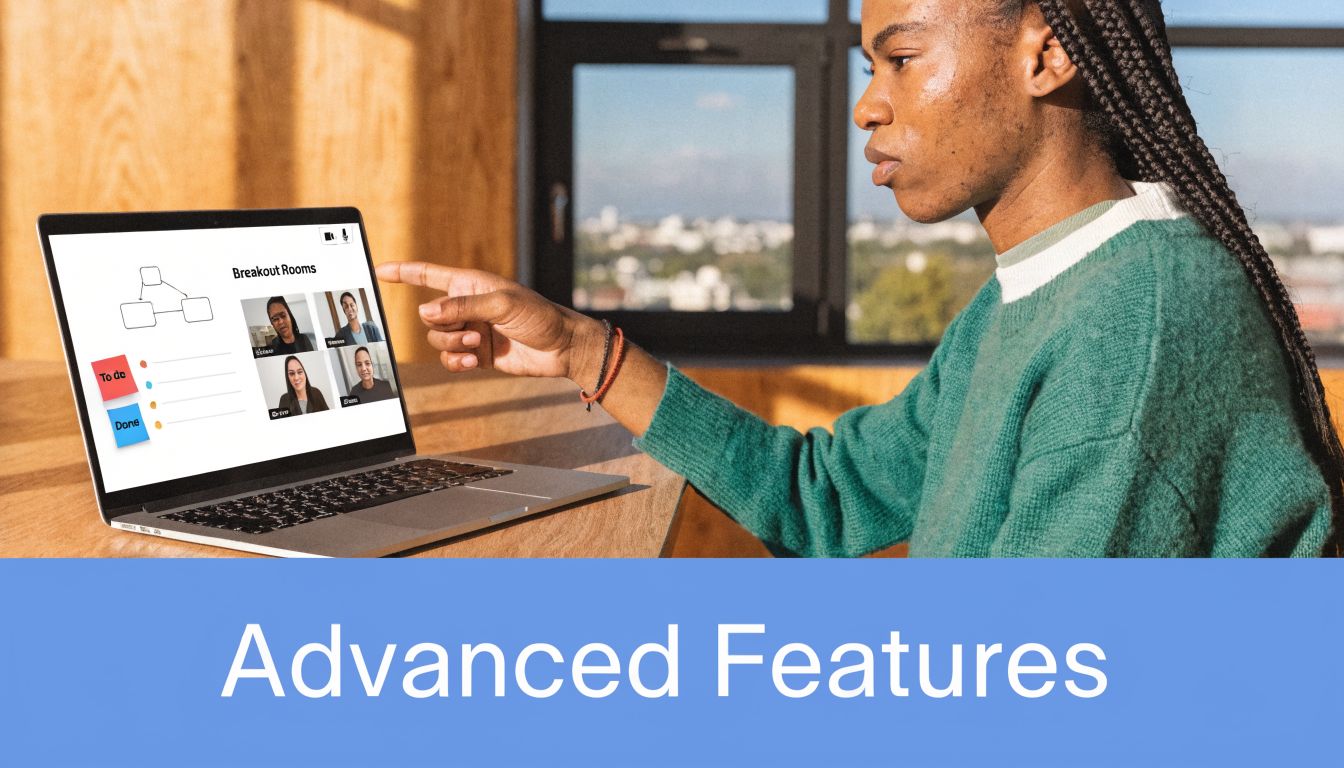
It’s the same story in education. An online instructor can use breakout rooms to turn a one-way lecture into a hands-on workshop. For example, splitting a large class into small, focused groups for a few minutes to tackle a problem together. When they return to the main session to share what they found, engagement skyrockets and the lesson really sticks.
Practical Applications Across Professions
This is where a feature list stops being just a list and becomes a set of real-world solutions. A sales director's needs are worlds apart from a university professor's, and a robust platform should cater to both.
Here’s how these features play out in different fields:
For Sales and Marketing Teams: A polished client demo needs more than just a screen share. A branded virtual room and multi-camera broadcasting create a professional, high-impact presentation. You’re not just showing a product; you’re reinforcing your brand and building confidence.
For Education and Training: Searchable recordings are a lifesaver for learners. After a class, a student can search the video transcript for a specific term like "photosynthesis" and instantly jump to that exact moment. It makes reviewing and studying incredibly efficient.
For Healthcare and Telemedicine: Beyond basic security, features like a locked meeting room and mandatory participant verification are crucial. They ensure only the patient and authorized medical staff can join a sensitive consultation. This type of robust encryption as an added feature is fundamental for building trust and staying compliant.
The Real Value of an All-in-One Tool
Investing in a platform with a deep feature set pays for itself quickly. For instance, the webinars included in the standard AONMeetings plan offer tremendous value. A marketing team could host a product launch for hundreds of attendees, and just an hour later, HR can use the very same subscription for a small-group training.
In contrast, many competitors treat webinars as a premium add-on, forcing you to pay for two separate services. A bundled approach is simply a more affordable and efficient way to equip your entire organization.
This all-in-one model makes a huge difference in software costs. As a price comparison, AONMeetings provides these advanced features starting at just ₹179/user/month. To get similar webinar functionality on other platforms, you could be looking at an extra $40-$70 per month on top of your subscription.
On the enterprise side, powerful analytical tools can offer deep insights. Some systems maintain historical data for up to 10,000 conferences, including a complete history of who attended. This allows managers to track key metrics and export the data to analyze team productivity over time. You can explore the insights on how conference data is analyzed to enhance team performance.
Troubleshooting Common Conference Call Issues
Let's be real—even the most carefully planned conference call can hit a snag. One minute you're in the middle of a great conversation, and the next, a jarring echo or a frozen screen brings everything to a halt. The trick is to have a few quick fixes in your back pocket so you can get things back on track without losing momentum.
It’s easy to get frustrated with these little tech hiccups, but it helps to remember just how far we've come. The drive to connect across distances is hardly new. Believe it or not, the journey started over 150 years ago, with a major breakthrough on January 25th, 1915, when Alexander Graham Bell made the first intercontinental phone call. That evolution from a crackly audio line to robust platforms like AONMeetings—offering features like HIPAA-compliant encryption and full webinar support—is a testament to our long-standing goal to erase geography. If you're curious, you can explore the fascinating history of conference calls and see the journey for yourself.
Fixing Audio and Video Problems Fast
From my experience, the two biggest headaches are almost always choppy audio and pixelated video. Before you start fiddling with settings, the first thing I always check is the internet connection. Run a quick speed test. Is your network struggling?
If your bandwidth is low, here are a few things to try right away:
- Kill your video. It's a bandwidth hog. Turning it off is often the fastest way to stabilize the audio and get the conversation flowing again.
- Shut down background apps. Are you downloading a huge file or is a cloud backup running? Close any other programs competing for internet access.
- Get closer to your Wi-Fi router. A weak signal creates instability. For the most rock-solid connection, though, nothing beats plugging in directly with an Ethernet cable.
Another classic problem is that dreaded audio echo. This usually happens when someone's microphone is picking up the sound coming from their own speakers. The simplest solution is for everyone on the call to pop in a pair of headphones. If that doesn't solve it, our guide on how to stop echo on a mic has more advanced tips to nail down the source.
Resolving Connection and Screen Share Failures
What if your internet is fine, but you still can't connect or share your screen? The problem might be the application itself, especially if someone is having trouble with a fresh installation.
Here’s a practical example for getting guests into a meeting fast: have them skip the desktop app entirely. Platforms like AONMeetings let anyone join directly from their web browser with just a link. This is a lifesaver for participants who have company firewalls or don't have the permissions needed to install software.
If you're the host and your screen share feature is on the fritz, the issue is often a simple permissions setting. Both Mac and Windows require you to explicitly allow an application to record your screen. Dive into your system's privacy settings, grant the necessary permission, and then restart the meeting app. That usually does the trick.
Ultimately, you want a platform that’s not just a meeting tool but a complete communication solution. The value proposition of finding one that includes powerful webinar capabilities in its standard plan gives you far more flexibility for things like training or marketing, without having to pay for extra software.
Ready for a conference call platform that just works? With AONMeetings, you get bank-level encryption, unlimited meeting times, and built-in webinar features, all with no contracts. Learn more and get started at AONMeetings today.
