
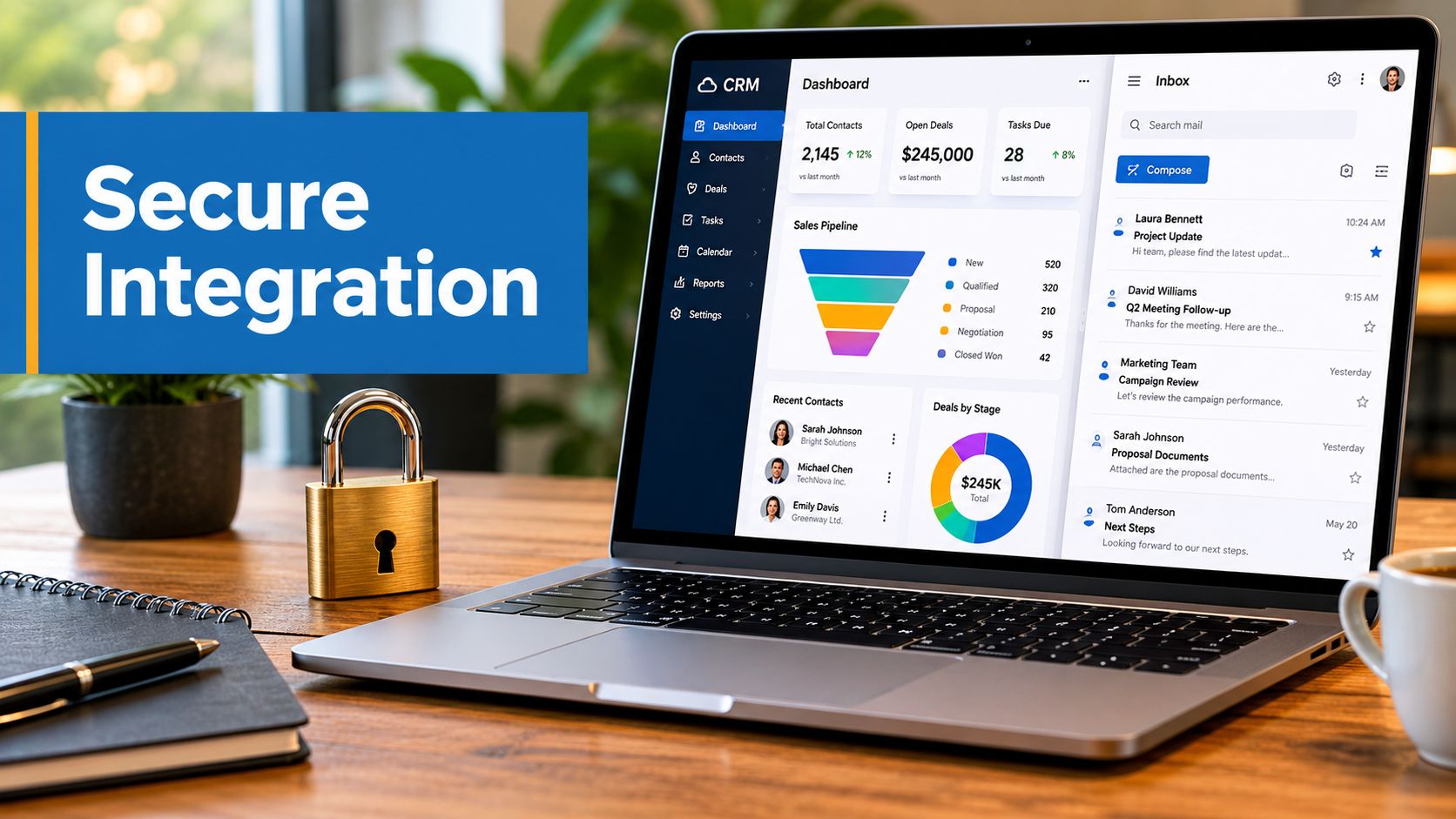
Customer data usually starts in innocent places. A spreadsheet from last quarter. Webinar registrants exported from one platform. Appointment reminders handled by a receptionist. A newsletter list living in an email tool that nobody fully trusts. Then someone asks a basic question like, “Which leads attended our webinar, booked a consult, and still haven't heard back?” and the answer takes half a day.
That's the problem with CRM and email marketing when they're managed separately. The data exists, but it doesn't move cleanly. Sales sees one version of the customer. Marketing sees another. Support has context nobody else can access. Customers feel that disconnect immediately. They get generic campaigns after they already bought, no follow-up after a demo, or the wrong message at the wrong time.
In healthcare, education, and B2B services, the risks are higher. One missed follow-up can mean a lost patient, a no-show student, or a stalled deal. One careless sync can create a compliance issue. A good integration fixes both sides of the problem. It improves communication and tightens control.
The Power of Connecting Your Customer Data
A common setup looks like this. The clinic has patient inquiries in a CRM, appointment notes in another system, and educational updates going out through an email platform. The coaching center has webinar signups in one place, enrollment records somewhere else, and a monthly email blast sent to everyone. The small business has leads from forms, calls, and referrals, but nobody can tell which contacts are active, dormant, or already in a sales conversation.
That fragmentation causes three predictable failures.
- Follow-ups slip: A prospect requests information, attends a webinar, or fills out a form, but nobody triggers the next step.
- Messages lose context: Existing customers get the same campaign as brand-new leads.
- Teams duplicate work: Staff export, clean, and re-upload lists instead of improving campaigns.
When CRM and email marketing are connected properly, that mess becomes a working system. The CRM holds the identity, lifecycle stage, and relationship history. The email platform uses that information to send the right message based on something real, such as a registration, appointment, renewal window, purchase, or period of inactivity.
A practical example helps. A telemedicine clinic might track a patient inquiry in the CRM, mark the record when an appointment is booked, and use that status change to send confirmation details, pre-visit instructions, and post-visit education. The same logic applies to a training business. If someone registers for a webinar but doesn't attend, they should receive a replay and a different follow-up than someone who attended live and asked a question.
Practical rule: If a team has to export a CSV to keep customer communication relevant, the integration isn't finished.
The strongest setups don't try to send more email. They send fewer, better-timed emails. That's the shift that makes CRM and email marketing useful instead of noisy.
CRM vs Email Marketing The Brain and The Voice
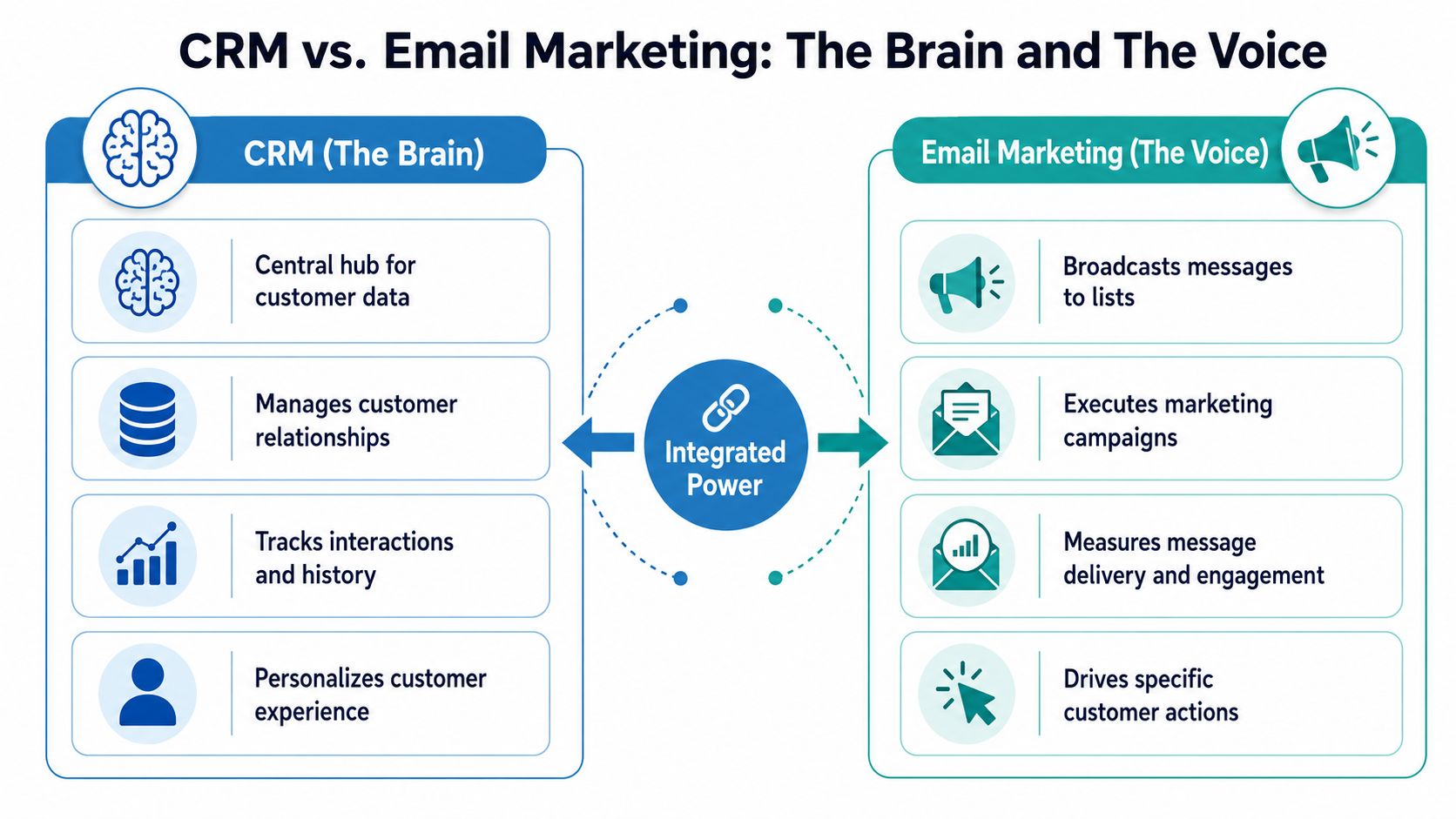
The easiest way to separate these tools is this. The CRM is the brain. The email platform is the voice.
The brain remembers. It stores contact records, ownership, lifecycle stage, sales notes, support history, consent status, and account context. The voice speaks. It delivers campaigns, nurtures segments, sends automated messages, and measures engagement.
What the CRM actually does
A CRM should answer operational questions without forcing your team to hunt through inboxes.
- Who is this person: Contact details, company, role, referral source, and account ownership
- What has happened: Calls, meetings, support cases, forms submitted, purchases, and status changes
- What should happen next: Tasks, reminders, pipeline stage, and lifecycle progression
In a healthcare setting, the CRM may also hold communication permissions, patient inquiry status, and non-clinical engagement history. In education, it may track application stage, webinar attendance, counselor notes, and follow-up tasks. In B2B, it often ties together marketing responses and sales activity.
What the email platform actually does
An email platform takes the logic from the CRM and turns it into communication at scale. That can be a welcome series, appointment reminder, renewal prompt, product education flow, webinar follow-up, or re-engagement sequence.
It also gives marketers delivery and engagement data. According to eWay-CRM's overview of CRM versus email marketing, benchmark email performance includes an average open rate of 34.23% and an optimal click-through rate of 2.66%. Those numbers matter because they show email is measurable when it's used as an execution channel rather than a generic broadcast tool.
The mistake teams make is expecting one tool to replace the other. A CRM alone won't run advanced campaigns well. An email tool alone won't manage the full customer relationship well.
What changes when they work together
Once the brain and voice are linked, communication gains context. A “book a demo” form can update the CRM, assign ownership, and start a personalized sequence. A canceled subscription can pause promotional emails and trigger a service recovery path. A webinar registration can place the contact into a relevant nurture track.
For teams trying to optimise email campaigns, this is the practical advantage. You stop building lists manually and start using customer state, behavior, and consent as the basis for communication.
If your email platform knows a contact clicked but your CRM doesn't, sales loses context. If your CRM knows the customer renewed but your email tool doesn't, marketing looks careless.
Why Integrating These Tools Is a Game Changer
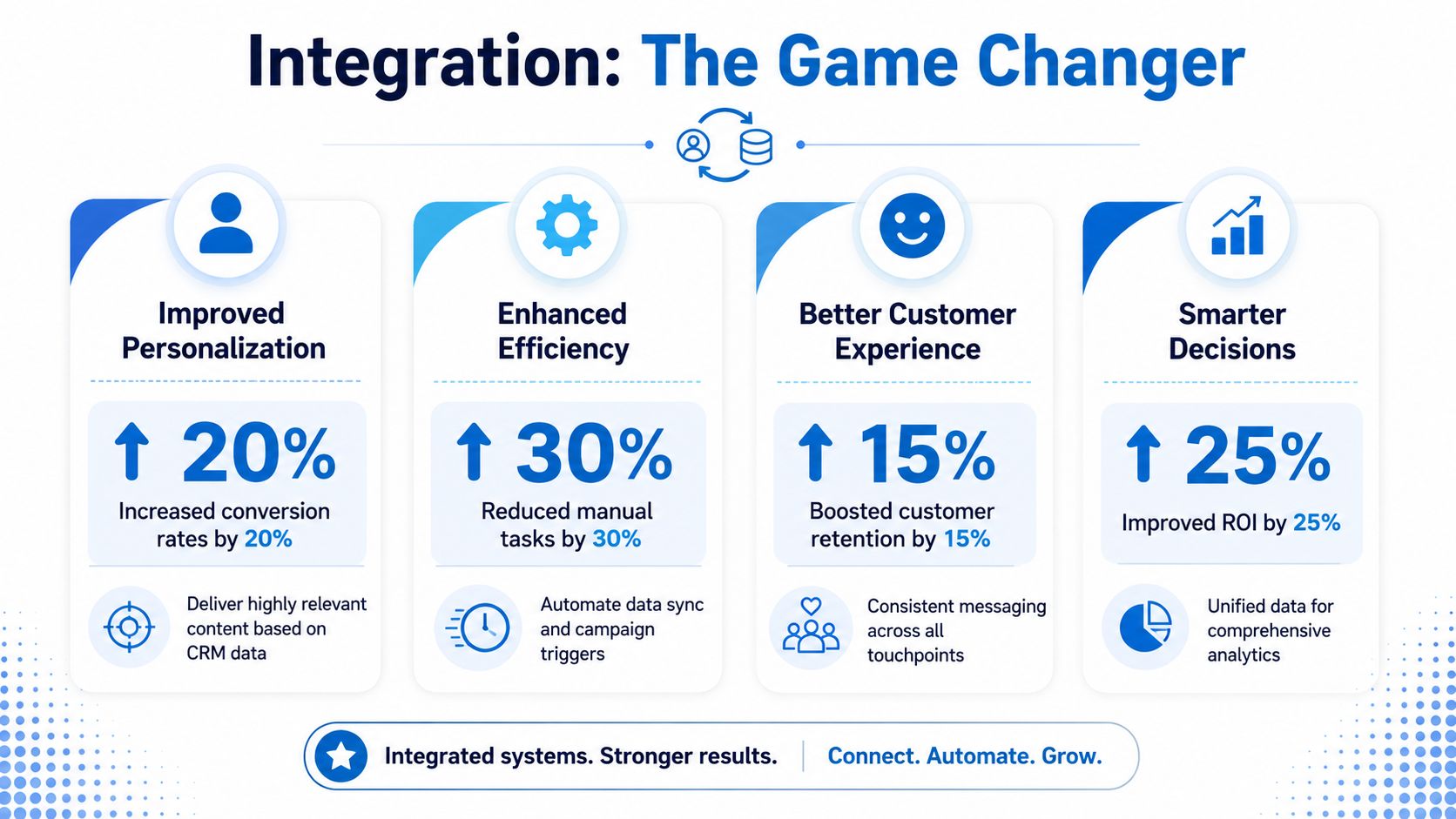
The value of CRM and email marketing integration isn't that it feels modern. It's that it turns customer data into action without requiring staff to babysit the process.
Email remains worth investing in because the economics are still strong. Digital Applied's 2026 email marketing statistics roundup cites projected email marketing ROI at roughly $36 to $42 returned for every $1 spent, with Salesforce cited at $38 per $1. The same source also notes projected global scale of 4.48 billion email users in 2026 and 361.6 billion emails sent and received per day worldwide. At that volume, relevance matters more than volume.
It fixes the customer journey
Disconnected tools create awkward handoffs. Marketing sends a nurture sequence after sales already made contact. Support resolves an issue, but the customer still gets an upsell message the next morning. Education providers invite enrolled students to “learn more” about the program they already paid for.
Integration cleans that up because everyone works from the same record. Status changes in the CRM can suppress the wrong messages and trigger the right ones.
A simple workflow example:
| Customer event | CRM update | Email action |
|---|---|---|
| Webinar registration | New lead created, source tagged | Confirmation and reminder series |
| Consultation booked | Lifecycle stage updated | Prep instructions |
| Purchase completed | Customer status applied | Onboarding sequence |
| Inactivity detected | Engagement flag changed | Win-back sequence |
It improves response quality, not just output
A broad blast treats everyone like they have the same intent. A connected system treats communication as a response to behavior. That's the difference between sending a monthly newsletter to ten thousand people and sending a precise follow-up when someone does something that signals interest.
That's why trigger-based campaigns tend to outperform batch sends qualitatively. They match timing, context, and content more closely.
- Cart or form abandonment: Follow up while intent is still fresh
- Post-purchase or post-appointment: Deliver instructions, education, or next-step guidance
- Lifecycle shifts: Move people into different messaging once they become a lead, opportunity, customer, or inactive contact
It saves operational time
Manual list work is expensive even when nobody budgets for it directly. Someone exports data. Someone checks duplicates. Someone asks whether unsubscribes have synced. Someone notices a field mismatch after the campaign is already live.
A solid integration removes most of that friction. Teams spend less time reconciling records and more time improving copy, segment logic, and handoff rules.
The strongest ROI often comes from fewer mistakes. A prevented bad send, duplicate message, or missed follow-up is operational value, even if it doesn't show up neatly in one dashboard.
For regulated industries, there's another reason this is a game changer. When systems are unified properly, consent, permissioning, and communication history are easier to audit. That's not just cleaner marketing. It's safer operations.
Powerful Automation Workflows You Can Build Today
High-performing CRM and email marketing programs usually come down to one thing. They translate customer events into immediate, relevant communication. Not every workflow needs to be complicated. It needs to be dependable.
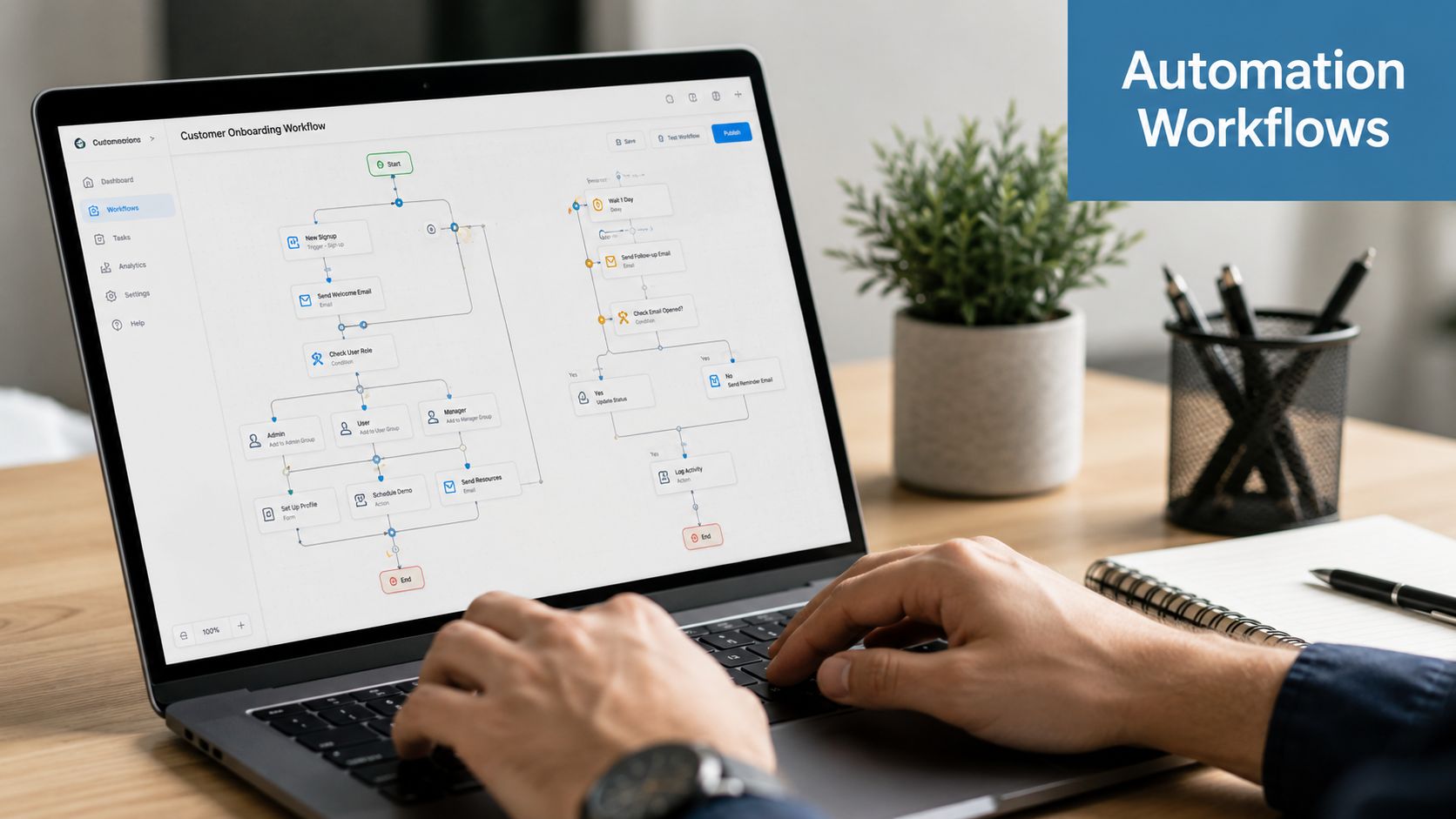
Relationship One's guidance on using email marketing data effectively is useful here because it frames the mechanism clearly. Better performance comes from micro-segmentation based on behavior signals like purchase recency, website or app activity, geographic time zone, and prior engagement. In practice, CRM events become rules that trigger the next-best message.
The telemedicine patient journey
This workflow works well for clinics, private practices, and remote care teams. The key is using operational status changes, not ad hoc list uploads.
Patient inquiry arrives
The CRM creates a contact record with source, service line, and communication permission status.
Email sends a confirmation that the inquiry was received and explains the next step.Appointment booked
The CRM updates the lifecycle or appointment field.
Email sends booking confirmation, intake instructions, and any non-sensitive preparation steps.Appointment reminder window opens
The reminder is triggered from the appointment status and date logic.
If your communication stack includes SMS as well, use it only for concise reminders and keep protected information out unless your workflow and platform are designed for compliant use.Consultation completed
The CRM marks the appointment complete.
Email delivers follow-up resources, care instructions approved for email, and a request for feedback if appropriate.No follow-up booked after a defined inactivity window
The CRM flags inactivity.
Email sends a prompt to schedule the next consultation or contact the office.
What works: lifecycle triggers tied to verified statuses. What fails: sending reminders from a disconnected calendar while the CRM and email platform don't know whether the visit happened.
The webinar lead nurture flow
This one matters for software companies, coaches, educators, and B2B services. Webinar leads are often mishandled because attendance data never gets back into the CRM.
Use three segments after the session:
- Registered but absent: Send replay, summary points, and a soft next step
- Attended live: Send a recap, resource links, and a stronger call to action
- Asked a question or clicked a follow-up offer: Route to a higher-intent segment and notify sales or admissions
A practical enhancement is to align your event marketing process with advice on increasing webinar attendance, then let attendance and engagement data determine the follow-up path instead of using one generic post-event email.
A webinar isn't one campaign. It's a sequence of states: registered, reminded, attended, engaged, converted, or dropped. Your CRM should know which state each person reached.
The SMB sales funnel workflow
This is the most transferable setup for service businesses and SaaS teams.
A new lead submits a form. The CRM records lead source, product interest, and owner. The email platform starts a short educational sequence. If the lead engages with high-intent content such as pricing, implementation, or comparison pages, the CRM updates that activity and creates a task for a rep.
A clean version looks like this:
| Trigger | CRM action | Email action | Human action |
|---|---|---|---|
| New inquiry | Create lead, assign owner | Welcome email | None yet |
| Resource download | Tag topic interest | Send related content | None yet |
| Pricing interest | Update engagement score or intent flag | Send evaluation guide | Create rep task |
| No engagement | Mark lead dormant after your chosen rule | Send re-engagement email | Optional review |
What works:
- Behavioral triggers based on meaningful actions
- Suppression rules so sales outreach and automated nurture don't collide
- Clear ownership once a contact reaches a handoff threshold
What doesn't:
- Triggering sales tasks for every open
- Sending the same nurture to active buyers and cold leads
- Letting engagement data stay trapped in the email platform
Keep automation narrow at first
The best first workflows aren't the flashiest. They're the ones your team can trust every day.
Start with one workflow in each category:
- Operational: appointment or booking confirmation
- Commercial: lead nurture after form fill
- Retention: inactivity or renewal reminder
Once those behave reliably, add branching logic, webinar pathways, or content clustering. Teams that try to automate everything at once usually create a maze of overlapping rules, stale segments, and hard-to-diagnose errors.
Implementing Your Integration A Practical Checklist
A secure CRM and email marketing setup depends less on clever automation and more on disciplined implementation. The safest approach is simple. Decide which system owns the truth, sync only what's necessary, and document every rule.
Nutshell's explanation of CRM and email marketing integration gets the architecture right. The CRM should act as the system of record for identity, lifecycle stage, and consent. The integration should sync only mapped fields needed for segmentation and automation, then write email interactions back into the CRM to preserve a complete interaction history.
Start with tool strategy
The first decision is structural. Do you want an all-in-one suite or separate tools connected through native integrations or middleware?
An all-in-one platform usually gives you simpler administration, fewer sync failures, and a more unified permission model. Separate tools usually give you more flexibility, stronger specialization, and cleaner replacement paths if one system stops fitting.
The author brief asked for price comparisons, so here's a practical planning table. These are illustrative market-position estimates for budgeting only, not vendor-quoted prices, because no verified pricing data was provided for third-party tools.
| Platform | Starting Price (per user/mo) | Best For | Includes Webinars |
|---|---|---|---|
| HubSpot | Contact vendor for current pricing | Teams wanting CRM and marketing in one ecosystem | Some plans and add-ons may support event workflows. Verify current offering |
| Salesforce plus Marketing Cloud | Contact vendor for current pricing | Complex enterprise environments | Webinar support typically depends on integrations |
| Zoho CRM plus Zoho Campaigns | Contact vendor for current pricing | Budget-conscious SMBs wanting broad native coverage | Webinar capability may depend on adjacent Zoho products |
| Microsoft Dynamics 365 plus customer engagement tools | Contact vendor for current pricing | Organizations already invested in Microsoft | Webinar support often depends on Microsoft ecosystem choices |
| Pipedrive plus Mailchimp or similar | Contact vendor for current pricing | Sales-led SMBs using best-of-breed tools | Usually requires a separate webinar platform |
If your teams are already evaluating broader operations software, this guide to best collaboration tools for remote teams helps frame webinar, meeting, and teamwork requirements alongside CRM and email decisions.
Map fields before you connect anything
Most integration problems are field problems. Not software problems.
Create a field map that answers these questions:
- Identity fields: Which system owns name, email, phone, company, and unique contact ID?
- Lifecycle fields: How do lead, prospect, customer, inactive, and other stages translate across systems?
- Consent fields: Where is permission stored, updated, and audited?
- Behavior fields: Which opens, clicks, registrations, attendance markers, or content interests should sync back?
A practical field map might include:
| CRM field | Email platform field | Direction |
|---|---|---|
| Lead source | Segment or audience tag | CRM to email |
| Lifecycle stage | Journey eligibility | CRM to email |
| Consent status | Subscription status | CRM to email |
| Last email click | Engagement attribute | Email to CRM |
| Webinar attendance | Event tag | Email or event system to CRM |
Define sync rules and security controls
Not all fields should sync both ways. For example, lifecycle stage often belongs under CRM control, while engagement signals such as clicks or opens should flow back into the CRM. Set cadence intentionally. Some workflows need near-real-time updates. Others can tolerate scheduled syncs.
Security belongs in the design, not as a later add-on.
- Encryption: Choose platforms that protect data in transit and at rest
- Access controls: Restrict who can export, edit, or suppress audience data
- Retention rules: Decide how long communication records and marketing attributes should stay available
- Backups and monitoring: Keep rollback options and check sync failures routinely
The safest integration is usually the least ambitious one that still supports the workflow. If a field isn't necessary for segmentation, consent, or a trigger, don't sync it.
For healthcare and education, data minimization matters. You usually don't need every operational detail inside the email platform. You need enough to send the correct message, at the correct time, with the correct permissions.
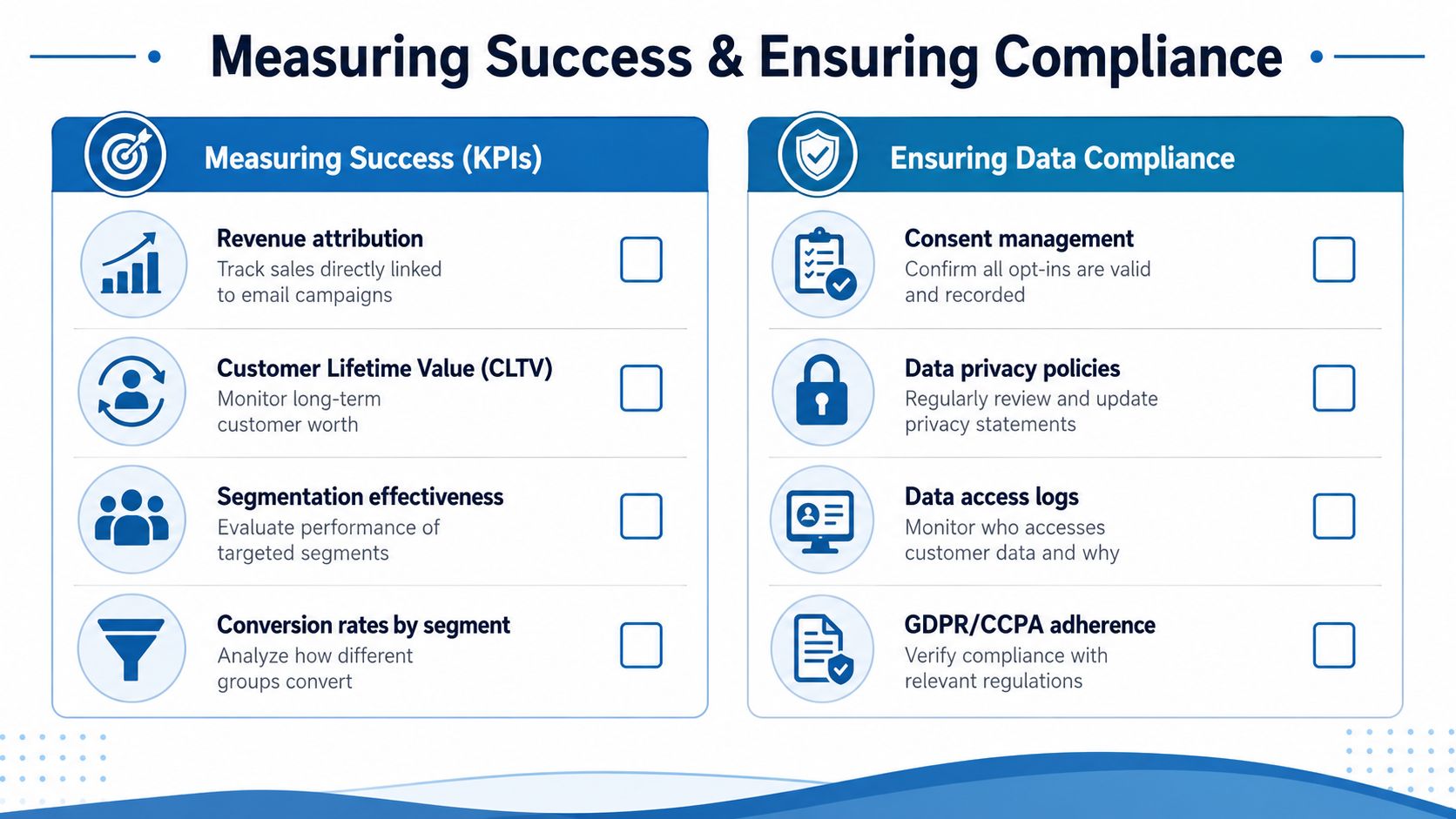
Measuring Success and Ensuring Data Compliance
After launch, many teams watch open and click reports and assume they're done. That isn't enough. Good measurement asks whether the integration improved outcomes and whether the data handling remains defensible.
Measure business movement, not vanity alone
Engagement metrics still matter. They can show whether a segment, message, or trigger is behaving differently from the rest of the program. But they're only diagnostic.
Useful post-integration KPIs include:
- Lead-to-customer conversion by source: Which forms, webinars, referrals, or campaigns create actual customers
- Revenue attribution: Which automated journeys influence pipeline and closed business
- Conversion by segment: Which lifecycle stages or interest clusters respond best
- Retention signals: Which onboarding or follow-up flows correlate with continued activity
- Segmentation effectiveness: Whether your high-intent segments perform differently from general audiences
When delivery looks suspicious, use deliverability diagnostics before changing your entire strategy. A practical resource is MailGenius's guide on how to check if emails are going to spam, which helps teams distinguish messaging problems from inbox-placement problems.
Keep data clean or your automation will drift
Automation degrades. Duplicate records multiply. Stale lifecycle stages remain unchanged. Former customers stay in prospect sequences. A webinar attendee gets imported twice with slightly different names. Every one of those errors weakens trust in the system.
A maintenance routine should include:
- Duplicate review: Merge or suppress duplicate contacts on a regular cadence
- Field validation: Check that required sync fields still populate correctly
- Workflow audits: Confirm that triggers fire only on intended state changes
- Suppression testing: Make sure customers, unsubscribes, and restricted contacts are excluded where they should be
- Permission review: Reconfirm which teams can access, export, or edit sensitive records
Privacy-first design matters more now
Stripo's discussion of how CRM and email marketing work together highlights the issue many teams still underweight. In a privacy-first environment, the value of CRM and email integration depends on the lawful ability to connect contact records, behavioral events, and consent status. That's especially important in regulated sectors and places data minimization and permissioning at the center of the design.
For healthcare providers, the practical compliance questions are stricter.
- Is protected information being exposed in email unnecessarily
- Do vendors offer contractual support appropriate for regulated workflows
- Can you audit consent, access, and communication history
- Is encryption available as a standard feature, not an expensive afterthought
If you're evaluating regulated communications infrastructure more broadly, this review of HIPAA-compliant video conferencing platforms is a useful companion to your CRM and email stack planning.
Compliance is not a setting you switch on after launch. It's a design choice about what data moves, where it lives, who can touch it, and why.
For education and healthcare, that usually means keeping the CRM as the permission-aware record, limiting synced fields, using encrypted systems, and documenting every workflow that touches sensitive data.
Essential FAQs for CRM and Email Marketing
Should I use an all-in-one platform or separate best-of-breed tools
Choose an all-in-one platform if your team values simpler administration, fewer moving parts, and easier onboarding. This is often the better path for smaller teams that don't have marketing operations support.
Choose separate tools if you need deeper specialization, stricter control over workflow design, or flexibility to swap vendors later. Regulated organizations sometimes prefer this approach because they can keep sensitive records in a tightly managed CRM while using the email platform for a narrower, controlled dataset.
A practical rule is to pick the architecture your team can operate reliably. The “better” stack on paper becomes the worse stack if nobody maintains mappings, permissions, and sync logic.
How much should an SMB budget for CRM and email marketing
Budgeting depends on user count, contact volume, automation needs, security requirements, and whether webinars are included. Because no verified third-party pricing data was provided, the safest way to budget is by category rather than invented figures.
- Lean setup: Basic CRM, basic email automation, limited workflows, manual webinar connection
- Growth setup: Dedicated lifecycle automation, stronger reporting, event syncing, better permission controls
- Regulated setup: Added compliance review, encryption requirements, restricted access roles, more careful vendor vetting, and often contractual review
Cost isn't just software. It includes implementation time, workflow testing, training, and ongoing data hygiene. For healthcare and education, it also includes the cost of getting security and permissioning right.
Can this integration handle webinar attendees well
Yes, and this is one of the strongest use cases. Webinar registration should create or update a CRM contact. Attendance status should return to the CRM after the event. Engagement details such as attendance, questions, or clicked follow-up resources should determine the next email sequence.
That lets you separate no-shows from attendees, prioritize high-intent contacts, and trigger customized follow-up automatically. It also gives sales, admissions, or account teams immediate context without asking marketing for another export.
What should I prioritize first if my data is messy
Start with four things: unique contact IDs, lifecycle stages, consent fields, and suppression logic. Those are the controls that prevent the most damaging mistakes.
Don't begin with a dozen advanced journeys. Begin with one booking or inquiry workflow, one webinar or lead nurture path, and one customer follow-up sequence. Once those operate cleanly, expand.
Is encryption really an added feature or just a technical detail
It's both an added feature and a buying requirement. For general business use, encryption strengthens trust and reduces risk. For regulated sectors, it's part of what makes the stack defensible. If a vendor treats encryption like a premium extra without clear controls around access and auditability, that should trigger more scrutiny.
If you need secure webinars, browser-based meetings, and straightforward pricing without enterprise friction, AONMeetings is worth a look. It starts at ₹179 per user per month, includes built-in webinars, unlimited meeting time, and bank-level encryption, and supports healthcare, education, and business teams that need dependable communication without hidden fees or long contracts.
