
Online job fairs stopped being a stopgap a while ago. The market itself makes that clear. The global virtual career fairs platforms market is projected to grow from $7,496.77 million in 2021 to $11,136.5 million by the end of 2025, and reach $24,575.6 million by 2033, with a projected 10.4% CAGR from 2025 to 2033 according to Cognitive Market Research’s virtual career fairs market report.
That growth matters because it changes the standard for execution. Candidates now expect convenience. Recruiters expect usable analytics. Healthcare employers and regulated teams expect secure video, controlled access, and, in some cases, HIPAA-ready workflows. Organizers who still treat online job fairs like a simple video meeting usually end up with low turnout, confused exhibitors, and weak follow-up.
The online job fairs that work usually move through five practical stages. Set the commercial and hiring goal first. Pick a platform that matches security and accessibility needs. Build promotion and registration like a demand-generation campaign. Run the event with a tight operating plan. Then squeeze value out of the data after the event closes.
Laying the Groundwork for Your Online Job Fair
Most online job fairs fail before the landing page goes live. The problem usually isn't software. It's fuzzy intent.

A hospital system hiring across nursing, allied health, and revenue cycle needs a different event than a startup trying to fill three senior engineering seats. One is building pipeline at scale and may need compliance safeguards, employer education webinars, and structured screening. The other needs fewer conversations, but much deeper ones, with technical leaders available for live video and quick scheduling.
Start with the outcome, not the event
I usually separate online job fairs into three business models:
Pipeline events
These are broad-reach fairs built to generate qualified conversations across many roles. Multi-employer fairs, university fairs, and regional workforce events fit here. Success depends on volume, booth traffic, and clean follow-up data.Precision hiring events
These are narrower. Think healthcare specialties, security-cleared talent, bilingual support teams, or hard-to-fill sales territories. In these fairs, recruiter calendars, pre-screening, and role-specific messaging matter more than flashy expo design.Brand-led events
Some fairs exist to introduce an employer, not close hires the same day. That's common with enterprise talent communities, graduate programs, and organizations entering new markets. In these cases, webinars, on-demand recordings, and strong moderator-led sessions become part of the value proposition.
Practical rule: If you can't describe what a successful attendee does within seven days after the event, your event brief isn't ready.
Match budget to the real buying logic
A lot of teams under-budget the wrong line item. They spend too much on booth cosmetics and not enough on promotion, support staffing, or post-event follow-up.
A useful budget frame includes:
- Platform cost: The technology itself, including meeting rooms, webinars, chat, recordings, waiting rooms, analytics, and security features.
- Audience acquisition: Email sends, partner promotion, social media creative, sponsor support, and registration page production.
- Event operations: Host, moderator, exhibitor onboarding, candidate help desk, and technical support coverage.
- Content value: Employer briefings, prep webinars, FAQ pages, and post-event recordings.
- Follow-up labor: Recruiter time, candidate nurturing, shortlist review, and analytics reporting.
If you're hosting a single-company hiring day, a subscription model often makes more sense than a one-off event fee because you can reuse the same stack for recruiter training, candidate prep sessions, and manager interviews. If you're running one large annual expo, a per-event commercial model may be easier to justify internally.
Write a sharper value proposition
Exhibitors and candidates don't register for "a great networking opportunity." That's too vague. They register for clear outcomes.
For exhibitors, useful value propositions sound like this:
- Healthcare employers: Secure recruiter-candidate video conversations, webinar slots for department overviews, and support for accessible participation.
- University career teams: Reach students beyond campus and support employers that can't travel.
- Staffing firms: Faster qualification, cleaner transcripts of candidate intent, and recorded employer sessions for reuse.
For candidates, stronger messaging usually includes:
- Clarity on roles: Tell them what functions and seniority levels they'll find.
- Access to decision-makers: Name whether they'll meet recruiters, hiring managers, or team leads.
- Ease of participation: Browser-based access, mobile usability, reminders, and clear support if tech fails.
- Preparation help: Resume guidance, booth maps, and pre-event webinars.
The best registration pages answer one question fast: "Why should I attend this specific fair instead of waiting for the next one?"
Choose the event format early
A format decision affects nearly everything that follows.
| Format | Works best for | Operational reality |
|---|---|---|
| Single-company hiring day | Focused hiring pushes, employer branding, campus recruiting | Easier to control quality, harder to create buzz without strong promotion |
| Multi-employer expo | Chambers, workforce boards, associations, universities | Great reach, but candidate flow gets uneven if anchor employers dominate |
| Niche vertical fair | Healthcare, disability hiring, government, technical talent | Better-fit conversations, but requires sharper targeting and onboarding |
| Hybrid content plus expo | Employers that want education plus recruiting | More valuable for attendees, more production complexity |
If you're recruiting for healthcare roles, include protected interview workflows in the initial brief. If you're targeting professionals who may need accommodations, build accessibility into the format itself, not as an afterthought. That means considering captioning, chat alternatives, and interpreter-friendly layouts before contracts are signed.
Selecting Your Virtual Event Platform
Platform choice is where many online job fairs either get durable infrastructure or inherit months of friction. The wrong system creates problems that no amount of marketing can fix. Exhibitors struggle to log in, candidates drop out at the video stage, and the organizer spends the event acting as unpaid tech support.
Non-negotiables first
Start with the controls that protect the event and keep it usable.
For regulated hiring, especially healthcare roles, ask blunt questions about HIPAA support, data handling, access control, waiting rooms, moderation permissions, and encryption. The platform also needs practical security features such as locked rooms, controlled screen sharing, secure login, and clear admin permissions. If the vendor can only answer in general marketing language, keep looking.
Accessibility belongs in this same essential category. According to Bender Consulting’s virtual career fair page, 21% of U.S. adults have a disability, yet only 15% of general online job fairs mention accessibility features. That gap is one of the clearest signs that many organizers still evaluate platforms too narrowly.
A serious checklist should include:
- Encryption: Ask whether video and shared content are protected and what security controls admins can enforce.
- HIPAA-ready option: Essential for healthcare systems, telemedicine employers, and any recruiter discussing protected information.
- Captioning and interpreter support: Necessary for accessible live participation.
- Screen reader compatibility: Important for registration flows, chat, and navigation.
- Browser-based join: Reduces friction for candidates using managed devices or shared computers.
- Recording and searchable archives: Useful for employer sessions, training, and internal review.
- Waiting rooms and moderation: Needed to control flow and prevent room chaos.
The features that actually improve event performance
After security and accessibility, focus on tools that change outcomes.
Virtual booths matter if exhibitors can customize them with jobs, documents, links, and live staff presence. Webinar rooms matter when employers need to present culture, departments, or application advice to groups. Breakout rooms matter when recruiters need private screening conversations. Chat matters most when candidates are anxious about jumping straight to video and want a lighter first touch.
For international or regional events, I also check reminder options and mobile usability. A fair aimed at professionals across time zones often benefits from clear agenda pages and local market context. If you're planning outreach around regional meetups and career communities, this list of networking events Singapore 2026 is a useful example of how job seekers discover adjacent career opportunities outside a single platform.
Buy the platform for the failure points you need to prevent, not for the demo features you'll never operationalize.
Online Job Fair Platform Feature and Price Comparison
The pricing side gets messy fast because vendors use different billing models. Some charge per organizer seat, some per host, some per event, and some wrap core features into higher tiers. If you run recurring online job fairs, hidden add-ons become expensive quickly.
Below is a practical comparison format to use during procurement. Where a vendor's public pricing isn't clearly disclosed in the provided materials, mark it as custom and verify it directly before budgeting.
| Platform | Starting Price (per user/month) | HIPAA-Compliant Option | Webinars Included in Base Plan | End-to-End Encryption |
|---|---|---|---|---|
| AONMeetings | ₹179 per user/month | Yes | Yes | Bank-level encryption |
| RecruitMilitary Virtual Career Fair packages | Custom or event-based pricing | Not stated in provided materials | Not stated in provided materials | Not stated in provided materials |
| Enterprise meeting platforms with event add-ons | Often custom | Varies by plan | Often tier-dependent | Varies by vendor |
AONMeetings appears in many shortlists because its published product details are straightforward: ₹179 per user per month, browser-based access, unlimited meeting time, webinars included, recordings, waiting rooms, breakout rooms on advanced tiers, and bank-level encryption. If you're comparing stacks side by side, this virtual event platform comparison guide is a useful framework for evaluating trade-offs across pricing and feature depth.
How pricing models affect ROI
The cheapest sticker price isn't always the lowest event cost.
Here are the three models I see most often:
Per-event pricing
Useful for annual expos or association-hosted fairs. The downside is that every prep webinar, exhibitor training, and make-good session can become an extra decision.Per-user monthly pricing
Better when your team runs ongoing online job fairs, employer webinars, candidate coaching, and follow-up interviews from the same account structure. Predictable, easier to budget, and usually more efficient over time.Custom enterprise contracts
Sometimes necessary for large procurement environments. They can work well, but they often introduce lock-ins, approval delays, and add-on fees for recordings, branding, or webinar capacity.
A practical example: a healthcare recruiting team may need one platform that handles recruiter intake calls, candidate webinars, secure 1:1 interviews, and post-event recordings. In that case, a monthly subscription with encryption and webinar hosting included is easier to defend than stitching together separate tools.
A platform scorecard that keeps teams honest
When teams evaluate vendors, I recommend a weighted scorecard with four top rows:
| Evaluation area | What to verify |
|---|---|
| Security and compliance | Encryption, access controls, meeting lock, waiting rooms, HIPAA option |
| Accessibility | Captioning, text alternatives, interpreter support, screen reader behavior |
| Revenue and value | Included webinars, branding controls, recording access, sponsor visibility |
| Operating ease | Browser join, exhibitor onboarding, support, analytics, room management |
That scorecard tends to kill off weak options quickly. It also prevents a common mistake. Buying a general video tool and then trying to force it into an event workflow it wasn't built to support.
Crafting Your Promotion and Registration Strategy
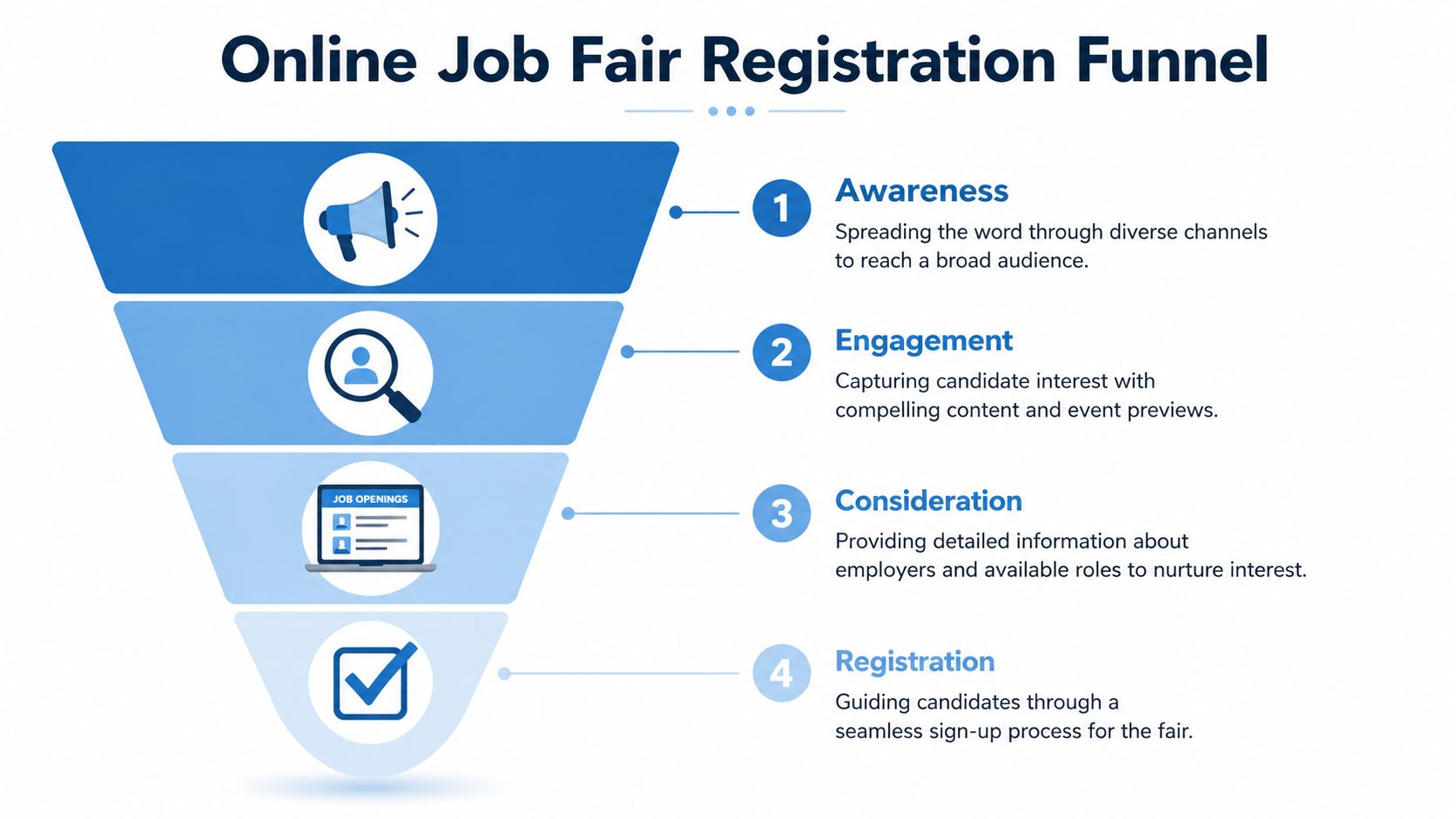
Strong online job fairs are marketed like launches, not calendar invites. If promotion starts late, registration quality suffers. If registration pages stay vague, the list fills with people who won't attend. If reminders are generic, no-shows rise and recruiters assume the event itself was the problem.
Build the timeline backward from live day
The best cadence starts well before launch day and uses different messages for exhibitors and candidates.
A workable campaign rhythm looks like this:
- Early phase: Announce the event theme, participating employers or sectors, and candidate value. Partner organizations, universities, industry groups, and alumni networks offer support.
- Middle phase: Publish employer spotlights, role categories, FAQ content, and practical prep guidance.
- Late phase: Push urgency, session reminders, booth previews, and direct calendar prompts.
- Final stretch: Send logistics, login guidance, support contacts, and one-click access reminders.
The biggest miss I see is sending the same message to everyone. Active candidates need role clarity. Passive candidates need a reason the event is worth their time. Exhibitors need confidence that turnout will be relevant.
Registration pages that convert better
A registration page for online job fairs has one job. Reduce uncertainty.
That means the page should answer these points quickly:
- Who should attend
- Which roles or industries are represented
- What the attendee can do live
- How the platform works
- What happens after registration
If you can host a short prep webinar before the event, do it. It improves commitment and screens out people who registered casually. It also lets you demonstrate the event flow, show where booths and webinars live, and address tech concerns before event day. For ideas on tightening reminder sequences and attendance-driving tactics, this guide on increasing webinar attendance maps well to online job fair promotion.
Field note: Registration friction usually comes from uncertainty, not form length. People abandon when they don't understand what they'll get.
Practical messaging examples
Instead of broad copy, use direct invitations tied to actual outcomes.
Candidate email example
- Subject: Meet hiring teams for clinical, operations, and support roles online
- Opening: Join a live online job fair where you can speak with recruiters, attend employer briefings, and ask role-specific questions without traveling.
- Body cue: Highlight employers or functions, mention browser-based access, and explain whether 1:1 video chats or booth chats are available.
Exhibitor outreach example
- Subject: Reserve a virtual booth for our upcoming healthcare hiring event
- Opening: We're inviting employers that need direct access to qualified candidates in nursing, allied health, administration, and support services.
- Body cue: Explain booth format, webinar opportunities, branding options, and reporting available after the fair.
Social post example
- Headline: Talk to employers, not just application forms
- Support line: Attend live recruiter sessions, explore openings, and join from your laptop or phone.
What works better than more ad spend
Teams often ask whether they should spend more on paid social. Sometimes. But better segmentation usually beats higher spend.
The channels that tend to perform best are:
- Partner lists: Universities, associations, nonprofits, alumni groups, and workforce programs
- Employer amplification: Ask exhibitors to invite their own talent communities
- Role-based emails: Segment by discipline, not just location
- Content-led reminders: Share employer spotlights, session previews, and prep resources instead of generic countdown messages
A practical example from healthcare: if the event includes nursing roles, pharmacy roles, and non-clinical operations, don't push one blended campaign. Build separate invitation tracks. The language, timing, and urgency are different for each audience.
Executing a Flawless Live Event
Launch day doesn't reward optimism. It rewards runbooks.
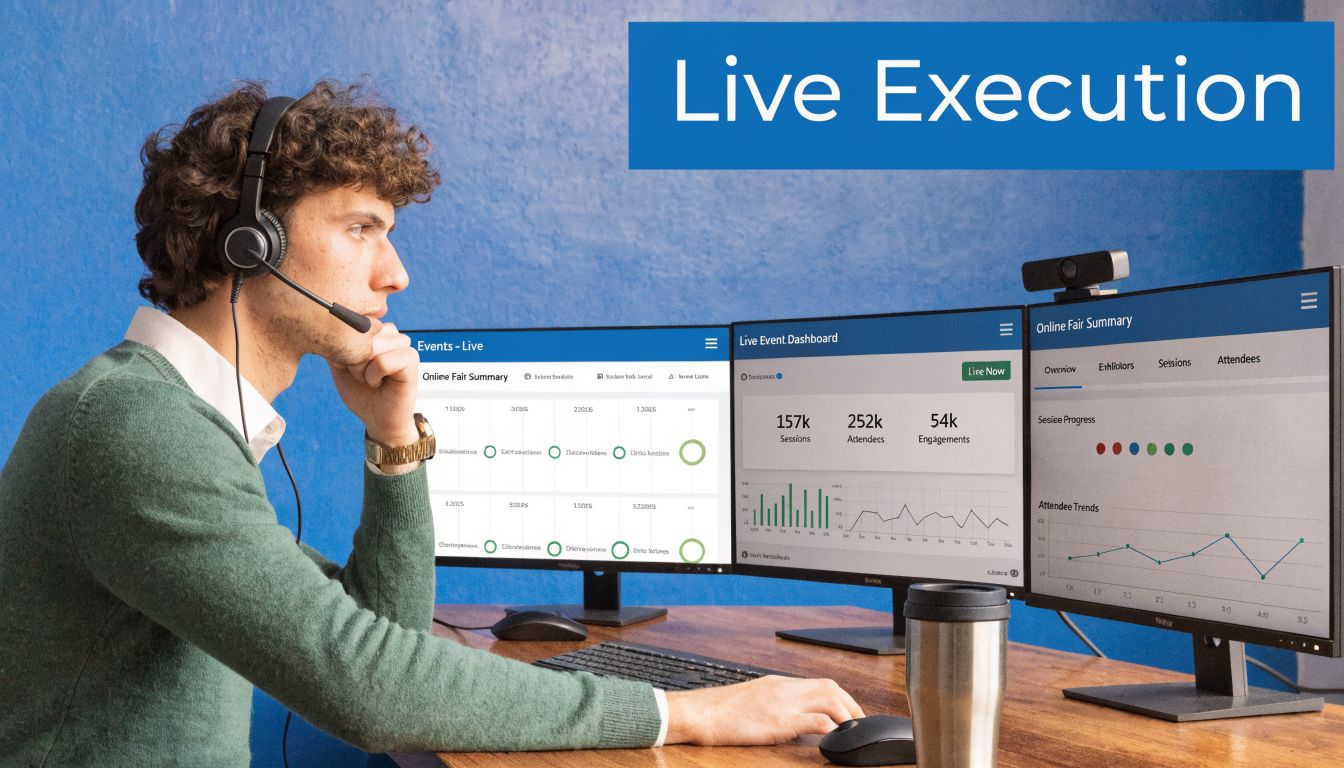
One reason execution matters so much is that virtual hiring has become normal behavior, not a novelty. According to UMGC’s guidance on virtual career fair success, 78% of recruiters see virtual platforms as essential for hiring, 65% of candidates prefer attending from home, and poor pre-outreach can pull attendance below the 50% benchmark. That's the backdrop event teams are working in. Candidates have options, and they leave fast when an event feels disorganized.
What the day actually looks like
A clean event day usually starts before attendees ever enter.
At minimum, the operating team should already have:
- a host controlling announcements and timing
- technical support monitoring access issues
- exhibitor liaisons handling recruiter questions
- candidate concierges helping attendees find the right booths or sessions
A typical live sequence runs like this. The host opens the lobby early. Support checks whether recruiters are in their assigned rooms. Candidate concierges watch the first wave of arrivals and redirect people who land in the wrong space. Exhibitor liaisons nudge quieter booths to update status, open chats, or invite waiting attendees into video.
If one employer is flooded while another sits empty, don't let the imbalance drag on. Push a lobby announcement. Spotlight an upcoming webinar. Direct overflow candidates to adjacent employers with similar openings. Good traffic management is active, not passive.
The technical runbook that prevents chaos
The runbook should be detailed enough that someone else can step in if a lead operator disappears.
Include:
- Opening sequence: Lobby live time, welcome message, support channel check, moderator presence
- Employer readiness checks: Camera, mic, booth assets, job links, staffing assignments
- Candidate flow controls: Waiting room rules, queue handling, escalation path for long waits
- Session timing: Webinar starts, recruiter breaks, announcement windows, closing reminders
- Contingencies: Backup host, alternate room links, dial-in or chat fallback, speaker replacement process
Keep one separate communication channel for staff only. Mixing attendee support with internal coordination slows both.
Common failures and the fixes that work
The most common live-event problems are boringly predictable.
| Problem | What usually caused it | What fixes it |
|---|---|---|
| Recruiters aren't getting conversations | Booth staff are passive or unclear about status | Train them to greet, invite, and use visible availability cues |
| Candidates say they can't find the right employer | Poor lobby structure or weak signage | Use role categories, search, pinned help desk, and concierge support |
| Video rooms back up | No triage, no scheduling, too few recruiters | Add chat screening, overflow rooms, or time-boxed intro calls |
| Speaker audio fails during a webinar | No pre-check or weak backup plan | Run earlier checks and keep a moderator ready to continue by chat or voice |
| Exhibitors disappear after the first hour | No staffing plan, low energy, poor expectation-setting | Require coverage windows and provide real-time prompts from liaisons |
One healthcare fair I worked on had a common pattern. Candidate demand spiked in the first hour for clinical roles, while support-function booths stayed quiet. The fix wasn't better design. It was a live adjustment. We moved a concierge into the lobby, guided candidates by specialty, and had the host announce employer sessions that highlighted overlooked teams. Traffic became more balanced because someone actively steered it.
Keep exhibitors engaged for the full window
Recruiters often assume the first burst is the whole event. That's a mistake.
Candidates join throughout the session, especially when reminder emails and calendar alerts hit in waves. If recruiters wander off, mute notifications, or leave their booth unattended, they miss later high-intent conversations. That hurts everyone because candidate perception drops quickly when rooms look empty.
A few operating practices help:
- Set staffing expectations before event day
- Require a final booth status check before the midpoint
- Send exhibitors quick prompts about upcoming attendee surges
- Use the host to spotlight booths with immediate openings or live sessions
The fairs that feel polished aren't always the most expensive. They're the ones with visible staff presence, clear room logic, and fast help when something goes wrong.
Measuring Success and Driving Post-Event ROI
The event isn't over when the lobby closes. That's when the expensive part starts paying off, or doesn't.
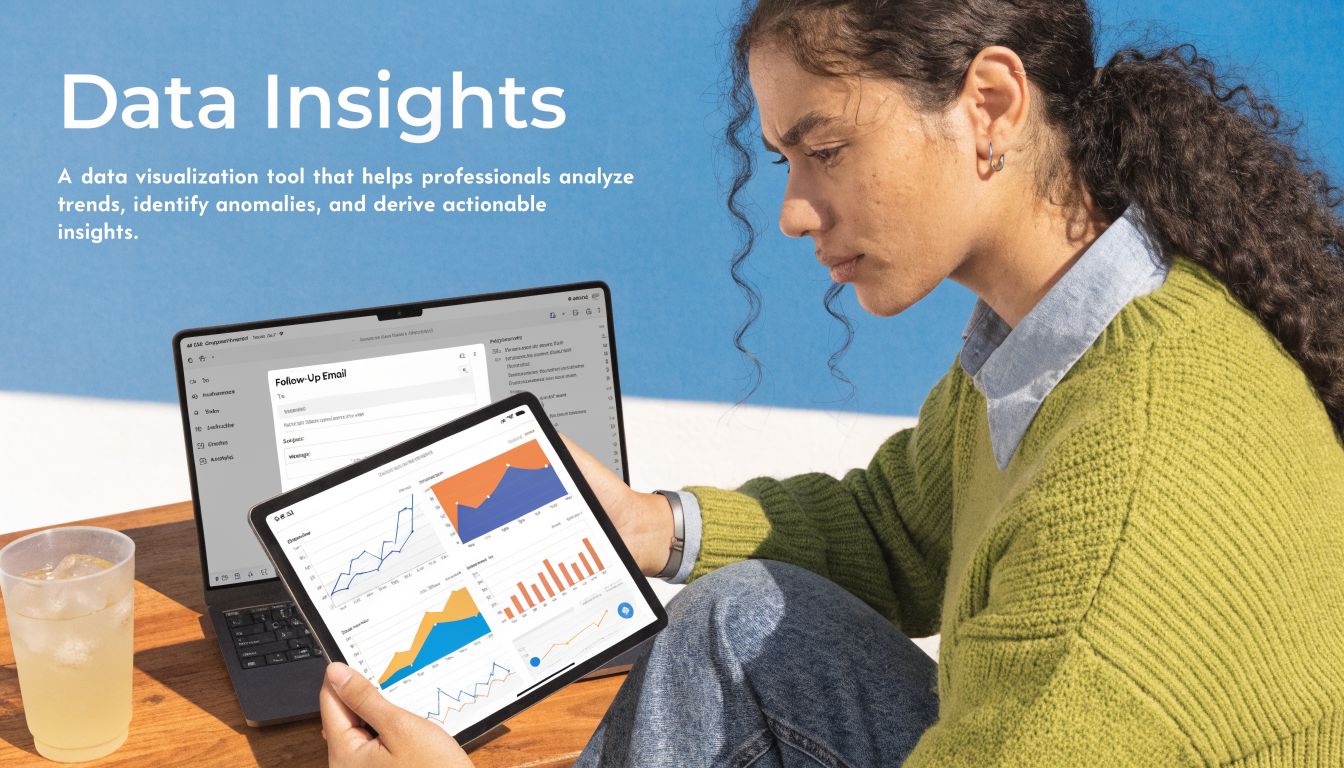
A lot of organizers stop at registrations and attendance. That's too shallow. According to Radancy’s guidance on tracking metrics for virtual hiring events, the attendance rate averages 50% in recruitment, and 10% to 20% of virtual fair conversations lead to interviews among Radancy customers. That makes post-event conversion tracking far more important than vanity metrics.
The metrics that deserve a dashboard
You need a short KPI set that connects event behavior to hiring movement.
Start with:
- Attendance rate = attendees divided by invitations sent, or by pre-registrations if that's how your team tracks
- Conversation-to-interview conversion = interviews created from event conversations divided by total qualified conversations
- Exhibitor engagement quality = booth activity, response time, live session participation, and follow-up completion
- Cost per meaningful outcome = total event cost divided by interviews, shortlisted candidates, or hires, depending on your objective
If the platform supports recordings and searchable archives, use them. Reviewing recruiter sessions, webinar Q&A, and booth interactions helps hiring managers understand candidate intent without relying only on memory. For teams building reusable employer content, this guide on recording webinars effectively is useful because many of the same practices apply to online job fairs.
A simple ROI review process
The cleanest post-event review has three passes.
First pass. Operational review
Did exhibitors stay active, did support volume spike in one part of the event, and did any room structure cause avoidable confusion?
Second pass. Funnel review
Compare registrations, attendance, conversations, interview creation, and accepted offers over time. Don't force same-day judgment. Most events don't produce immediate hires.
Third pass. Segment review
Break results by employer, role family, source channel, and session type. Sometimes the event underperformed overall, but one discipline or one promotion channel worked well enough to scale next time.
Poor follow-up can erase a strong event. Candidates often judge the fair by what happens in the next few days, not by the live session alone.
Follow-up sequences that keep value alive
A practical post-event sequence usually includes separate paths.
| Audience | Recommended follow-up |
|---|---|
| Attended and engaged | Thank-you note, role links, next-step timeline, recruiter contact |
| Attended but lightly engaged | Session replay, top employers, invitation to apply or book a follow-up |
| Registered but did not attend | Replay or recap, future event invite, selected open roles |
| Exhibitors | Analytics pack, candidate highlights, reminder to update outcomes |
The candidate emails should be fast and specific. Not "thanks for attending." Instead, send links to roles discussed, replay access for employer sessions, and a clear application or interview path.
For exhibitors, send more than traffic numbers. Include which booths saw strong interest, where chat volumes were high, and which candidates asked role-ready questions. That makes the event easier to defend when budget review comes around.
What real post-event discipline looks like
The strongest teams hold recruiters accountable for event-sourced outcomes. They tag candidates properly in the ATS. They compare attendee conversion against other channels. They ask whether a webinar created stronger conversations than a booth chat. They identify which employers or internal departments were present but inactive.
That's where online job fairs become profitable instead of merely busy. Not by counting who showed up, but by tracing who moved.
The Future of Virtual Recruitment
Online job fairs are now part of the recruitment operating model. The teams getting the most from them aren't treating them like digital posters with chat boxes. They're combining secure platform choice, accessible design, disciplined promotion, active moderation, and hard-nosed follow-up.
That matters even more in specialized hiring. Healthcare recruiters, for example, often need compliant video workflows and sharper sourcing inputs before the event even begins. Resources like these best healthcare job boards can help build stronger upstream candidate flow into virtual events.
If you're evaluating technology for secure online job fairs, AONMeetings is worth a look for teams that need HIPAA-compliant video, built-in webinars, encryption, browser-based access, and straightforward monthly pricing without contract-heavy event tooling.
