AONMeetings India for live learning

Virtual classroom software India

Run live classes in a browser-based classroom that is simple for learners to enter and practical for teachers to lead, share and follow up.

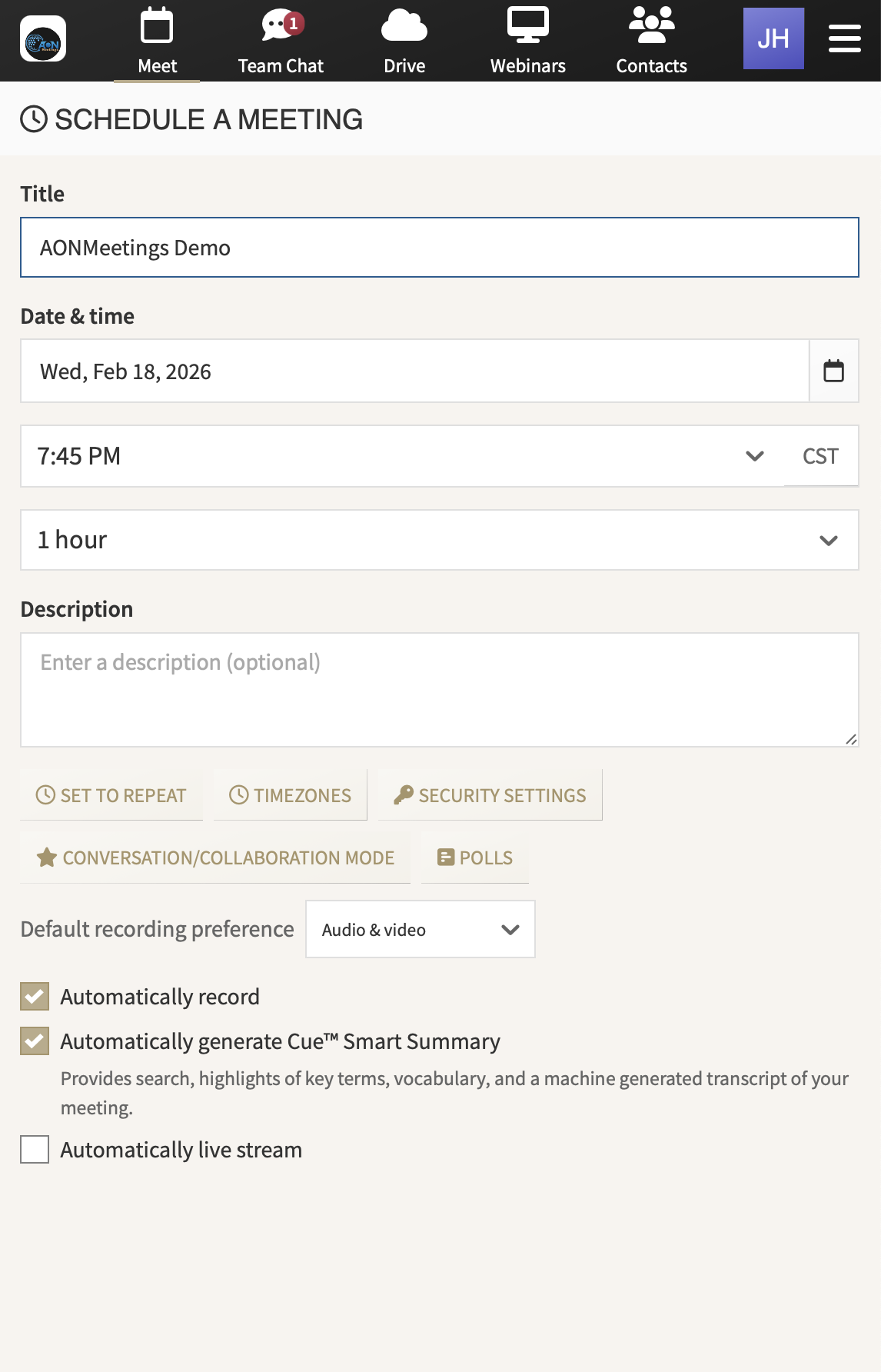
AONMeetings interface for scheduling a virtual classroom

One class link. A more straightforward start for every learner.

Built for the lesson

Make the classroom easier to join and easier to run.

Virtual classroom software has to support more than a live video feed. A learner should be able to enter with confidence, even when they are joining from a home laptop, a shared device or a work browser. The person teaching needs a reliable way to bring the lesson materials into the room, check who is present and keep questions from derailing the session.

AONMeetings gives tutors, coaching centres, schools and training teams a practical live classroom without putting a download hurdle in front of the learner. Share one browser link for the class, then use the same familiar space for a tuition batch, a skills workshop, a demonstration, a guest session or a larger learning event.

It is also a practical choice when the teaching programme has more than one moving part. A course coordinator can give every instructor the same joining process. A tutor can prepare a recurring batch without rewriting the classroom instructions each week. A training lead can choose a more interactive session for a smaller group, then use webinar capacity when a wider audience needs to attend. The experience stays recognisable for learners while the format changes to suit the lesson.

What matters in a live class

Give learners a clear entry point and instructors room to teach.

01

Start with one link learners understand

Class time is too valuable to lose to app installs, account setup and last-minute joining instructions. With AONMeetings, teachers can share a browser-based class link that learners open from a modern browser. It is a clearer start for school students, parents, working professionals and external participants who may be joining from different devices.

02

Teach from the material, not around it

A lesson becomes easier to follow when the teacher can show the slide, worksheet, demonstration or document at the moment it matters. Screen and document sharing keep the class centred on the subject rather than asking learners to switch between a video call, an email thread and several separate files.

03

Match classroom controls to the group

A one-to-one session and a larger batch need different levels of structure. Waiting rooms, access codes, lock options and moderator controls help the host manage entry and participation. Business and Enterprise plans add breakout rooms, private chat and annotation when a learning programme needs smaller discussions and more hands-on interaction.

04

Keep the useful follow-up close

When a class finishes, learners may need to revisit a key explanation or catch up after an absence. Recordings and smart summaries give the teaching team a practical follow-up option. Set clear rules for recording, access and retention, especially when classes include children, client information or sensitive professional discussions.

A reliable classroom rhythm

Use one familiar class space across the programme.

Teaching teams often inherit a patchwork of tools. One handles the live session, another holds the materials, another is needed for a guest event and another stores the follow-up. That may be manageable for one class. It gets harder when several instructors run regular batches, learners are joining for the first time or a programme needs to scale.

AONMeetings keeps the live part of that work in one browser-based space. The teacher can prepare the invitation, lead the session, share material and make approved follow-up available without asking learners to learn a different joining process for every class type.

That consistency is especially useful for coaching centres and training providers. Instructors can establish a repeatable session format, programme managers can hand a class between facilitators more cleanly and learners know what to expect before the lesson begins. For regular tutor-led classes and internal training, see how the online teaching platform supports the wider learning workflow.

Before committing to a platform, run a short rehearsal using the same device, class materials and joining note your learners will receive. Check how quickly a first-time participant can enter, whether an instructor can move comfortably between their camera and the material on screen, and how the host will handle late arrivals or questions. Include the person who will support the class on the day. A simple rehearsal exposes avoidable friction before it becomes a problem in front of a paying batch or an important training group.

Use the virtual classroom setup checklist
Tutor preparing a worksheet beside a laptop before a live online lesson
Coaching centres

Regular batches, revision sessions and parent briefings

Use a familiar class link for the sessions your learners attend every week.

Schools and educators

Live lessons, demonstrations and office hours

Bring slides, documents and explanations into the room when learners need to see the work clearly.

Training teams

Induction, skills practice and internal learning

Give facilitators one practical space for live instruction and approved follow-up.

India pricing for live classes

Pay for the people who teach, not every learner who joins.

AONMeetings India starts at ₹179 per host per month for Starter, exclusive of GST. Learners join free, so a tutor, facilitator or instructor needs the host licence, not every person attending the class. That makes the monthly cost easier to manage when your audience changes between batches, courses or events.

Professional is ₹359 per host per month and supports up to 25 participants per meeting. Business supports up to 100 participants and adds breakout rooms, private chat and annotation. Published plans include unlimited meeting length, recording, smart summaries, screen and document sharing, end-to-end encryption and webinar capability up to the plan limit. The India pricing page has the current plan details and larger event options.

Professional₹359per host, per month, exclusive of GST

For regular live classes, tuition batches and training groups of up to 25 participants.

Start class trial Compare all plans

Choose for the programme

Four checks before choosing virtual classroom software.

Can learners join without unnecessary setup?

Look at the invitation from the learner's point of view. A browser-first path makes the first step clearer and gives class time a better chance of starting on time.

Can the instructor show the lesson as they teach?

Check that the platform supports the way your team uses slides, documents, demonstrations and shared screens in a real class.

Will the room work for the group size?

A small tuition batch may need a simple room. A larger learning group can need controls, moderated participation, breakout discussions or a webinar format.

Is the follow-up decision clear?

Recordings and summaries can be valuable, but they need a clear access plan. Decide what learners receive after a class and who is responsible for sharing it.

Frequently asked questions

Virtual classroom
software in India

Do learners need to download software for a virtual class?+

No. AONMeetings is browser-based, so learners can join from a modern browser through the link shared by the teacher or training team.

Can a coaching centre run regular live batches?+

Yes. A host can use the same account for recurring tuition sessions, revision classes, demonstrations, parent briefings and larger webinar-style sessions when the group needs more capacity.

Can virtual classes be recorded?+

Yes. Published India plans include recording and smart summaries. Decide who can access each recording and how long it should be available before the programme starts.

Which plan is suitable for a virtual classroom?+

Starter begins at ₹179 per host per month. Professional is ₹359 per host per month for regular live groups of up to 25 participants, while Business supports up to 100 participants and adds breakout rooms, private chat and annotation.

Make the next class easier to enter

Bring the lesson
into a better room.

Start with a browser-based AONMeetings India plan for the classes you run today, then add capacity when the programme grows.

Start class trial Talk to sales