AONMeetings India

Video conferencing software that keeps work in the room.

Run client calls, team meetings, training and webinars in one browser-based workspace. Give attendees a clearer way to join, and give hosts the controls to keep the conversation moving.

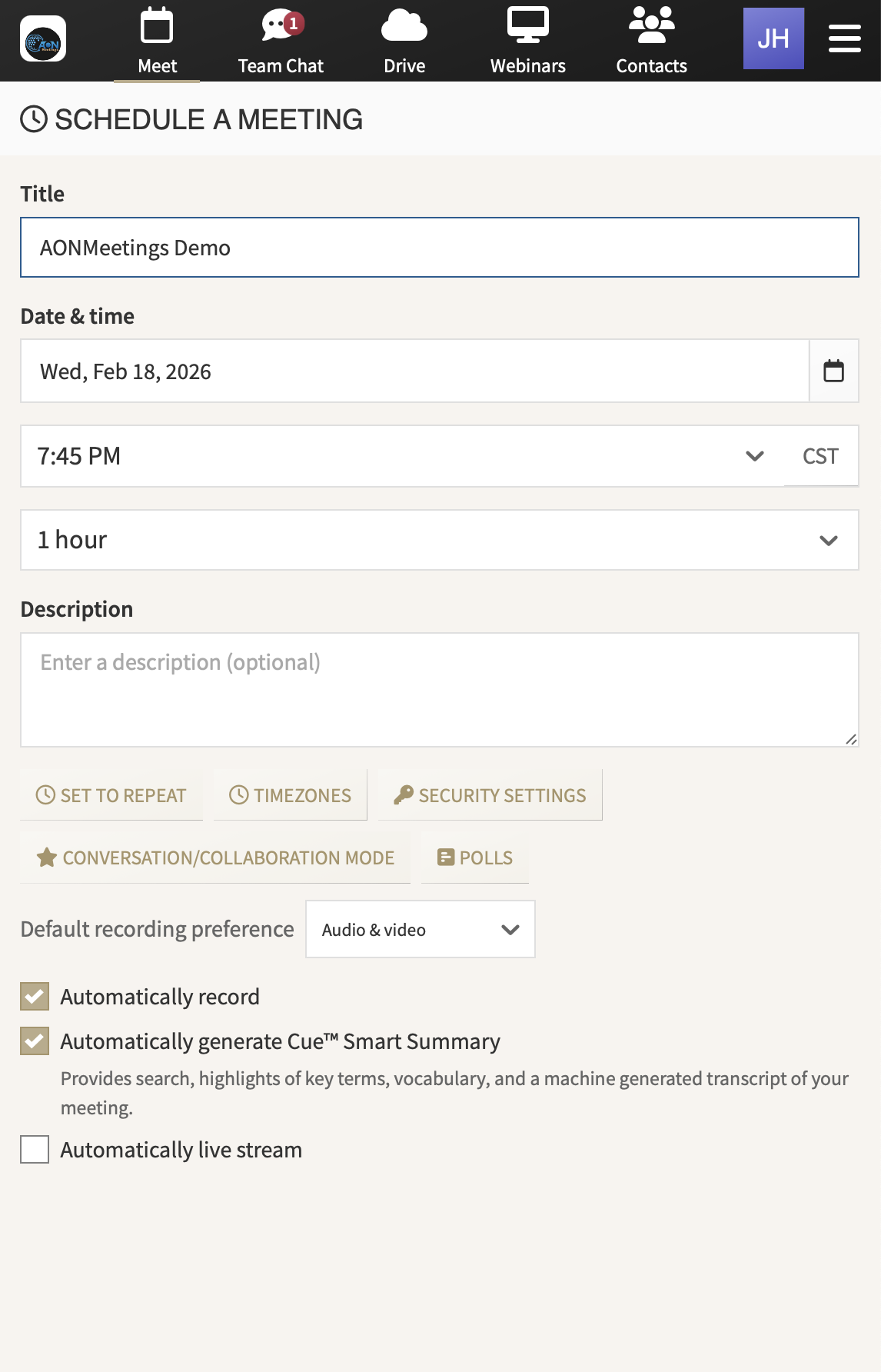
AONMeetings interface for scheduling a video meeting

One link. A more straightforward start to every meeting.

Built for everyday work

Choose software that makes the next meeting easier to run.

Video conferencing software earns its place when it reduces the small delays that make meetings feel harder than they should. An invited client should understand how to enter. A host should be able to manage the room without turning into technical support. A team should be able to find the recording, decisions and follow-up after the call has finished.

AONMeetings gives Indian teams one practical home for the conversations that keep work moving. Use it for a client review, an internal planning session, a partner briefing, a training programme or a live webinar. The experience stays consistent even when the audience, format and importance of the meeting changes.

What matters in the room

Give hosts control and attendees a lighter way in.

01

Make joining feel obvious

When someone receives a meeting invitation, the next step should be clear. AONMeetings is browser-based, so attendees can open the link from a modern browser instead of searching for an installer or creating another account. That is useful for customer calls, supplier reviews, interviews and any meeting where guests are joining from outside your organisation.

02

Keep the host in charge of the session

Professional meetings need practical controls without unnecessary ceremony. Waiting rooms, access codes, meeting locks and moderator controls help the host decide who enters and how the room runs. These tools are especially useful when a conversation includes external guests, sensitive topics or a larger audience with a clear presenter and question flow.

03

Bring the meeting and its follow-up together

Important work happens after the call as much as during it. Recordings, meeting summaries, chat and shared materials keep useful context close to the conversation that created it. Teams can revisit decisions, hand work to colleagues and give people who could not attend a practical way to catch up without rebuilding the meeting from memory.

04

Use one account for a meeting or a larger event

A regular working session and a presentation to hundreds of people have different rhythms, but they do not always need separate subscriptions. Published India plans include webinar capability up to the plan participant limit. When the audience grows, one-time and monthly capacity options give your team a route to run a larger event without carrying that scale every day.

One workspace, different jobs

Use the same meeting software across the work your team actually does.

Most teams do not need a different tool for every conversation. Sales needs an easy client link. Managers need a dependable place for one-to-ones and check-ins. Operations needs clear records for handovers. Marketing and enablement may need webinar capacity when a small group is presenting to a wider audience.

Keeping those moments in one familiar workspace makes adoption easier for hosts and more consistent for attendees. Start with the work you run most often, then keep using the same platform as your calendar fills with new customers, team members, partners and events.

That consistency becomes more valuable as more people rely on the meeting. A customer should not need a different set of joining instructions because the conversation is a training session instead of a review. Hosts should not have to switch systems just because a presentation needs a moderated question flow. One reliable place makes the process easier to explain, repeat and improve.

It also gives a growing team a cleaner handover when the person who hosted the meeting is not the person completing the work afterwards. A recording can provide context, a summary can surface the decisions, and shared materials can keep the next action close to the people responsible for it. The platform supports a better working rhythm without asking everyone to rebuild that rhythm after every call.

Explore browser-based video conferencing
Customer conversations

Discovery calls, demos and account reviews

Share a link that is easy for clients to act on, then keep the follow-up close to the conversation.

Team rhythm

Planning, one-to-ones and working sessions

Give every host the same dependable place to manage the meeting and return to key decisions later.

Learning and enablement

Training sessions, onboarding and partner updates

Run live instruction for a focused group, then use a recording to support the people who need to revisit it.

Company moments

Town halls, launches and larger webinars

Move to a presentation-led format and add capacity when the audience is bigger than the meetings you run every week.

Clear India pricing

Pay for the hosts, not every person who joins.

AONMeetings India starts at ₹179 per host per month for Starter, exclusive of GST. Participants join free, so the cost follows the people who run meetings rather than every client, colleague or guest who needs to attend. That is easier to manage when a team hosts frequently but the audience changes from one meeting to the next.

Every published plan includes unlimited meeting length, recording, end-to-end encryption, HIPAA compliance and webinar capability up to the plan limit. Billing is monthly in rupees, and UPI is supported at checkout. The India pricing page shows the published plan limits and larger-event options in one place.

Starter₹179per host, per month, exclusive of GST

For client calls, internal meetings and teams establishing a more dependable video routine.

Start 7-day trial Compare all plans

Make a practical choice

Four questions worth asking before you choose.

Can guests join without a support call?

Look at the invitation from the attendee's perspective. A simple browser-first path removes one common barrier before a client or partner has even entered the room.

Will the host have the controls they need?

Choose a platform that gives the person running the meeting sensible ways to manage access, participation and the flow of the session.

What happens after the meeting?

Recordings and summaries matter when decisions need to travel beyond the people who attended. Check that follow-up is not an afterthought.

Can the platform support a bigger audience?

A small team meeting and a customer webinar do not need the same format, but one platform should give you a practical route between them. That lets your team choose the format that fits the audience, rather than forcing an important event into the same setup as an everyday working call. It also gives presenters, moderators and attendees a clearer experience when the stakes are higher overall.

Frequently asked questions

Video conferencing
software in India

Do attendees need to install video conferencing software?+

No. AONMeetings is browser-based, so attendees can join from a modern browser through the link shared by the host.

Can AONMeetings be used for both meetings and webinars?+

Yes. Published India plans include webinar capability up to the plan participant limit, so teams can run everyday meetings and presentation-style events in the same workspace.

How is video conferencing software priced in India?+

AONMeetings India plans start at ₹179 per host per month, exclusive of GST. Participants join free, and billing is monthly in Indian rupees with UPI supported at checkout.

Can a larger organisation use AONMeetings?+

Yes. Teams can start with a published plan, add larger webinar capacity when an event needs it, and speak with sales about enterprise capacity or AONMeetings Rooms.

Make the next meeting simpler

Give the work
a better room.

Start with browser-based AONMeetings for the calls you run now, then talk to sales when your team or events need more capacity.

Start 7-day trial Talk to sales