

You finished the webinar. Attendance looked decent, chat was active, and a few people stayed for Q&A. Then the session ends and the familiar question shows up: What did attendees think, and what should you do with that information?
That's where the ball is often dropped. They either skip the survey after webinar entirely, or they send a bloated form too late, collect weak feedback, and file it away in a spreadsheet nobody uses. The result is predictable. The next webinar gets built on assumptions instead of evidence.
A good post-webinar survey is not a courtesy exercise. It's a working tool for content decisions, sales follow-up, operational fixes, and audience research. If you build it with a clear purpose, send it at the right moment, and review it like an operator instead of a reporter, it becomes one of the most useful assets in your webinar program.
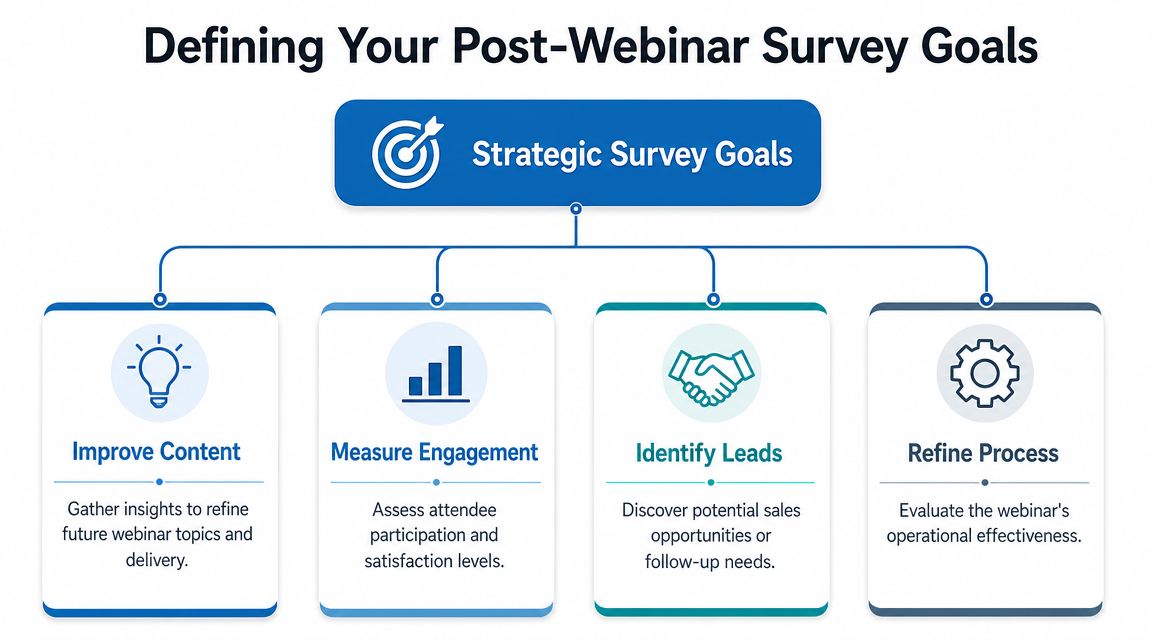
Defining Your Post-Webinar Survey Goals
A survey with no goal is just admin. You'll ask a few generic questions, get vague answers, and end up with feedback that sounds interesting but doesn't change anything.
Before writing the first question, decide what business decision the survey should support. Most webinar teams have one primary objective and one secondary objective. That's enough. If you try to measure everything at once, the survey gets long and the answers get muddy.
Improve content
If your webinar program exists to educate, your survey should tell you whether the session was useful, clear, and relevant. In this context, a CSAT-style satisfaction question earns its keep. A simple overall rating gives you a trend line across sessions, but only if you use it consistently.
Pair that with one question about topic relevance. If satisfaction is middling but relevance is strong, the issue is probably delivery or structure. If relevance is weak, your registration page may have promised the wrong thing or targeted the wrong audience.
A practical example:
- Overall satisfaction: How would you rate this webinar overall?
- Relevance check: How relevant was the content to your current work or goals?
- Action signal: What was the most valuable takeaway?
That last question often tells you more than the score. It shows what people retained.
Qualify leads
Not every webinar is purely educational. Some are pipeline events in disguise, and that's fine as long as you're honest about it. In those cases, your survey after webinar should help separate general interest from buying interest.
You don't need to turn the survey into a sales form. One or two questions can do the job:
- Intent question: Would you like to learn more about the product or solution discussed?
- Need-state question: Are you currently evaluating options in this area?
This gives marketing and sales a cleaner handoff. It also prevents a common mistake. Teams often treat everyone who attended as equally qualified. They aren't.
Generate future topics
Some of the best webinar planning comes from direct audience language, not internal brainstorming. If your survey doesn't capture future demand, you're missing one of its highest-value uses.
Ask for the next topic in a way that invites specificity. “What should we cover next?” is acceptable. “What topic would help you solve your next operational challenge?” is better. It nudges attendees toward practical answers.
A strong survey should help you decide what to repeat, what to fix, and what to build next.
A simple framework works well:
| Goal | Best metric | What you do with it |
|---|---|---|
| Improve content | CSAT-style rating | Adjust topic depth, pacing, and format |
| Qualify leads | Purchase intent | Route warm respondents to follow-up |
| Generate topics | Open feedback | Build your next webinar calendar |
If you're still refining the event itself, this guide on how to host a webinar is useful because survey quality usually reflects webinar planning quality. Weak positioning creates weak feedback.
Crafting Questions That Generate Real Answers
Most bad webinar surveys fail for a simple reason. The questions are hard to answer, annoying to read, or too broad to be useful.
Major webinar platforms treat surveys as part of the event workflow itself. Zoom, for example, lets organizers attach a survey to a specific webinar, show it in the browser when the webinar ends, include it in follow-up email, or both, and then export responses for analysis through the platform's webinar workflow, as outlined in Zoom's webinar survey support documentation. The operational setup is easy. The hard part is question design.

Use answer formats that are easy to complete
Close-ended questions do most of the heavy lifting because they're fast for attendees and clean for analysis. You can sort, compare, and trend them without guesswork.
Start with templates like these:
NPS-style attendance loyalty question: How likely are you to attend another webinar from us?
Answer format: 0 to 10CSAT-style satisfaction question: How would you rate this webinar overall?
Answer format: 1 to 10Expectation alignment question: Did the webinar meet your expectations?
Answer format: Exceeded / Met / Fell shortPractical value question: Was this webinar worth your time?
Answer format: Yes / NoTopic depth question: How would you rate the depth of the content?
Answer format: Too basic / About right / Too advanced
These are easy to answer quickly. That matters.
Keep language simple and neutral
Bad survey questions often contain two mistakes at once. They lead the respondent and they ask more than one thing in a single sentence.
Avoid this:
- How helpful and engaging was our excellent webinar presentation?
Use this instead:
- How engaging was the presenter?
- How useful was the content?
That split matters because content quality and speaker performance are different issues. If one scores well and the other doesn't, you know where to act.
Ask for one useful comment, not a writing assignment
Open-ended feedback is valuable, but too many free-text boxes kill completion. One carefully chosen text question usually gets you what you need.
One open-ended question rule: Ask for one free-text response that reveals either the biggest takeaway or the biggest gap. You'll get richer answers and better completion than you will from a long list of comment boxes.
Good options include:
- Takeaway question: What was the most valuable takeaway from this webinar?
- Gap question: What was missing, unclear, or underexplained?
- Planning question: What topic should we cover next?
Use one. Choose it based on your goal.
A practical seven-question model
If you need a copy-paste starting point, this structure works well:
- How would you rate this webinar overall?
- Did the webinar meet your expectations?
- How relevant was the content to your work or current needs?
- How would you rate the presenter's clarity?
- Did you experience any technical issues?
- Would you attend another webinar from us?
- What was the most valuable takeaway?
That gives you satisfaction, relevance, delivery, technical experience, future intent, and qualitative insight without turning the survey into homework.
Choosing Your Platform and Sending Your Survey
The send timing matters almost as much as the questions. If you wait until the next day, you're not just risking fewer responses. You're also getting weaker recall.
Industry guidance collected from webinar-focused practitioners says post-webinar surveys perform best when they go out within 1 hour of the session ending, and some guidance notes that response rates can be cut in half after 24 hours, while other expert advice recommends sending within 2 hours so the experience is still fresh, as summarized in this review of post-webinar survey timing guidance. Treat the survey as a same-day workflow step, not tomorrow's task.
Send it inside the webinar flow
The best delivery setup has two touchpoints:
- Immediate browser prompt: Show the survey as attendees exit the webinar.
- Follow-up email backup: Send the same survey link in the thank-you email.
That approach catches people while attention is highest and gives a second chance to anyone who closed the window too quickly.
Compare the tool setup before you commit
A lot of teams stitch together one webinar platform, one survey platform, one email tool, and one spreadsheet workflow. It works. It also creates more moving parts, more admin, and more data handling decisions than is practical for many teams.
Here's a practical comparison focused on entry price, webinar inclusion, survey workflow, and encryption.
| Platform | Starting Price (per month) | Webinars Included? | Integrated Surveys? | Data Encryption |
|---|---|---|---|---|
| AONMeetings | ₹179 per user per month | Yes | Webinar follow-up workflows can be handled within the same platform stack | Bank-level encryption |
| Zoom + separate survey tool | Qualitative comparison only | Zoom webinars may require additional setup depending on plan | Yes, survey attachment exists in webinar workflow, but many teams still use separate survey tools | Platform-specific security controls |
| SurveyMonkey | Qualitative comparison only | No | Yes, but separate from webinar delivery | Platform-specific security controls |
| Google Forms | Qualitative comparison only | No | Yes, but separate from webinar delivery | Platform-specific security controls |
Only one option in that table includes webinars in the same product line starting at ₹179 per user per month, plus unlimited meeting time, built-in webinar hosting, and bank-level encryption from the publisher information provided for AONMeetings. That matters when procurement is sensitive to both cost and data handling.
If you're comparing webinar stacks more broadly, this roundup of webinar software for small business is a useful reference point.
Trade-offs that matter in practice
An integrated setup gives you simpler operations. Your host team isn't bouncing between browser tabs, exporting attendee data into another survey system, and manually reconciling results later.
A separate-tool setup gives you flexibility. If your organization already has a preferred survey platform, your analysts may want its branching logic or reporting style. The trade-off is complexity.
Security becomes a workflow issue, not just a compliance issue. Every extra tool creates another place where attendee data is stored, exported, or shared.
That's why encryption deserves mention here. If your webinars involve healthcare, education, client strategy, or any regulated discussion, secure handling isn't a nice extra. It changes which tools are realistic.
A simple workflow for an integrated setup
A clean survey after webinar process usually looks like this:
- Create the webinar and define the follow-up trigger inside the same meeting platform.
- Attach a short survey with close-ended questions plus one text field.
- Enable end-of-session display so attendees see it in the browser.
- Add the survey link to the thank-you email for anyone who exits fast.
- Export or review results while the event is still fresh for your team too.
- Tag responses for action such as content fix, speaker coaching, or sales follow-up.
That's the core value of an all-in-one system. Less handoff friction. Fewer tools. Cleaner data chain. Encrypted delivery as part of the same operational flow.
Boosting Response Rates with Smart Tactics
A low response rate usually isn't a survey problem alone. It's an ask problem.
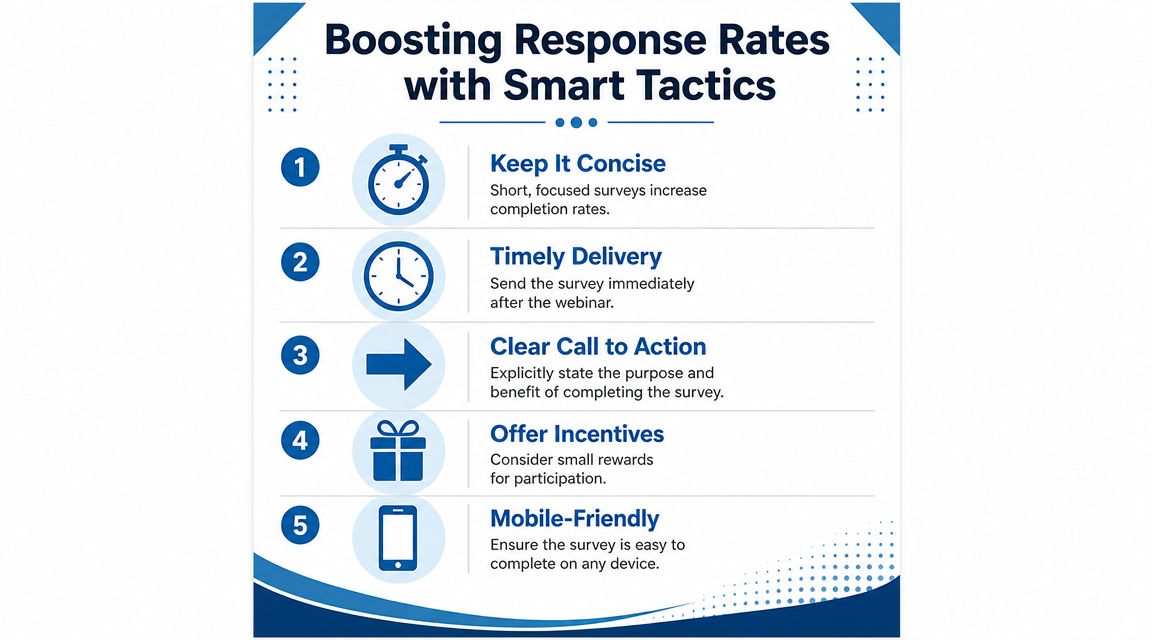
People just spent time with your webinar. If the follow-up feels generic, self-serving, or too demanding, many will ignore it. If the request feels relevant, short, and useful, more people will answer. That's why response strategy deserves as much attention as survey design.
Write the request like a person
The follow-up email should sound like it came from the team that hosted the event, not from an automated compliance bot. Keep it short. Tell attendees why their feedback matters. Make the action obvious.
Here's a practical template:
Subject: Quick question about today's webinar
Thanks for joining us today. We're reviewing the session now and would like your input while it's still fresh.
This short survey asks a few focused questions about the content, delivery, and what you'd like us to cover next.
[Take the survey]
Thanks again. We use this feedback to improve future webinars and follow-up resources.
That works because it respects time and explains the benefit.
Use incentives carefully
Incentives can help, but only if they fit the audience and the event type. For B2B webinars, the strongest incentive is often practical, not flashy.
Consider options like these:
- Exclusive content: Offer the slide deck, checklist, or extended Q&A notes.
- Early access: Give respondents priority notice for the next webinar.
- Recording delivery: Tell attendees the recording will be included with the follow-up.
- Small-value reward: In some markets, a modest gift card or discount can work if it aligns with policy.
The point isn't bribery. It's reciprocity. You're asking for time, so offer something useful in return.
Remove friction everywhere
Response rates drop when attendees have to think too much about the mechanics.
Use this checklist:
- Short length: Keep the survey concise.
- Mobile-friendly layout: Many attendees open the follow-up on a phone.
- Single clear CTA: One button. One action.
- No jargon: If the question needs decoding, it won't get answered.
- Visible reason to respond: Tell people how the feedback will be used.
If webinar attendance is a challenge before feedback is even in play, this article on how to increase webinar attendance complements the survey strategy nicely because better attendance quality usually produces better post-event feedback.
Analyzing Feedback and Driving Real Action
Collecting responses is the easy part. The useful work starts when you decide what each pattern means and who should act on it.
Too many teams stop at “average score by question.” That gives you a report. It doesn't give you a plan.

Sort feedback into action buckets
A practical review process starts by grouping comments and scores into buckets your team can own.
Use categories like these:
| Feedback bucket | Typical signal | Owner |
|---|---|---|
| Content improvements | Low relevance, requests for examples, confusion about one topic | Content marketer or webinar producer |
| Technical fixes | Complaints about audio, joining, chat, or slides | Ops or platform admin |
| Speaker coaching | Weak clarity or pacing feedback | Presenter or enablement lead |
| New opportunities | Requests for demos, follow-up, or advanced topics | Sales or campaign team |
The survey after webinar becomes operational. Each category should end with a next step, not a summary note.
Read scores with comments together
Numbers without comments can mislead you. Comments without numbers can overstate isolated frustrations. Use both.
For example, say your topic relevance score is weaker than expected and several attendees mention that one concept was too abstract. That doesn't mean the topic was wrong. It means the framing or examples were off. The action isn't “stop covering this topic.” The action is “add a real example earlier and cut theory from the opening.”
Don't ask, “Was this webinar good?” Ask, “What should we change before the next one goes live?”
Build a short action memo after every webinar
One of the best habits is a simple post-event memo. Not a long deck. Just a concise internal summary with decisions attached.
A useful format looks like this:
- What attendees valued most
- What frustrated or confused them
- What should change next time
- Which leads need follow-up
- What topic demand appeared in comments
That memo turns survey data into a repeatable operating rhythm.
A realistic example
Suppose attendees rate the webinar positively overall, but the open comments repeatedly ask for a more practical walkthrough. At the same time, a cluster of respondents says they want the next session to cover implementation.
That tells you three things:
- The topic is relevant.
- The current presentation is too conceptual.
- There is demand for a follow-on webinar.
Your action list becomes obvious. Update the deck with a workflow example, create a sequel session on implementation, and send a targeted invitation to the respondents who asked for it.
That's how feedback starts producing revenue, retention, and stronger event performance. Not through dashboards alone, but through decisions.
From Feedback to Growth Your Next Steps
A survey after webinar should sit in the core workflow, not at the edge of it. When you tie the survey to a clear goal, ask sharper questions, send it while the event is still fresh, and review responses with owners attached, feedback stops being passive data. It becomes a planning tool.
The strongest webinar teams use survey feedback in three ways. They improve the next session, refine follow-up for interested attendees, and spot patterns that should influence broader marketing. That can include content calendar choices, messaging adjustments, or service improvements.
There's also a reputation angle here. Webinar feedback often overlaps with the same trust signals that shape reviews, referrals, and conversion conversations. If your team is working on demand generation and service visibility together, resources that help you get more calls for your business can complement the feedback loop by showing how audience sentiment connects to inbound growth.
For the platform side, keep the workflow simple. A system that combines webinar delivery, follow-up, survey handling, and encrypted data management is easier to run than a patchwork stack. It also reduces the chance that useful feedback gets stranded in disconnected tools.
Stop treating post-webinar surveys like cleanup. Use them as part of the event itself.
If you want one place to run secure webinars, manage follow-up workflows, and keep attendee data protected with bank-level encryption, take a look at AONMeetings. Its plans include webinars, unlimited meeting time, and straightforward pricing starting at ₹179 per user per month, which makes it a practical option for teams trying to simplify their webinar operations without adding extra tools.
