AONMeetings India

Online meeting platform for conversations that get somewhere.

Bring client calls, team meetings, training and webinars into one browser-based workspace. Make joining easier for guests and keep the decisions, recordings and next steps close to the room.

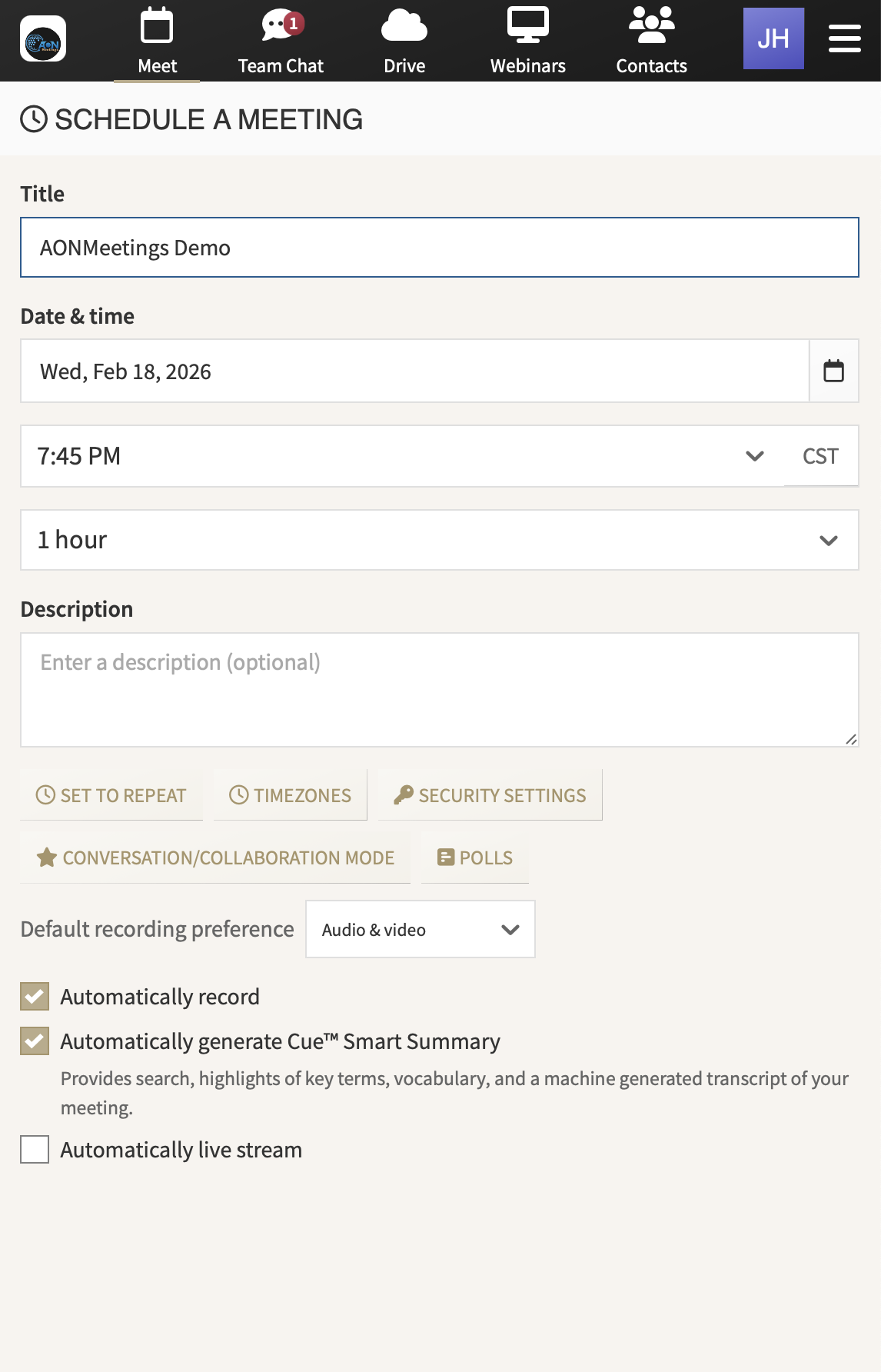
AONMeetings interface for scheduling an online meeting

One browser link. A better start to the working conversation.

The meeting should not be the hard part

Choose an online meeting platform that lets people focus on the work.

Every important conversation begins before anyone speaks. A customer opens the invite. A candidate checks the time. A trainer shares the joining details with a group that may be using different devices and networks. If the first step asks everyone to install software, find a password or create an account, the meeting starts with an obstacle instead of a purpose.

AONMeetings gives Indian teams a practical place to host the calls that keep work moving. Send a link, invite the right people and run the room from a current browser. The same workspace can support the regular team rhythm, a client review, a training session or a larger presenter-led event without turning each change of format into another tool to buy and learn.

What a useful platform changes

Less friction at the door. More confidence in the room.

01

Give every guest a clearer way in

Browser-based joining keeps the invitation simple. Clients, suppliers, interviewees and learners can open the meeting link from a current browser instead of searching for an installer or adding another account to their day. That lighter start is particularly valuable when the meeting includes people outside your organisation.

02

Give hosts the controls they actually need

A host needs to welcome the right people, share what matters and keep the session on track. Waiting rooms, access codes, meeting locks and moderator controls help manage entry and attention without making the host feel like technical support. The room stays professional whether it is a one-to-one conversation or a wider briefing.

03

Keep the useful record with the conversation

Calls create decisions, questions and actions. Recording, chat and meeting summaries help teams carry that context forward after people leave the room. A colleague can catch up, a customer can revisit the detail and the next action does not have to depend on someone’s memory of the call.

04

Use one familiar workspace as the audience grows

A regular team meeting and a customer webinar ask for different formats, not necessarily different platforms. Use a meeting for active discussion, then move to webinar capability when a smaller group needs to present to a larger audience. Your hosts keep the familiarity while you choose the room that suits the moment.

Built around the workday

One place for the conversations that move the business forward.

The right online meeting platform does more than carry a video call. It helps sales teams make a clean first impression, gives managers a dependable place to make decisions and lets trainers share a live session without a complicated joining routine. When the basics work smoothly, people can concentrate on the conversation instead of the software.

For a small business, that might mean client reviews, interviews and weekly planning. For a growing organisation, it could include partner training, product demonstrations and company updates. AONMeetings gives each of those moments a consistent home, with an easier route for guests to enter and a clearer path for the team to follow up afterwards.

See meetings, webinars and follow-up in one place →
Client work

Discovery calls, reviews and handovers

Share a simple link with the customer, then keep the discussion and agreed next steps connected to the meeting.

Team rhythm

Planning, interviews and regular check-ins

Give internal conversations a consistent room where hosts can manage the session and teams can revisit the outcome.

Training and demos

Live teaching, product walkthroughs and partner sessions

Bring a larger group together without turning the invitation into a software setup exercise.

Important updates

Town halls, launches and larger briefings

Use webinar capability and add capacity for the occasions when one message needs to reach a wider audience.

A sensible starting point

Pay for the hosts who run the room, not every person invited to it.

AONMeetings India starts at ₹179 per host per month for Starter, exclusive of GST. Participants can join free, so you pay for the people who need to create and manage the meeting rather than everyone who attends. Monthly billing in rupees and UPI at checkout make the cost easier to plan, explain and adjust.

Published India plans include unlimited meeting time, recording, end-to-end encryption, HIPAA compliance and webinar capability up to the plan participant limit. When a launch, training programme or company update needs a larger room, one-time and monthly webinar capacity are available up to 5,000 attendees. See the India pricing page for the current plan limits and options.

Starter plan₹179per host, per month, exclusive of GST

For focused client work, regular team conversations and a practical start with browser-based meetings.

Start 7-day trial ↗Compare all plans →

Choose with confidence

Four questions worth asking before you commit.

Will guests understand how to join?

Test the invitation with someone outside your organisation. They should be able to open the link from a current browser and enter the room without a download, account-creation step or support exchange.

Can the host run the room calmly?

Rehearse the work a host actually does: admit guests, share a screen, manage questions, record the session and close with a useful next step. A good platform makes that sequence feel natural.

Does it cover more than one kind of conversation?

Most teams switch between working meetings, customer sessions, training and occasional larger events. Check that recording, practical controls and webinar capability are available where they make sense, rather than requiring a separate system for each job.

Does the cost fit the way you work?

Compare the full arrangement, including the hosts who need access, the typical meeting size and the occasional larger event. A plan that can grow when needed is easier to manage than several overlapping subscriptions.

Frequently asked questions

Online meeting
platform FAQs

Do people need to download an app to join?+

No. AONMeetings is browser-based, so a host can share one link and attendees can join from a current browser. That gives clients, candidates, students and partners a straightforward way into the conversation.

Can one online meeting platform handle meetings and webinars?+

Yes. AONMeetings India plans include webinar capability up to the plan participant limit. Use a meeting when people need to collaborate, then use a presenter-led format when a smaller group is speaking to a larger audience.

How much does AONMeetings cost in India?+

Plans start at ₹179 per host per month, exclusive of GST. Participants join free, billing is monthly in Indian rupees and UPI is supported at checkout.

Can larger teams use AONMeetings?+

Yes. Teams can add capacity for larger webinars and speak with sales about enterprise rollouts or AONMeetings Rooms. The same browser-based joining experience can remain familiar as the programme grows.

Make the next meeting easier

Send the link.
Keep the work moving.

Start a browser-based AONMeetings India trial, or talk to sales about a larger event, Rooms or a wider rollout.

Start 7-day trial ↗Talk to sales ↗