
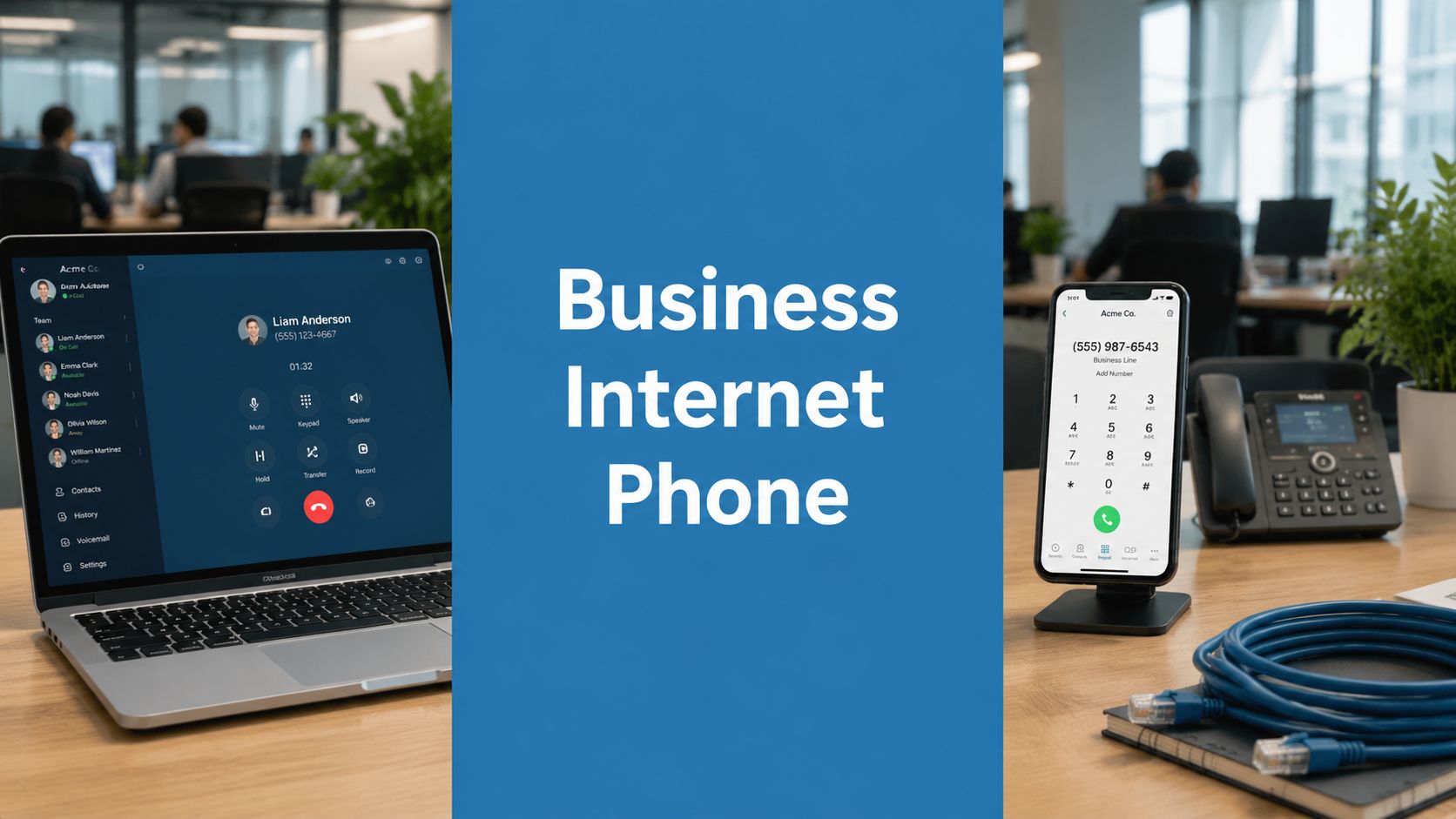
Your phone rings at the front desk, but the employee who needs to answer is working from home. A customer leaves a voicemail on one device, your team misses it on another, and your monthly telecom bill still looks like it belongs to a much bigger company. That's where many small businesses are right now. The old setup still works just enough to avoid replacing it, but not well enough to support how people work in practice.
A business internet phone changes that. It moves calling from fixed copper lines and office-only hardware into software, cloud routing, and device flexibility, turning voice into one part of a broader communication system that can include video meetings, webinars, team chat, recordings, and secure collaboration. If you're planning your first upgrade, the question isn't just how to get cheaper calls. It's how to build a communication stack that costs less to run, is easier to manage, and doesn't break the moment someone leaves the office.
What Is a Business Internet Phone
A business internet phone is a phone system that sends calls over your internet connection instead of relying only on traditional phone lines. You can still use desk phones if you want them, but you can also take calls from a laptop, browser, tablet, or mobile app. The business number stays the same. The way it reaches your team becomes much more flexible.
For a small business owner, that usually means three practical changes happen right away:
- Your number becomes portable. Calls can ring the office, a remote employee, or both.
- Your system becomes software-driven. Admin changes happen in a dashboard instead of through a technician visit.
- Your phone service becomes part of daily workflow. Voice can connect with meetings, messaging, and customer follow-up.
The category has moved far beyond early adoption. The global VoIP market was valued at $132.47 billion in 2023 and is forecast to rise from $144.77 billion in 2024 to $326.27 billion by 2032, with a 10.8% compound annual growth rate, according to Nextiva's VoIP market overview. That growth matters because it shows businesses aren't treating internet calling as a side option anymore. They're treating it as standard infrastructure.
How this looks in a normal workday
A dental clinic might route new patient calls to reception during business hours, send after-hours calls to voicemail-to-email, and let the office manager answer urgent calls from a mobile device. A law office might keep a main published number while attorneys receive client calls wherever they are. A sales team might start with voice, then move a prospect into a screen-sharing session or a scheduled conference call.
If you need a simple walkthrough of group calling basics, this guide on how to make a teleconference call is a helpful companion to the phone-system side of the decision.
A business internet phone isn't just a cheaper dial tone. It's a way to make your business reachable without tying communication to one room or one device.
The Technology Behind Modern Business Calling
Most business owners don't need telecom jargon. But knowing the basic moving parts makes it much easier to compare vendors and avoid buying the wrong thing.
VoIP turns speech into data
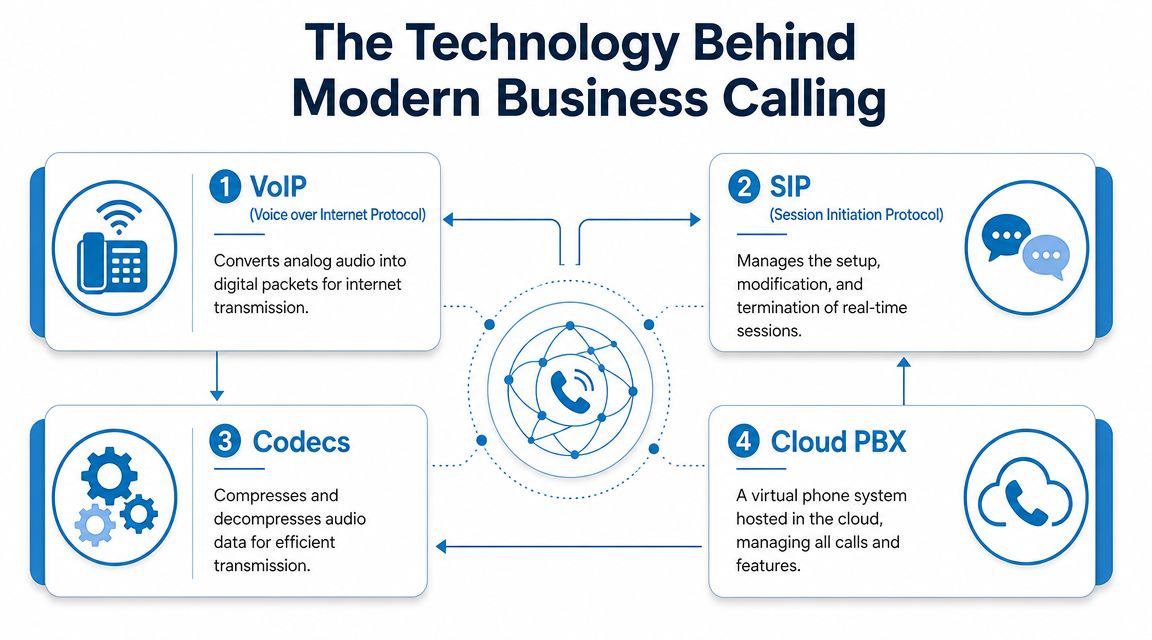
VoIP stands for Voice over Internet Protocol. In plain language, it takes your voice, converts it into digital packets, sends those packets over the internet, and reassembles them at the other end. The process resembles mailing many tiny pieces of audio very quickly so the listener hears one smooth conversation.
That's why a business internet phone can work on more than a desk handset. Once voice becomes data, your phone service can live inside software.
A simple example helps. If your office manager answers on a desk phone in the morning, then leaves for an appointment and continues on a mobile app, the phone system is still handling the same business identity. Only the endpoint changed.
SIP connects your system to the outside world
SIP, or Session Initiation Protocol, is the signaling layer that helps set up, manage, and end calls. If VoIP is the actual movement of audio, SIP is the traffic coordinator. It tells the system where the call should go, when it starts, and what devices should ring.
This matters when you're evaluating features like:
- Ring groups for sales or reception
- Call forwarding to remote staff
- Simultaneous ringing across multiple devices
- Transfers between employees without dropping the caller
Codecs and call quality shape the experience
A codec compresses and decompresses audio. Different codecs affect bandwidth use and sound quality. You don't need to tune codecs by hand in most small business setups, but you do need to know they affect call clarity, especially if your internet connection is inconsistent.
If your team struggles with robotic voices or delay, the problem may not be the phone provider alone. It can come from the local network, Wi-Fi quality, or poor microphone setup. This practical guide on how to stop echo on mic can help you troubleshoot one of the most common issues users blame on the phone system.
Cloud PBX replaces the old phone closet
A PBX is the system that manages extensions, routing, menus, voicemail, and internal call rules. Older PBX systems lived on-premises in office hardware. A cloud PBX moves that function into the provider's infrastructure.
That changes the ownership model.
| Component | Old phone setup | Modern business internet phone setup |
|---|---|---|
| Call routing | Physical office equipment | Cloud dashboard |
| Expansion | Technician visit | Add users in software |
| Remote use | Difficult | Built in |
| Maintenance | Hardware dependent | Provider managed |
Practical rule: The more your team works from multiple locations or devices, the more valuable cloud-based call management becomes.
Top Benefits and Essential Features
A business internet phone system earns its keep when a customer calls sales, gets routed correctly, joins a follow-up video meeting, receives a webinar invite, and never notices your team used three locations and two device types to make it happen. That is the true upgrade. You are not only replacing dial tone. You are building a communication stack that works together.
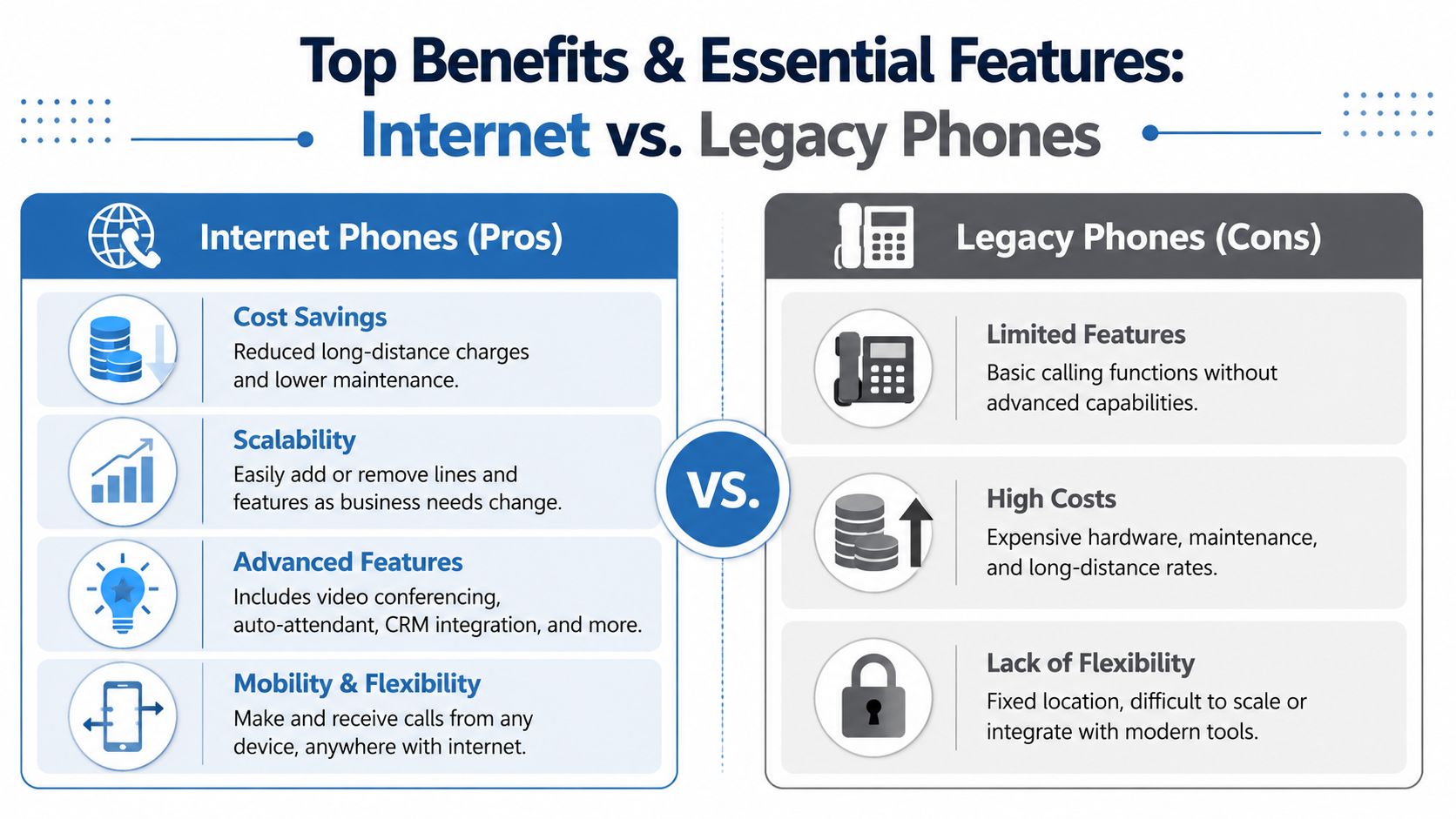
For many small businesses, the first visible win is flexibility. Your main number can ring the right person whether they are at a desk, working from home, or visiting a client. The bigger long-term win is simpler operations. One platform can handle calling, meetings, recordings, and admin controls in one place, which often reduces software sprawl, training time, and security gaps.
What business owners usually notice first
Mobility changes daily operations fast. A published business number no longer needs to live on one desk phone in one office. It can follow the role, not the building. That matters if your receptionist steps away, your sales rep travels, or your support lead works hybrid hours.
Professional call handling is the next upgrade customers hear. Auto-attendants, extension dialing, business-hour schedules, and department routing make a five-person company sound organized and responsive. The practical benefit is not appearance alone. Fewer callers get lost, fewer calls land with the wrong employee, and your staff spends less time manually transferring people around.
Fewer disconnected tools can have an even bigger effect than call quality. If your phone system also supports video meetings and webinar workflows, your team has fewer apps to learn and fewer accounts to secure. If you are comparing those broader options, this guide to video conferencing for small business is a useful starting point.
If your team records conversations for training or documentation, the details matter. Different platforms handle recording in different ways, and this Skype call recording guide is useful as a reference point for how recording workflows can vary across communication tools.
Features worth paying for
A good shortlist starts with business problems, not feature count. A bakery with one location needs something different from a law office, clinic, or distributed sales team. Still, a few features tend to matter across the board because they affect customer experience, security, and admin workload.
- Auto-attendant: Works like a digital front desk, guiding callers to sales, billing, support, or a staff directory without tying up an employee.
- Call routing rules: Direct calls by time of day, employee availability, office location, or department, so important calls reach the right person faster.
- Voicemail to email: Turns missed calls into visible tasks instead of letting them sit unheard on a desk phone.
- Browser and mobile calling: Lets staff use the business number from laptops and phones while keeping personal numbers private.
- Call recording and searchable archives: Helps with training, dispute review, and documentation where your policy and local rules allow it.
- Admin controls and user management: Makes it easier to add users, change call flows, and control permissions without a technician visit.
- Encryption and access controls: Protects call content, recordings, and account settings as part of your wider security plan.
- Video meetings and webinars in the same platform: Cuts down on extra vendors and gives teams one place to manage customer conversations from first call to live demo or training session.
Price comparison only makes sense at the stack level
A low per-user phone price can be misleading if video meetings, webinar hosting, recordings, analytics, and security controls all sit in separate add-ons or separate products. That is why total cost of ownership matters more than line price alone.
A simple way to evaluate this is to treat your communication tools like a business utility bundle. If one vendor handles voice, video, webinars, recordings, user management, and security settings in one admin console, your monthly bill may look higher at first glance. But your team may spend less overall because you cut duplicate subscriptions, reduce setup time, simplify support, and lower the odds of a security problem caused by too many disconnected tools.
The strongest value often comes from a system your staff can use consistently, your admin can control easily, and your business can secure without stitching together multiple apps.
Decoding the Costs of Internet Phone Systems
A small business owner often sees a phone plan advertised at a low monthly rate, signs up, and then learns the actual bill includes desk phones, setup, call recording, extra meeting licenses, and support for a second app the team still needs for webinars. That is why phone pricing feels harder than internet pricing. You are not buying a dial tone alone. You are buying part of your communication system.
The simplest way to compare options is to separate sticker price from operating cost. Sticker price is the advertised per-user rate. Operating cost is what your business spends to keep voice, meetings, recordings, user management, and uptime working together without extra tools or extra admin time.
Typical Business Internet Phone Pricing Models (2026)
| Tier | Typical Price Range (per user/month) | Commonly Included Features |
|---|---|---|
| Entry level | About $25 | Basic calling, voicemail, mobile or desktop access, simple routing |
| Standard | About $25 to $35 | Auto-attendant, call groups, analytics, integrations, recording in some plans |
| Broader communications stack | Varies by provider | Voice, video meetings, webinar tools, team collaboration, admin controls, security features |
That table matters because two plans with similar monthly prices can produce very different business results. One may cover only calls. Another may replace separate meeting software, webinar software, and some admin overhead at the same time.
What usually changes the real cost
Hardware is one factor. Some businesses can rely mostly on laptops, headsets, and mobile apps. Others still want desk phones at reception desks, exam rooms, front counters, or shared workstations.
Support and setup also affect the budget. If your team needs custom call routing, number porting, recordings, compliance settings, or multi-site deployment, the labor behind the rollout matters just as much as the subscription.
Downtime risk belongs in the cost discussion too. A low monthly rate loses its appeal if missed calls delay appointments, sales inquiries, or customer support. If you are reviewing network reliability along with phone planning, Purple's IT administrator's security guide is a useful reference for the broader connection and wireless side of the equation.
Why bundles can look cheaper than they are
Bundling internet and phone can lower the bill in some cases. It can also hide tradeoffs.
A good comparison checks the full package: installation terms, contract length, backup connectivity, support response, and what happens if your primary connection fails. AT&T's Business internet bundle information is a useful example of how providers present these details. The practical lesson is simple. Service credits and service continuity are not the same thing.
For a shop that gets occasional walk-in traffic, a short outage may be inconvenient. For a legal office, clinic, property manager, or service business that depends on inbound calls, the cost of a disruption can exceed the monthly savings quickly.
A better way to compare price
Use a total cost of ownership view. A phone system works like the front desk, meeting room, and event platform sharing one budget. The question is not only "What does each line cost?" The better question is "How many separate tools, risks, and workarounds does this plan remove?"
Ask:
- What does the base rate include: voice only, or voice plus meetings, webinars, recording, and admin controls?
- What extra charges appear later: hardware, implementation, storage, international calling, support, or compliance-related features?
- What happens during an outage: failover options, mobile continuity, backup internet, or just a support ticket?
- Will you keep paying for other tools for training, events, internal meetings, or customer demos?
- How much staff time will setup, troubleshooting, and day-to-day administration require?
Cheap service often becomes costly after you add separate apps, manual fixes, and missed opportunities. The strongest value usually comes from a platform that supports the full communication stack with predictable admin effort, acceptable security controls, and fewer moving parts.
Securing Your Calls and Ensuring Compliance
Monday starts with a customer dispute, a manager joining from home, and a recorded call your team may need later. In a business internet phone system, that single conversation can touch your internet connection, the calling platform, a mobile app, cloud storage, and admin permissions. Security has to cover that full path.

What encryption means in daily use
Encryption works like a locked courier bag for your business communications. It helps protect call audio, meeting traffic, recordings, and shared content while data moves across networks and, in some cases, while it is stored. For a small business owner, the practical question is simple. If staff discuss customer records, billing details, legal matters, or patient information, how hard is it for the wrong person to get access?
That is why a security review should go beyond "Are calls encrypted?" You also want to know how the system controls access after the call ends, because recordings, transcripts, voicemails, and admin settings are part of the same communication stack.
Useful questions to ask include:
- How are calls, meetings, and recordings protected
- Who can access recordings, transcripts, and admin settings
- Can hosts lock meetings or restrict who joins
- Are waiting rooms, moderator controls, and access policies available
- What logs, alerts, or audit controls help with oversight
If you are reviewing your wider network setup at the same time, Purple's IT administrator's security guide is a practical checklist.
Compliance depends on how your business works
Security tools help reduce risk. Compliance is about whether your setup, policies, and provider support match the rules your business has to follow.
Healthcare makes this easy to see. A clinic might use one platform for phone calls, video visits, appointment follow-ups, staff meetings, and recorded patient education sessions. If those functions sit in separate tools, it becomes harder to control access consistently and easier for information to spread into the wrong places. An integrated platform can lower that risk by keeping voice, video, and related records under one admin model.
AONMeetings is one example often considered by healthcare organizations because it supports HIPAA-compliant meetings, webinars, browser-based access, recordings, and encryption. For a clinic or therapy practice, that can mean fewer separate vendors to manage and fewer handoffs between systems.
What to ask before signing
Leave the vendor review with clear answers, not marketing language.
- Access control: Can you define who hosts, joins, records, downloads, or exports?
- Data handling: Are recordings and shared files governed by admin settings and retention rules?
- Industry fit: Can the provider support healthcare, education, or legal workflows without extra workarounds?
- Shared security model: Which tasks does the vendor handle, and which ones stay with your team?
- Continuity: If an employee changes devices or locations, do your security settings still follow the user?
Security features matter when staff can apply them the same way across calls, meetings, webinars, and recordings. That is one reason a business internet phone should be evaluated as part of your broader communication system, not as a standalone dial tone purchase.
Unifying Your Communications Beyond Just Voice
A phone system used to be a separate purchase. Then meetings moved to one app, webinars to another, and chat to a third. That stack works for a while, but it creates friction fast. Staff learn multiple interfaces, admins juggle multiple bills, and customer conversations get scattered across tools.
The market is shifting because businesses are no longer choosing only between desk phones and VoIP. They're choosing between standalone phone service and integrated communication workflows that include video meetings, chat, and AI summaries, as described in Inland Cellular's business communication overview.
Why integration changes the buying decision
A business internet phone is more valuable when it connects naturally to the rest of your work. A support team may need voice plus internal chat. A trainer may need meetings plus webinars. A clinic may need secure video and follow-up communication in the same environment.
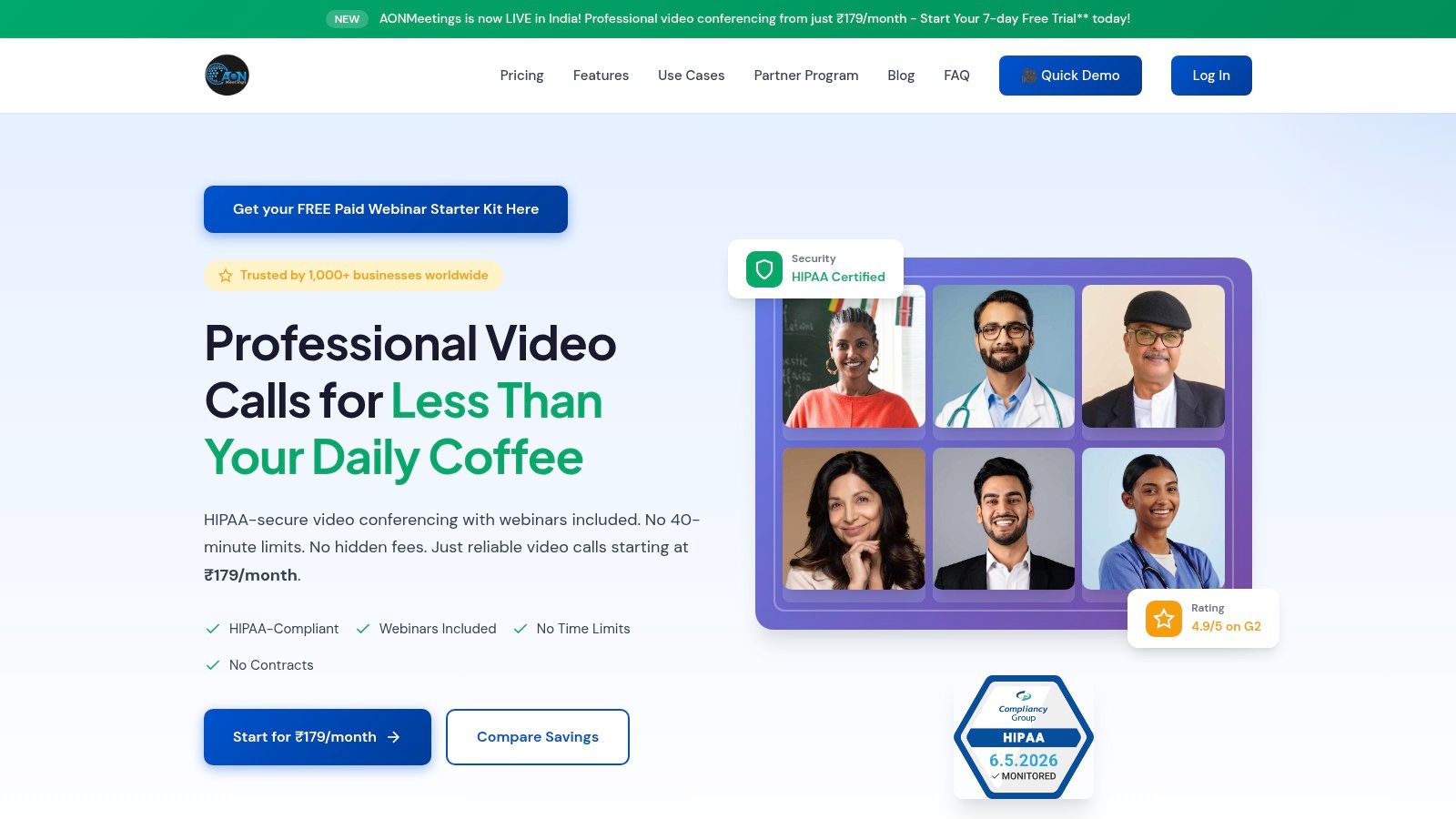
The screenshot above reflects the type of interface businesses increasingly expect: browser access, fast joining, and communication tools that live together rather than in separate silos.
A practical comparison
Consider two setups.
Setup one uses one vendor for calling, one for video meetings, and one for webinars. Each tool may be decent. But staff switch contexts all day, recordings live in different places, and administrators manage separate users and policies.
Setup two uses a unified platform. Calling, meetings, webinars, recordings, and collaboration features are managed together. That can reduce training burden, simplify administration, and make support easier because the team isn't troubleshooting three vendors at once.
A few examples where this matters:
- Sales teams can move from an inbound call to a product demo without changing platforms.
- Healthcare practices can use one environment for staff coordination and secure patient-facing sessions.
- Educators and coaches can handle class delivery, office-hour calls, and webinar-style sessions in one tool.
- Service businesses can record internal training and keep communications easier to find later.
The future purchase isn't "phone service plus extras." It's one communication platform that happens to include calling.
Choosing and Migrating to Your New System
Migration goes smoothly when you treat it like an operations project, not just a software subscription. The technical requirements are manageable, but the planning matters.
For call quality, one industry guide recommends keeping latency under 150 ms, jitter under 30 ms, and packet loss below 1%. The same source notes that a single VoIP line uses about 0.10 Mbps, so a 50-person office needs at least 5 Mbps of dedicated voice bandwidth. Those planning benchmarks come from Premier Broadband's business internet phone guide.
What to verify before you buy
Start with your current communication reality, not the vendor demo.
Audit your call flow
List your main number, direct numbers, extensions, voicemail boxes, after-hours rules, and any hunt groups or ring groups. Most migration problems come from missing call-routing details, not from the internet connection.Check internet readiness
Voice doesn't need huge bandwidth, but it does need stability. If your office Wi-Fi is unreliable, fix that before launch. If your business can't tolerate an outage, ask about backup connectivity and failover options.Match features to actual use
A ten-person office rarely needs every advanced admin feature. It may urgently need mobile calling, voicemail-to-email, recording controls, or browser access.
Questions to ask every provider
Use these in your evaluation calls:
- Reliability: What happens if the primary connection fails?
- Security: What encryption and access controls are included?
- Scalability: How quickly can you add or remove users?
- Support: Who helps with setup, number porting, and training?
- Administration: Can a non-technical manager handle routine changes?
A migration checklist that prevents surprises
- Keep your current numbers documented before porting begins
- Map every extension to a real employee or function
- Test call quality from office, home, and mobile environments
- Train reception and managers first, because they handle the most visible workflows
- Run parallel testing before turning off the legacy setup
- Review security settings such as recording permissions, waiting areas, and access policies
- Prepare a fallback plan in case porting or internet cutover takes longer than expected
A simple example: if you run a twenty-person clinic, don't migrate on your busiest morning. Move in phases, test after-hours routing first, then switch receptionist workflows, then bring in provider-specific integrations only after calling is stable.
The best business internet phone rollout feels boring. Calls arrive where they should, staff know what to do, and customers never notice the transition.
If you're comparing platforms that combine secure meetings, webinars, and browser-based communication alongside business calling workflows, AONMeetings is worth a look. It offers HIPAA-compliant meetings, built-in webinars, bank-level encryption, unlimited meeting time, and straightforward pricing starting from ₹179 per user per month, which can help small businesses evaluate total communication cost instead of buying separate tools for voice, video, and events.
