
You open your calendar, see “Join teleconference,” and pause. Is this a phone call, a Zoom-style meeting, a video appointment, or a webinar where only one person talks? That confusion is normal, especially if you run a clinic, teach online, or manage a small business and just want meetings to work without wasted time, weak security, or surprise fees.
The phrase teleconference call used to mean something fairly simple. Today it can describe audio meetings, video meetings, browser-based team sessions, client demos, virtual classes, and even webinar-style events. The technology got better, but the language got messier.
Individuals don't need a textbook definition. They need practical clarity. They want to know what kind of meeting they're joining, how it works, whether it's secure enough for sensitive conversations, and whether the platform is worth paying for.
That's the true teleconference call meaning in modern work. It's not just a technical term. It's a decision about communication, cost, and trust.
Untangling Your Virtual Meetings
A doctor might send a follow-up link to a patient. A tutor might invite ten students to an evening class. A founder might schedule a product demo for a client in another city. All three may call it a “teleconference,” even though the format and purpose are different.
That's where people get stuck. They hear related terms like conference call, video call, virtual meeting, and webinar, and assume they all mean the same thing. They don't. They overlap, but each one points to a different kind of interaction.
Why the term feels blurry
Older business language treated a teleconference as a remote meeting over telecommunications, often audio-first. Modern tools added video, chat, screen sharing, whiteboards, recordings, waiting rooms, and browser access. So the basic idea stayed the same, but the experience changed a lot.
A useful way to think about it is this:
- A teleconference call is the umbrella concept
- Audio-only and video meetings are common formats inside that concept
- Webinars are a more presentation-focused version of remote communication
Practical rule: If several people join from different places to communicate live through a phone or internet platform, you're in teleconference territory.
What matters to professionals now
For a non-technical user, the hard part isn't the label. It's choosing the right setup.
You usually care about three things first:
- Cost control: Will the plan create time limits, add-on charges, or awkward upgrade pressure?
- Security: Is the meeting private, encrypted, and suitable for sensitive topics?
- Included features: Can you host training sessions, classes, or webinars without buying another product?
If you keep those questions in mind, the rest gets much easier.
What Exactly Is a Teleconference Call
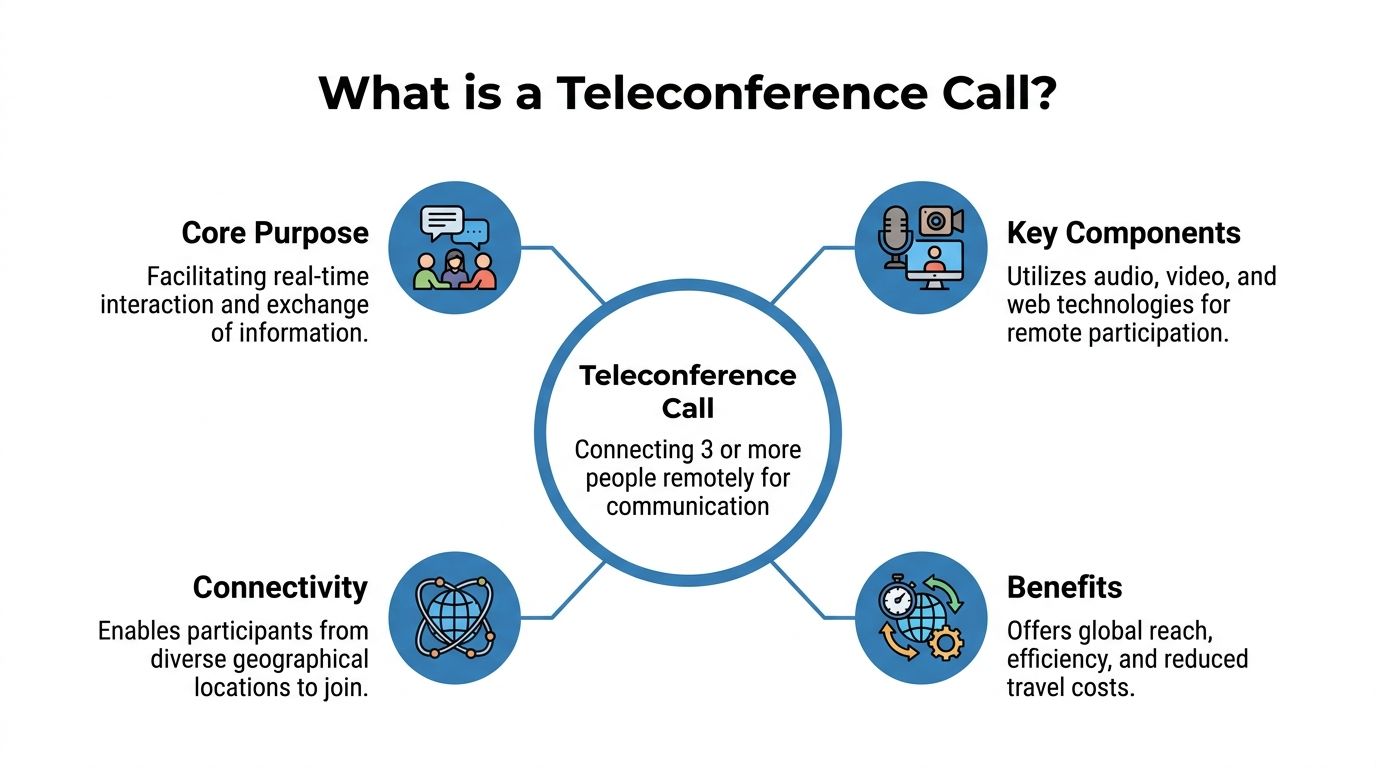
A teleconference call is a live meeting that connects three or more people in different locations through a telecommunications system. In plain language, it lets a group talk, and often see each other, without being in the same room.
The easiest analogy is a digital meeting room. Each person enters from their own device, but the system brings everyone into one shared space so conversation feels unified instead of fragmented.
The conference bridge explained simply
Behind the scenes, modern teleconference calls rely on a conference bridge. Think of it as the host room, traffic controller, and audio mixer combined into one system. It receives each participant's voice and video, organizes those streams, and sends the right combined experience back to everyone.
According to TrueConf's explanation of teleconferencing technology, the bridge is a specialized server that merges incoming audio and video streams into one session. It uses protocols such as RTP for audio and H.264 for video, helping keep end-to-end delay below 200 milliseconds, which is important for natural conversation. The same source notes that HIPAA-focused platforms can use SRTP with AES-256 encryption to protect meetings from interception.
If that sounds technical, the practical takeaway is simple. The bridge is what keeps people from talking over garbled audio, hearing echoes, or seeing badly timed video.
How people join today
Modern teleconference calls usually run over internet-based systems instead of traditional phone-only infrastructure. That's why people can join in different ways:
- By browser link: A patient clicks once and enters from a tablet.
- By app: A team member joins from desktop software.
- By dial-in option: Someone on the road joins by phone.
- By access code or PIN: The host controls who gets in.
This is why the teleconference call meaning has widened. It no longer refers only to a speakerphone in a boardroom. It often includes video, document sharing, and real-time collaboration.
Why this matters in real work
If you run a clinic, a coaching business, or a small company, you don't need to memorize protocol names. You need a platform that feels simple on the front end and solid on the back end.
A good teleconference system should feel boring in the best way. People click, join, hear clearly, and focus on the conversation instead of the tool.
That reliability is what turns a remote meeting from a compromise into a normal part of daily work.
Teleconference vs Video Call vs Webinar
These terms overlap, but they don't serve the same job. Confusion usually starts when one platform offers all three and labels them loosely.
A quick comparison helps more than a long definition.
Communication format comparison
| Feature | Teleconference Call | Video Call | Webinar |
|---|---|---|---|
| Primary purpose | Group discussion across locations | Face-to-face conversation | One-to-many presentation |
| Main format | Audio or audio plus video | Video-first | Presenter-led video session |
| Interaction style | Shared participation | Shared participation | Controlled participation |
| Typical use | Team meeting, patient consult, class session | Interview, sales call, check-in | Training, product launch, public session |
| Best when | Several people need to talk together | Visual cues matter a lot | One speaker or panel addresses an audience |
| Host controls | Moderate | Moderate | Higher control over audience access |
| Audience experience | Everyone can usually contribute | Everyone can usually contribute | Attendees often listen more than speak |
The practical difference
A teleconference call is the broadest term of the three. It focuses on the fact that people are meeting remotely in real time. It may be audio-only or include video.
A video call is narrower. It emphasizes visual presence. If you're interviewing a candidate, showing a product, or reading body language in a patient conversation, video matters more.
A webinar is structured differently. It's closer to a virtual seminar than a group discussion. One presenter, or a small panel, leads the session while attendees watch, listen, and sometimes ask questions through managed participation tools.
Which one should you choose
Use a teleconference when collaboration is the point. A weekly clinic coordination meeting fits here. So does a tutoring session where students ask questions throughout.
Use a video call when face-to-face interaction will improve trust or understanding. A financial advisor reviewing options with a client benefits from this. So does a therapist or teacher.
Use a webinar when the communication flows mostly from host to audience. Product education, onboarding sessions, and training events are common examples. If you want a practical webinar setup guide, this walkthrough on how to host a webinar is a useful reference.
Where buyers often make a mistake
Many people pay for a meeting tool first, then discover webinars cost extra or require a higher tier. That creates friction if you occasionally need to teach, present, or market online.
A better buying question is this:
- Do I only need meetings?
- Do I also need webinars included?
- Will my users join easily without technical help?
If your work shifts between consultation, collaboration, and presentation, the most useful platform isn't the cheapest-looking one. It's the one that covers all three without making you bolt on extra products later.
That's the difference between buying a tool and buying a workflow.
How Teleconferencing Powers Modern Industries
Teleconferencing is easiest to understand when you look at how people use it. The same core technology supports healthcare, teaching, and business communication, but the outcome is different in each setting.
Healthcare access without the drive
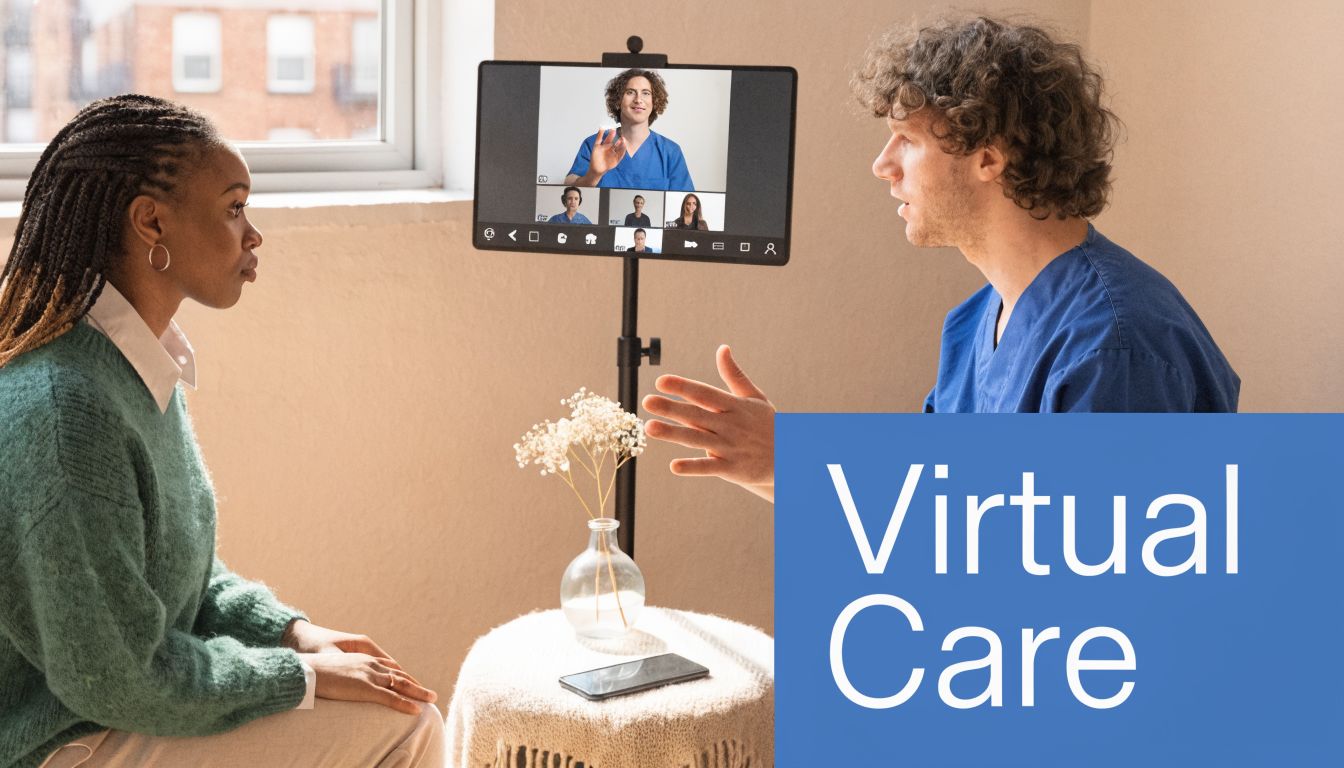
A specialist in a city can meet with a rural patient, while the patient's local doctor joins from another location. They can discuss symptoms, review notes, and decide on next steps together. Nobody has to coordinate travel just to hold the conversation.
That matters even more when privacy is involved. A healthcare teleconference isn't just a convenience tool. It becomes part of patient access and continuity of care.
Teaching beyond one classroom
A tutor can run an evening lesson for students in different neighborhoods. One student joins from a phone, another from a laptop, and the teacher shares a whiteboard or document on screen. A parent can step in briefly, ask a question, and leave.
Teleconferencing moves beyond “online calling.” It supports explanation, feedback, and shared review in real time. For educators, that means less travel and a wider reach without needing a physical center for every session.
Business meetings that actually move work forward
A startup founder can present a product demo to a client in another city, share the screen, answer objections, and bring in a colleague for pricing questions. That whole meeting can happen in one session instead of a chain of emails and delayed callbacks.
The business case becomes even clearer when you compare old and new communication costs. The history of conference calling documented by WhyPay notes that the first conference call took place on January 25, 1915, connecting New York and San Francisco, and cost the equivalent of about $485 per minute in today's currency. At that price, remote group communication was reserved for large organizations and governments.
Why that historical contrast matters
Today, a solo consultant, clinic, or training center can run regular remote meetings for a low recurring cost. That shift changed who gets access to professional communication tools.
The real breakthrough isn't that teleconferencing exists. It's that ordinary organizations can now use it daily without treating every minute like a luxury expense.
That's why teleconferencing is no longer a special event. For many industries, it's standard operations.
Essential Security Features You Should Demand
Security isn't a bonus feature for virtual meetings. It's part of the basic job description. If you discuss patient details, financial information, internal strategy, or student records, an insecure meeting platform creates unnecessary risk.
The simplest way to understand end-to-end encryption is to think of a sealed letter. Only the sender and intended recipient should be able to open it. In meeting terms, that means outsiders shouldn't be able to read or listen to the content while it travels across the network.
What secure teleconferencing should include
For healthcare use, Vonage's teleconference overview notes that modern platforms can enforce end-to-end encryption through WebRTC's Insertable Streams API, while SIP supports secure joining through links and access codes instead of relying only on older dial-in models.
That technical language leads to a short practical checklist:
- Encryption in transit: Your audio and video should be protected while moving between participants.
- Secure join methods: Access links, PINs, and waiting rooms reduce accidental or unwanted entry.
- Host controls: The organizer should be able to admit, mute, remove, or lock the meeting.
- HIPAA readiness: Healthcare teams need a platform designed for protected communication, not just general chat.
Security isn't only about the app
Even a strong platform can be weakened by poor setup. Reused links, open invites, and weak host controls can create avoidable problems.
If you evaluate vendors, it also helps to review independent material on application testing and verification, such as these fast SaaS pentest results, because meeting security depends on both encryption and broader software hygiene.
For healthcare buyers comparing options, this guide to HIPAA-compliant video conferencing platforms is a practical starting point.
Private conversations need private infrastructure. If a platform treats encryption as an upgrade, that's a warning sign.
Choosing a Platform Cost Versus Value
A low sticker price can be misleading. Some meeting tools look inexpensive until you run into time limits, attendee caps, webinar add-ons, storage upgrades, or separate charges for features you assumed were standard.
That's why cost alone is the wrong filter. The better question is what do you get for the money you spend.
A useful price comparison
The gap between legacy systems and modern tools is dramatic. TechTarget's history of video conferencing notes that systems such as the CLI TI in the 1980s cost $250,000 to buy and $1,000 per hour to use. The same source notes that modern platforms such as AONMeetings offer HIPAA-compliant video calls starting at ₹179 per user per month.
That comparison matters because it changes your buying mindset. You're no longer comparing “remote communication” to “no remote communication.” You're comparing one software model to another.
What value looks like in practice
For a clinic, value means secure appointments without adding a separate webinar or broadcast tool for patient education.
For a tutor or coaching center, value means unlimited meeting time, browser access, whiteboards, and recordings without sending families through a difficult setup.
For a small business, value means you can handle client calls, internal meetings, and webinar-style demos in one place instead of paying for multiple subscriptions.
Consider these evaluation questions:
- Included features: Are webinars part of the plan, or an extra line item?
- Time limits: Will meetings end early unless you upgrade?
- Security level: Is bank-level encryption built in?
- Predictable billing: Are there contracts, hidden fees, or usage surprises?
A platform that includes webinars, encryption, and unlimited time often delivers better value than a lower-priced tool that keeps charging each time your needs grow.
Quick Answers for Better Teleconference Calls
Some questions come up repeatedly, especially when people are choosing a platform for the first time.
Is a teleconference the same as a conference call
Not always. A conference call often suggests audio first. A teleconference is broader and can include audio, video, and shared online tools. In everyday use, people mix the terms, so context matters more than dictionary purity.
Do participants need to download software
Sometimes yes, but not always. Many modern platforms let people join through a browser link, which is easier for patients, parents, clients, and guest speakers. If your audience isn't technical, browser-based access reduces drop-off and support requests.
How do I know a call is secure
Start with basics:
- Use protected access: Share private links or codes, not public posts.
- Enable host controls: Waiting rooms and meeting lock features help.
- Choose encryption: Look for end-to-end protection and strong meeting security settings.
- Limit oversharing: Don't post sensitive files or screen-share the wrong window.
Why do teleconference calls get echo or bad audio
Usually because of speaker volume, multiple devices in one room, or a weak microphone setup. A headset helps. Muting unused devices helps too. If you want a practical troubleshooting checklist, this guide on how to stop echo on mic is useful.
What should I check before choosing a platform
Use a short shortlist:
- Can my audience join easily
- Is the meeting secure enough for my work
- Are webinars included if I need them
- Will the price stay predictable as usage grows
If a platform passes those four tests, you're usually looking at a workable long-term choice.
If you want one platform for secure meetings, webinar hosting, unlimited meeting time, and straightforward pricing, AONMeetings is worth reviewing. It's designed for clinics, educators, businesses, and teams that need browser-based access, HIPAA-conscious security, and fewer hidden costs.
