
You’re probably making this choice under pressure. A team needs a standard meeting platform. Sales wants something clients can join without friction. IT wants governance. Finance wants a clean answer on cost. Compliance wants to know what happens when auditors ask hard questions.
That’s why a basic feature checklist doesn’t help much in a zoom vs webex decision. On paper, both handle meetings, recordings, chat, webinars, and large participant counts. In practice, the better fit depends on hidden variables: how much the platform costs over years, how it behaves on ordinary employee hardware, how much setup security teams must do, and whether your users work in regulated or bandwidth-constrained environments.
The more interesting conclusion is this. Zoom and Webex are not competing for exactly the same buyer, even when their plan pages look similar. Zoom leans toward ease, adoption, and lower long-term operating cost. Webex leans toward governance, compliance workflows, and tighter alignment with enterprise controls. If you’re comparing them only on meeting buttons and gallery view, you’re missing essential buying criteria.
Choosing Your Video Conferencing Champion
Most buyers start with the visible differences. Can it host webinars? Does it support recordings? Can people share screens and use whiteboards? Those questions matter, but they rarely decide the purchase on their own.
The harder questions usually surface later:
- Finance asks for full cost: not just the monthly seat price, but training, deployment, and operational overhead.
- IT asks about infrastructure: how the app behaves on older laptops, thin clients, and mixed device fleets.
- Security asks about proof: whether controls are enabled by default, and whether audit evidence is easy to produce.
- Operations asks about resilience: what happens when staff work from home, travel, or join from unstable internet links.
That’s where zoom vs webex gets interesting. Zoom became the familiar default for many teams because it reduced user friction. Webex kept its edge in organizations that treat meetings as part of a controlled enterprise environment, not just a communications convenience.
Practical rule: If your main problem is user adoption, start by examining Zoom. If your main problem is audit readiness, start by examining Webex.
There’s another layer many teams overlook. A platform can look inexpensive at purchase and still become expensive to run. Admin effort, support burden, training time, and hardware strain all show up later. For healthcare providers, educators, and smaller firms, that’s often where specialized alternatives enter the conversation. Some buyers don’t need a broad enterprise suite. They need secure meetings, webinars, and predictable pricing without time caps or complex rollout overhead.
Zoom and Webex At a Glance
A regional healthcare group rolling out video meetings to clinicians, administrators, and external partners faces a practical tradeoff on day one. One platform reduces friction for first-time users and guest participants. The other usually gives IT and compliance teams more policy control from the start. That difference shapes support volume, rollout speed, and long-term operating cost more than the headline feature list.
At a glance, Zoom and Webex serve different operating models. Zoom is usually the easier fit for organizations optimizing for adoption across mixed users and devices. Webex is often the better fit for organizations that treat meetings as part of a broader controlled communications stack, especially where Cisco infrastructure and formal governance already matter.
| Category | Zoom | Webex |
|---|---|---|
| Core identity | User-friendly, cloud-first meeting platform | Enterprise-focused collaboration platform with Cisco roots |
| Market position | Common choice across business sizes, especially teams prioritizing quick adoption | Common choice for larger organizations with stricter governance and admin requirements |
| Overall user sentiment | Higher user rating in the review data cited earlier | Lower user rating in the review data cited earlier |
| Typical buyer profile | Stronger appeal among smaller organizations and external-facing teams | Stronger appeal among enterprises that value centralized control |
| Paid meeting scale | Supports large paid meetings | Supports large paid meetings |
| Free plan baseline | Supports small-team trial use with attendee and time limits | Supports small-team trial use with attendee and time limits |

Zoom reduces adoption cost faster
Zoom’s advantage is not only familiarity. It often lowers the hidden cost of getting people into meetings without training, especially in companies that work with customers, candidates, contractors, or vendors. Fewer join failures and fewer basic support requests can matter as much as license price when a platform is used across many low-technical-comfort users.
That usually gives Zoom an ROI edge in sales-led companies, distributed startups, recruiting teams, and client services firms.
Webex fits environments where control has financial value
Webex tends to make more sense when the business pays a real penalty for weak policy enforcement, inconsistent admin settings, or poor audit documentation. In those cases, a platform that takes longer to configure can still produce lower total cost of ownership over time because it reduces exception handling, security review cycles, and tool sprawl.
This pattern shows up in regulated environments. Teams evaluating healthcare deployments, for example, often compare meeting controls against broader compliance needs such as encryption, administrative visibility, and vendor documentation. Buyers with that profile usually review broader guides to HIPAA-compliant video conferencing platforms before they narrow the choice to Zoom or Webex.
Product DNA affects performance under real conditions
The practical split is simple. Zoom often wins the first meeting. Webex often wins the architecture review.
That distinction matters under non-ideal conditions. If your workforce joins from older laptops, thin clients, hospital workstations, or unstable home internet, ease of joining is only part of performance. Admin overhead, device strain, policy consistency, and the cost of supporting failed sessions all affect ROI. A platform with a slightly steeper learning curve can still be the cheaper platform to run if it better matches the way your organization manages risk and support.
The result is straightforward. Businesses buying for user adoption usually start with Zoom. Businesses buying for governance, audit support, and tighter control usually place Webex higher on the shortlist.
Core Features and AI Capabilities Compared
A 200-person training session starts on time, but a quarter of attendees join from weak home Wi-Fi, two presenters need live captions, and the facilitator expects an AI summary to be accurate enough to send to compliance and operations without manual cleanup. At that point, a feature checklist stops being useful. The better question is which platform keeps meeting quality high while limiting follow-up work, support tickets, and rework.
Meeting basics and collaboration tools
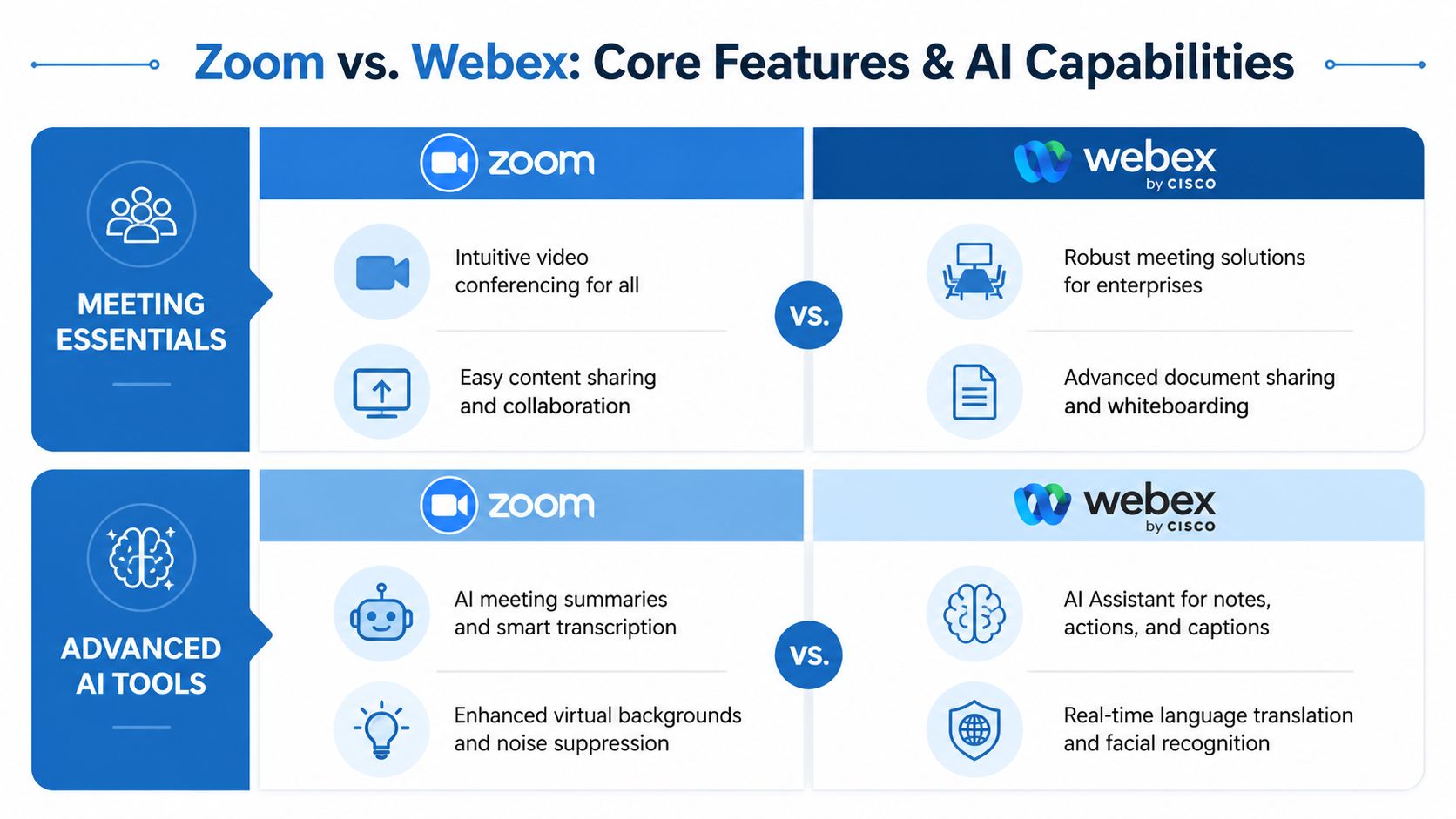
Both products cover the standard enterprise requirements. They support large meetings, screen sharing, chat, breakout rooms, captions, and whiteboarding. For many buyers, that means the visible feature gap is smaller than the operational gap.
Zoom still has the advantage in first-use simplicity. External guests usually need less instruction, and hosts can get a meeting running quickly with less setup friction. That matters for sales calls, recruiting interviews, customer onboarding, and any workflow where every extra click lowers attendance or wastes paid meeting time.
Webex is stronger in structured internal collaboration. Its meeting environment tends to fit organizations that want whiteboarding, more controlled session management, and a tighter connection between meetings and formal business processes. In practice, that often benefits PMOs, training teams, and large internal programs where consistency matters more than a fast start.
The hidden cost sits in support overhead. A platform that is easier for outside participants can reduce failed joins. A platform with more built-in structure can reduce moderator intervention once the meeting is live.
Webinar value depends on production style
Webinar software gets purchased for audience size, then judged on execution quality. Those are not the same thing.
Zoom usually fits teams that run frequent external sessions with mixed attendee technical ability. The host workflow is easier to learn, and that tends to lower prep time for marketing teams and small event staffs. If a company runs product demos every week, the ROI often comes from lower coordination effort rather than from one premium control panel feature.
Webex fits more formal broadcast-style events. It is a better match when moderators need stricter control over presenters, audience behavior, and session flow. That profile shows up in executive town halls, policy training, internal communications, and education programs where the event owner needs predictable administration.
A simple fit check helps:
| Use case | Better fit |
|---|---|
| Client-facing demo series with mixed external attendees | Zoom |
| Formal enterprise webinars with stricter host controls | Webex |
| Training sessions with multilingual or policy-heavy content | Webex |
| Fast recurring sessions run by small teams | Zoom |
AI performance matters only if it reduces manual work
AI meeting assistants are easy to oversell. The business case is narrower. They create value when they shorten note-taking, reduce summary editing, and help teams recover decisions from imperfect meetings.
One independent benchmark summary reported a small overall lead for Zoom AI Companion over Webex AI Assistant, while also showing stronger speed and stability results for Zoom against Microsoft Teams in related testing, according to Fortay Connect’s review of the AI meeting assistant comparison. The practical takeaway is not that Zoom wins AI by a wide margin. It is that Zoom’s assistant appears strong enough in live use to help teams that need quick post-meeting outputs.
That distinction matters for cost control. A sales team that runs dozens of calls per rep each week gets more value from fast summaries and dependable action-item capture than from a long list of AI labels in the admin console.
Webex takes a different approach. Its AI value is broader and more enterprise-oriented, with capabilities centered on summaries, voice intelligence, translation, and participant context, as noted earlier. For global teams or highly structured internal meetings, those capabilities can produce higher ROI than a slightly faster in-meeting response.
Real-world quality is tied to audio and network tolerance
AI quality also depends on the meeting input it receives. Poor audio, cross-talk, and unstable bandwidth degrade transcripts before the assistant ever generates a summary. Teams comparing Zoom and Webex should test under realistic conditions, not lab conditions.
That includes common problems such as low-bandwidth video, older headsets, and room echo. If your support team spends time fixing recurring audio issues, use a basic guide to stop echo on your mic as part of pilot testing, then measure how well each platform preserves captions, transcripts, and summary quality after the fix. That gives a better view of actual ROI than a polished vendor demo.
Which feature set creates less drag
Zoom is usually the better fit when the priority is adoption speed, easier guest access, and AI output that helps fast-moving teams act quickly after a meeting.
Webex is usually the better fit when meetings are part of a more controlled operating model. That includes formal training, multilingual coordination, governance-heavy internal calls, and webinar programs where moderators need more oversight.
The non-obvious conclusion is that feature breadth alone does not determine value. The stronger platform is the one that reduces correction work after the meeting ends.
Security and Compliance for Regulated Industries
A compliance officer at a hospital and an IT manager at a regional bank can buy the same meeting platform and face very different risk profiles. The useful comparison is not whether Zoom and Webex both offer encrypted meetings. It is which platform reduces audit work, policy exceptions, and configuration mistakes after rollout.

Webex fits organizations that need proof, not just protection
Webex is usually the cleaner fit for regulated environments because its security model is closely tied to centralized administration, audit logging, and formal compliance workflows, as noted earlier. That matters in industries where the meeting itself is only one part of the control chain. Security teams also need records, policy enforcement, and documentation they can hand to internal reviewers or outside auditors.
This has a direct cost implication. A platform that starts with stricter defaults and clearer administrative controls can reduce manual follow-up from security, legal, and compliance staff. For a hospital system or public agency, that can matter more than a marginal difference in interface simplicity because the hidden labor sits after procurement, during audits, access reviews, and incident response preparation.
Zoom can meet strict requirements, but the admin burden is different
Zoom’s security position is stronger than its older reputation suggests. It offers protections that can satisfy many regulated use cases, including stronger confidentiality options for organizations willing to configure them carefully, as noted earlier.
The practical issue is operational consistency.
Optional controls are still useful, but optional controls create more room for uneven deployment across departments, hosts, and meeting types. In a small firm with one attentive admin, that may be manageable. In a distributed enterprise with many business units, every extra setting increases the chance that policy and actual usage drift apart. TCO rises when security reviews turn into recurring cleanup work.
The buying decision is really about governance load
A feature checklist misses the main question. Which platform leaves your team with less compliance labor per month?
- Choose Webex when your organization needs stronger default governance, audit-ready records, and a platform that aligns with formal oversight processes in healthcare, finance, legal, or government.
- Choose Zoom when your team can accept more setup responsibility in exchange for broader familiarity and a lighter change-management burden for users.
Regulated buyers often make the wrong comparison. They compare feature availability, not the staffing model required to operate those features correctly.
HIPAA teams should evaluate the full workflow
For healthcare, the meeting app is only one layer of compliance. Access controls, waiting rooms, host permissions, recording policies, and data handling procedures all affect risk. Teams assessing healthcare use cases should compare the broader checklist in this guide to HIPAA compliant video conferencing platforms.
Stronger controls can create overhead for smaller organizations
Webex’s governance-first approach can be an advantage or a drag, depending on the size of the admin team. A large insurer or hospital network may benefit from that structure. A small clinic, local law office, or mid-sized accounting firm may decide that secure meetings with simpler day-to-day administration produce better ROI.
The non-obvious conclusion is that security strength alone does not determine fit. In regulated industries, the better platform is often the one that your team can configure correctly, document reliably, and defend during a review without adding a permanent layer of administrative work.
Performance and System Resource Impact
A 300-person company replacing laptops on a four-year cycle will feel meeting software choices in places procurement rarely models up front. Higher CPU load shortens the useful life of older devices. More visual processing can trigger driver issues on unmanaged home PCs. Weak performance on unstable connections turns into repeat support tickets, missed calls, and lower meeting completion rates. That is why performance belongs in ROI analysis, not just in a product demo.
Benchmark data shows different kinds of device pressure
One published benchmark found Zoom at 7.3% CPU utilization, 539.3 MB memory usage, and 9.8% GPU consumption, while Webex ran at 13.6% CPU, 491.8 MB memory, and 7.4% GPU, according to Cosmos Video’s benchmarking summary.
Those results matter because they point to different bottlenecks, not a single winner.
| Resource metric | Zoom | Webex | Operational implication |
|---|---|---|---|
| CPU | 7.3% | 13.6% | Zoom is less likely to stress older processors |
| Memory | 539.3 MB | 491.8 MB | Webex leaves slightly more RAM available for other apps |
| GPU | 9.8% | 7.4% | Zoom relies more on hardware acceleration for visuals |
CPU is usually the costlier constraint. In mixed fleets with aging Windows laptops, background security tools, browser tabs, and CRM software already competing for resources, higher CPU demand shows up fast as fan noise, lag, and frozen video. For many SMBs and distributed teams, that makes Zoom’s lower processor load the more relevant result.
Webex’s lower memory use still has value. It fits better in tightly managed enterprise environments where users keep several business applications open all day, or where endpoints have fixed hardware profiles and little room for overhead. The savings are modest, but in VDI setups, front-desk systems, and shared workstations, modest savings can reduce friction.
Higher GPU use is a tradeoff, not a defect
Zoom’s higher GPU draw likely reflects heavier use of hardware acceleration and visual features such as background effects, as noted earlier in the Cosmos benchmark. That can improve perceived call quality for client-facing teams that care about presentation. It can also create more variability on low-end graphics hardware, especially where drivers are outdated or users connect through older docking setups.
That distinction matters in practice.
- Sales, recruiting, and customer success teams often benefit from Zoom’s visual smoothness and lower CPU load.
- Task-oriented back-office teams on fixed desktops may care more about stable baseline performance than visual polish.
- Organizations with many unmanaged home devices should test GPU-sensitive features before broad rollout.
Low-bandwidth performance is still the hardest factor to price correctly
Published comparisons describe Zoom as generally stronger under constrained bandwidth, with a tendency to preserve audio quality first, while Webex also remains usable on weaker connections, as discussed earlier in Burwood’s comparison. The gap is that public sources do not provide hard thresholds for dropout rates, recovery times, or video degradation at specific bandwidth levels.
That missing data creates a planning problem. A platform can look equal in office tests and still behave very differently for home-based staff on inconsistent broadband, rural clinics, field teams on mobile hotspots, or educators serving students on shared household networks. The cost is indirect but real. More reconnects, more repeated instructions, and more failed screenshares reduce meeting throughput even when subscription pricing looks similar.
For these teams, a pilot matters more than a feature checklist. Test both products on weak Wi-Fi, consumer broadband, and mobile tethering. Measure whether audio survives packet loss, how quickly video recovers, and whether screen sharing remains usable. Those results will tell you more about real ROI than another vendor matrix.
One more caution. Teams often blame the platform for audio failures caused by local equipment, room acoustics, or microphone settings. Before escalating a meeting app issue, use this guide on how to stop echo on a mic to rule out endpoint problems first.
The non-obvious conclusion is simple. Zoom usually offers the safer fit where device age and connection quality vary widely. Webex can perform well in standardized environments that value predictability and controlled endpoints over visual efficiency.
Comparing Pricing and Total Cost of Ownership
A finance lead approving 200 seats can make the wrong call by focusing on a plan page. Zoom and Webex start close enough in monthly pricing to look interchangeable. The budget impact shows up later, in training time, admin effort, support tickets, and how much extra infrastructure discipline the platform expects from your team.
Earlier comparison data in this article showed near-parity at the entry plan level, but a wider gap over a five-year ownership window. That distinction matters because video platforms are usually bought as recurring operating systems for communication, not short-term software subscriptions.
| Cost Component | Zoom (5-Year Cost) | Webex (5-Year Cost) |
|---|---|---|
| Annual licensing | $219 | $269 |
| One-time deployment and training | $19 | $30 |
| Recurring operational costs | $111 | $180 |
| 5-year TCO per user | $1,669 | $2,276 |
The pattern is more important than the headline number. Webex does not necessarily look expensive in procurement. It gets more expensive in operation.
That operational spread tends to come from three places:
- User onboarding time, especially for organizations with many occasional meeting hosts
- Administrator workload tied to policy setup, support, and account management
- Ongoing support costs when the platform is rolled out across mixed departments instead of a tightly controlled enterprise environment
For a small deployment, that difference may be tolerable. For a larger rollout, it changes the business case. A per-user gap multiplied across dozens or hundreds of employees can outweigh small differences in list pricing within a single budget cycle.
TCO also helps explain why two companies can buy similar tools and report very different ROI. A regulated enterprise with Cisco infrastructure, centralized IT, and formal training processes may absorb Webex overhead efficiently. A smaller firm with limited IT support often values low-friction administration more than extra governance layers. In that setting, the cheaper plan is not always the cheaper platform.
There is also a packaging question. Some buyers need webinar controls, stricter administration, or compatibility with an existing enterprise stack. Others need predictable collaboration costs without paying for features that sit unused. That is why small firms should compare meeting software against their actual operating model, not just vendor tiers. Teams doing that evaluation may also want to review this guide to the best video conferencing platforms for small business, which covers simpler pricing structures and browser-based options.
AONMeetings fits that narrower comparison set. It is positioned around browser-based meetings, built-in webinars, encryption, and predictable pricing. That does not make it a substitute for every Zoom or Webex deployment, but it is relevant for buyers trying to reduce support burden and avoid layered enterprise packaging.
The practical conclusion is straightforward. Zoom usually presents the lower ownership cost for organizations that prioritize adoption speed and lighter administration. Webex can still be the better financial decision where compliance, control, and existing Cisco alignment reduce the cost of running it.
Which Platform Is Right For Your Team
A purchasing team narrows the shortlist to Zoom and Webex. Then the test starts. The sales group wants fewer meeting failures on mixed home networks, IT wants fewer support tickets, security wants stronger policy control, and finance wants to know which choice will cost less after rollout, training, and administration are counted.
That is why the best fit usually comes from operating reality, not vendor category labels.
Choose Zoom if low friction has direct business value
Zoom tends to fit organizations where meeting volume is high, user patience is low, and every extra step shows up as lost time or slower adoption. That often describes small businesses, client-facing sales teams, recruiting teams, and distributed companies with mixed device quality.
In those environments, the decision is not only about license price. It is about how quickly new users can join calls, how often support has to intervene, and how much old hardware slows down the workday. Teams with limited IT coverage often benefit more from a platform that is easier to deploy and maintain than from one with a longer list of administrative controls.
A practical rule works well here. If your business runs on external meetings and you need the platform to disappear into the workflow, Zoom is usually the safer operational choice.
Choose Webex if control reduces downstream risk
Webex makes more sense where meetings are treated as part of a governed business system. Large enterprises, healthcare organizations under stronger audit pressure, public sector related teams, and companies already tied closely to Cisco infrastructure often fall into that category.
The advantage is less about headline features and more about internal defensibility. Security reviews, retention requirements, policy enforcement, and audit preparation can all add labor to a collaboration rollout. If those tasks already shape software buying decisions at your company, Webex may reduce friction for the stakeholders who approve or block deployment.
That can justify a higher cost.
If legal, compliance, security, and infrastructure teams all influence the purchase, Webex will often face less resistance in procurement and review.
Mid-market healthcare and education teams should test the middle ground
Some teams sit between the two usual buying patterns. A regional clinic, private school network, or training provider may need strong security and straightforward administration without the overhead of a full enterprise-style rollout.
For that group, the right answer may still be Zoom or Webex. But it is worth testing whether the extra governance in Webex will be used, or whether Zoom’s simpler rollout model creates better ROI. In some cases, specialized platforms such as AONMeetings also enter the comparison because they focus on browser-based access, webinars, and predictable administration rather than a wider enterprise stack.
Performance under weak conditions should break the tie
Feature parity matters less once both tools clear your baseline requirements. The harder question is what happens on old laptops, unstable home broadband, shared Wi-Fi, or mobile hotspots.
As noted earlier, public comparison material points to Zoom as generally favorable for usability and to Webex as stronger for enterprise control, but it does not provide enough hard, side-by-side benchmarking to set reliable call quality thresholds for poor network conditions. For rural clinics, field teams, educators, and remote staff, that gap matters because a platform that works well in ideal demos can still fail in the environments that drive daily support cost.
Run the pilot where conditions are worst, not best.
Test with entry-level employee devices. Test on congested home internet. Test with participants joining from browsers and phones, not only managed laptops. The platform that holds audio stability, screen sharing, and join reliability together in those conditions is usually the one that will produce the better long-term return.
Frequently Asked Questions About Zoom and Webex
Is Zoom easier to migrate to than Webex
For most organizations, Zoom is easier for end users to adopt quickly because the interface is generally simpler. Migration effort, though, isn’t only a user issue. It also depends on what you’re moving: user identities, security policies, recordings, room systems, and admin workflows. If your current setup includes many enterprise controls, Webex-to-anything migration usually takes more planning than a basic meetings-only move.
Which one is better for webinars
It depends on the style of webinar. Zoom usually fits teams that want fast setup and less attendee friction. Webex fits organizations that run more formal events and want deeper host oversight. If webinars are central to revenue generation or training delivery, don’t buy based only on the meetings plan. Test the event workflow itself.
Which platform is better for healthcare
If your healthcare organization prioritizes enterprise-grade compliance artifacts, audit logs, and security defaults, Webex has the stronger documented case in the reviewed comparison material. If your organization prioritizes easier adoption and lower ownership cost, Zoom may still be viable with the right configuration. Smaller providers often also evaluate purpose-built HIPAA-focused platforms rather than defaulting to a broad enterprise suite.
Are Zoom and Webex equally reliable on poor internet
There isn’t enough hard public benchmark data to say that confidently. Some reviewed sources describe Zoom as stronger in low-bandwidth conditions, but they don’t provide threshold-level numbers for dropout, quality degradation, or recovery. For organizations where connectivity is the main risk, internal pilot testing matters more than vendor positioning.
Is there a simpler alternative if I need secure meetings and webinars
Yes. Some teams don’t need the full complexity of Zoom or Webex. They need secure browser-based meetings, webinar hosting, predictable pricing, and fewer administrative layers. In that case, it’s reasonable to compare specialized platforms alongside the major suites before signing a long-term standard.
If you're comparing platforms for HIPAA-sensitive meetings, online classes, client demos, or webinar delivery, AONMeetings is another option to evaluate alongside Zoom and Webex. It offers HIPAA-compliant video conferencing, built-in webinars, no 40-minute limits, bank-level encryption, and browser-based access with straightforward pricing.
